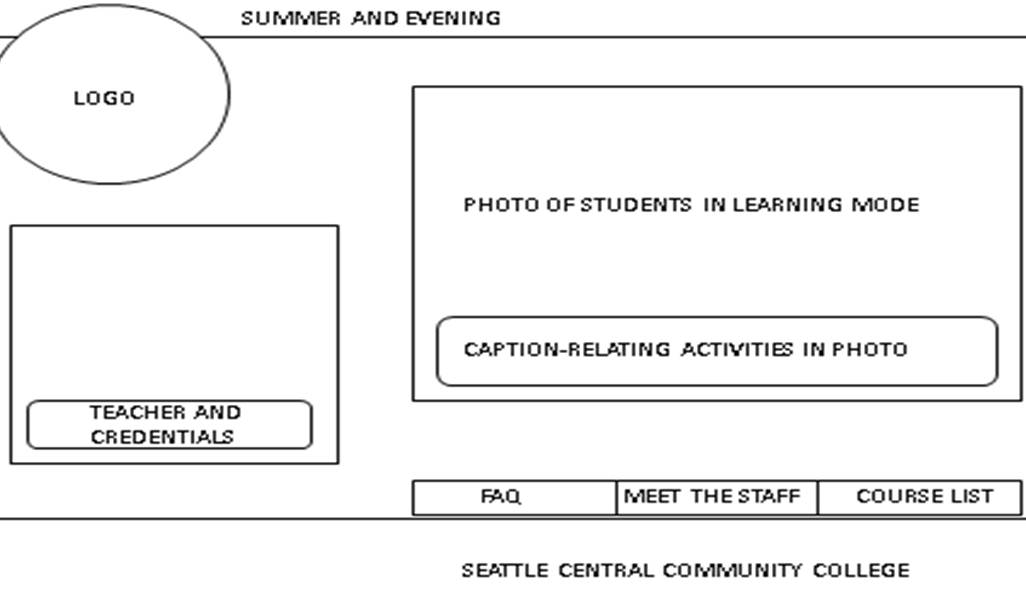
Last Friday, I presented this (read: my team presented this) to Jill and Chris (among other materials, refined logo design and tee shirt ideas) and they seemed to be excited by our progress and the polishing of our style guide.
For this wireframe, they had some quickfix tasks, relocating the nav bar to the top section of the page and emphasizing that it’s Seattle Central Creative Academy and not community college.
Secondly, they asked me questions about what happens when the user clicks on the different nav buttons. I was stumped for a moment. (I try to look prepared by making up something on the spot.) They looked confused when I said that the smaller box fills with the content of the previously clicked item, so at any given moment you can see what page you were last, like a rotating wheel of content. I immediately saw the ridiculousness of that and when they asked me again to clarify, I said that the smaller box is the detail of the larger list of things to click on. Essentially, a built-in pop up window. I tried to fight a little to keep the positioning of the boxes to line up with the smaller window to the logo and the larger to the nav bar, but Jill and Chris emphasized that people read right to left and top to bottom. This little fact dictates how all web is designed forever. People will always read that way because we keep showing them that way. Industry Standards. A consideration that holds high priority for UI/UX.
When you make a wireframe, you’re not presenting a graphic design, you are presenting a system. A world of considerations have to be anticipated. A wireframe of a homepage is a window leading to everything a user might consider wanting from your company. You must anticipate their wants, needs, instincts and most importantly their expectations.
When you present a wireframe for a homepage, you have to always welcome them. (Another critique of my design was that it lacked an official greeting, orienting the user to the purpose of the organization.) The “about” has to be on the homepage. A quick summary of the main idea. If your user has to click to know the main thing about your organization, you’ve already lost them. I’ve heard this in other critiques:” so your user must click…” Early on in the process, you want to offer lots of content. If you find yourself with more options after clicking through a couple of things, reconsider putting the options on the homepage so the user can get to them quicker. User-centered design. User-centered design. It can’t be said enough.
 Kismet Arts Tangent
Leave a comment