Skip to content

Kismet Arts Tangent

Art Collective

    • Kismet Arts Tangent
    • About
    • Blog
    • Contact

recent posts

  • Make up looks
  • Images from re Patient’s Schedule
  • Self Intake
  • Inspiration Pool for zine
  • Photo shoot with Kayleigh Shawn

  • Instagram
  • Portfolio Update: Games are the Goal, Part 2

    April 6, 2014

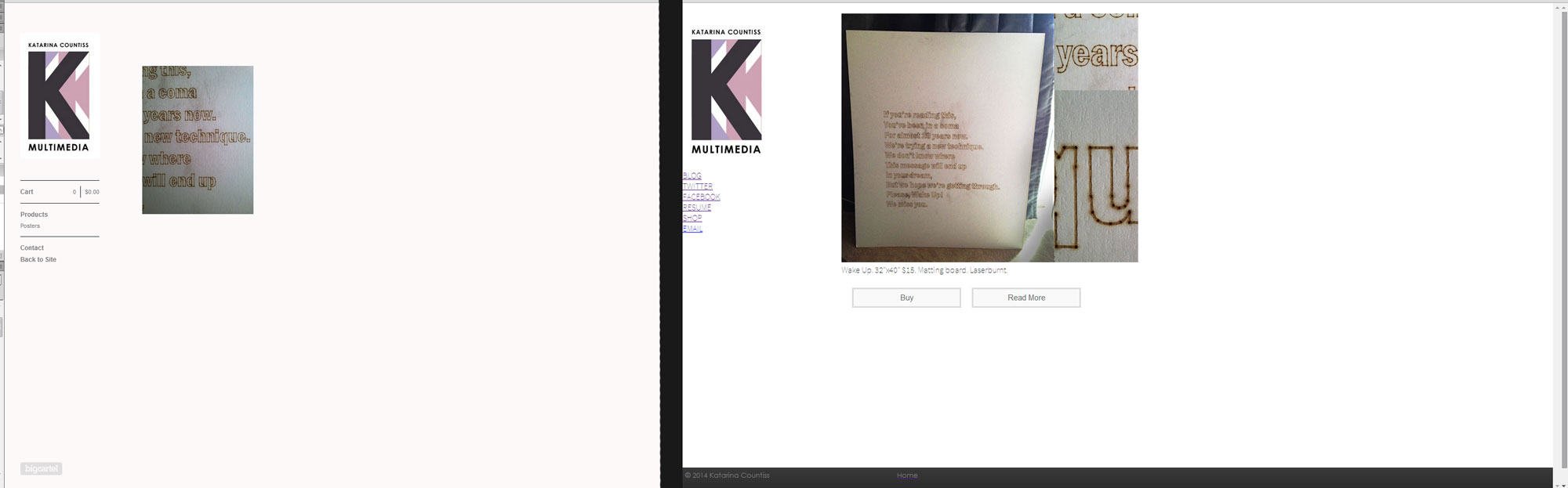
    In my second session of coding, I smoothed out the mobile layout. I was wondering where the nav bar would go (it’s placed with absolute positioning, so earlier in the iteration process, it was blocking some text in the mobile div. So, I created a secret class that only shows up on mobile and I put a little bio in it.

    view of website on my iPhone
    view of website on my iPhone

    Because the lack of screen space and the way websites are broken up to fit mobile, the website needs to sum itself up early on in the mobile version.

    I also put in the gif I mentioned in the last post. It is a hover activated image and looks like this (see below) when hovered upon. I think it’s fun.


    winner


    I worked on my resume page and found that I wanted to expand on the composition of the home page. (Think similar but different.) I played around with a few different backgrounds…

    making-divs


    resume-page8
    This is how the resume page looks.

    I liked this composition the best. My education, skills and work experience feel like they’ve been building on each other and I wanted to reflect that visually.


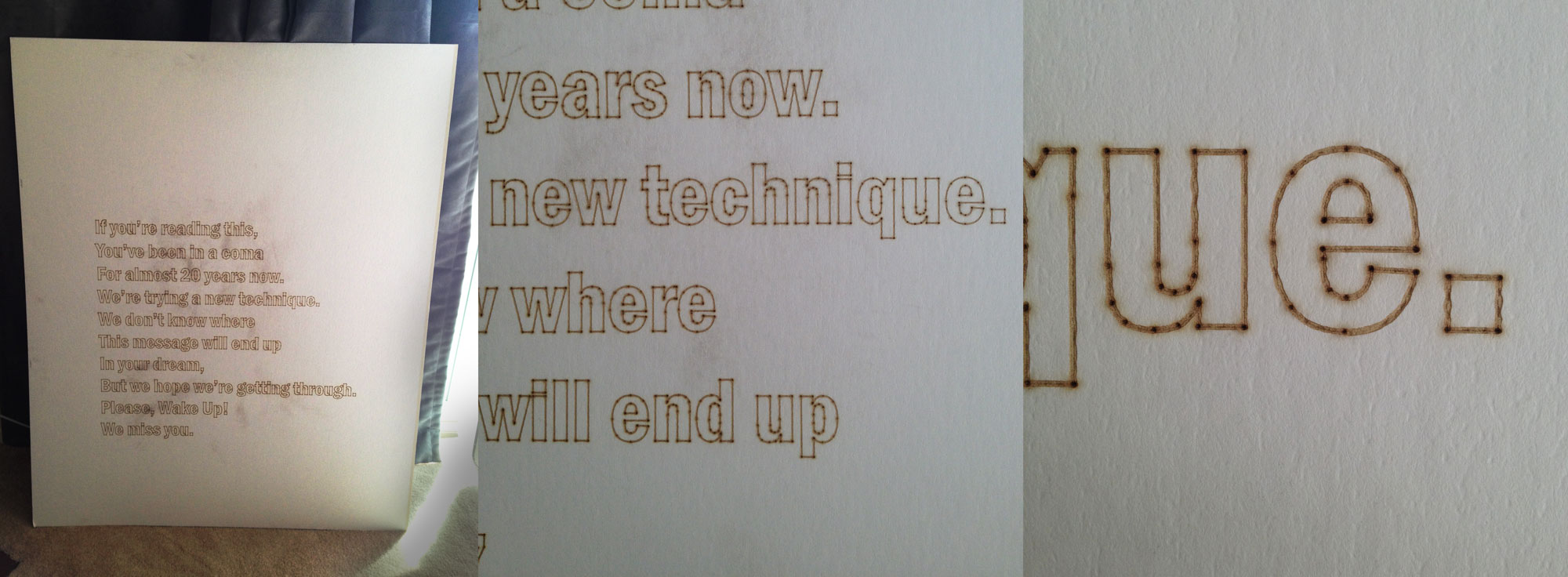
    Next tasks: I want to make the project images more convincing. I love the process and I want to high light more of the process in some cool collage/overlay texture on the homepage.


    Katarina Countiss (visit it and tell me what you think!)
     (Earlier Post Relating to This Project)

    sharing options:

    • Share
    • Share on Tumblr (Opens in new window) Tumblr
    • Print (Opens in new window) Print
    • Share on LinkedIn (Opens in new window) LinkedIn
    • Share on X (Opens in new window) X
    • Share on Reddit (Opens in new window) Reddit
    • Share on Pinterest (Opens in new window) Pinterest
    • Share on Facebook (Opens in new window) Facebook
    • Email a link to a friend (Opens in new window) Email
    Like Loading…
  • Portfolio Update: Games are the Goal

    April 3, 2014
    notebook
    I took this picture of my loose wireframe last night. Little signs that I should have a game industry job.
    I'm gonna try use these projects for bait. (Early stage of change to the portfolio.)
    I’m gonna try use these projects for bait. (Early stage of change to the portfolio.)


    Today, I worked on my portfolio. I really want to get into the game industry I realized. I was watching one of my friends play God of Light – Android Apps on Google Play and I thought to myself: that’s the coolest thing.


    porfolio-update2
    I thought I’d add fun backgrounds, but they were a little distracting.
    porfolio-update3
    Here’s where I got a little crazy and thought it would be fun and playful to have my logo “tile” in the background… (And there’s me trying to remember how a CSS sprite is made.)

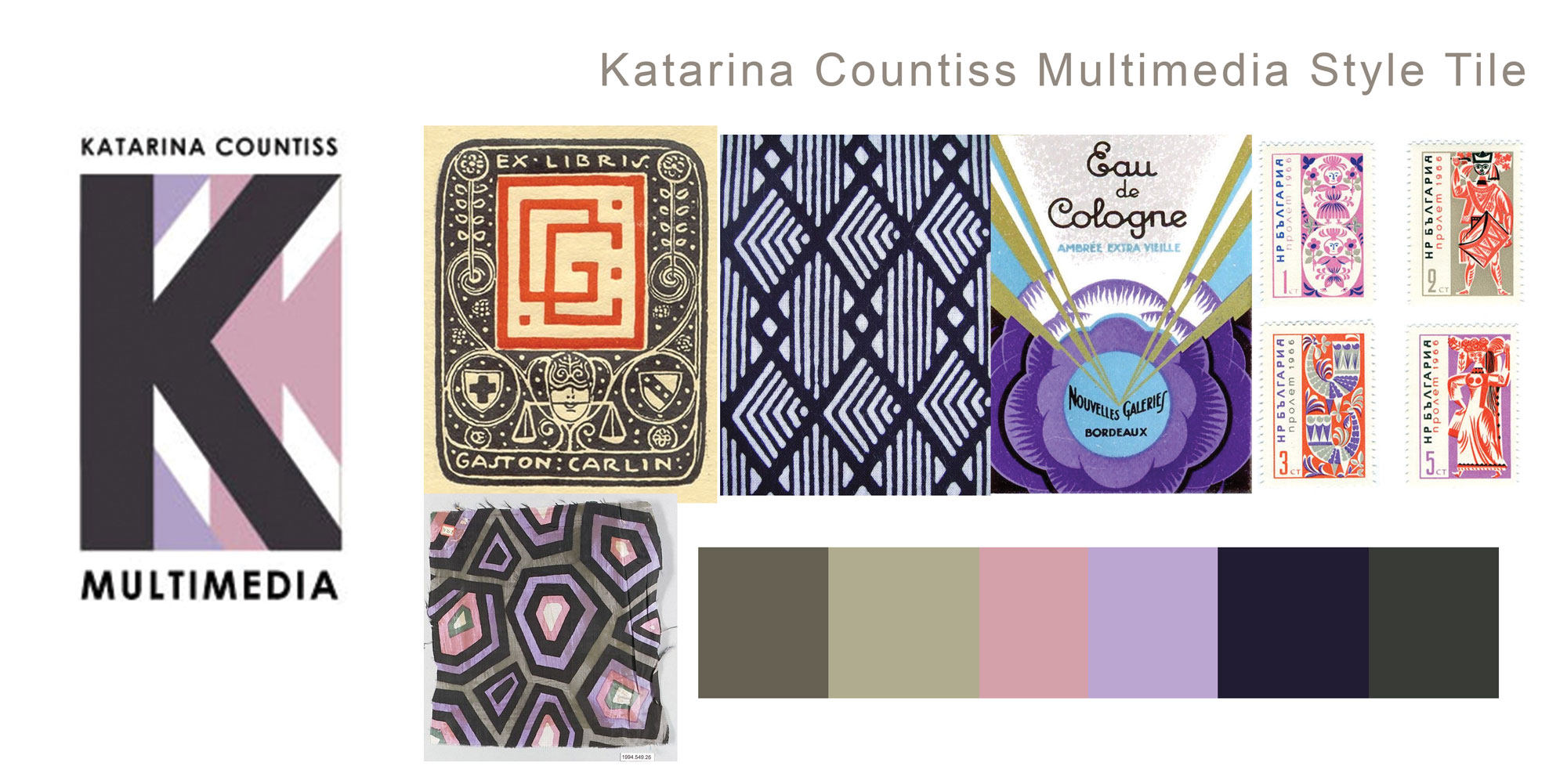
    Wes Anderson Palettes. I might have chosen the least joyous of these color palettes for this website. I’m pondering changing it in the next session.

    I gathered my senses and decided to use the tiles I originally made to pattern (I didn’t really apply myself with those patterns, anyways) as icons. For the background, I wanted to tie in the colors without being too distracting. I thought color blocking might be fun. I started with this “German flag” svg in the background and it did something really cool. It made it look like they were woven together, so I kept it!

    CSS transitions for the images (they turn to colors when you hover over it). I’m thinking I want to put an easter egg somewhere. A fun glowing gem gif behind one of the divs so that when you hover over it, it pops out. I’ll  think about it some more.

    I’d say I’m about half way through. I still have to further style the text and change all the other pages to match.

    porfolio-update4 Katarina Countiss (visit it and tell me what you think!)
     (Earlier Post Relating to This Project)

    sharing options:

    • Share
    • Share on Tumblr (Opens in new window) Tumblr
    • Print (Opens in new window) Print
    • Share on LinkedIn (Opens in new window) LinkedIn
    • Share on X (Opens in new window) X
    • Share on Reddit (Opens in new window) Reddit
    • Share on Pinterest (Opens in new window) Pinterest
    • Share on Facebook (Opens in new window) Facebook
    • Email a link to a friend (Opens in new window) Email
    Like Loading…
  • Yoks Scratchboard and Memo Jar

    April 2, 2014

    yoks-montagehow-to-yoksgifts

    It was my friend Dan’s birthday. He’s the creator of an upcoming comic, Welcome, inspired by Mr. Yoks (comic I worked on, which was inspired by his baby horse, Yoks). For his birthday, I gave him a memo jar. You glue a piece of paper and a clothespin to a jar and you have a one of a kind, interactive desktop/shelf ornament. It took me a few tries to draw it without tracing. I think that drawing directly pen on paper gives it an organic and immediate feel. Pencil lines make it seem too premeditated. I’ve been working with scratchboard lately and find it very easy to start and finish. The materials are fairly inexpensive and very portable. I highly recommend it.

    yoksandyoks
    Yoks loves it!

    sharing options:

    • Share
    • Share on Tumblr (Opens in new window) Tumblr
    • Print (Opens in new window) Print
    • Share on LinkedIn (Opens in new window) LinkedIn
    • Share on X (Opens in new window) X
    • Share on Reddit (Opens in new window) Reddit
    • Share on Pinterest (Opens in new window) Pinterest
    • Share on Facebook (Opens in new window) Facebook
    • Email a link to a friend (Opens in new window) Email
    Like Loading…
  • One of a Kind Collector’s Edition Merch for Shelby

    March 27, 2014
    toy Shelby product clip version 1 graphic design materials
    toy Shelby product clip version 1, certificate of authenticity, and instructions

    Toy Shelby product clip version 1: hand-drawn penguin, my favorite cartoon character (Shelby), using a Prismacolor Premier Brush Tip and some glue to affix it to the Modern Cube card clip. A Certificate of Authenticity: an Illustrator file with a complex-ish line then copied and rotated 15 degrees until a circle design is completed With some red diagonals for accent. Printed and then stamped with my self-inking logo stamp (I love that). An InDesign instructional document with easy-to-follow diagrams made in Illustrator including a logo that was colored in Photoshop. Jokey small print. I made this for a friend’s birthday and I think she loved it. Hard to tell with Stoics. Fun project. I like trinket design.

    shelby-instagram
    Here’s Toy Shelby product clip version 1 in action in her new home on a bookshelf in South Seattle next to a unicorn.
    Shelby Logo
    Shelby Logo

    sharing options:

    • Share
    • Share on Tumblr (Opens in new window) Tumblr
    • Print (Opens in new window) Print
    • Share on LinkedIn (Opens in new window) LinkedIn
    • Share on X (Opens in new window) X
    • Share on Reddit (Opens in new window) Reddit
    • Share on Pinterest (Opens in new window) Pinterest
    • Share on Facebook (Opens in new window) Facebook
    • Email a link to a friend (Opens in new window) Email
    Like Loading…
  • Eye of Sauron Shirt Painting

    March 26, 2014

    making a shirt for tolkien reading day

    Yesterday morning, I wanted to wear something festive to Ada’s Technical Books’ Tolkien Reading Day, but I don’t really have any costumes. I did have a black shirt and some acrylic paint. I used an old yogurt box to separate the front of the shirt from the back of the shirt. This prevents the paint that seeps through to stick to the other side and then the table. With a paper bowl to help define the major circle in the Eye of Sauron. I used a string from a nearby tea bag to emphasize the flares of fire and lightning.

    sharing options:

    • Share
    • Share on Tumblr (Opens in new window) Tumblr
    • Print (Opens in new window) Print
    • Share on LinkedIn (Opens in new window) LinkedIn
    • Share on X (Opens in new window) X
    • Share on Reddit (Opens in new window) Reddit
    • Share on Pinterest (Opens in new window) Pinterest
    • Share on Facebook (Opens in new window) Facebook
    • Email a link to a friend (Opens in new window) Email
    Like Loading…
  • The Cabin Memory Book

    March 18, 2014

    the-cabinMy friends and I went to Crater Lake for a cabin get away. Lots of fun. My friend mentioned she scrapbooks for her friends, but not for herself. I thought I’d give her a little graphic designed treat. InDesign is a scrapbooker’s friend, but it also changes the product. It’s not really scraps. It’s smooth and printed like a brochure. Next time I’ll add hand written notes to give it a warmer feel on the interior.


    sharing options:

    • Share
    • Share on Tumblr (Opens in new window) Tumblr
    • Print (Opens in new window) Print
    • Share on LinkedIn (Opens in new window) LinkedIn
    • Share on X (Opens in new window) X
    • Share on Reddit (Opens in new window) Reddit
    • Share on Pinterest (Opens in new window) Pinterest
    • Share on Facebook (Opens in new window) Facebook
    • Email a link to a friend (Opens in new window) Email
    Like Loading…
  • Calendar

    March 11, 2014

    calendar


    I kept forgetting what I am doing this week. Thought this would help. It was fun to make, anyways. Let’s see if it helps.

    Sometimes, your greatest tools aren’t all that complicated.
    Calendar.

    Other simple tools in the series:

    To Do List.
    Clipboard.

    sharing options:

    • Share
    • Share on Tumblr (Opens in new window) Tumblr
    • Print (Opens in new window) Print
    • Share on LinkedIn (Opens in new window) LinkedIn
    • Share on X (Opens in new window) X
    • Share on Reddit (Opens in new window) Reddit
    • Share on Pinterest (Opens in new window) Pinterest
    • Share on Facebook (Opens in new window) Facebook
    • Email a link to a friend (Opens in new window) Email
    Like Loading…
  • To Do List, the Interactive PDF

    March 7, 2014

    After some mild success with using To Do List, a simple HTML checkbox and text field document, I found myself wanting to save the items (which everyone is wont to do, I realized). I still like the “no-login” situation, but yikes, if the browser fails, the list is gone. So, I decided to jump the HTML ship and use Indesign’s interactive form features. This document is designed for viewing on a desktop (meh, laptops, too.) Tablets, not sure. Don’t have one… It’s at web resolution. Maybe I’ll add buttons if I want to mail myself these or print them out… to be revisited when I have a proper studio– where I own a printer! (InDesign Help | Buttons.) In the meantime, I’ll be saving this to my checklists file.

    to-do-list-screen

    I kept searching out my personal projects hidden in between my work projects… best keep these lists separately. So nice. It’s incredible that I might have forty things to do, but I am looking forward to be able to juggle that much on a regular basis.

    daily-rituals

    Daily Rituals: How Artists Work. I just started this book, but I love it so much already.

    “This was one of William James’ favorite subjects. He thought you wanted to put your life on auto-pilot; by forming good habits, he said, we can ‘free our minds to advance to really inderesting fields of action.’” p.xiv

    To Do List, the Interactive PDF

    sharing options:

    • Share
    • Share on Tumblr (Opens in new window) Tumblr
    • Print (Opens in new window) Print
    • Share on LinkedIn (Opens in new window) LinkedIn
    • Share on X (Opens in new window) X
    • Share on Reddit (Opens in new window) Reddit
    • Share on Pinterest (Opens in new window) Pinterest
    • Share on Facebook (Opens in new window) Facebook
    • Email a link to a friend (Opens in new window) Email
    Like Loading…
Previous Page Next Page

Blog at WordPress.com.

Loading Comments...
  • Subscribe Subscribed
    • Kismet Arts Tangent
    • Join 102 other subscribers
    • Already have a WordPress.com account? Log in now.
    • Kismet Arts Tangent
    • Subscribe Subscribed
    • Sign up
    • Log in
    • Report this content
    • View site in Reader
    • Manage subscriptions
    • Collapse this bar
%d