Skip to content

Kismet Arts Tangent

Art Collective

    • Kismet Arts Tangent
    • About
    • Blog
    • Contact
    • Donate

recent posts

  • Photo shoot with Kayleigh Shawn
  • Testimonials
  • Fractures Poem
  • Poetry
  • Pixel art products

  • Instagram
  • How to make a facebook page like Richard Karstom

    July 20, 2012

    how to make a facebook page like richard karstom

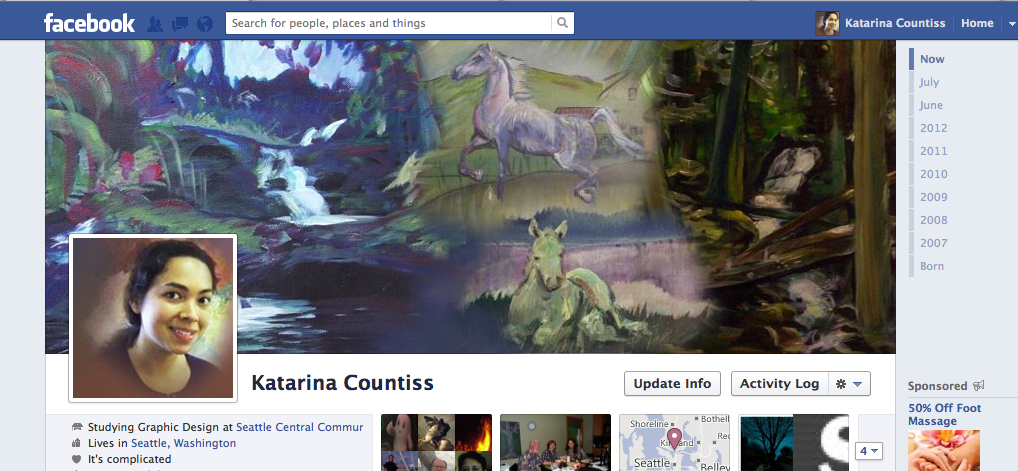
    step 1. Print screen your facebook profile.

    step 2. Open Adobe Photoshop

    step 3. Click crop tool. specify width of 851 pixels and height of 315 pixels.

    step 4. crop image to get a nice border around the area where the cover photo goes.

    step.5. Open a new photoshop file with the with width of 851 pixels and height of 315 pixels.

    step 6. Place your cropped image of your facebook screen shot.

    step 7. Align and lock that layer into place.

    step 8. Take the selector tool and select the part where your profile picture protrudes. (See image)
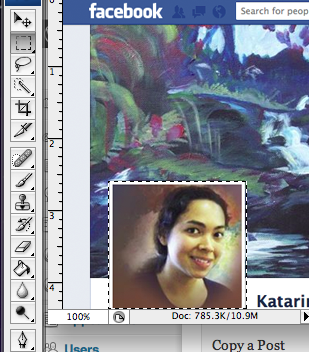
    step.9. use shortcut shift-command-I to reverse the selection. click the layer mask tool button. What appears is what you will be copying and scaling down to create your vortex.

    The layer mask button is the the icon that looks like a reversed Japan flag. (circle in rectangle at the bottom of your layers window.

    Step. 10. add guides. Go to your rulers and click and drag light blue colored lines to the upper left corner that will make your cover act like a window. (See image)
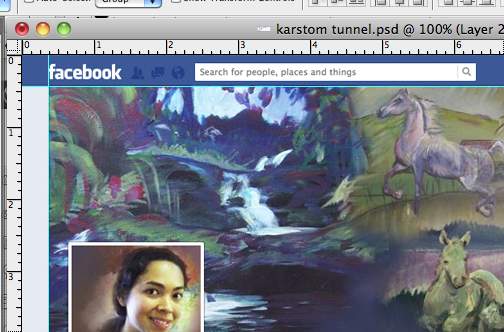
    step. 11. Copy the layer. Then drag the layer copy to the corner. It will snap to the guides. Then hit command-T to scale down your image.

    step 12 Drag the lower right hand corner until it fits snugly into the cover space. Remember to hold down the shift button so it will scale porportionally. If you don’t, you will ruin the illusion.
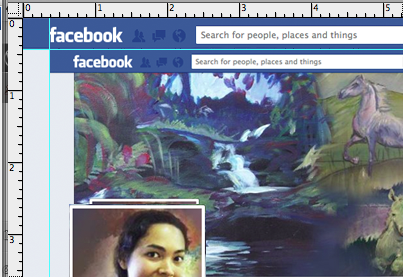
    step 13. If it looks like the above image, you are golden. Repeat steps 11 and 12 until your cover has tunnelled to your liking.

    step 14. Put an image of yourself or who ever in there. remove the background of your picture to create the feeling like you are in the world of cyberspace.
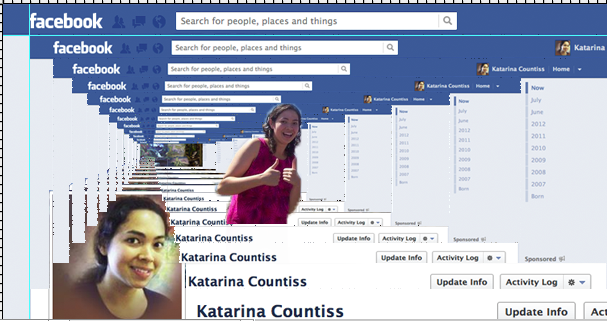
    Step yay! You are ready to upload to Facebook! Your patience astounds me!

    Thank you Richard Karstom for your brilliant idea. And thank you to that user to asked Google “how to make a facebook page like richard karstom” and found me. (I had mentioned the Karstom tunnel as the inspiration for my social media loop attempt.) I want to provide content that people are looking for. When people ask Google something and get me as their first result, I want to have that thing.

    sharing options:

    • Share
    • Share on Tumblr (Opens in new window) Tumblr
    • Print (Opens in new window) Print
    • Share on LinkedIn (Opens in new window) LinkedIn
    • Share on X (Opens in new window) X
    • Share on Reddit (Opens in new window) Reddit
    • Share on Pinterest (Opens in new window) Pinterest
    • Share on Facebook (Opens in new window) Facebook
    • Email a link to a friend (Opens in new window) Email
    Like Loading…
  • Fun With Photoshop: Drop Shadows

    July 20, 2012
    Screen shot of photoshop work creating shadows on an led
    Screen shot of photoshop work– creating shadows on an object.

    This is one of the tasks passed to me as an intern for an advertising agency. This is a fun problem to solve. Turns out that the photographer shot a light fixture product upside down. Photoshop to the rescue! (I used CS3) This image is most of the photoshop file. All that’s missing is the product isolated right side up. I created four layers to create the shadows for the product’s new orientation as well as using the ambient shadows from the original photo. I clone-tooled the edges that stuck out beyond the product turned right side up.

    I created a few shadow layers starting with a dark silhouette of the product and then distorting those to be slanted at different angles. On  few of the shadow layers I used a gradated layer mask, setting the shadow to to multiply and for some a Gaussian Blur. I worked side by side the original photo to capture similar lighting angles. The anchor shadow (the sharper highlight right next to the object, which is normally really dark) was light because the object is shiny and lit in a specific way.

    Thinking back on it, Jason Hoppe‘s class lecture on creating realistic drop-shadows is very practical. Teach a person how to photograph, you have shadows of a moment. Teach a person to Photoshop, you have shadows for life!

    sharing options:

    • Share
    • Share on Tumblr (Opens in new window) Tumblr
    • Print (Opens in new window) Print
    • Share on LinkedIn (Opens in new window) LinkedIn
    • Share on X (Opens in new window) X
    • Share on Reddit (Opens in new window) Reddit
    • Share on Pinterest (Opens in new window) Pinterest
    • Share on Facebook (Opens in new window) Facebook
    • Email a link to a friend (Opens in new window) Email
    Like Loading…
  • App Design Process: Outline

    July 20, 2012
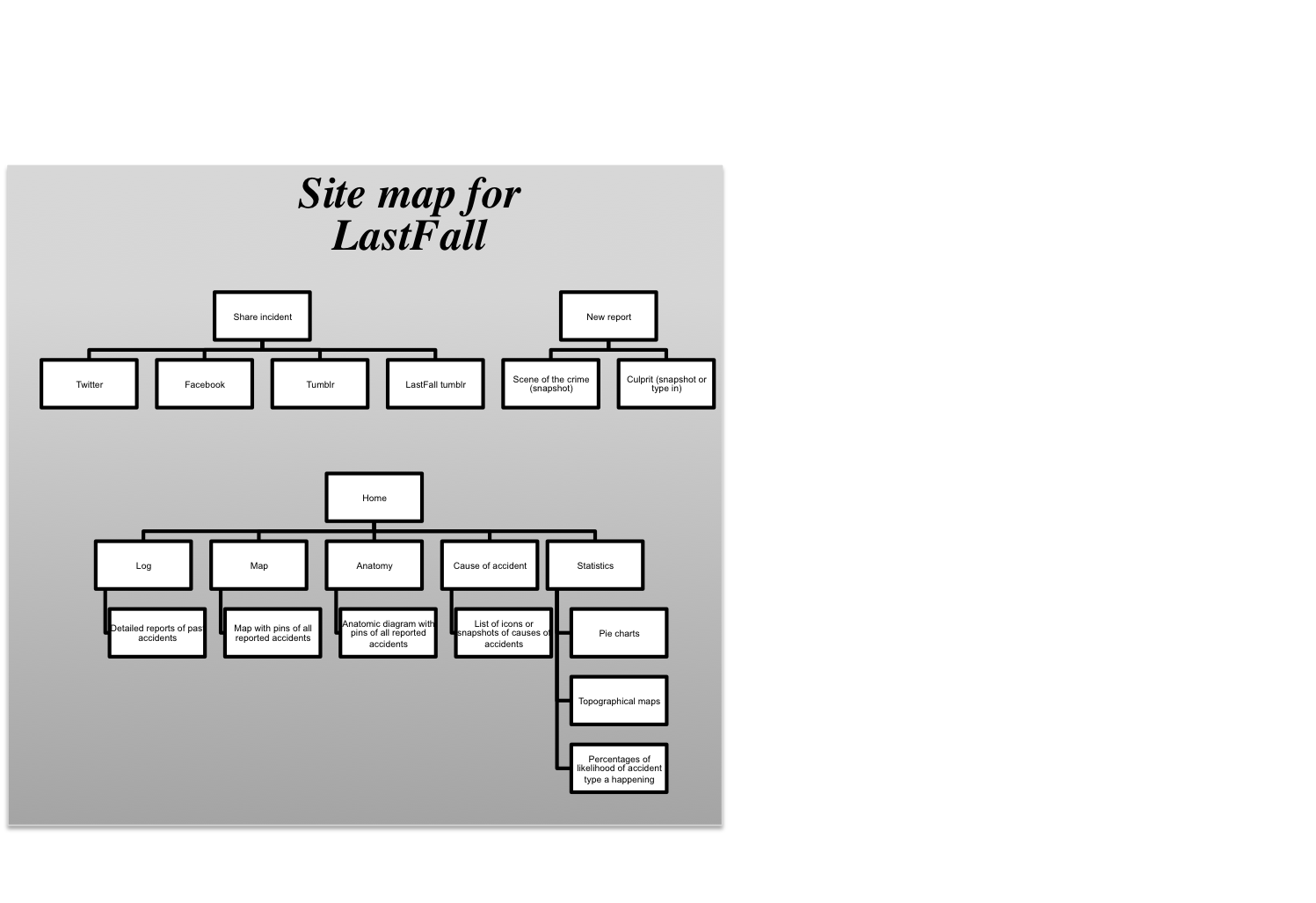
    site map for last fall app home sharing report
    site map for last fall app

    The naming is very important. I used nameboy to come up with the app name: LastFall. Short, catchy. There are a couple of hits for that because it’s the name of a Lifehouse song, or something like that.

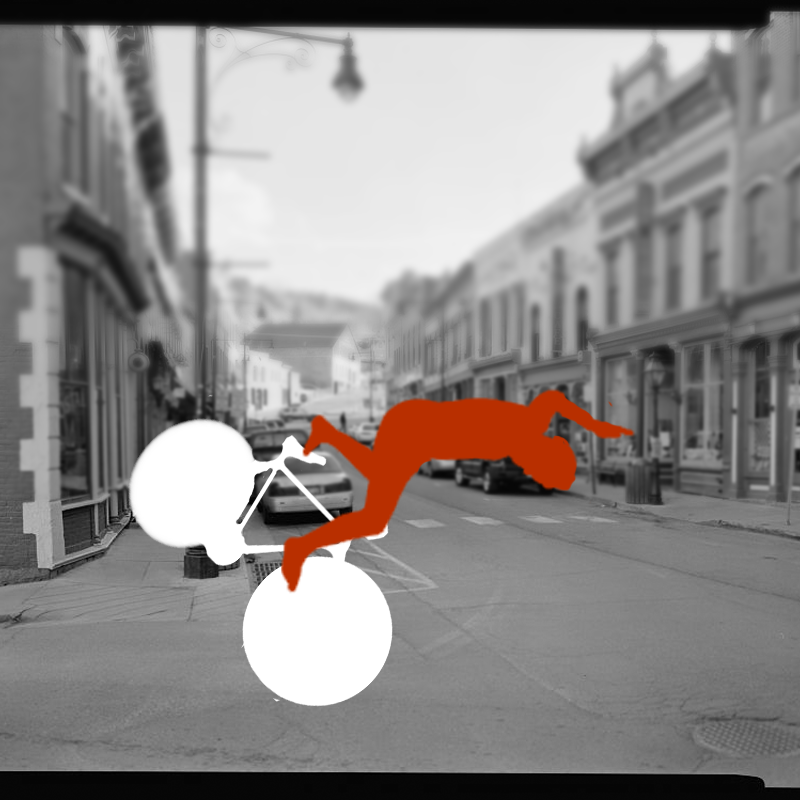
    This app is about logging incidents. Task flow: you get injured on your bike. You take a picture of the “scene of the crime,” choose the “culprit” icon. Then the app generates a human silhouette of a human being interacting with the “culprit” (there will be twenty or so in stock). Then it captures your map location. You have the option of tapping where you were injured on an anatomic diagram and then all of the information is sent to your Tumblr. Where you can distribute that url to your various sharing sites.

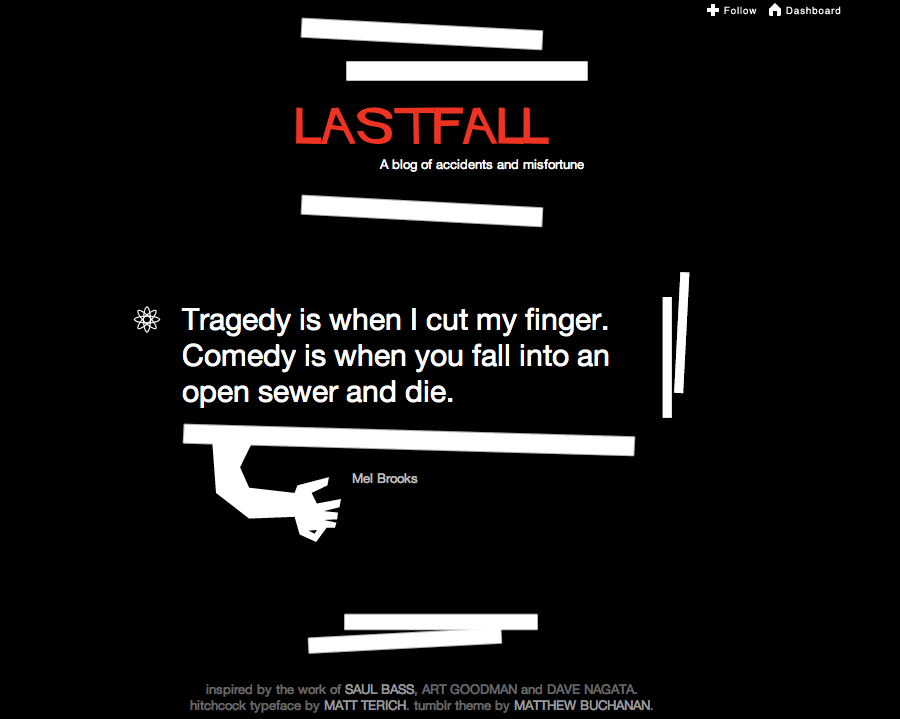
    Here’s the theme that is inspiring a good chunk of the rest of the design process– I added the quote. (Credit for the tumblr: inspired by the work of Saul Bass, Art Goodman and Dave Nagata.hitchcock typeface by Matt Terich. tumblr theme by Matthew Buchanan.)

    (Earlier Post Relating to This Project)

    sharing options:

    • Share
    • Share on Tumblr (Opens in new window) Tumblr
    • Print (Opens in new window) Print
    • Share on LinkedIn (Opens in new window) LinkedIn
    • Share on X (Opens in new window) X
    • Share on Reddit (Opens in new window) Reddit
    • Share on Pinterest (Opens in new window) Pinterest
    • Share on Facebook (Opens in new window) Facebook
    • Email a link to a friend (Opens in new window) Email
    Like Loading…
  • App Design Process: Inspiration

    July 19, 2012

    One morning I had a bicycle accident. Nothing big. It was my first bike riding accident. A classic, really. I was biking towards a crosswalk where a car was and I didn’t want to hit the car, so I instinctively slammed on the brakes. I went flying over the handle bars. I lightly bruised my palm (bits of gravel, did actually) and I went along my way after giving an onlooker the thumbs up sign when he asked if I was okay.

    I thought it would be kind of interesting to see how often other people hurt themselves. In the last week I’ve hurt my left hand with a knife while cutting vegetables, twice. I’m always thinking of projects to set myself on. Even if this isn’t a viable app, it’s a valuable exercise.

    sharing options:

    • Share
    • Share on Tumblr (Opens in new window) Tumblr
    • Print (Opens in new window) Print
    • Share on LinkedIn (Opens in new window) LinkedIn
    • Share on X (Opens in new window) X
    • Share on Reddit (Opens in new window) Reddit
    • Share on Pinterest (Opens in new window) Pinterest
    • Share on Facebook (Opens in new window) Facebook
    • Email a link to a friend (Opens in new window) Email
    Like Loading…
  • A Social Media Experiment

    July 19, 2012
    Screen shot of a blog post pinned then tweeted then facebooked then screen shotted
    Screen shot of a blog post pinned then tweeted then facebooked then screen shotted etc.

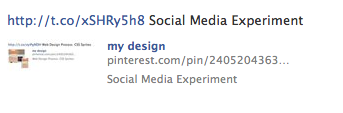
    This morning I was thinking about Richard Karstom’s inception facebook page cover. I was wondering with my new additions to my social media toolbelt if I could make a tunnel of social media. The theory needs more work. I couldn’t keep it going. There are some algorithms in the way, I think. I pinned my last blog post. I tweeted that pin. I facebooked that tweet. Then I took a screen shot of my facebook entry and then blogged that. Then pinned that. Then tweeted that. then facebooked that. I tried doing the process a third time and I couldn’t get my tweet to facebook. Maybe, I’ll try again tomorrow. If facebook had an syndication option to update my wordpress blog, this could get very messy.


    (Update: Some people have told me to use IFFFT to create my social media loop. I have looked into using their services. It is kind of a rip off– in a sense. They brand your communications when they deliver them instead of twitter/pinterest/whatever. I think it takes away some credit to the companies that are storing your information.)

    sharing options:

    • Share
    • Share on Tumblr (Opens in new window) Tumblr
    • Print (Opens in new window) Print
    • Share on LinkedIn (Opens in new window) LinkedIn
    • Share on X (Opens in new window) X
    • Share on Reddit (Opens in new window) Reddit
    • Share on Pinterest (Opens in new window) Pinterest
    • Share on Facebook (Opens in new window) Facebook
    • Email a link to a friend (Opens in new window) Email
    Like Loading…
  • Web Design Process: CSS Sprites

    July 18, 2012
    screen shot of lopera shmopera website phone view and desk top
    screen shot of lopera shmopera website phone view and desktop view

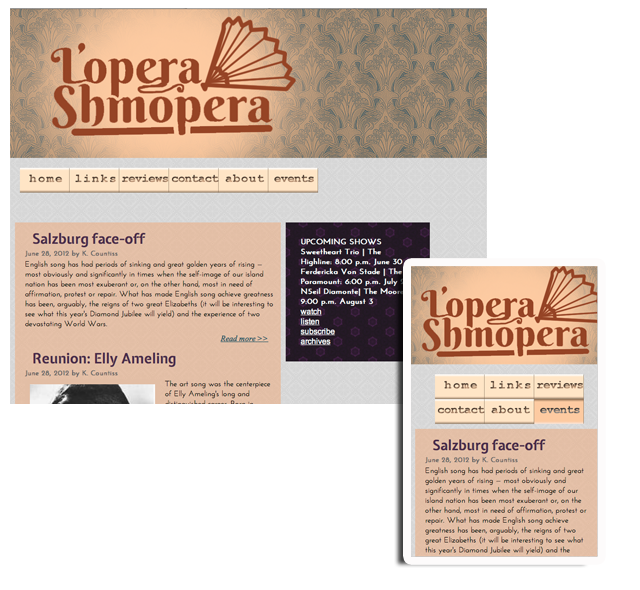
    Today, I changed the look and feel of my website slightly to feature the logo more boldly. I added CSS sprites to the navigation bar. (They are images instead of text! The hover state is part of the same image as the nonhover state. How?… What? For more information on CSS sprites see yesterday’s post.) And massaging the design some. I’ll save critiquing this until tomorrow when I’ll make more changes.

    (Earlier Post Relating to This Project)

    sharing options:

    • Share
    • Share on Tumblr (Opens in new window) Tumblr
    • Print (Opens in new window) Print
    • Share on LinkedIn (Opens in new window) LinkedIn
    • Share on X (Opens in new window) X
    • Share on Reddit (Opens in new window) Reddit
    • Share on Pinterest (Opens in new window) Pinterest
    • Share on Facebook (Opens in new window) Facebook
    • Email a link to a friend (Opens in new window) Email
    Like Loading…
  • 7 Links for Amazing Facebook Page Tips

    July 18, 2012

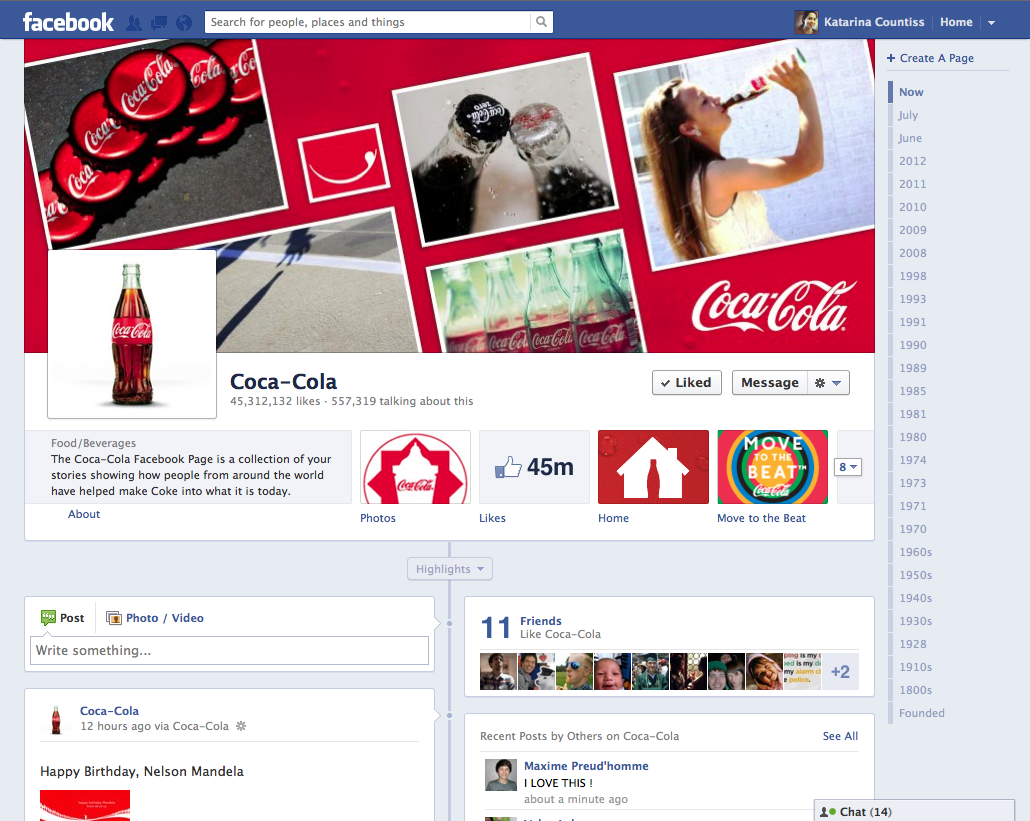
    screen shot of coca cola facebook page
    screen shot of coca cola facebook page
    As a part of my internship’s Social Media Project, I am currently investigating Facebook pages. Facebook is ubiquitous. Using Facebook pages is a way to reach a lot of people. Many users “like” pages as a form of RSS (Really Simple Syndication). It’s a way to keep up with your favorite entities, music, artists, magazines, even soda. In web marketing, it was becoming obvious that banners weren’t enough. Competing for a person’s attention is  almost impossible when the all the user wants to do is hang out with their friends. So, what do companies do? Get in there. (Here’s an article about “going native.”)
    Recently, Facebook instituted a new layout/concept called Timeline. This reformatted everything. (See my review for what I think about it.) So, if you had a Facebook page before, it’s time to update your strategy.
    Smashing magazine says more about the new era of Facebook.
    “Milestones present an important and dramatic opportunity to educate the public, humanize the brand and remove a perception of corporate anonymity…
    Our analyses of Page engagement have continually shown that brands posting content that depicts behind-the-scenes activities, exclusive updates or promotions encourages user interactions and promotes higher engagement rates. Using interesting milestones to craft the story of the brand over time (and updating the Timeline with new milestones as they happen) can help to stimulate conversations around major achievements.”
    Here are those 7 links!
    (more information on the changes here.) http://mashable.com/2012/02/29/facebook-brand-timelines-changes-marketing/
    http://smedio.com/2012/03/12/7-way-to-use-new-facebook-page-timeline-for-branding-and-conversion/ (good outline of features)
    http://mashable.com/2012/03/01/facebook-timeline-brands-guide/#5145710-Kate-Spade (look at the second slideshow for great covers!)
    http://adage.com/article/digital/meet-coolest-facebook-brand-timelines-coke-espn-ford/233015/ (ideas for expanding your history)
    http://econsultancy.com/us/blog/9418-10-excellent-examples-of-facebook-brand-timelines (good ideas for content)
    http://www.creativeguerrillamarketing.com/guerrilla-marketing/20-branded-company-facebook-timelines/ (excellent screen grabs of the top 20 brand timelines)
    http://blog.thismoment.com/2012/04/creating-winning-facebook-brand.html (good tips on how to optimize features’ effectiveness)

    sharing options:

    • Share
    • Share on Tumblr (Opens in new window) Tumblr
    • Print (Opens in new window) Print
    • Share on LinkedIn (Opens in new window) LinkedIn
    • Share on X (Opens in new window) X
    • Share on Reddit (Opens in new window) Reddit
    • Share on Pinterest (Opens in new window) Pinterest
    • Share on Facebook (Opens in new window) Facebook
    • Email a link to a friend (Opens in new window) Email
    Like Loading…
  • Advertising Reading List

    July 18, 2012
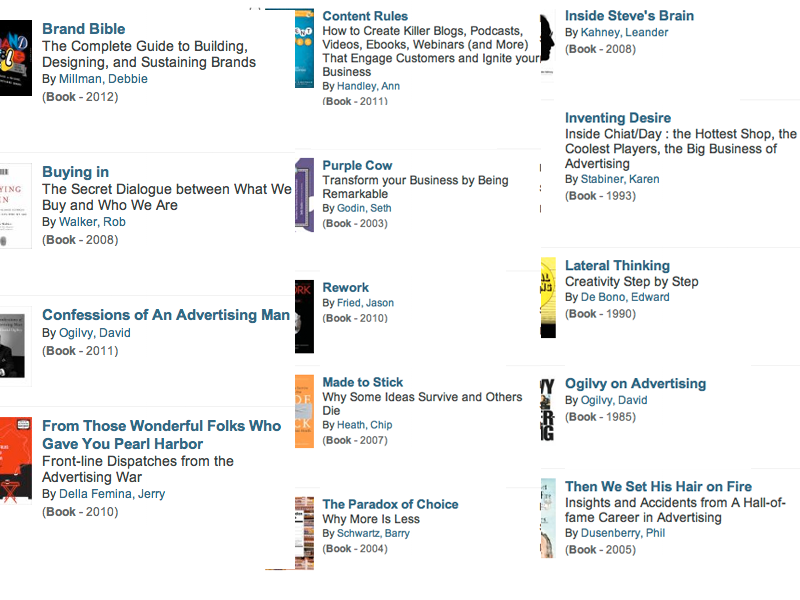
    book list oglivy whipple chiat/day
    Advertising Book List

    With the help of Seattle Public Library’s online catalog, I think I am set for the rest of Summer!

    Update 7/20/12: As I wade through this, I will put links to my reviews etc. in this post.

    Buying in: The Secret Dialogue between What We Buy and Who We Are by Rob Walker 

    From Those Wonderful Folks Who Gave You Pearl Harbor: Front-line Dispatches from the Advertising War by Jerry Della Femina (Book – 2010)

    Then We Set His Hair on Fire: Insights and Accidents from A Hall-of-fame Career in Advertising By Phil Dusenberry is very similar to the title above in terms of my review.


    sharing options:

    • Share
    • Share on Tumblr (Opens in new window) Tumblr
    • Print (Opens in new window) Print
    • Share on LinkedIn (Opens in new window) LinkedIn
    • Share on X (Opens in new window) X
    • Share on Reddit (Opens in new window) Reddit
    • Share on Pinterest (Opens in new window) Pinterest
    • Share on Facebook (Opens in new window) Facebook
    • Email a link to a friend (Opens in new window) Email
    Like Loading…
Previous Page Next Page

Blog at WordPress.com.


Loading Comments...
 

    • Subscribe Subscribed
      • Kismet Arts Tangent
      • Join 104 other subscribers
      • Already have a WordPress.com account? Log in now.
      • Kismet Arts Tangent
      • Subscribe Subscribed
      • Sign up
      • Log in
      • Report this content
      • View site in Reader
      • Manage subscriptions
      • Collapse this bar
    %d