Just now, I had a very lovely exercise in using InDesign.
One of my coworkers/supervisors, gave me the task of designing a stationery system for a law firm. After going through two rounds of critique for layout on their envelope, business card and letterhead, they decided to stick with the one they already had. It’s very simple. Text in the upper right (Gill Sans), logo in the lower left.
My coworker/supervisor has a newer version of InDesign, so I couldn’t directly edit his file to input the names of the individuals for the business cards. So, he sent me the logo and told me the font and made a pdf of his InDesign file. I placed the pdf in my business card size document, centered it and locked the layer. Over it, I typed the same text and placed the .eps logo until they overlapped. I adjusted the leading, font size and font thickness (most of the type was in the “light” version of Gill Sans). I used that as a master-page and applied it to my one page. Then I hit the “add pages.” And then I had 9 pages. I shift-command-clicked each text box to paste the different names. Exported as a pdf and voila! You have semi-individualized business cards. The whole process took me 30 minutes from getting the email to sending the email with the attached pdf.
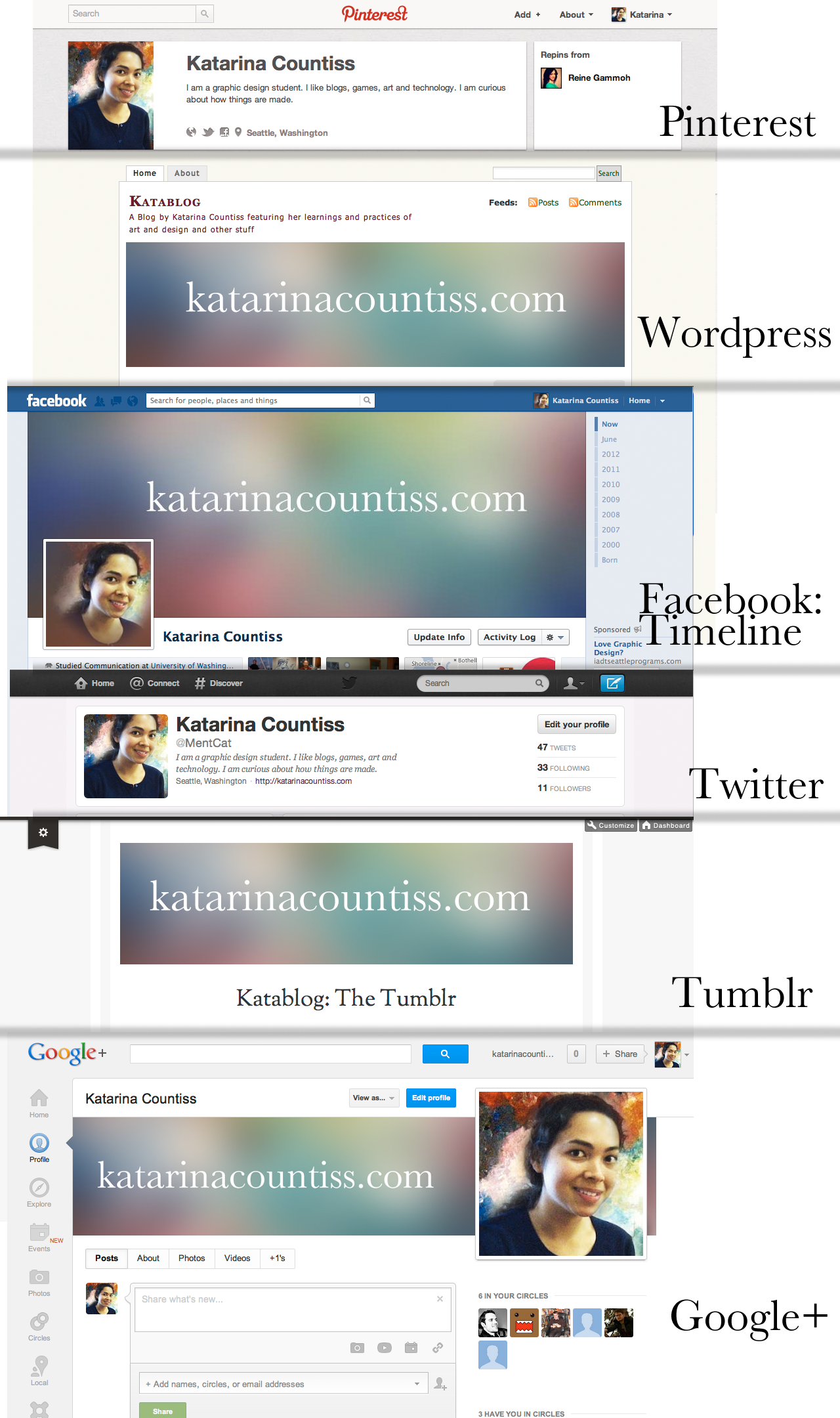
Screen Grabs of Katarina Countiss’ Social Media Profiles Across the Web
For my current internship project, I am learning about Social Media. I am to give a report on it this coming Monday. I’ve read a few articles and some books on it and I am planning on compiling a small free downloadable e-book in the next few weeks. Until then, I will be eeking out snippets of my learning.
A commandment that transcends media is “Be Consistent.” Social Media is about gaining an online presence. You do this by being a “regular” of the Internet. Someone that is around. Becoming a familiar face on the Internet means having the same face whereever you go. The above image describes my attempt to maintain my personal brand on different platforms. (Note: I am just a starting student of design and I haven’t really cemented my brand. So that will probably change and when it does, it will change consistently.) A rule in advertising, as we’ve seen in the Aflac commercials, is that it doesn’t necessarily have to be good design to be memorable.
I’m excited to be working with a company that is just starting. All of these social media sites have been rolling out sporadically since I got my first hotmail account in 2004. Now, if I were to do it all over, I would make sure that I use the same username for each site. The usernames have have adopted over the years are like tattoos on my online presence that I want to scrub off. They are not me as much as my Facebook me is me. It’s hard to get something off of the Internet.
After exploring Pinterest this morning, I thought about how there are so many platforms that have very narrow scope and great use. As Internet Literacy increases, its users are going to have a virtual toolbelt of apps to deal with all the information that they want to track.
Here’s my toolbelt so far:
(note: I still haven’t figured out what makes Tumblr and Google+ useful for my particular goals, but it’s good for exploring.)
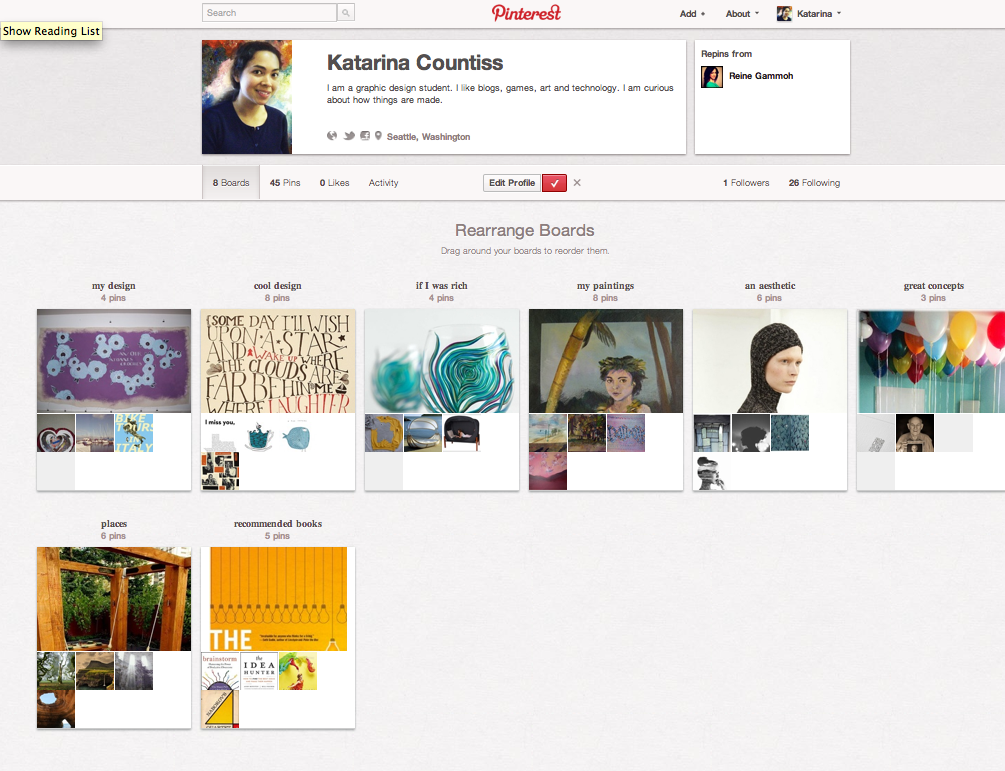
This is my Pinterest Profile. I was curious about Pinterest because a lot of my graphic design peers were talking about it. This is my very first internet thing review. Today, I investigated it and can definitely see the appeal. I was lost in Pinterest for an hour or so, gathering up some images. It’s a very visual social media app. I recommend it to people who love eye candy. People that want to make a scrapbook of all the visual lovelies on the internet, from fave celebrities to clothing I wish I owned and art that I like.
It’s an interesting app because it goes two ways. You can discover an overarching theme to the things you like, color, mood, etc. as well as exploring your friend’s aesthetics as well. It’s a visual way to see personal taste.
On vacation with some friends, we went to get our auras photographed. (I’ve lost the pictures, but I imagine they are somewhere in my mother’s house.) Yes, there’ s apparently some kind of aura photographing device and it seemed to be relatively accurate, which is surprising. The point is that afterward, I felt very enlightened about myself and my friends that I wish everyone could have an aural photograph to know themselves and to have others know them better in a very visual way. Pinterest is like that. I recommend it, certainly as a way to past time like those personality tests of the oughts(the 2000s) were.
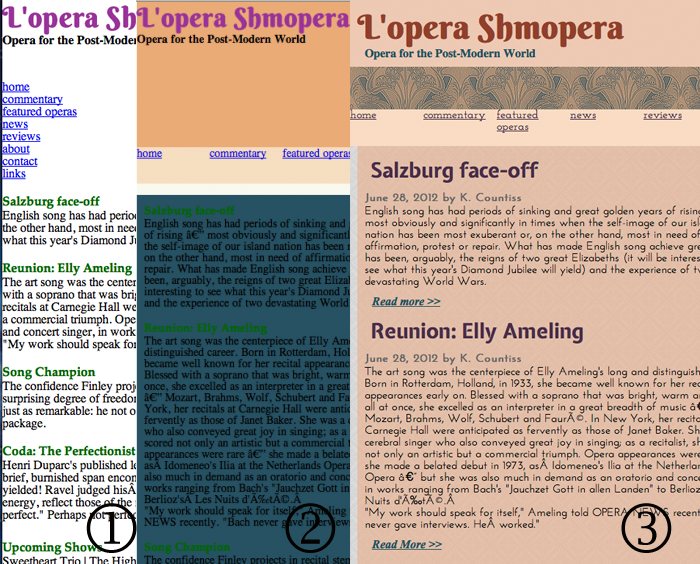
Above:(work in progress–I’m not done yet… now I have 6 errors in my html) transformation of a website going from simple html, to CSS—simple layout and background colors in boxes, to incorporation of googlefonts and patterns—as planned in my style tile)
CSS is the hero behind html. Hypertext Markup Language originated from the need to index research. The hyperlinks carrying the reader to other sources of related material. CSS stands for Cascading Style Sheets. It allows the simple text to have background images, colors, and layout. In that regard, CSS complicates your html code. This makes it perform differently depending on the user’s computer. A web developer should have a Mac and a Windows set-up and be able to look at websites in different browsers. If you have an Adobe ID, try their browser lab.
In yesterday’s lecture, Erik Fadiman went over CSS rules. There are a few categories: tag, class, ID and compound. These sound complicated and intimidating as much as the phrase “paragraph styles” intimidated me when we were talking about InDesign. These categories the specificity in the style system you are creating when you design a piece. I think that Erik has a better explanation of these at his website.
Class is surprisingly more flexible than it’s equivalent in InDesign. It designates traits (that you choose, for example, red and italic) and it modifies what you apply it to. If you don’t specify more than those other traits are left the same without having to create a new “style.” This can be used multiple times and spans tags.
Tags are more specific. The CSS rules redefine existing html tags such as h1, p, etc.
If there’s only one instance of what you are styling (ex. One very special button), then use #ID.
#Compound is special because it’s like nested styles. You can get very specific as to what you what. It’s indicated by <a> (an a tag.) You should use a tags for most styling. (It’s easier to do, in my experience).
The nuances of CSS rules are like learning about chemistry. There’s a pattern but many exceptions and the only way to learn is by rote memorization. In Adobe Dreamweaver, the interface isn’t as elegant as other design programs by Adobe. For example the way to align text in boxes is to make the line height the same height as the box (which is all measured in pixels). And displaying a text element as a box allows you more control over the trying to use it as an inline element.
I was intrigued to know that one can design a website without photoshop but instead using code. Coders have an immense confidence about them. Why? Because what they don’t know they can find easily. Coders have made it easy for other coders with code generators like this one. My instructor demonstrated how easy it is to look up an effect you want and its corresponding html. Simple, indeed. Those horrible gradients that emphasized buttons on websites in the 90s, remember those? Get some for your website here!
Subtlety is key. And remember as designers, it’s up to you to view templates and variants, understand their bones and build something of your own on top to make it special.
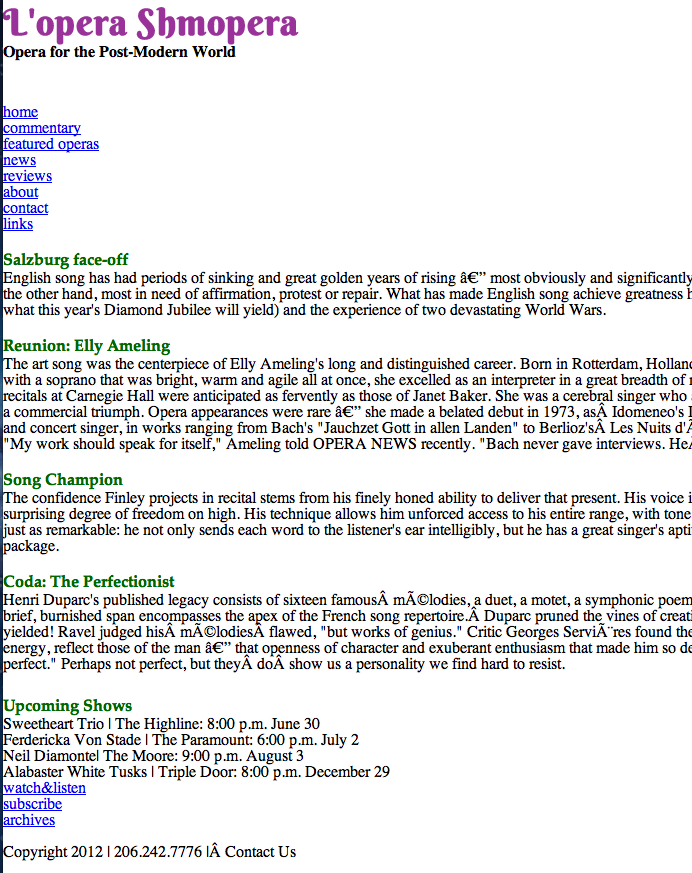
screen shot of basic html website called Lopera Shmopera
Always validate your html. My instructor ran the site when it was in the above state and it had 1 error due to coding em dashes. (I still haven’t figured out how to fix it without re-inputting my paragraphs of text.) In Web Design, don’t think you can get away with anything. Your instructor can look beyond the pretty formatting. My instructor used this.
Not only did I have an error in my coding, he spotted that the tagline for the site “Opera for the Post Modern World” was an h6 tag. He said that should be an h2 going along with good practices of Search Engine Optimization. Google will see how important that information is (it’s friggin’ h2, why! That’s almost h1!) and consider it a major bit of relevancy if that’s what the search calls for.
He went through my code and noticed all of the ’s. That’s a clear indication that I didn’t have control over my text and felt I had to hit the space bar to get the space I wanted. Web design is about simplicity. It’s about telling the computer in language that most computers will understand what you want to see. We take it for granted that we can send information at rapid speeds, but we also must communicate clearly otherwise the speed is irrelevant.
I spent a part of the afternoon painting today with Pete. I didn’t have anything in particular in mind. I started a couple of backgrounds like the one above and I moved on to working on a painting of what he suggested: a clown. I am not ashamed to post it on the Internet for the world to see. It’s simply not finished. Here’ s Pete’s painting.




 Kismet Arts Tangent