Today and next week I am going to be working on a “Social Media Report.” The small firm that I intern for currently does not have a social media strategy. This is what the the industry refers to as a FAIL. Just kidding. There’s still plenty of good reasons why an advertising agency isn’t in the big game of social media just yet. I can’t think of any reasons, but I am on the wrong side of this equation, until now.
Map of Social Media
I ‘ve been appointed as the lead on this project. My coworker/supervisor Paul pitched it to me thusly: “Kat, go get us social media.” I keep repeating that to myself as the creative brief I have been awarded. I am to spend the next week (and today and yesterday) drafting up a report. I told Paul that I didn’t need that much time, but he said that when I finish with the outline, the super general outline, I can go ahead and grab some more details to flush it out. This word map is what I have so far. Along with some tips I have picked up through some blogs. I am planning on reading some actual books about this subject, but I fear that anything printed is already outdated.
I’m fairly excited about getting this project. There is a lot of graphic design and UX involved in social media. I’m also using Evernote (I highly recommend this to creatives) to create a small database of links and advice to my intern-predecessor so that they might add to my company’s knowledge of social media, blogs and the web.
All of this Web Design Bootcamp stuff has made me extra aware of my online presence. I realized that my twitter profile looked only a notch above default. In other words, I didn’t take care of these details that could eventually get me a job. Also, after looking at patterns yesterday for my style tile endeavor, it felt weird. Even though they are free for me to use, I decided that I wanted to try my hand at making my own pattern.
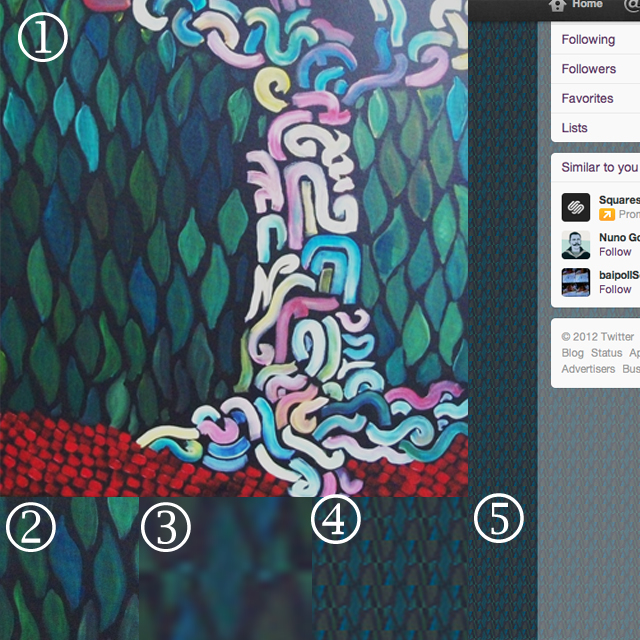
I roughly followed this tutorial. It encourages a very small tile to start with, that way your website is taking up less information storage. I used a painting of mine(1) as a starting point, I wanted to recreate the leaf pattern(2). I did not paint the leaves symmetrically, so I took a small sample of the pattern, copied it and rotated it 180 degrees to lay on top of itself (3). Because of the asymmetry of the colors, tiling the sample creates a loose horizontal zig-zag (4). This (5) is what it looks like as my Twitter profile background. Not what I was shooting for, but for a custom pattern done in ten minutes, not bad.
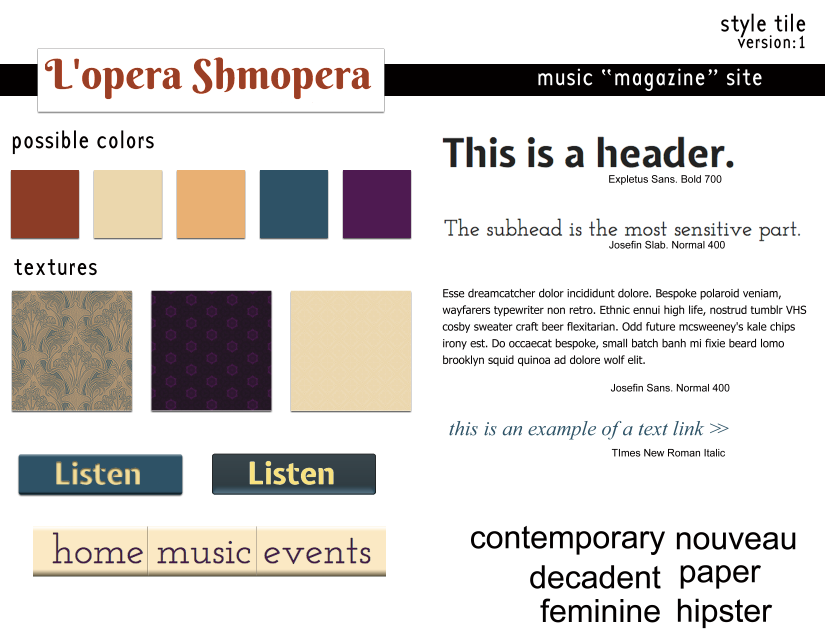
This is the first style tile I’ve ever made. Style Tiles are a relatively new thing. With the age of mobiles upon us, we have to have elements that can size and refigure with ease. (elements:fonts, hierarchy system, button styles, colors and patterns). A mood board is too vague and a comp, too specific. In Jill’s class we made mood boards. I just feel that this is more crisp and easier to work with. When we talk about textures in style tiles, we are usually talking about a seamless background pattern that tiles. Having a small repeating png saves file space. I keep being excited about making buttons and button bars since Tim showed us how to make them. When it came to picking colors, I used the eyedropper tool to extract some colors I found in a dramatically lit photo that said “opera” to me and then modified them slightly when I found a pattern I liked that used them. And for one of the patterns, I downloaded it, then colorized it in photoshop.
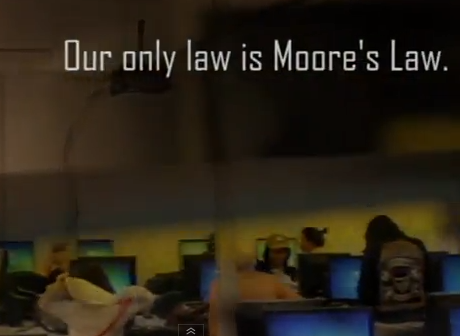
(Left: A still from a class assignment, a promotional video for Seattle Central Community College’s information technology program.)
Part three of a Summary of Erik Fadiman’s Opening Lecture to His Web Design Bootcamp 2012
In Web Design, the newest considerations we must make involve the versatility of the web. The Internet is in mobile devices ranging in size and power and each offers something unique that should be addressed by design. Responsive design is not a trend; it’s a shift.
A shift in technology is not new by any means. History has taught us lessons about technology. There are early adapters, mainstream adapters and latecomers. There are people that don’t show up at all. My teacher-friend was telling me how when using computers became mandatory at her school, a small amount of teachers declared their retirement. Computers seemed too complicated.
For the next generation computers became machines we understood, the Internet a wide cornucopia of information. The Internet is especially great because now if we have questions, we can just “Google” it. If we are okay with that we can walk ourselves through some of the most complicated processes using clearly written/demonstrated tutorials. We can teach ourselves more quickly about something than ever before. Better, too, everything is in a way, peer reviewed.
As designers, we are pushing our aesthetic on other people. This aesthetic is not only visual; it’s a logical aesthetic, too. We create systems in the way we think they should work. A new aesthetic is called progressive enhancement. It is forward thinking. A site that gives the basics to everyone, but extra features to members of the early adapters’ club.
The counterpart to progressive enhancement is called graceful degradation, catering to the lowest denominator. I don’t want to get too political, but the first example I could think of was the No Child Left Behind Act. Remember that piece of legislation? It mandated standardized testing for everyone but left the actual standard of education determined by each state. Graceful degradation is often meaning that everything you have should run an Internet Explorer browser. When that falls away, it will be something else that is less powerful that what is available. Why dig with a stick when you have a shovel?
This is the final part of the three parts of Erik Fadiman’s opening lecture. Some takeaways for Web Design:
Simple is good (easy= good user experience)
Be progressive (use up to date technology)
Be accessible (SEO, and responsive design)
Communicate your ideas well (semantic mark-up and presenting to your team, your boss, your client, etc.)
Keep your file sizes down when possible (just because you can dream it, it doesn’t necessarily mean you can do it… just yet.)
I’ve been immersing myself in logos. My boss Terry advised me that the breakthrough for this logo won’t come by without preparation.
Let me tell you a story: An old painter lived up in the Yamanashi Hills, his neighbors were a waterfall and a cliff. It took two trains to get to and then you must follow a dirt road with lots of twists and turns to get there. Anyways, the CEO of Daiso Inc. heard of the amazing painter and commissioned a painting of a lily. The mail correspondence came back with a simple word painted on a sheaf of high quality waterpaper. Yes. The CEO waited anxiously. Fancy gold watches he could buy on the spot. He could get a luxury car in a few hours, but what he wanted was something unique, something that he knew he would appreciate in a way that used his soul. A year passed. He grew tired of waiting and heard no response from the mountaintop painter. One day, he went up to the hillside, cliff adjacent house with a view of a waterfall, the sound of water rushing through his ears and he noticed the door was open. Mystified he walked in and saw the painter at a table listening to an old Nat King Cole record and reading the newspaper calmly while drinking some orange juice. Excuse me, sir? the CEO said softly, You are supposed to be painting me a Lily?
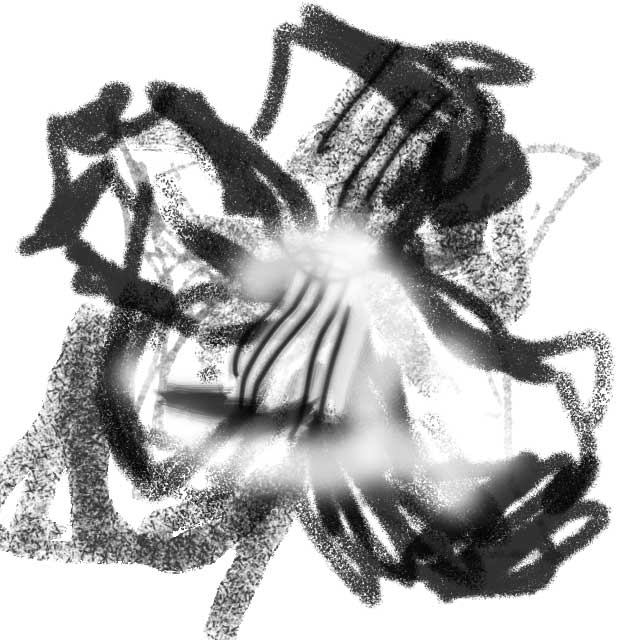
I made this in photoshop. I really need a wacom tablet.
The painter reaches for a nearby paintbrush and inkwell. He puts aside his juice and newspaper. Under his newspaper was a crisp piece of high quality watercolor paper. He takes the brush and in a fluid motion, as a child makes a scribble, he produces the most beautiful painting of a Lily imaginable. Its petals come alive, infused with harmony and breathtaking undulations as if it is still being moved by the wind. The CEO is stunned. Why, that was so easy for you! Couldn’t you have done that a year ago, I would have been quite happy!
The painter wordlessly goes to a nearby closet where stacks and stacks of paper, some stacks fallen over and more stacks placed on top of them, all of these were paintings of lilies.
The End. The story reminds me the moral that as Louis Pasteur said, “chance favors the prepared mind.” Logo design is the same way. It takes research, time and experience. Knowing how logos can be designed, the variety, the subtlety, the identity. It’s about infusing letters (sometimes no letters) with personality and culture. The logo is a timeless thing that represents history and represents the company’s optimism for the future.
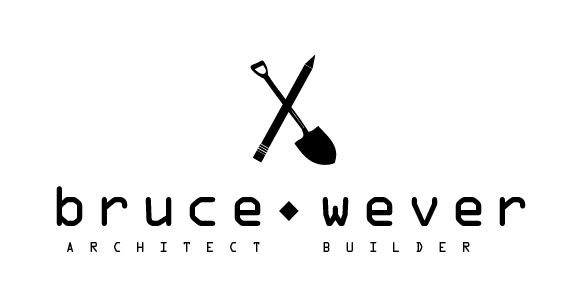
I made the above logo today, inspired by the research of logos I have been doing at Logo Design Love and it felt very peaceful. I would look at image after image, seeing all the smooth tricks: using negative space, line drawing, color blocking. When I was done with work, I rode the bus home. I looked out into the city, the street signs, the branded storefronts and it felt no different. We are surrounded by Logo Design Love and as graphic designers, it’s our duty to keep our eyes open.
Part two of a Summary of Erik Fadiman’s Opening Lecture to His Web Design Bootcamp 2012
Simple is good. We are not just visual designers, we also build systems. It’s important to design within the realm of what you can build. There’s so many new things coming onto the scene that if you are a designer who doesn’t code his own stuff, you’ll realize quickly what you ask of your developer is sometimes more than just a click of a button. A good principle of design: streamline everything.
One of the ways the industry accomplishes this is by keeping down file size. If you have a “small” site, it uploads fast and renders easily. This happens by changing your original images into .jpegs, .pngs, and .gifs. These are your files streamlined, colors simplified and sometimes detail lost. It’s directly related: more information, higher resolution, bigger file. It’s about finding the balance between small file and high fidelity.
There are many things that you don’t see in Web. Html, Hyper Text Markup Language, is not a programming language. It’s the bones of your site. Underneath (I envision it as underneath, but it could be projected invisibly above) the site, there is a series of tags that help describe the content in words. Semantic mark-up language has been the latest shift in this language. It helps the blind (and computers) find your site better. Using the right words in your html creates what is called “Search Engine Optimization” or SEO. Html is like the “Hello, My name is” name tag on your site. The nicer it is, the more Google wants people to find you (if they are looking for you).
Web Design is an evolving field. You would think that means that things get more complex. What you find is that things must be pared down to their basic elements. The Internet is a constantly changing place. Formatting to fit new mediums, such as the up and coming mobile devices gives designers an age old challenge of offering accessibility to everyone while creating progressive enhancements. We might be in this world of apps and tags, pokes and .pngs, but not everyone is, but they’re catching up. Or rather, the Aol users, and Internet Explorer-ers are slowing dying off. Some of them are dropping out while others are upgrading.
Today at the office was fairly productive. I am glad. I was a bit worried that I wouldn’t be able to find that spark that keeps creatives from twiddling their thumbs. I became more organized. A friend recommended Evernote, so I won’t have to index all the links I find in my blog reading.
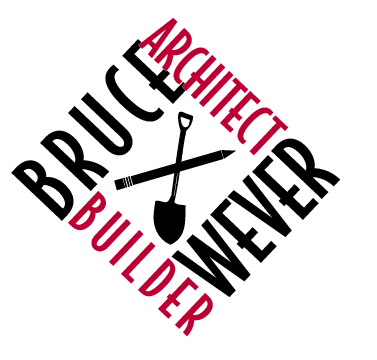
I asked my boss about expectations and what to do when I’m ready for the next step and he said simply to bug him about it. I hope he doesn’t regret that response. Together we made great strides with the logo for the architect/builder duo. He sat at my desk and critiqued my logos and then he drew out a few more ideas. On the one hand, I think that he’s doing my job, but on the other hand, he’s just thinking visually about other solutions.
I realize that it’s impossible for creatives to be at the desk of another person and not want to start playing with ideas for that person’s project. So, I’m still at that, not refining but exploring. He said that maybe the pencil and the shovel is too literal. I like the simplicity of it, but I know there’s a balance between obvious and obscure that I must reach. That scale is a very subjective one, but if you can sell it to the client, and the client digs it, that’s what matters.
As for the other project I am currently working on, the stationery for the legal firm. It’s going smoothly. I had another critique meeting with my supervisor Matt. He pointed out some size and spatial relationships that needed a slight adjusting, but other than that, it looked good. The encouragement made my day.
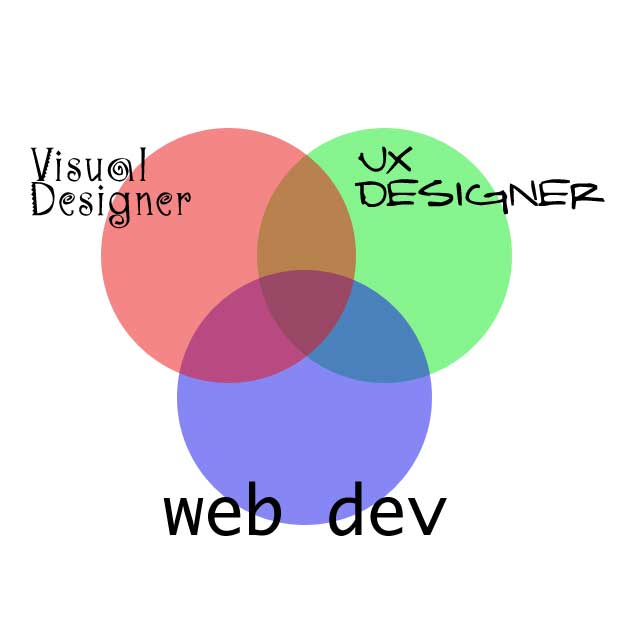
(Left: A recreation of Erik’s Venn Diagram of Skills– visual design, user experience and web development)
Part one of a Summary of Erik Fadiman’s Opening Lecture to His Web Design Bootcamp 2012
Sometimes, you are the UX designer, the visual designer and the developer all at the same time. This happens in smaller firms quite often. In companies like Microsoft, they have departments dedicated to each discipline and it’s more likely you will be one thing or another. In cases like that, it is paramount to be able to communicate to your team your ideas and be able to get along with people.
The people of web design and the flow of creation: information architect (content and organization)à UX Designer (flow and interactivity) à Visual Designer (Pretty Pictures) à Front End Developer (coding) à Web Developer (um… more coding)
Somewhere along all this, your friends (aka. Your account exec, art director, project manager, copywriter, content strategist and SEO optimizer) are communicating extra stuff that needs to be a part of this design. Web Design is a team.


 Kismet Arts Tangent