• (Above) Before and (Below) After Critique

    My team is designing a campaign for SCCA’s Summer and Evening Program. Though I’ve had my two cents for the other designers on this project on their assignments (we divided the work so that one of us does poster/print ads/web design– I got web design) my work has come out stylistically different than the other material. Our concept is called “Boot Scouts” and our reference for the look and feel is WPA posters, especially by Lester Beall. It’s a good thing that we went for that era because we don’t have a photographer in our team (the other students do for this project). We’ve been using Library of Congress photos.

    The critique: I presented the design on the left to Chris and Jill and it was pretty much a hierarchy lecture. What should I read first? Everything is the same size… yada yada. It’s funny how clear it is to me now, but when I was working on it, it made so much sense to me. It seemed obvious and went with our other material. A sticking point for them was the loss of elegance. All of these elements are jammed in there and there’s too many images. And what’s with the angle?

    So, I cleaned it up a bit. (see the Right screen image) I feel like I’ve done that with a lot of projects. Going crazy collage-style and then stepping back and taking away until I have my design. I don’t know how efficient that is but I think it generates new ideas. It’s kind of like trying out everything at once.

    (Earlier Post Relating to This Project)


  • icon of a modern chair on an orange background

    Design me a chair. What do you need or want from a chair? What is the average user of a chair? Size? Needs? Wants? Comfort? What is the maximum range of variety in these users? What can I design to fulfill most of their needs? This is user-centered design.

    Firstly, we are human. This means that we possess an amazingly complex library of schemas that help us navigate the world. We are cognitive beings. The magic number in cognition is 7. We can hold in our heads 7 bits of information. As a classic example, our telephone numbers (here in the US) is seven digits long. Yes, we have more digits in other numbers, which brings up grouping. We group information (as psychology calls it “chunking”) so that we can remember more of it and more easily. Design knowledge alert: this relates to Gestalt—grouping, proximity, closure. Our brains want to group things by patterns we already know. Typography is helping us group all the time. We can’t take in whole paragraphs without a few periods, commas and capitals in the process.

    Technology has its own way of easing the process through skeuomorphs. These things are the vestigial remnants of technology we already know and putting them in a new context. A camera phone doesn’t have to sound like the clicking of an aperture, but it does because it’s an indication we’re used to.

    Physically, we are human. In fact, we are designing for humans more and more these days with the use of mobile devices. Phones, iPads, Androids, etc. force us to use our meaty fingers to make selections. (FYI: button size should be at least 40×40 pixels.) We need to think about people’s natural movements; how their hand dominance will affect the way they interact with something.

    Blindness doesn’t inhibit you as it once did. Color-blindness is, in fact, more common than you think (10% of us) and we need to design with more than just color-indication if we want to keep our apps user friendly. Check out this website, so you can see how your screen looks to them. I never thought about what if a blind person wanted to look at this site. I haven’t labeled my pictures well enough for their “alt tag” readers can accurately portray what has been depicted. I can’t imagine any blind people have wanted to look at my designs, but I like the idea that if they do, I’m ready with something for them, too.

    I keep thinking of that scene where Amelie (in the movie by the same name), where she leads a blind man down the street, just for a little while describing the idiosyncrasies of life as they pass. What a lovely thing to do for someone else.

  • Jakob Nielsen is the hypocritical guru of usability. Go to his site (useit.com) and you’ll see a list of blue underlined links that relate to his usability genius. His bud Donald Newman created the “desktop” metaphor and continues to emphasize user-centered design, but this website still looks like the 90s. (Good content, though.)

    Let me summarize his list of web heuristics—or to put it in user-friendly term: rules of thumb

    1)      Visibility of system status—check out the status bars. It’s nice to be able to see what your system is up to, mostly the important trait “working” or “not working” and maybe a brief reason why it’s not working or what percentage it’s working, that kind of thing.

    2)       There will be some stuff that is trending and may seem like an industry standard, but it’s not, but often there’s a reason why things are, so don’t ignore what works.

    3)      Speak the user’s language, and use the user’s logic. This might get tricky for words like “submit” which may seem cold and system-y language, but users have adopted it and appreciate the expectations that the little word connotes.

    4)      User control and user freedom. Is there a way give the user more control, a better navigation bar? An exit, an undo button? See to it!

    5)       Consistency and Standards. Your site is a new world, a new system with new signs telling us where to go. If you’re going to implement a visual system to communicate, keep it consistent, otherwise how else can you establish your language? Your identity?

    6)      Error—make room for it, avoid it and fix it. Do this using coherent error messages, undo buttons and confirmation boxes. Test your stuff and if it messes up, redesign!

    7)      Recognition rather than recall. There’s a reason why we have the concept of desktop for PCs. It’s because we recognize how it works and we don’t have to remember specifically that the trash can is a place to put things we don’t want. This is something we already know due to many experiences repeated in different contexts. Make your solution obvious. Use concepts that people are familiar with as a jumping point to get them to do what you want them to.

    8)      Allow users to tailor frequent actions. Doing things on the web, isn’t always fun. It is a chore and we can streamline the process to make it short and efficient. People will use your application for different things. Segment. Let it be chopped up so users can use it for the one (or few things) that relates to their lives.

    9)      Speaking of bells and whistles: Aesthetic and minimalist design. Be efficient with information. Let it speak using hierarchy, relative visibility. More relevant= more visible.

    I think it’s helpful for everyone to translate this list into terms that they can understand (because these “use it” guys may have gotten a little carried away with the multi-syllable words) and who needs that in this day and age where letters do most of our talking? OMG.

  • The last project in Jill’s class involved collaborating with the first-years in the photography program next door. When they got the assignments back, they felt it was necessary to have a meeting about photographer-designer relations. Always in this program, we’re thinking, why didn’t you have this meeting before we started? But, I am beginning to suspect that the instructors adhere to the “learn from your mistakes” where it’s beneficial to go with your instinct first and then check yourself afterward. This, I think, works surprisingly well with artist-types who want to find their own way that works for them rather than the thing we talked about in the meeting. It was interesting to see how relations would have proceeded naturally, rather than what people have been coached to do.

    In this debriefing meeting, or as Jill called it, “post-mortem,” we discussed the points of dialogue that should be covered in the meeting prior to the start of the project.

    1)      When do you need it?

    This question controls everything. Our ambition is tamed by this question. This question forces us to carve away the parts of the piece that we can spare, and make a better end project for that editing. Given all the time in the world, we would plan wonderful photos and take none. That we have so little time puts a fire under us pushing us forward to do something.

    2) What media is it for?

    This is a crucial point in today’s world of multimedia. Print? Device? Which one? Newspaper? 4-color? These factors change the way that this photo will be read. Photographers adjust their output to fit these parameters. When you want to use a photograph to go to different substrates, media, get different versions of that photograph. Copy and paste doesn’t go as far as you think.

    3) Communicate

    Now you are ready to talk details. Visualize the end result together. We are visual people, the photographer and the designer may not have the same vocabulary, but we communicate our ideas in pictures anyways. Bring a tear (pronounced “t-err”, as in tear out a sample you like from a magazine), bring a tear sheet or a mood board. Talk about lighting, your sketches, discuss what terms like dramatic, or hard light, mean to you and get specific.

    Also, be patient. As artists, we don’t know exactly how each piece will turn out, how far we can push it. It’s important to keep your vision in mind as you go. Also, remember that what you envision may seem simple to you as a designer, but setting up a photo that requires a detail such as a focus on a few things may be next to technically impossible with the resources at hand.

    4) Conflict resolution. Frankly, photographers are fed by designers. Photographers are competing with stock photography. Robbie went so far as to say that it’s about the relationships you form and less about the quality of your work (note that good work leads to better relationships).

    5) Get the Image.  In the world of advertising, we do layouts to get the client to approve the idea. It is up to us designers to be leaders. It’s up to us art-directors to approve of the photography on the set. Tom advised to sit in the coffee corner or whathaveyou at the shoot and wait for the photographer to show you the image. Ignore their labor, their elaborate dropcloths, backgrounds and impatient models. Judge the image. Just the image. Note its highlights and shadows and imagine whatever post-production work that is going to be applied. But, when you think you have the shot, take a few more. Give yourself options. Let the photographer give you options.

    However, at the end of the day, you don’t know how far it’s going to go and you have to trust your photographer and learn from their results about who they are as someone you may (or may not) select for future collaborations. That is the serendipity of art. Sometimes you work well, sometimes one of you is strong enough to lift you both up and other times, it’s truly broken. And you have to pick up the pieces and move on.

    (Earlier Post Relating to This Project)

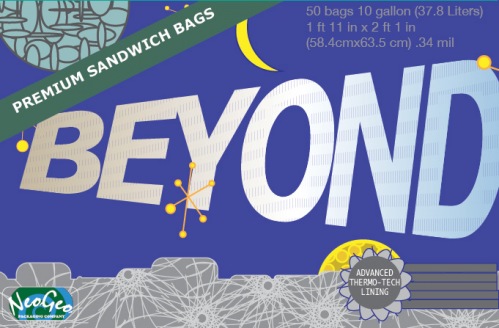
  • Above: My Sandwich Bag Box Design (front)

    During this critique session, Ashlee (one of my classmates) produced a beautiful matchsticks box. It was nostalgically decorated and had “To Build a Fire” by Jack London printed on the back of it. That really enchanted me. That piece of ephemera transported me for a moment to a warm fire with an outdoorsy man. She nailed it with mood and cultural references. Something that retro things do. We live in a culture constantly referencing the recent and distant past. This is not a new phenomenon, but perhaps with the dawn of the internet, it has become easy to mine our history for its artifacts.


    Post-critique on my package:

    Is it a condom box? Someone asked. This product doesn’t scream sandwich bags. Sandwich bags should be the subhead. People chimed in, how about using a sandwich spaceship or at least a sandwich bag in space. The genre needs to be pronounced at first glance, there might not be a second.

    Other tricks I missed: indicate how it opens (this particular package opens from the front and Tom tried to open it from up top.) And add glitz. Packaging is not shy. It’s that caller at the fair “Come get your hotdogs! Get your hotdogs here!” And if you’re that guy, you’d better have some nice hotdogs.

    (Earlier Post Relating to This Project)

  • Sa mapp presentation

    View more PowerPoint from basementcat
    (above: the slides for my presentation for Seattle Art Museum’s app development– what I have so far)
    I’m currently at the task flow stage, right up to the point where I start wireframing. I learned from Tim last thursday that Site Maps don’t have to show the interconnecting windows, that they’ll all be apparent in the wireframe. I thought that was a huge relief because it’s a huge struggle for me to get these site maps to read simply. There’s so much information I want to ad. I think every good diagram should stand on its own, but in the case of site maps, it’s a supplement to how you explain the intricacies of user experience. All of the options.
    In the world of web design, a complicated site map, is not so complicated when you use it because you don’t see it all at once. I think the ruler of the universe has a very complicated site map, one for each user. If anyone wants that job, definitely start with your research.

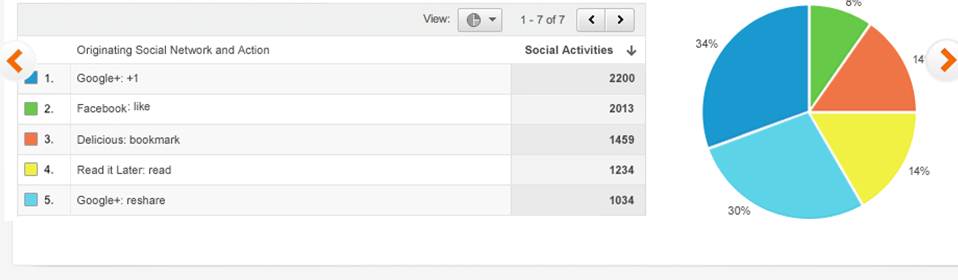
  • Above: Google Analytics example (it’s free, sign up for your site!)

    It sounds intimidating, but metrics just refers to measuring stuff and getting that from your website just takes a little bit of code that you plant like a wire in an FBI agent’s jacket. Once inserted, it remains unnoticed by the user. (Google analytics is a free way to get this code and then proceed to track the information it collects.) This will get demographics, information about when, how and where people are coming in and out of your website and from where. This is a great way to see if people are not going through a process you’re trying to get them to go through, like the task flow for purchasing something. We’ve all been there where it is way too many clicks to get to a payment plan and you can get this thing somewhere else, so you do.

    I like this because you can start to see patterns. You can give your audience something they want based on what they have liked in the past (if you produce stuff regularly.) That’s the kicker. Tim showed us his site metrics, but it reflected mostly the students going to it for syllabus information.
    A site like the one you are currently looking at (Katablog) is regularly producing but producing different content. I might be able to deduce that my readers are more interested in what I’ve painted recently, rather than what I’ve learned about typography. Or that they like ones with video. Perhaps it’s a novelty factor and it fluctuates. It’s a feedback loop of adjustment and measurement and then some more adjustment.


  • Music: ditto, ditto! by  DoKashiteru. I got the music for this video from http://dig.ccmixter.org/ It is licensed under creative commons.

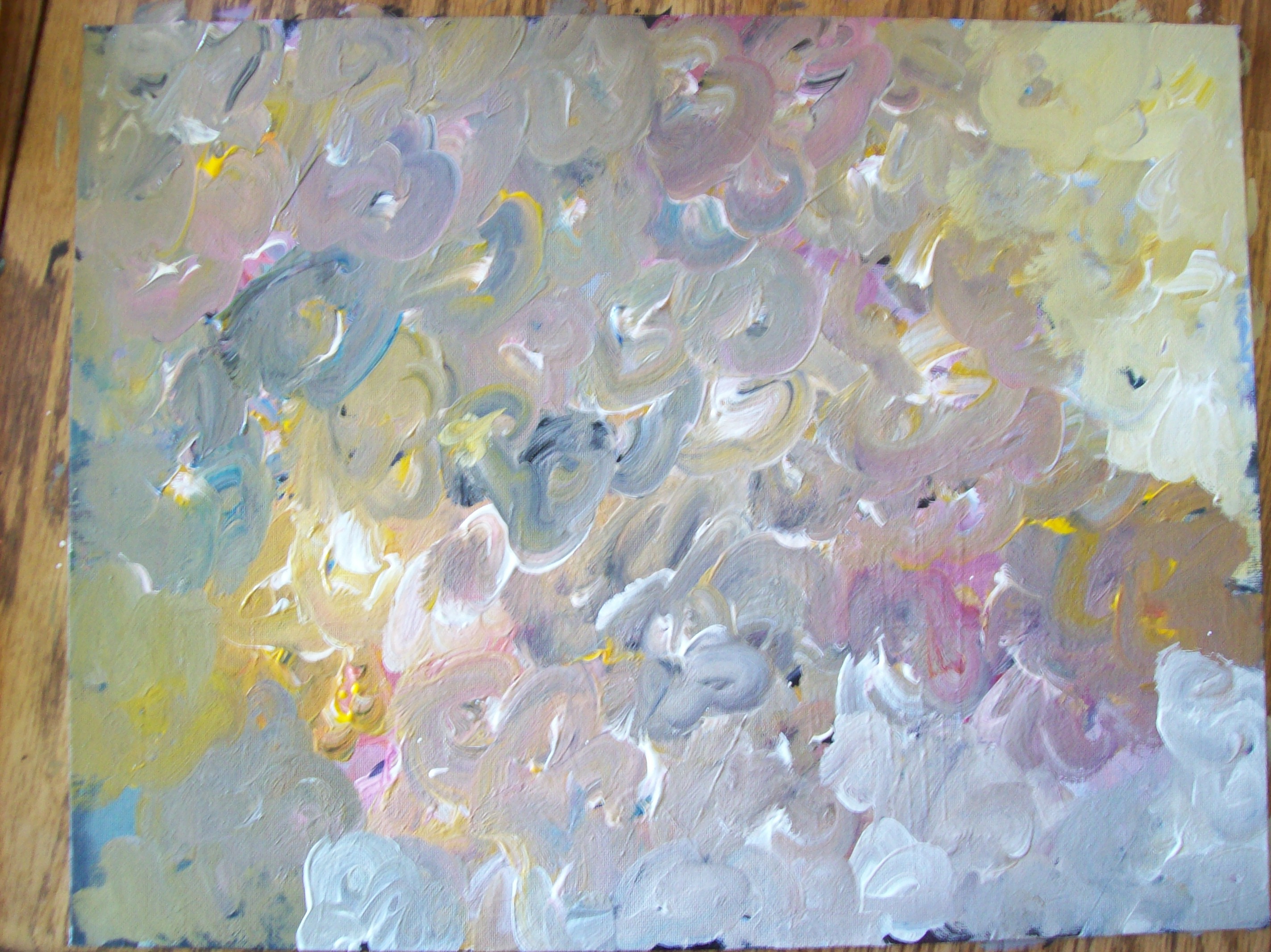
    I’m always fascinated when I watch someone work. I thought I’d combine my loves, painting and video, into this. Let me show you how I made this painting.

    As for making the video, this is my first painting video.

    I used a lo-res Kodak Share camera and mounted it to the chandelier in my dining room to get the aerial view. That’s why it’s a bit shaky. I didn’t know what I was getting, so that’s why the framing is off. It was definitely a learning experience.