Skip to content

Kismet Arts Tangent

Art Collective

    • Kismet Arts Tangent
    • About
    • Blog
    • Contact
    • Donate

recent posts

  • Photo shoot with Kayleigh Shawn
  • Testimonials
  • Fractures Poem
  • Poetry
  • Pixel art products

  • Instagram
  • Portfolio Iteration Feb 2014

    February 17, 2014
    My New Portfolio Landing Page
    My New Portfolio Landing Page

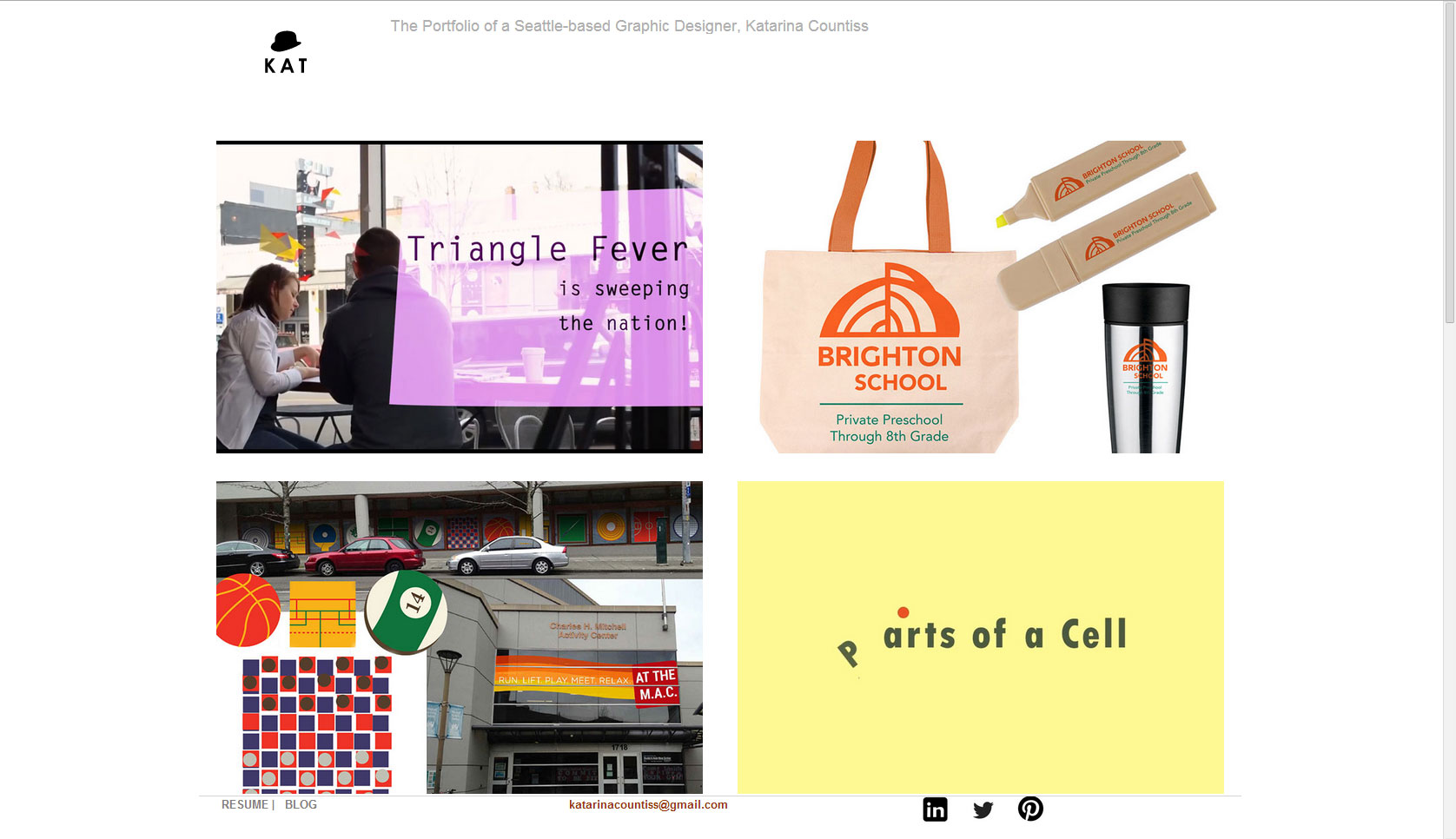
    Today, I finished updating my graphic design portfolio. I wanted to feature new pieces. I acknowledge that my past defines me, but I also want to show growth and maturation. In this iteration, I’ve simplified the navigation. An experiment: Just a home button with the wordmark part of my logo on it. I’m only showing 12 pieces, ranging from web design to hand-drawn greeting cards. I wanted to show my versatility, and creativity. (The 10 Most Overused Buzzwords on LinkedIn (Infographic) | Entrepreneur.com)

    I also simplified the footer. I moved the email address so it would show up on mobile. The thing about the footer in mobile is that it is the same height (and fixed) thus cutting off the social icons (which are kind of useless right now anyways with all the apps going around, the link would open in safari and ask you to login etc. way too complicated.) Changed the social icons from black to a periwinkle. My eyes kept staring at them.

    User Testing

    I tested the portfolio site with one person and told him that he was my employer.
    Link for website not given emphasis
    His only comment: Link for actual product was not given emphasis.

    test-2So, I made the link a simple CSS button. (CSS Button Generator – Imageless CSS Buttons Simplified.) This is the first time I am linking to code I’ve worked on. This iteration of the portfolio website has four pieces that link to HTML websites.

    Timemachine.php

    I’m really proud of my projects because I learned from them. I like seeing them in little capsules and it’s nice to refer back to. So, I modified timemachine.php (the portal to index1) a little. I added a hidden link at the bottom of the landing page for easy yet not obvious access.

    hidden-linkHover over it for a trip to my earlier years of learning graphic design, etc. (Still learning, so you know.) The old website has been kind of beat up because it’s still connected to the updated CSS, but I don’t mind. I think there’s something funny about watching it fall apart as I move on to different conventions.

    I would like to play with hidden links more. It’s interesting to have a secret door into a part of the website that I would like people to see, but only if you’re curious enough.

    Katarina Countiss. << The Latest and Greatest Portfolio (so far)

    (Earlier Post Relating to This Project)

    sharing options:

    • Share
    • Share on Tumblr (Opens in new window) Tumblr
    • Print (Opens in new window) Print
    • Share on LinkedIn (Opens in new window) LinkedIn
    • Share on X (Opens in new window) X
    • Share on Reddit (Opens in new window) Reddit
    • Share on Pinterest (Opens in new window) Pinterest
    • Share on Facebook (Opens in new window) Facebook
    • Email a link to a friend (Opens in new window) Email
    Like Loading…
  • Portfolio Update Featuring TimeMachine

    February 14, 2014

    I had a phone interview where I had to point the interviewer away from my portfolio site to my blog for “recent work.” So, I realized it was time for an update.

    screem-portfolio1
    This is me for a second thinking it would be okay to make a div 100% wide. Nope, that’s where my svg lives.
    screem-portfolio2
    My goal for this iteration is to have bigger and more compelling images to entice the user.

    I am not finishing the site today, but what to do in case someone wants to look at it? My solution, timemachine.php. If anyone clicks any of these images on my home page, it goes to a new page. I’ve kept all the files in the same place in the folder for the site, but made one change where the index is now index1.php and I’ve added a page named timemachine inspired by this cool site: Internet Archive: Wayback Machine. I like the idea of being able to see who I was as a designer, just graduated, trying to lure employers with “student work.” And to be fair, I have a lot of student work, but I’m preparing to show some other pieces that make me feel like I’ve grown since then.

    screem-portfolio3
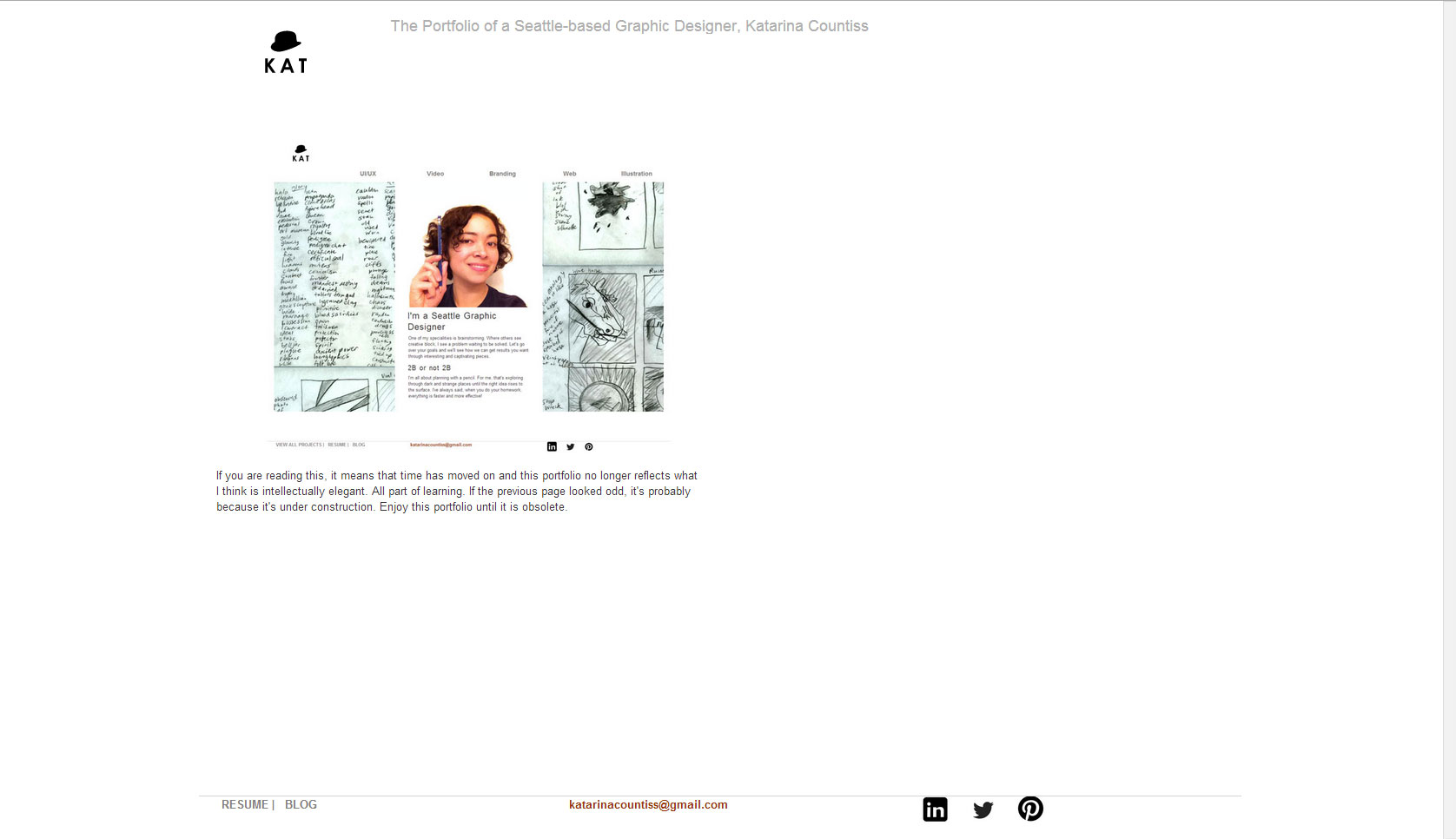
    My portfolio in my portfolio

    Kat-Branding. Check it.

    (Earlier Post Relating to This Project)

    sharing options:

    • Share
    • Share on Tumblr (Opens in new window) Tumblr
    • Print (Opens in new window) Print
    • Share on LinkedIn (Opens in new window) LinkedIn
    • Share on X (Opens in new window) X
    • Share on Reddit (Opens in new window) Reddit
    • Share on Pinterest (Opens in new window) Pinterest
    • Share on Facebook (Opens in new window) Facebook
    • Email a link to a friend (Opens in new window) Email
    Like Loading…
  • Simple Clipboard Website

    February 10, 2014
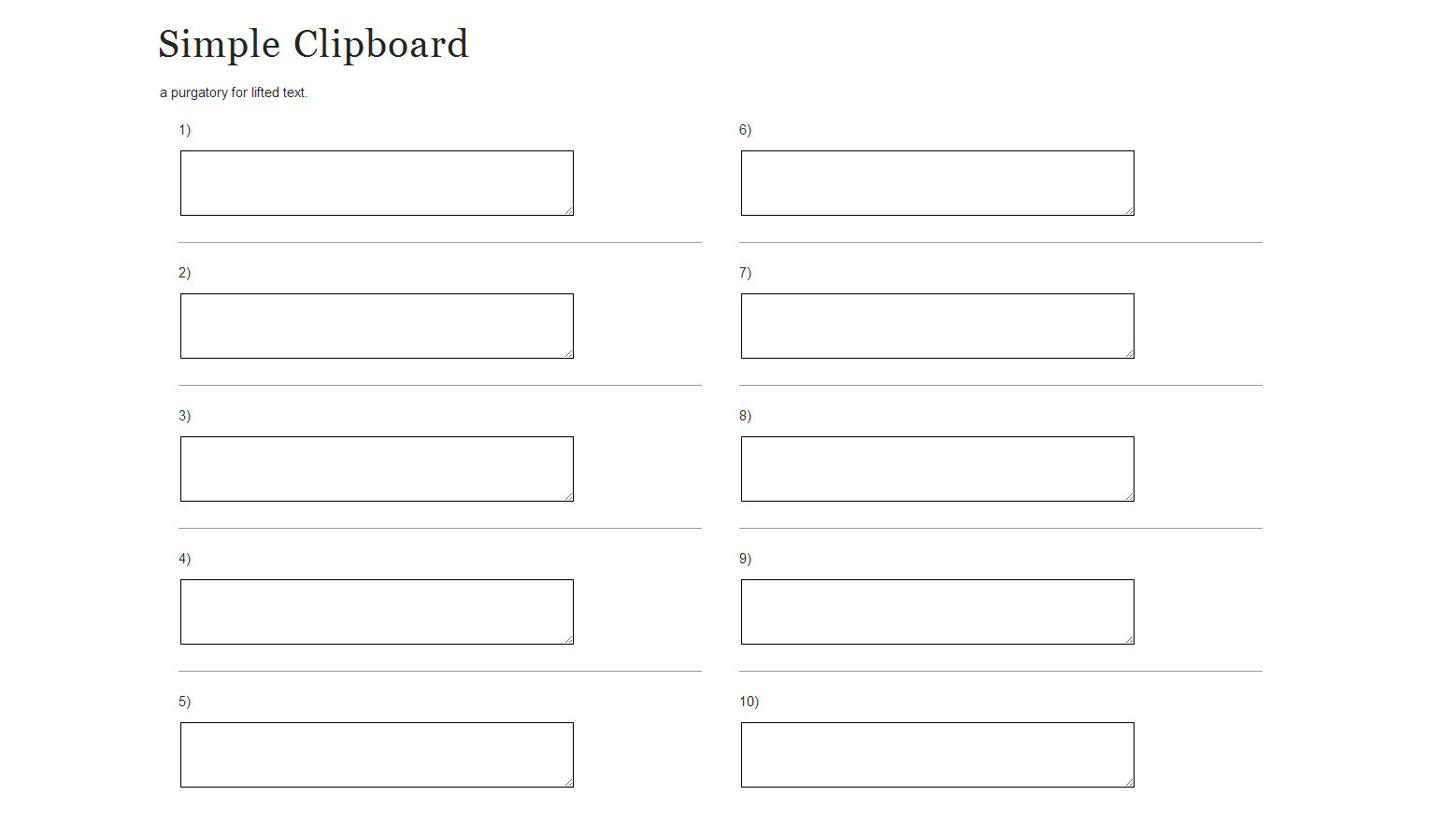
    screen-clipboard1
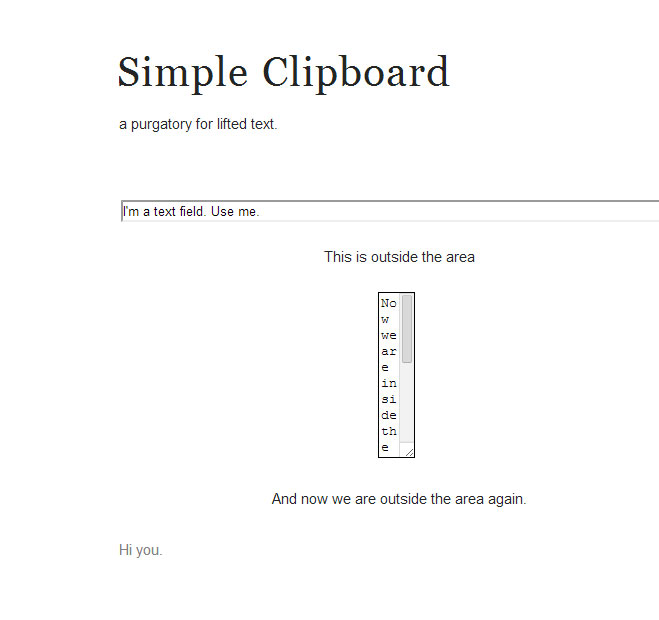
    Exploring text fields. Note: the two character wide column will not work for readability reasons.
    screen-clipboard2
    Ten text areas, numbered for reference purposes. The illusion of organization is just as important as organization.

    Today, I felt a need for an in-browser clipboard, so I went to find some code. This is after a week of success with using the To Do List I made last week. I’m the kind of person that is always in Tabbed Browsing mode. So, I’d like to make some tools for that kind of user. This Simple Clipboard and the Simple To-Do List are both killed when refreshed (all the text input goes away), so to use these tools, remember, they are as fragile as an etch-a-sketch. It makes it simpler, I think. It also makes the user more cautious with that mouse when hovering over a close button on a broswer window.

    Today’s lesson, text field is not really a field, but more of a line, or an urban alleyway converted into a small pop-up park. Textarea, however, is a field (in the way I think of fields). I also learned about the difference between HTML 4.01 and 5. HTML5 has added several new attributes. Check them out at HTML textarea tag.

    I found my code here (Forms : Text Field – HTML Tutorial.) and and some variation of last year’s Amazium. At w3schools.com, they have a easy to use in-browser testing area: Tryit Editor v1.8.


    Sometimes, your greatest tools aren’t all that complicated.
    Clipboard.

    sharing options:

    • Share
    • Share on Tumblr (Opens in new window) Tumblr
    • Print (Opens in new window) Print
    • Share on LinkedIn (Opens in new window) LinkedIn
    • Share on X (Opens in new window) X
    • Share on Reddit (Opens in new window) Reddit
    • Share on Pinterest (Opens in new window) Pinterest
    • Share on Facebook (Opens in new window) Facebook
    • Email a link to a friend (Opens in new window) Email
    Like Loading…
  • Simple To Do List Website

    February 5, 2014

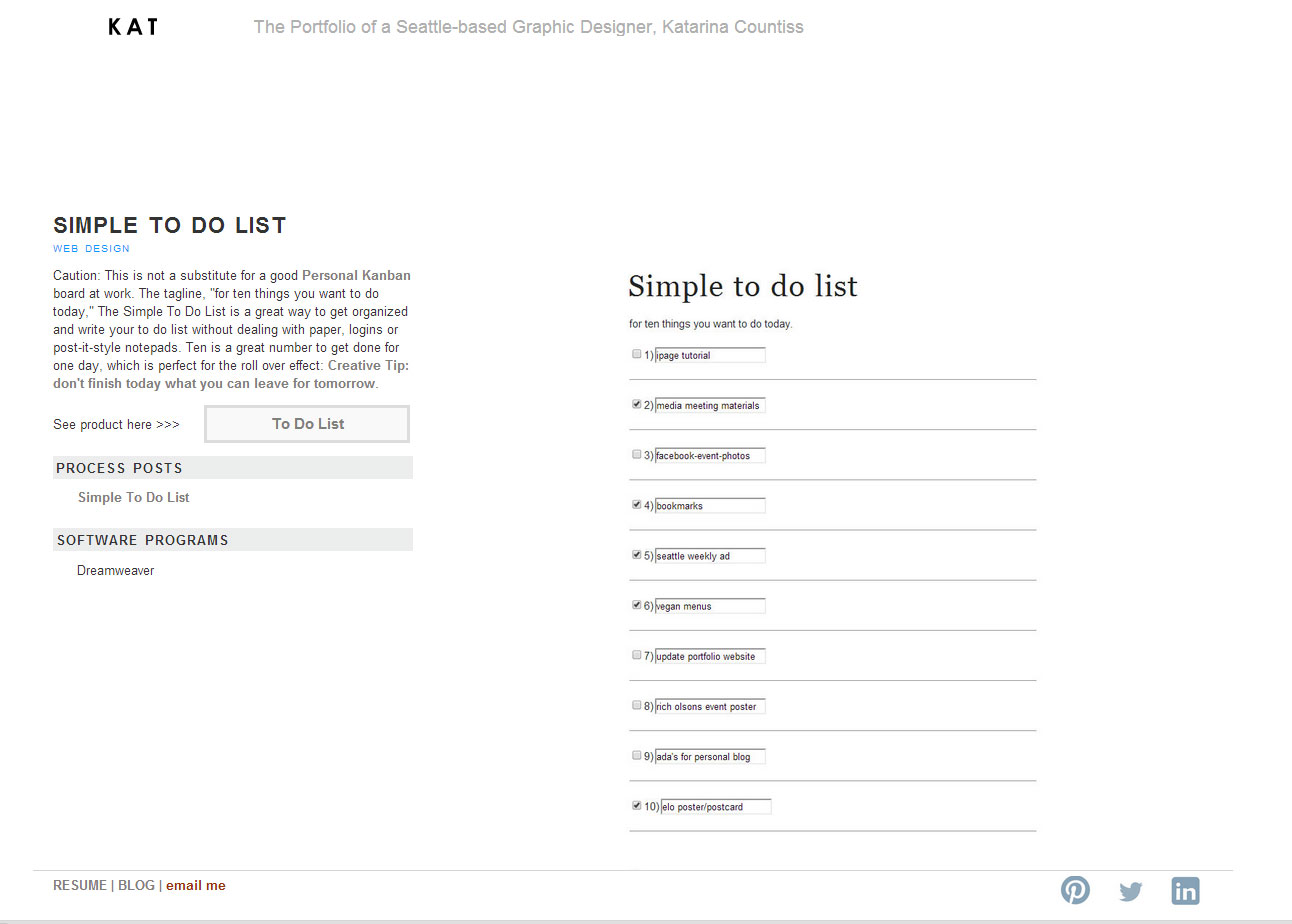
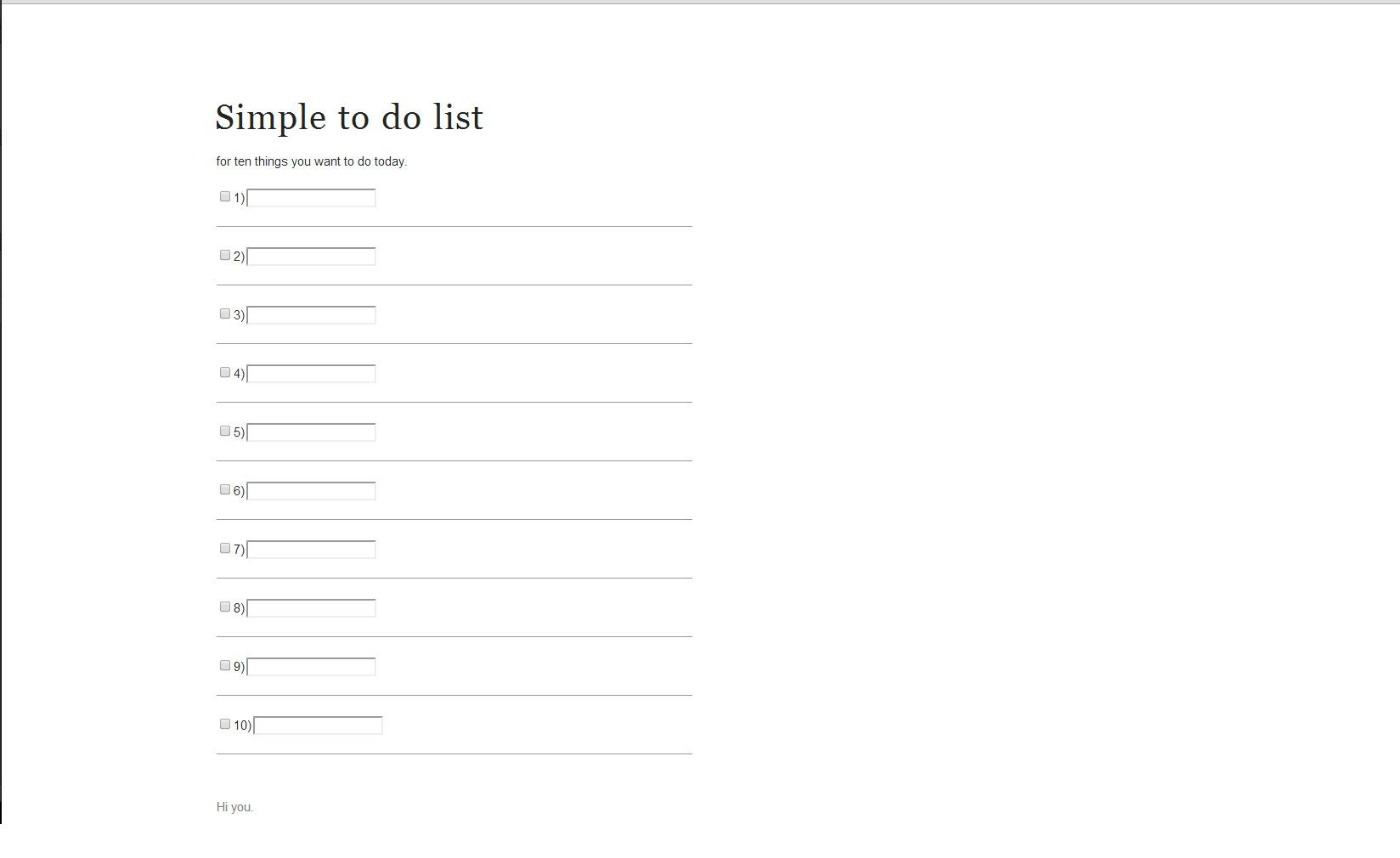
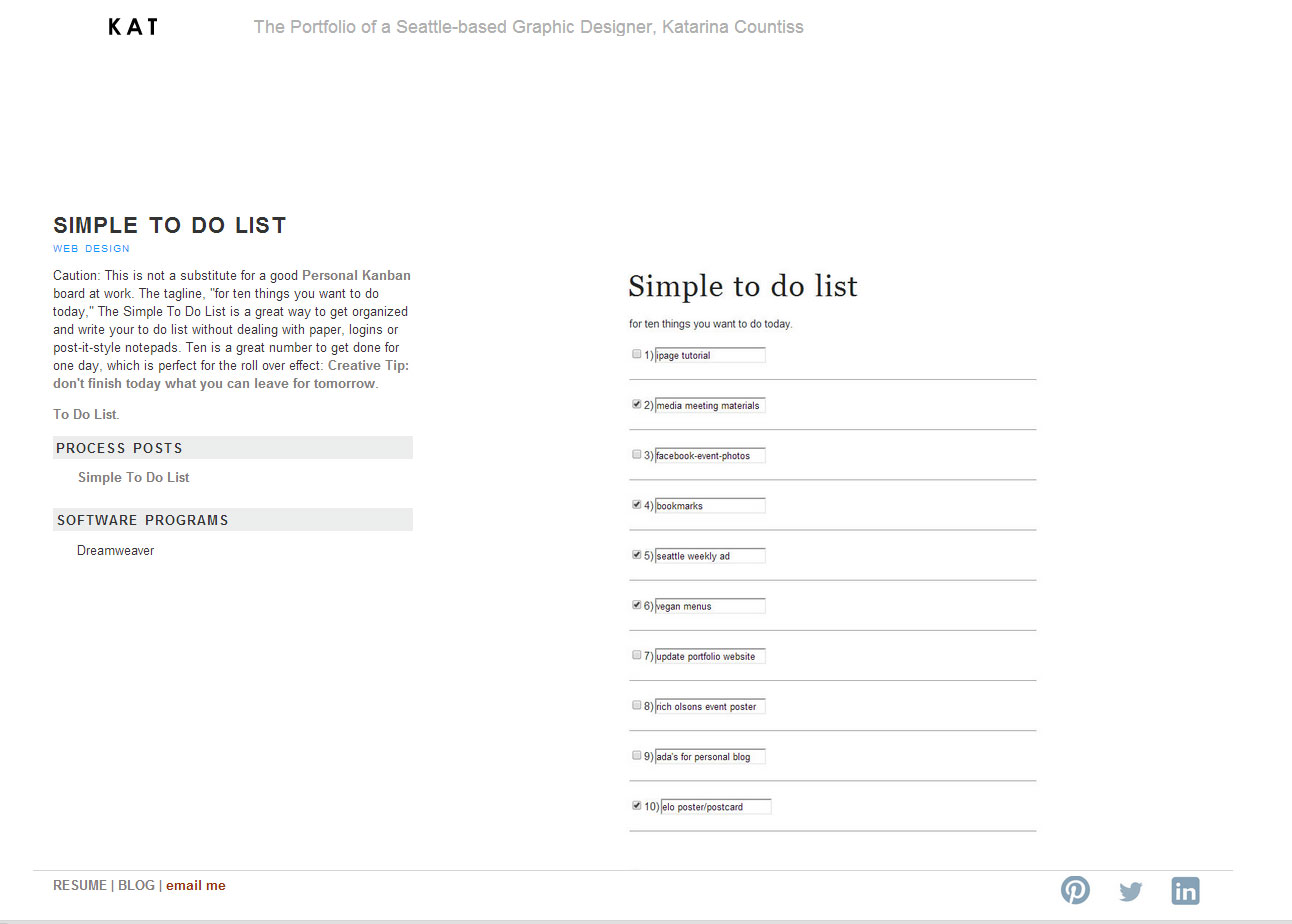
    I’m working from home today and I wanted to have a simple to do list for display on my second monitor (I don’t have a great space for notebooks on my desk right now and I left my Personal Kanban board at work.) I googled “to do list website” and found apps, not a simple editable to do list for desktop in browser, so I whipped one up. Code from HTML Forms and Input and some variation of last year’s Amazium.

    Sometimes, your greatest tools aren’t all that complicated.
    To Do List.

    to-do-list-screen

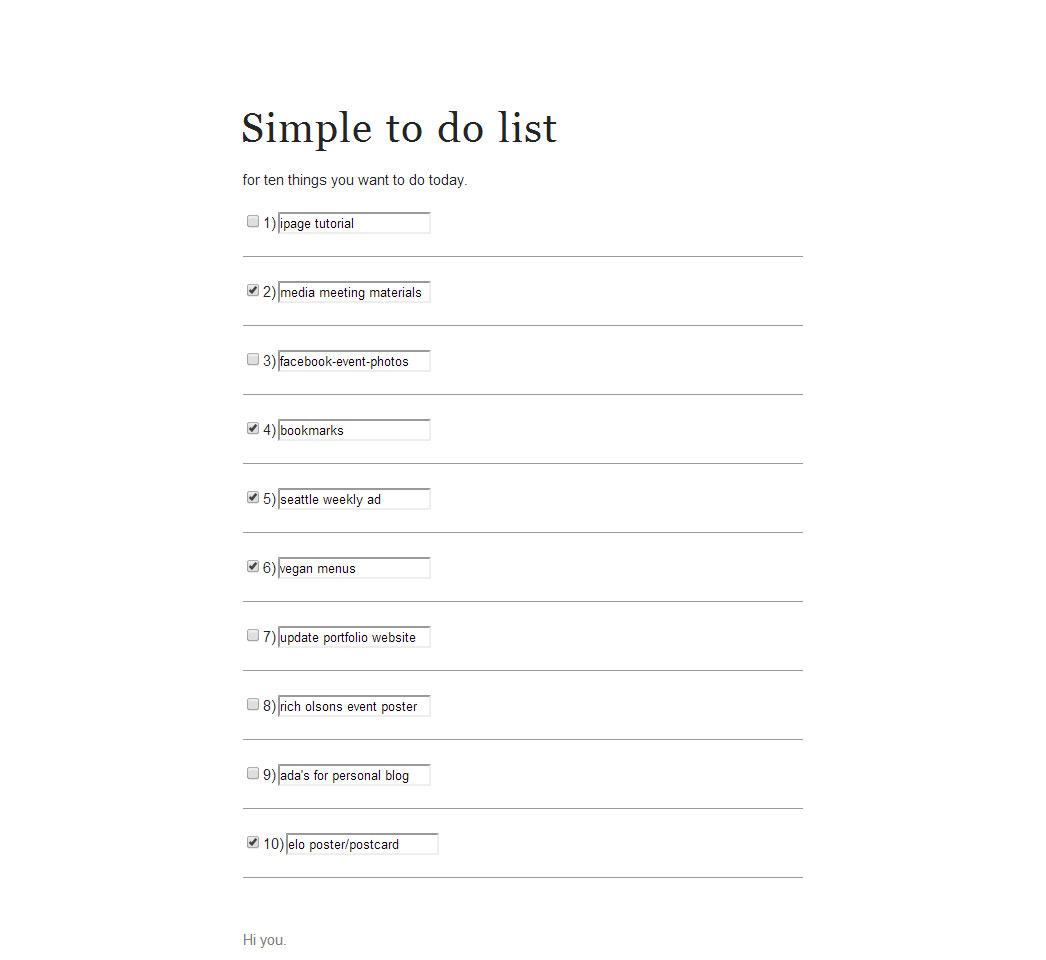
    Update 2-17-14: I’m really enjoying the to do list. I had one instance where I had a internet cut-out and lost my to do list. Most of the items checked off, so it didn’t feel like a big deal, but I wanted to screen save it. So if there was a screensave option that was quick, I’d love to save these lists as record of things I’ve done. Simple. Must be simple. I’d like to avoid a login situation. If there was a way it would immediately save as picture to desktop…

    screen-to-do-list2
    My second round of ten things almost complete.

    sharing options:

    • Share
    • Share on Tumblr (Opens in new window) Tumblr
    • Print (Opens in new window) Print
    • Share on LinkedIn (Opens in new window) LinkedIn
    • Share on X (Opens in new window) X
    • Share on Reddit (Opens in new window) Reddit
    • Share on Pinterest (Opens in new window) Pinterest
    • Share on Facebook (Opens in new window) Facebook
    • Email a link to a friend (Opens in new window) Email
    Like Loading…
  • Updating Resume

    January 23, 2014
    Old Resume Page
    Old Resume Page
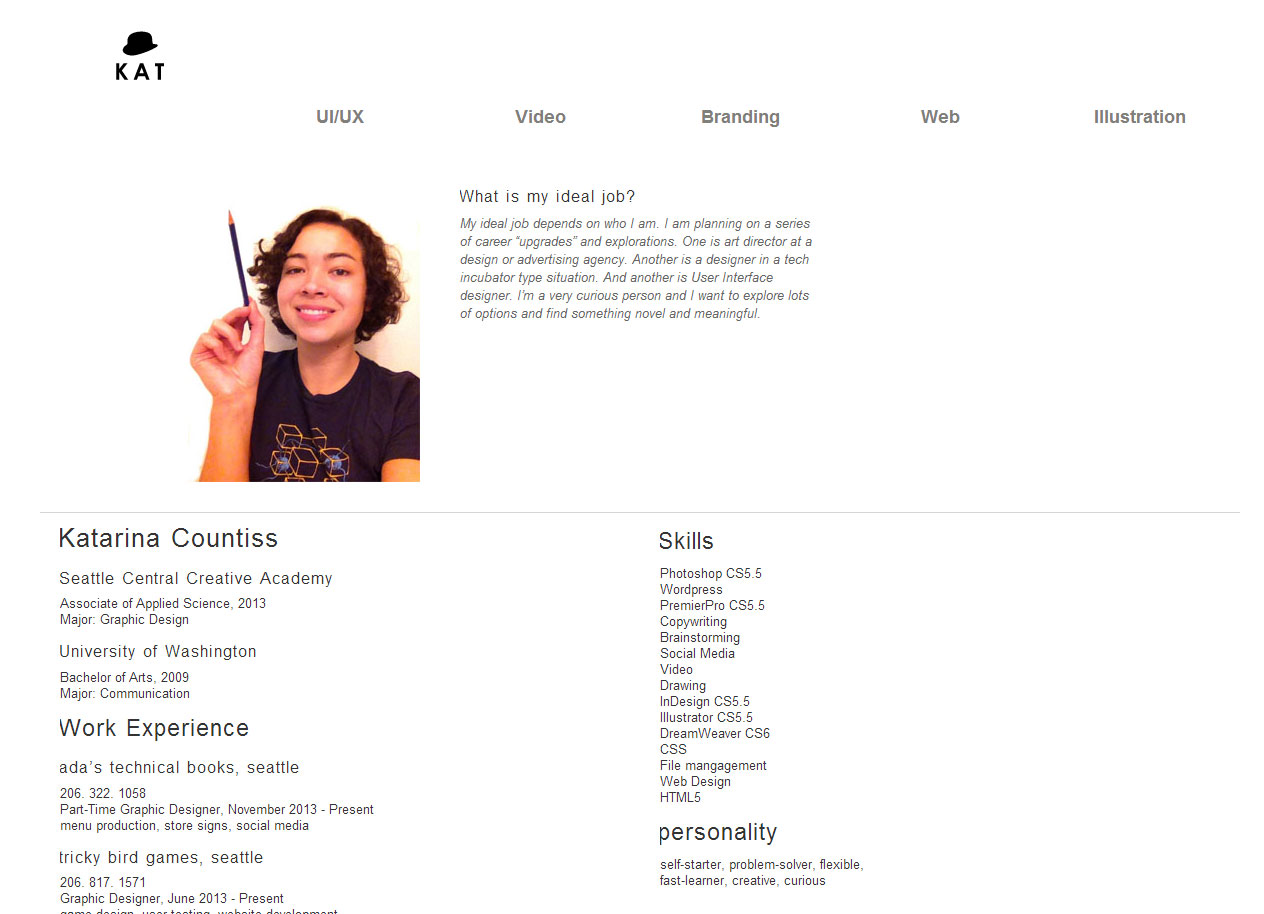
    New Resume Page
    New Resume Page

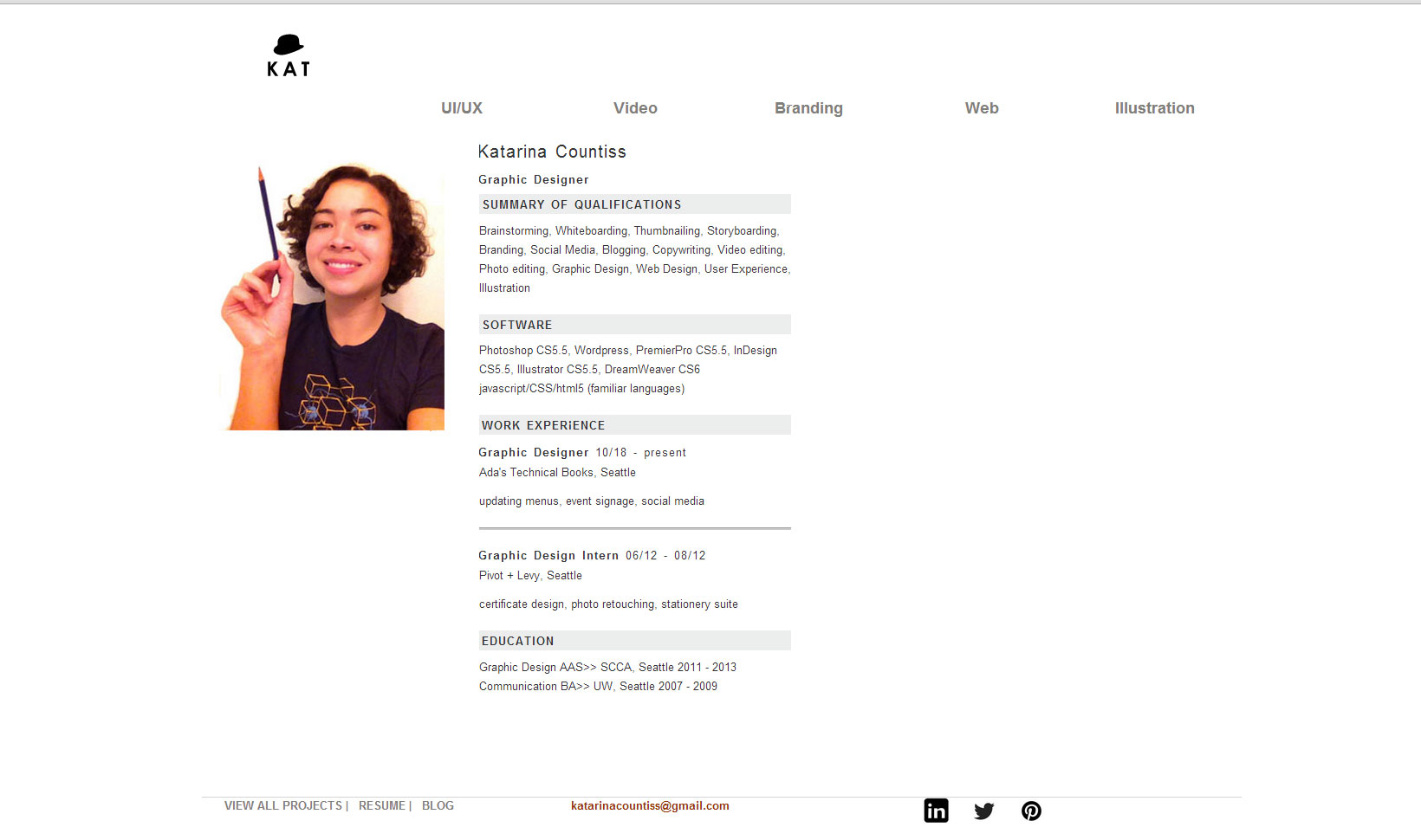
    Inspired by a classmate’s html resume, I decided to update my resume page on my portfolio website. I addressed issues of alignment, information hierarchy and typography. I streamlined some information, so that employers can get a better sense of what I do/want to do quicker.

    And, to be thorough in logging changes, I changed the footer to be fixed (always at the footer area of the page even if it’s not the end of the page, see “fixed” positioning). It’s mostly not noticeable because of how most of the pages fit above the fold, but I think it’s a great way to keep the contact info always available for excited future employers.

    (Earlier Post Relating to This Project)

    sharing options:

    • Share
    • Share on Tumblr (Opens in new window) Tumblr
    • Print (Opens in new window) Print
    • Share on LinkedIn (Opens in new window) LinkedIn
    • Share on X (Opens in new window) X
    • Share on Reddit (Opens in new window) Reddit
    • Share on Pinterest (Opens in new window) Pinterest
    • Share on Facebook (Opens in new window) Facebook
    • Email a link to a friend (Opens in new window) Email
    Like Loading…
  • Episode 2 of Shelby

    January 20, 2014
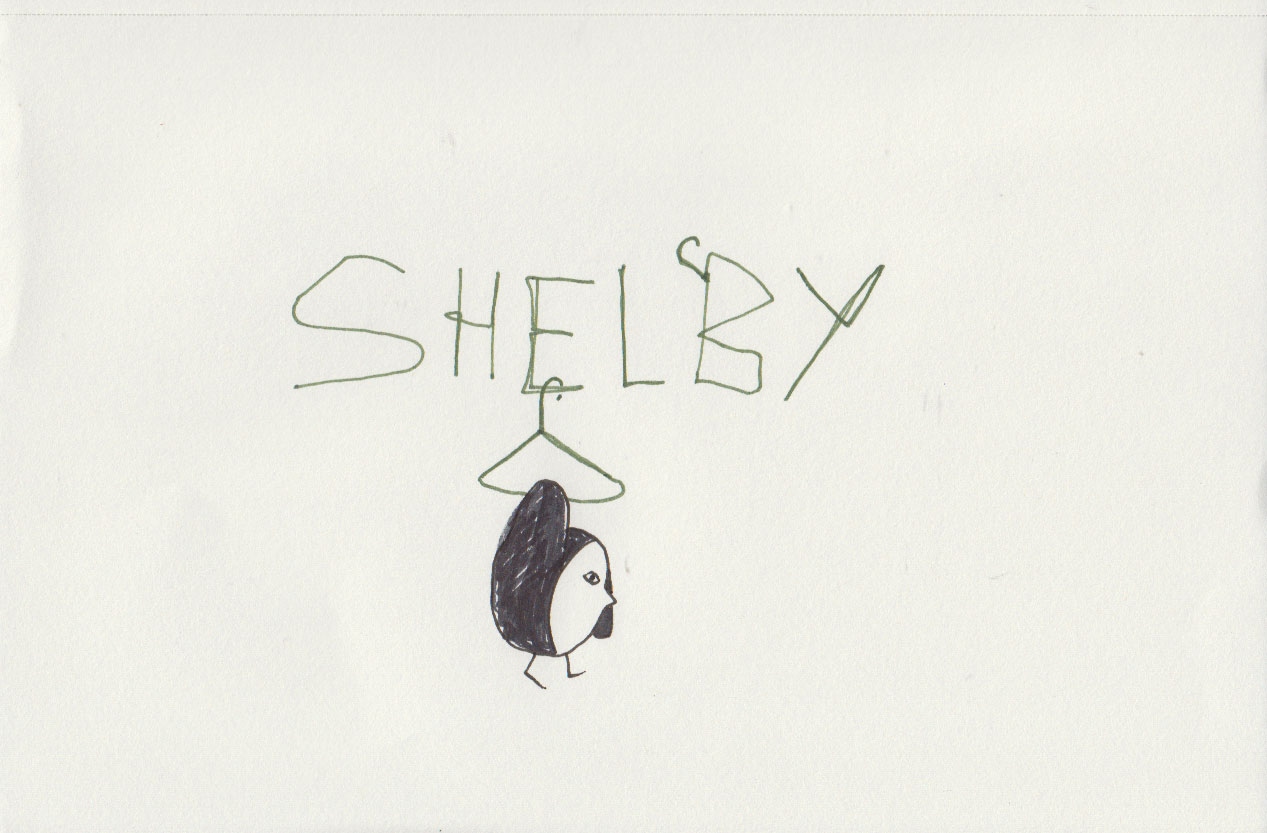
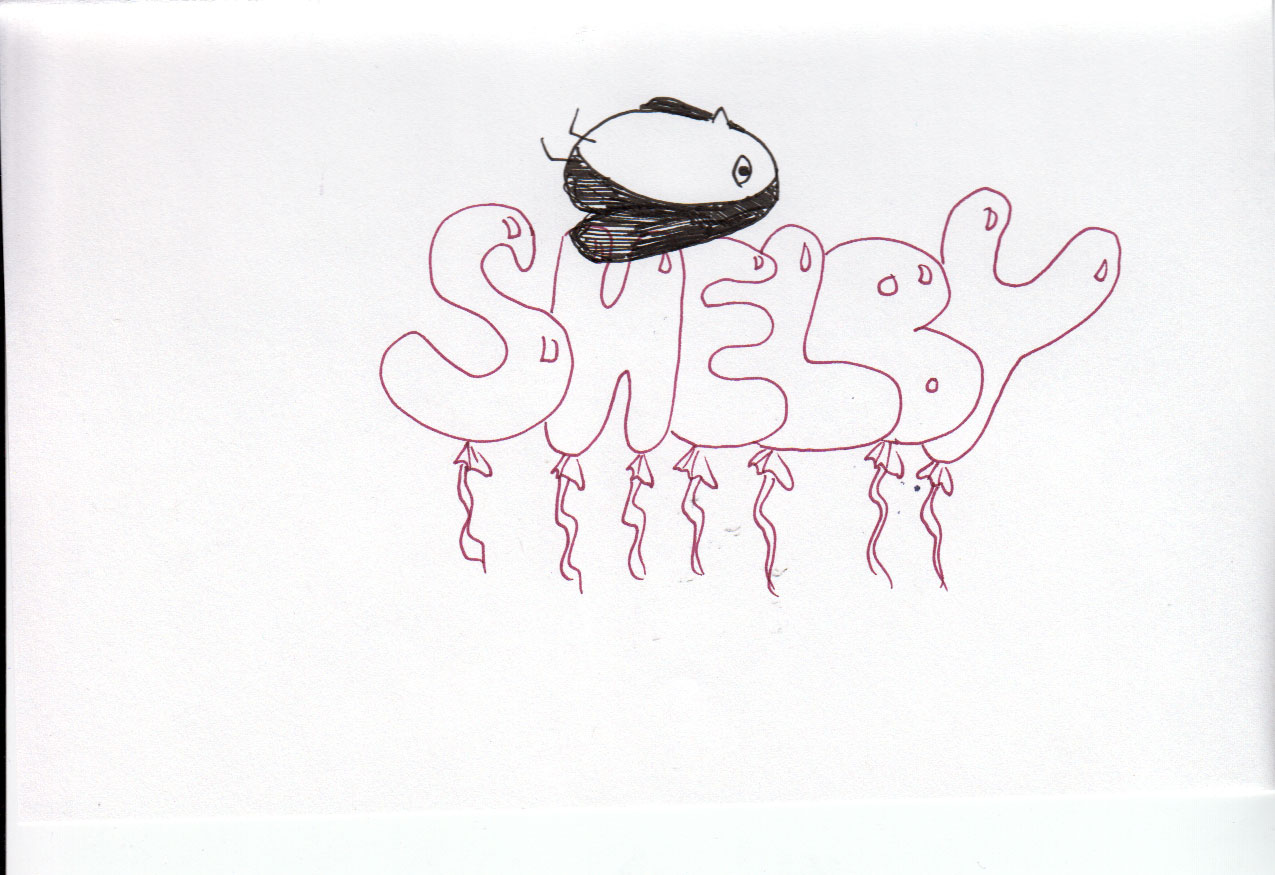
    Episode 2 title screen
    Episode 2 title screen

    Using Strathmore Windpower Sketch Pad 5.5X8.5,  Pigma® Micron® 05 Burgundy, Hunter Green and Black and Prismacolor Premier Assorted Tip Illustration Markers. I really like the brush pen I received for Christmas. Until now, I’ve never really understood them. I am getting the rhythm of the comic. Understanding how it flows, expressing what I think and how I think about things through this character is relaxing and enjoyable.

    Episode can be looked at here: Shelby.

    sharing options:

    • Share
    • Share on Tumblr (Opens in new window) Tumblr
    • Print (Opens in new window) Print
    • Share on LinkedIn (Opens in new window) LinkedIn
    • Share on X (Opens in new window) X
    • Share on Reddit (Opens in new window) Reddit
    • Share on Pinterest (Opens in new window) Pinterest
    • Share on Facebook (Opens in new window) Facebook
    • Email a link to a friend (Opens in new window) Email
    Like Loading…
  • Shelby Website

    January 19, 2014

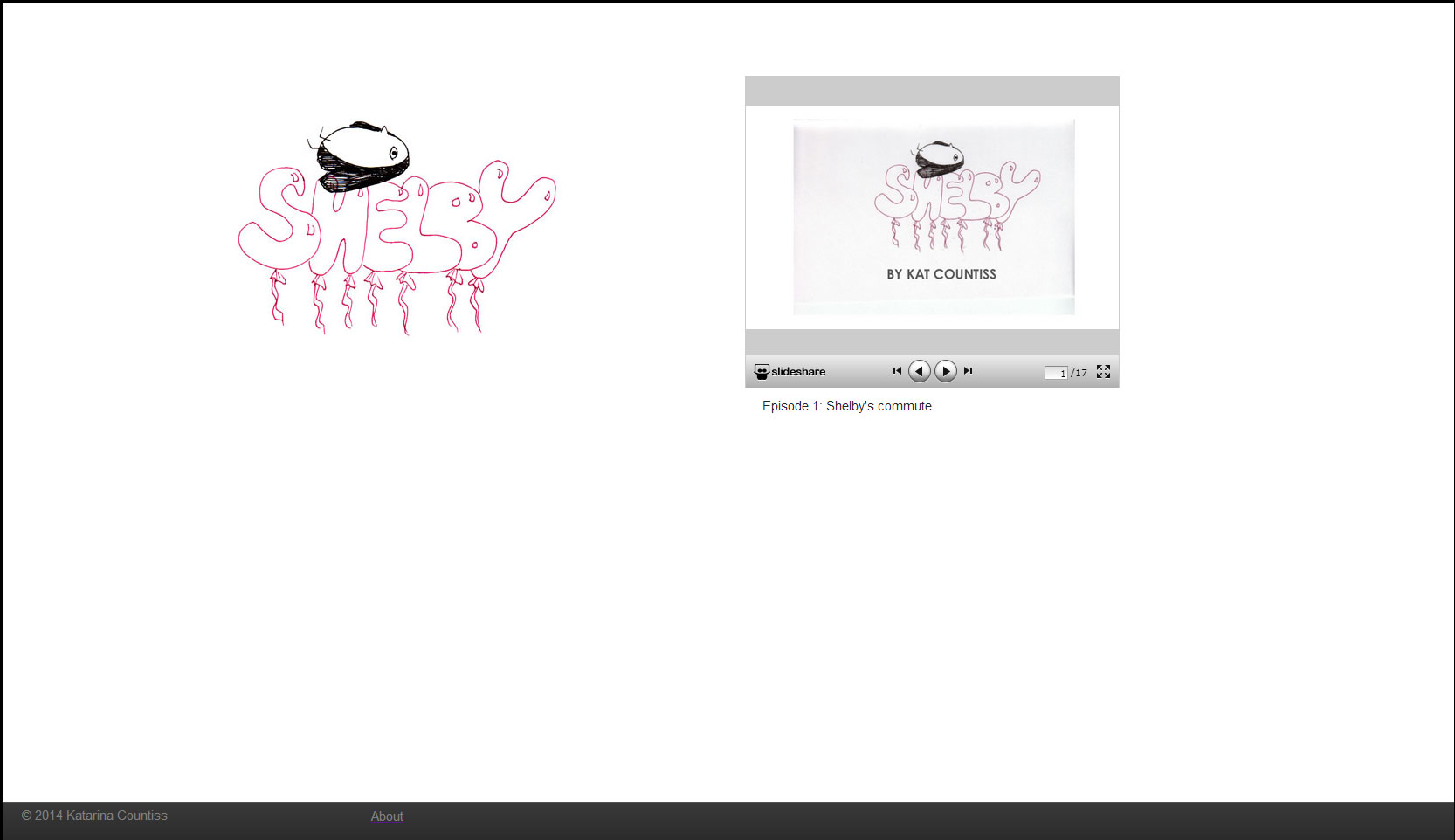
    homepage
    homepage
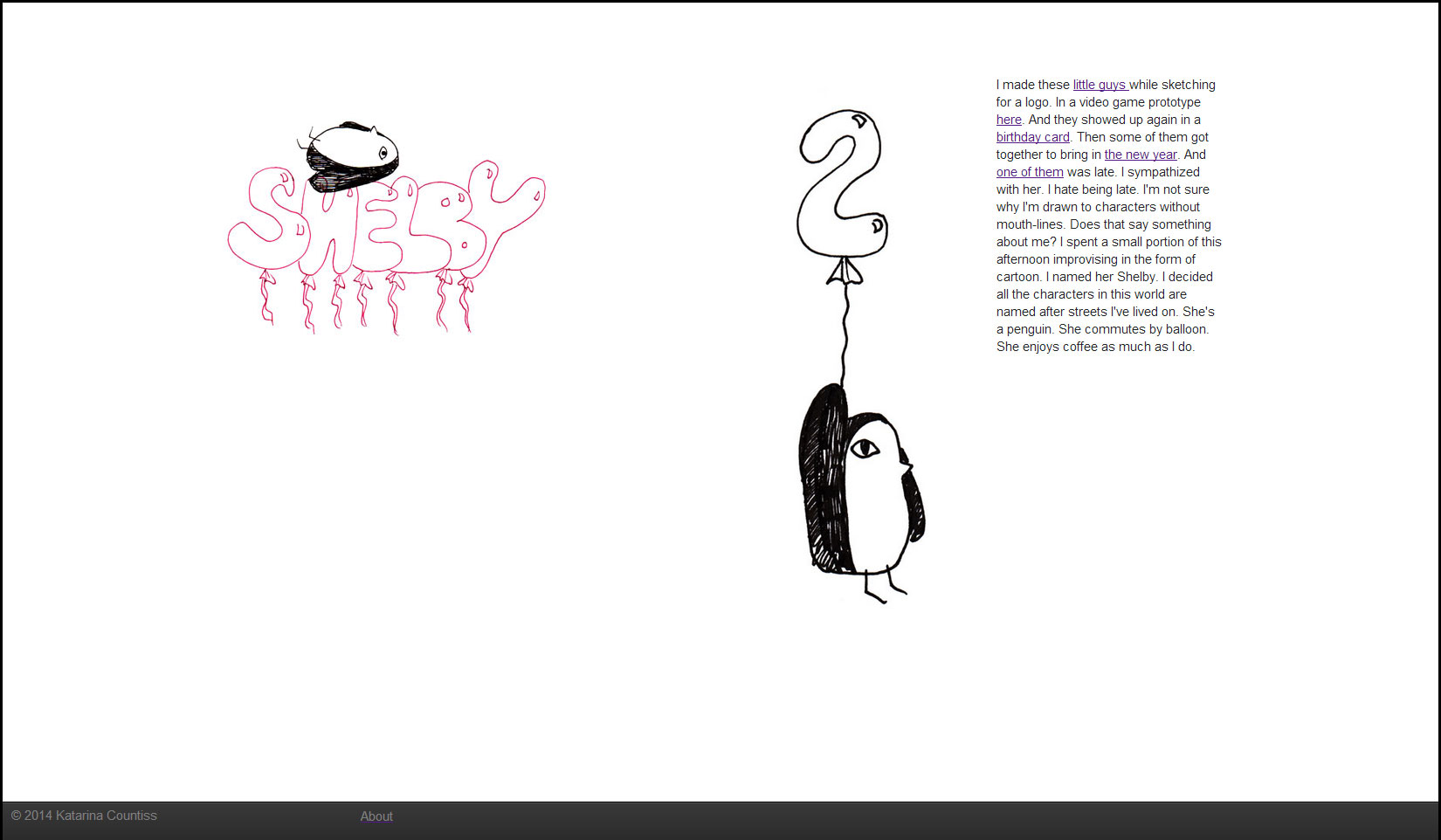
    about page
    about page

    Today, I wanted to give Shelby (a budding webcomic I am working on) a home on my website. I’m planning on adding a few more episodes, as production levels will provide– no specific timeline, yet. When I see a character I can relate to, I know that there will be more. Anyways, I used my New york 2013 files as a template which uses mostly an Amazium framework, then added a fixed footer using the code for the bottom bar that I used once on a digital product, You Are A Graphic Designer which is originally from Ratchet. I really like the controls on Slideshare‘s embedded slide-deck frame, so I decided not to bother coding something new or searching for something where I can have the pdf live on my site. I just wanted a quick and borrowed solution. Need not to invent the wheel right now for a project this casual. It feels nice having a place for it to live. I believe in microsites to be really sweet and caring gesture. A really nice idea deserves a clean little nook on the internet.

    Link to website: Shelby.


    (Earlier Post Relating to This Project)

    sharing options:

    • Share
    • Share on Tumblr (Opens in new window) Tumblr
    • Print (Opens in new window) Print
    • Share on LinkedIn (Opens in new window) LinkedIn
    • Share on X (Opens in new window) X
    • Share on Reddit (Opens in new window) Reddit
    • Share on Pinterest (Opens in new window) Pinterest
    • Share on Facebook (Opens in new window) Facebook
    • Email a link to a friend (Opens in new window) Email
    Like Loading…
  • Shelby, a collection of drawings

    January 16, 2014

    3

    Shelby from Katarina Countiss
    A day off of work. Ideas percolating. The want to create something. I made these little guys while sketching for a logo. In a video game prototype here. And they showed up again in a birthday card. Then some of them got together to bring in the new year. And one of them was late. I sympathized with her. I hate being late. I’m not sure why I’m drawn to characters without mouth-lines. Does that say something about me? I spent a small portion of this afternoon improvising in the form of cartoon. I named her Shelby. I decided all the characters in this world are named after streets I’ve lived on. She’s a penguin. She commutes by balloon. She enjoys coffee as much as I do.

    sharing options:

    • Share
    • Share on Tumblr (Opens in new window) Tumblr
    • Print (Opens in new window) Print
    • Share on LinkedIn (Opens in new window) LinkedIn
    • Share on X (Opens in new window) X
    • Share on Reddit (Opens in new window) Reddit
    • Share on Pinterest (Opens in new window) Pinterest
    • Share on Facebook (Opens in new window) Facebook
    • Email a link to a friend (Opens in new window) Email
    Like Loading…
Previous Page Next Page

Blog at WordPress.com.


Loading Comments...
 

    • Subscribe Subscribed
      • Kismet Arts Tangent
      • Join 104 other subscribers
      • Already have a WordPress.com account? Log in now.
      • Kismet Arts Tangent
      • Subscribe Subscribed
      • Sign up
      • Log in
      • Report this content
      • View site in Reader
      • Manage subscriptions
      • Collapse this bar
    %d