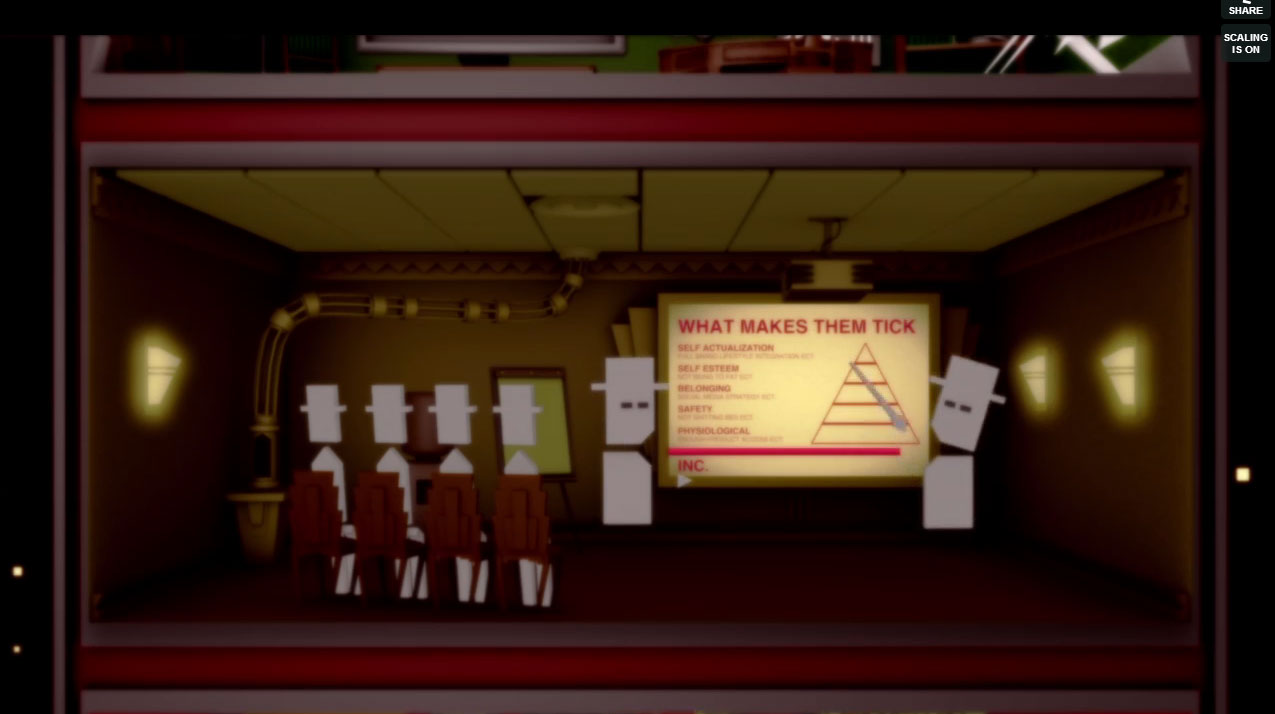
A Screen from Risehigh on Vimeo sparks idea: Make a presentation with a projected presenter. People will think you’re crazy for aligning the projector the way that you are. Then after some “overprint” awkward moments, the presentation in the presentation fits perfectly with the screen.
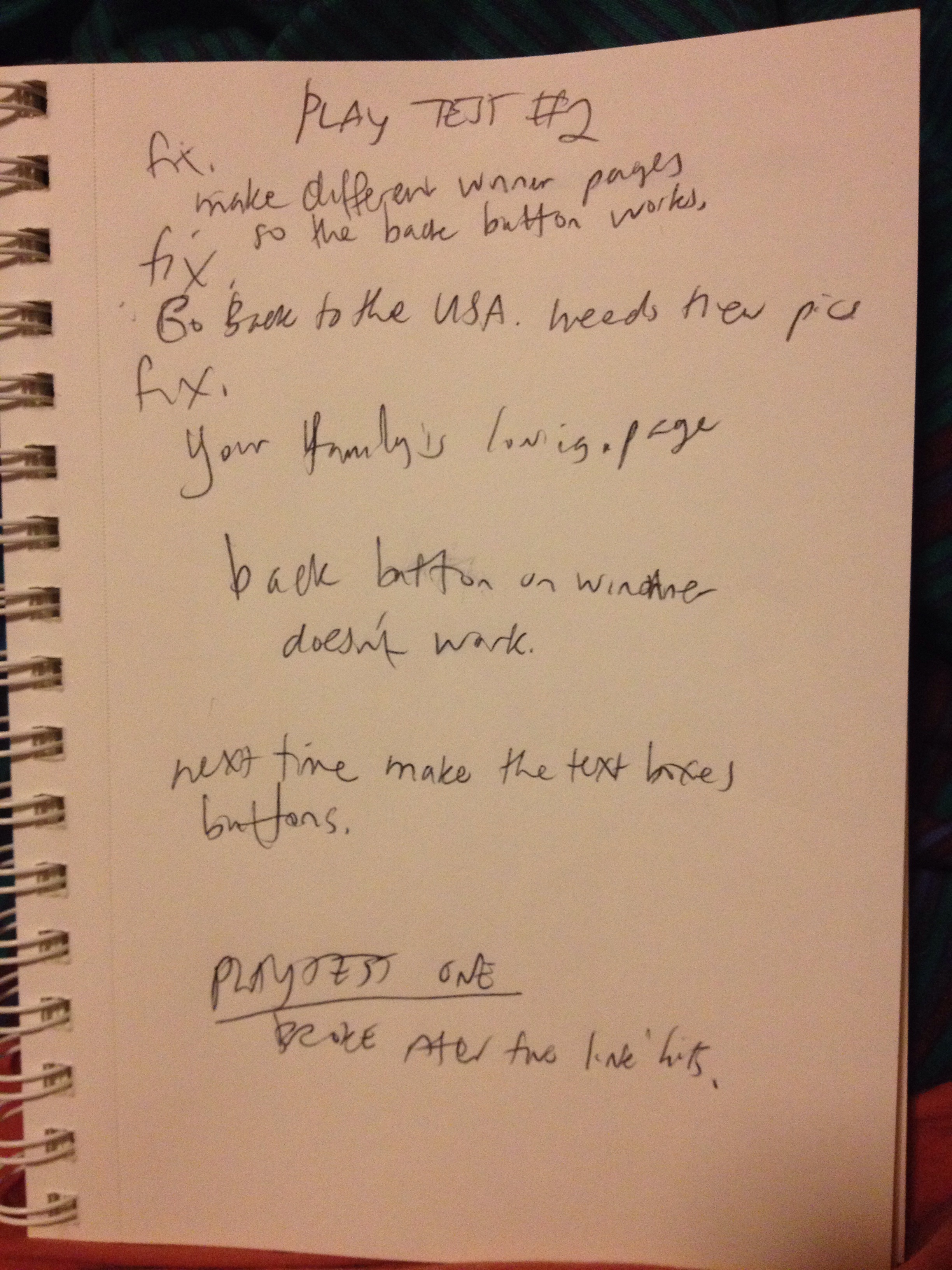
fix.
make different winner pages
so the back button works.
fix.
Go Back to the USA. heeds new pics.
fix.
Your family is loving. page
back button on winner
doesn’t work.
next time make the text boxes
button.
PLAYTEST ONE
BROKE Afer fwe link hits.
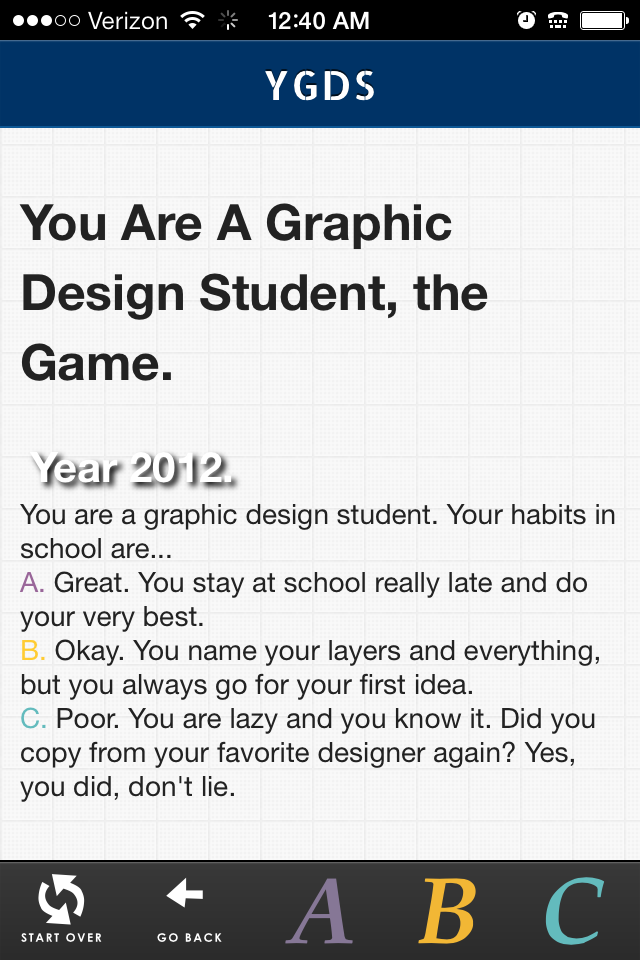
Wow. That was kind of like poetry about life or something. Anyways, I’m working on the “web-app-game” prototype YGDS or You’re a Graphic Design Student. It’s a little broken, but still fun to play if you just can’t wait. I’m planning on fixing it a little and need more playtesting subjects. (As you can tell, I can’t even decide whether it should be “You’re a Graphic Design Student” or “You’re a Graphic Designer.”) Follow the instructions and email me the results of your play testing if you want. Crowdsourcing, hey?
1. You Are A Graphic Designer. (For proper viewing, with your iPhone— or other phone, tablet, mobile whatever?–, view the site, then click the button and “Add to Home Screen”.
2. Use the interface to the best of your ability and read the text and make some choices.
3. When satisfied with your engagement, email katarinacountiss @ gmail. com with this information:
What you liked about it?
What you didn’t like about it?
What are five of your interests?
4. I’ll post the results, anonymized for your convenience, make a new prototype and show you how I grew from your suggestions.
You Are A Graphic Designer. (For proper viewing, with your iPhone, view the site, then click the button and “Add to Home Screen”.
I worked on the type and started on all the text and linking up of pages and such. Finding images was fun. I leafed through my media library so this program has kind of a autobiographical flare. Don’t cheat. Here’s the map for the “game.”
You Are A Graphic Designer. (For proper viewing, with your iPhone, view the site, then click the button and “Add to Home Screen”.
I am starting a new project today. A conversion of this flow chart into a mobile site specifically for mobile using my adapted Ratchet framework using html. It was easy switching out the svgs for different ones. I’m going to work on typography and adding classes for everything and trying out some images before I hook up more pages. Possible a mood board and style tile to give it a finished look.
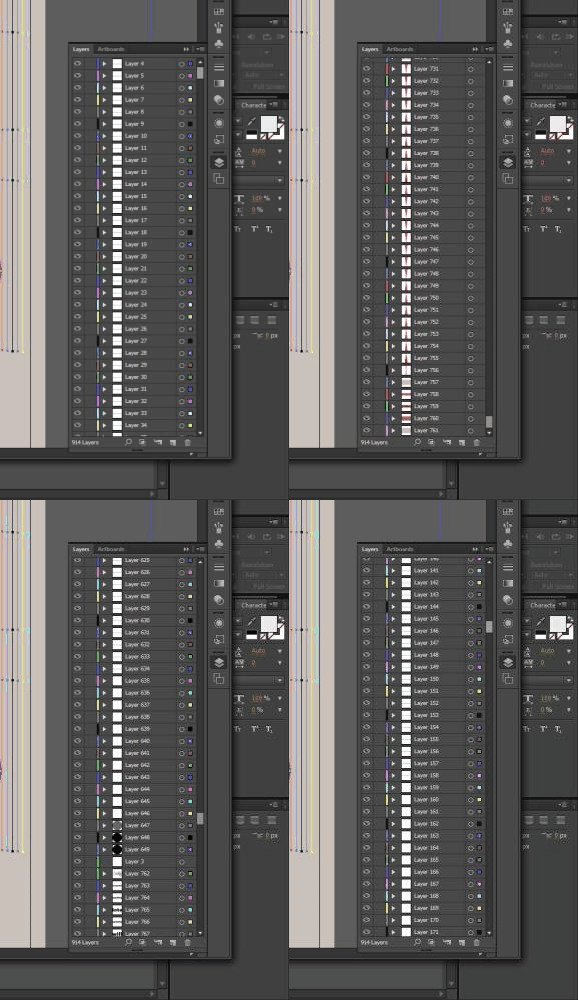
I read Born Modern and I was deeply affected by it. I wanted to express my infatuation with Alvin Lustig with some geometric vomit, but after I assembled the illustrator file, I thought I was close enough to the point of making an AfterEffects video. It was more difficult than I thought. Layers wrestling was tough. I didn’t name my layers, but I was curious if I could handle it. It’s not so bad. I used the eye symbol to toggle on and off the layers to see if the layer I was affecting was the layer I wanted to affect.
I wrote the script and made the outlines. It seemed inspiring at first, but afterwards, thinking on it, there was a bit of frustration in the rendering towards the end. I should make a habit of compressing the files now and again so it isn’t so bad on the thing– whatever the thing that crashes my computer when it’s overworked– thing. This is my second kinetic type video. The first one also being very similar in texture (lack thereof) and emphasis on flat basic geometric shapes. I’m looking forward to more reasons to branch out, but I also appreciated how much I can get without putting so much into it that I feel like I started a project that’s taking more time than it’s worth. I was a little impatient towards the end. I thought about correcting a typo, *repetition, but I kind of liked the way all those i’s looked, so I kept it, though I know some big shot is going to point it out and look down on me for it.
Here’s the illustrator image, which contains layers of triangles (I’m really into these dod-gammed triangles.) It was interesting seeing the changes that happened between this layout phase and the final product. I went through a few different songs, too.
The script:
Today, I read one of those coffee table books. It was a big one. The topic: Alvin lustig.
It made me think about typography
and spacing
and art, repitition, modernism
I’ve been thinking about my stile as a designer.
Or whether I am a designer at all.
Lustig saw a combination of both worlds, art and design.
And it was modern.
And sublime.
It seemed to express restfulness and energy.
The artifice of something man made and yet
an abstract quality that seemed fo the lenegance of the universes’s natural state.
In my mind, I see this union transform what I think about both art and design.
How can I take this and make it something my own?
I have to think about it for a while.
More importantly, create a lot.
It will crystallize into something unexpected.
Today, I made my first HTML prototype. Well, at least the start of it. The rest is just linking pages and adding content. I’m working with a project I did in school 3 months ago. I made an After Effects mockup. Perhaps it was the deadline, my lack of familiarity with the tool or some other factor, but I felt like it didn’t do my idea of how the app should work justice.
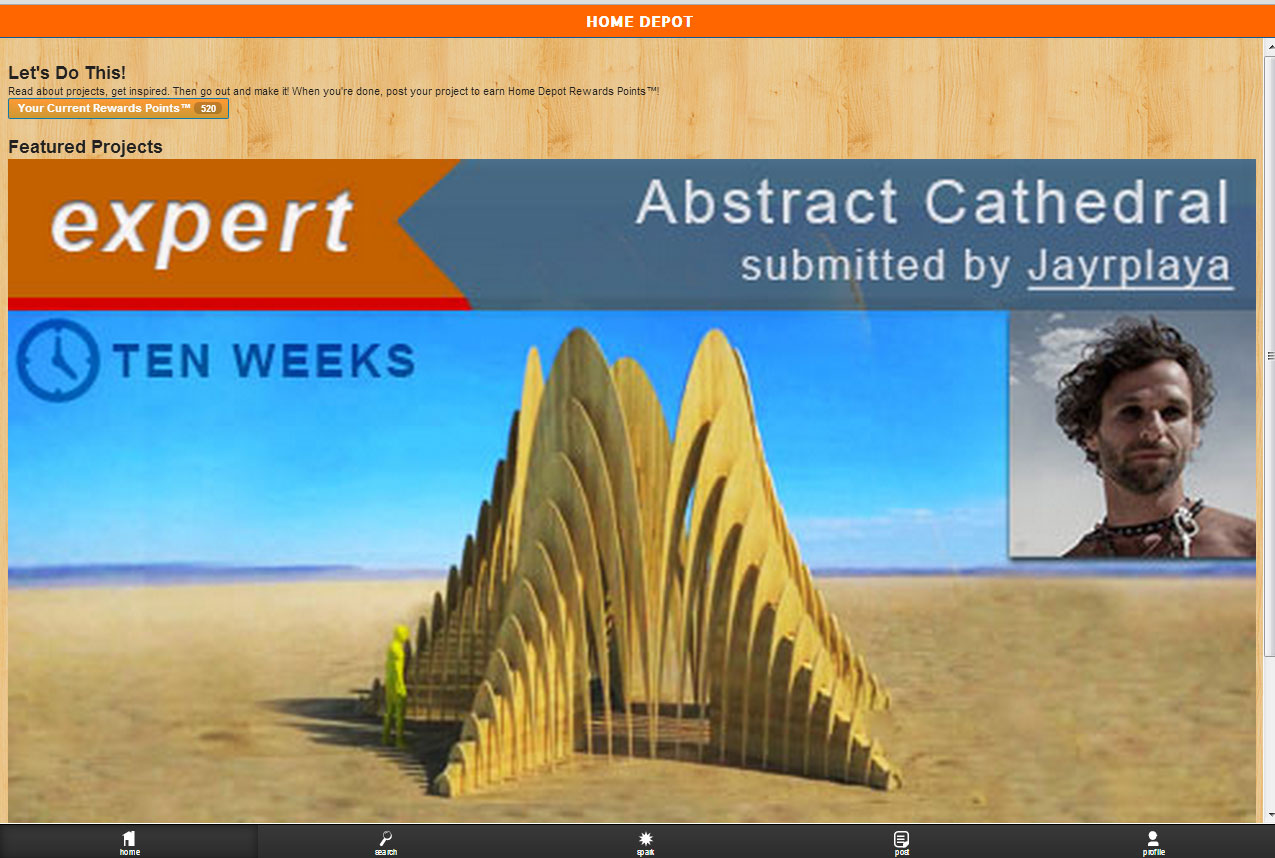
Last weekend, I went to InfoCamp 2013 where Phannipha Arunyaangkul, UX Designer in Seattle talked about different ways to prototype. That’s when I found out about Ratchet, a tool specifically for html app prototypes for iPhones. So, no this hasn’t been updated for iOS7’s “chic” flat design (which I dislike a bit). But, you can dig into the CSS and make it look like whatever you want, so that’s cool. How can I summarize what rachet gives you: It’s a website template that is stalked with some styles that are conventional for iPhone apps. Buttons, entry fields, transitions, etc. It has some javascript you have to hook up and copy a lot of text from the website, but that’s easy enough. Here you see what the code looks like on desktop.
Desktop View: It looks hilarious, I know. I just had to include it!
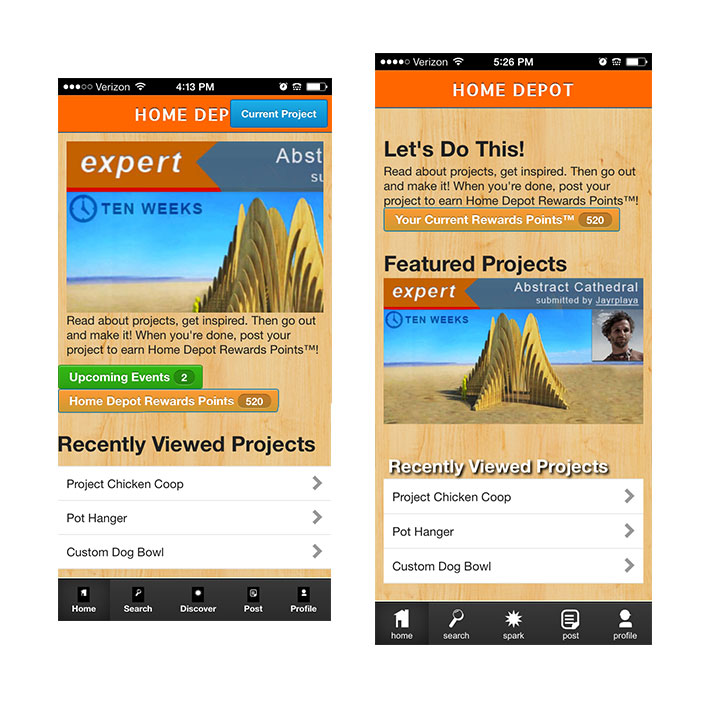
Changes to Rachet
Left: first iteration Right: Second Iteration
To get this view where it looks like an app, there are a few ways to do it. For this, I put it on my website, Home Depot App. With your iPhone, view the site, then click the button and “Add to Home Screen”. I made some apple-icons (Free Online Favicon and Apple Icons Generator – iconifier.net.) so it looks really legit on my phone. Anyways, Rachet was recently updated two months ago, but during my first iteration, I noted that they have pngs for buttons. I think that’s good and all, but… SVG vs PNG. Scalable Vector Graphics are a lot easier to use and they look so crisp. So, for the bottom nav (see right image), you can see the image filling the space better. I made white .svg’s with no background and labeled them so I could control the spacing more effectively. I recommend that you outline your type, otherwise some fonts might get lost, but if you don’t… hmmm, something happens. I am not sure what.
(Here’s results from that question “svg outline text”)
“Text can also be styled with CSS properties such as font-weight, font-style, and text-decoration which can be implemented either through inline-style, internal-style or external-style like we have discussed in the previous post about Styling SVG with CSS”
I spent a good long while figuring out the slider. It’s not bad, but I was wondering how to make my images fit. It had a hard-coded height of 200px. Ended up using Amazium‘s max-img code. I know there’s a dozen ways to make images responsive, but maybe I just wanted to plug Amazium as being a really nice framework to use. I like their website. It’s got lots of readable code. Speaking of readable, my slider is not. It’s got pictures of text. I might spend a lot more time with the slideshow to make it text readable, but prototyping is all about maximizing your time.
I started looking into Rachet without wireframing. I just wanted to see all of my options and dive in to see that I could navigate through the code and such. Now, I got to go back and polish up some wireframes and get this app prototyped. I’m excited to see how things progress.
UX tools include Photoshop and wireframing. But, interactions aren’t static. Facebook Home features a chat bubble unlike anything previous.
“…something like Facebook Home is completely beyond the abilities of Photoshop as a design tool. How can we talk about physics-based UIs and panels and bubbles that can be flung across the screen if we’re sitting around looking at static mocks? (Hint: we can’t.)”
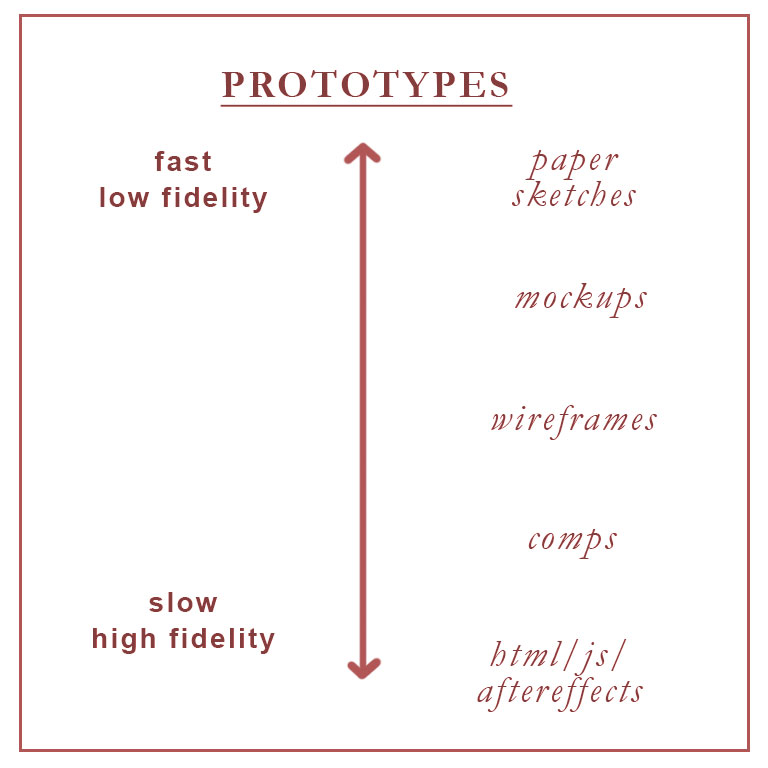
Apps like Axure and ProtoShare are quick and easy but have limited functionality. Apple officially uses Quartz Composer, but it has a steep learning curve.
HTML, CSS and Javascript are relatively quick and easy. To execute this, you need to learn some. Here’s a few good resources: Code School, Codecademy and Tuts+. And better too, front-end frameworks to get you started fast: Bootstrap, Foundation, and my new favorite (favorite because it is specifically for prototyping iPhone apps) Ratchet. Google Web Designer is free. It cannot import styles, but it generates readable code. Framer uses PSD layers. Its top feature (in my opinion) is the animation. I didn’t know this, but apparently you can just tell what kind of rate you want your animation to go and there’s a library with the math and stuff so you don’t need to know the formula. Just the name. Find it at Easing Functions Cheat Sheet.
After Effects. Um no? After Effects is not really made for prototyping, or it would have some sweet presets. There’s probably a library of those floating around the internet somewhere. I wouldn’t recommend After Effects unless you’re really comfortable with a timeline scrubber. I always feel like the timing is too fast or too slow, but there’s no rhyme to it. It takes some getting used to. My prototypes look all janky and don’t align well. And states are too much trouble in comparison to the few lines of code it takes for a link to have multiple states, or what have you. But, on other merits, I would say it’s not helpful. With a coded prototype, you can pass it off to your developer and they will thank you for having websafe colors, and animation timing with code like this “webkit-transition: all 1s ease-in-out.”
Stay curious. If you want to see what a website’s doing, check under the hood using your browser’s view source. If you’re really ambitious, use Save As and download the complete web page. Sometimes, what you save is a frozen version of the website, so check the states. And with code, sometimes it’s not that easy to decipher. Other resources include GitHub, CoffeeScript, Tumult Hype (doesn’t import styles), Webmonkey from WIRED, and Apple’s Keynote has a free limited library of protyping stuff at Keynotopia.
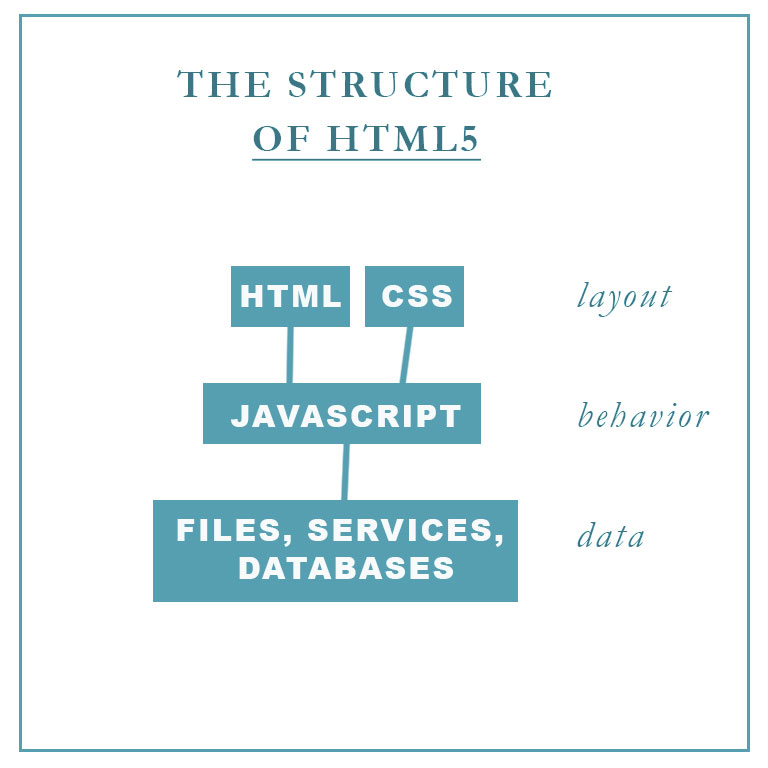
Michael Booth talked at InfoCamp 2013 about why you should use HTML5. Michael is a developer at Microsoft for over two years.
He says that HTML5 is great for a lot of different projects. Because it’s easy to learn, it’s a widely known “language.” (See Why HTML is Not a Programming Language.)
Its strengths: content creation, content consumption, “living” applications with frequent updates, heavy user interaction. It’s good for desktop. The benefits include the ability to make rapid changes (there’s a quick write-refresh cycle), shorter bug tails and less risk. When the application fails, the browser catches it, so it “gracefully fails” instead of crashing. It’s good for web. It’s a text file, so the security risk is low. Users aren’t required to download anything. The browser handles everything. It’s good for mobile. Windows 8 supports apps in HTML5. Do that with PhoneGap.
Its weaknesses: mathematical computations and intensive games.
The HTML5 stack is great for User Interface prototyping. Because of its popularity, there are many frameworks available. Prototyping in code allows for stateful prototyping. Active links, hovers, etc. are controlled by the CSS (Cascading Style Sheets) and developers will appreciate that you’ve communicated in a language they understand.
Javascript
Michael recommends downloading an editor. JetBrains WebStorm has a 30-day free trial period. JSFiddle allows you to create in the browswer in a usable WYSIWYG (What you see is what you get). Imagine sending a url to your dev and they get this! Wow.
Q and A
How much is enough? (Or what’s a recommended minimal amount of code knowledge for a non-programmer (read: designer)? Read code. Build a bare bones website with HTML and CSS. Basic javascript that calls and changes CSS. Be able to hide and display elements. Care about the explorer tools like Inspect Element. Get the “Inspect Element” Tool for Your Browser. With these tools, you can see what your favorite websites are made of.
What projects are good for learning HTML5? Games. Personal Portfolio. Use Google. Look up what you want it to do. Then take the code that the result gives you and type it out. Think about why it works.
What’s the difference between HTML4 and HTML5? HTML5 has new features including better scripting, media players, metadata and semantic tags such as <section> and <article>. Use HTML5 as intended and your page will be read by computers in a way that they are better understanding of the content because of this new markup code.
 button and “Add to Home Screen”.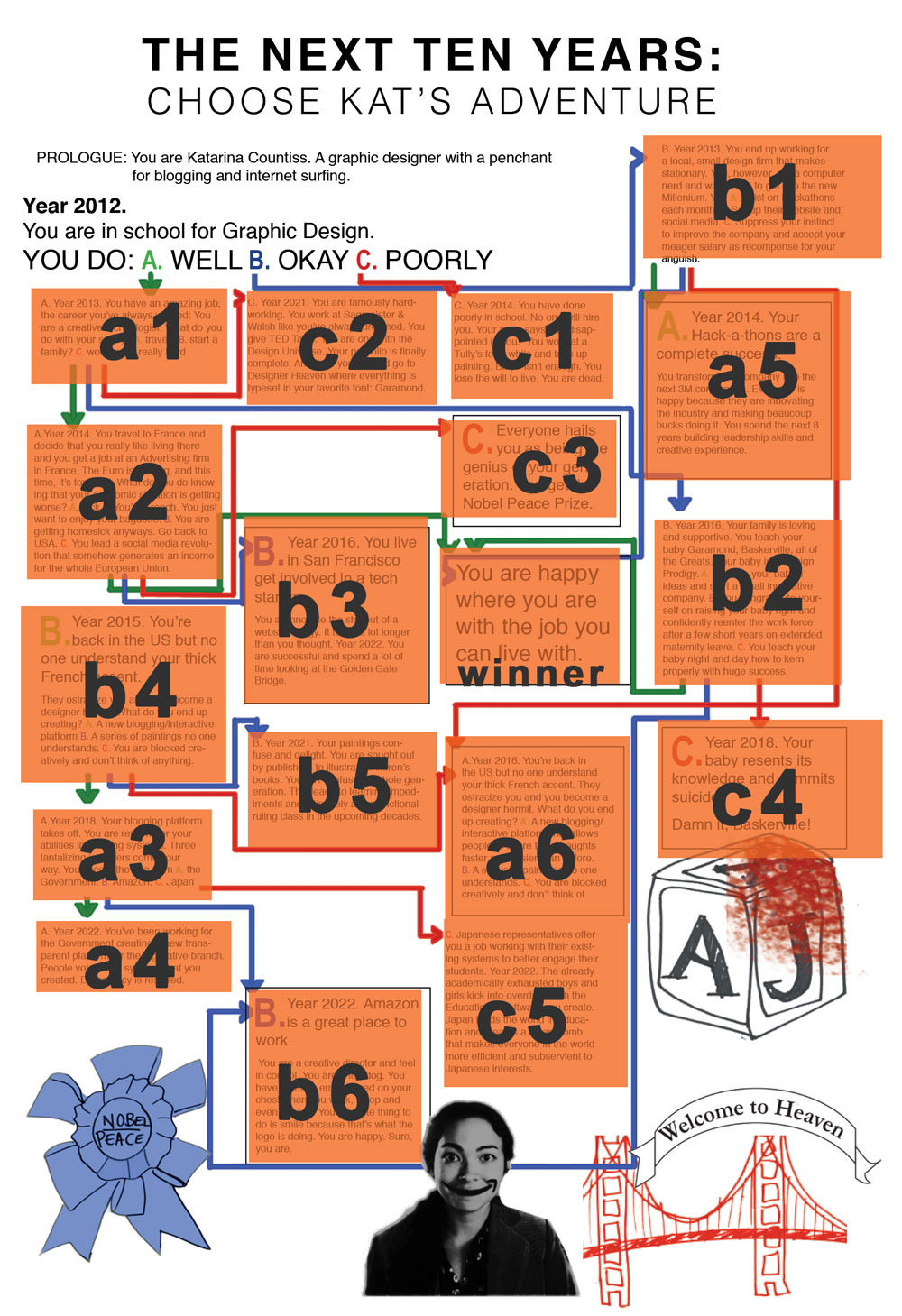

 Kismet Arts Tangent