Skip to content

Kismet Arts Tangent

Art Collective

    • Kismet Arts Tangent
    • About
    • Blog
    • Contact
    • Donate

recent posts

  • Photo shoot with Kayleigh Shawn
  • Testimonials
  • Fractures Poem
  • Poetry
  • Pixel art products

  • Instagram
  • Java Day 3: Labeling Buttons with Strings

    September 14, 2013

    Vocab

    px
    Pixels – corresponds to actual pixels on the screen.

    in
    Inches – based on the physical size of the screen.

    mm
    Millimeters – based on the physical size of the screen.

    pt
    Points – 1/72 of an inch based on the physical size of the screen.

    dp
    Density-independent Pixels – an abstract unit that is based on the physical density of the screen. These units are relative to a 160 dpi screen, so one dp is one pixel on a 160 dpi screen. The ratio of dp-to-pixel will change with the screen density, but not necessarily in direct proportion. Note: The compiler accepts both “dip” and “dp”, though “dp” is more consistent with “sp”.

    sp
    Scale-independent Pixels – this is like the dp unit, but it is also scaled by the user’s font size preference. It is recommend you use this unit when specifying font sizes, so they will be adjusted for both the screen density and user’s preference.

    NOTE: comments can’t be insterted between tags

    Strings

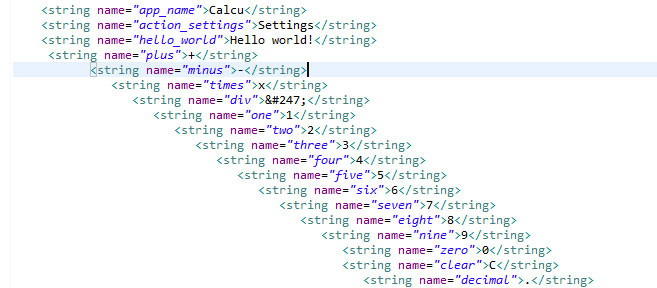
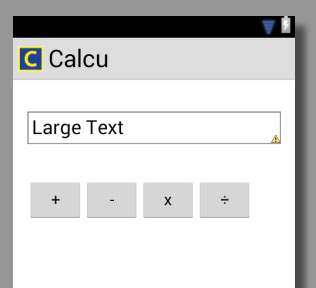
    Every text displayed should be wrapped into a string for packaging sake. The program gets a little piffy (note the caution icon–yellow triangle– on “large text”) when you try to “hardcode” text. So, day one of coding my new app, Calcu, is making strings so the buttons have something legit to display. A big learning moment was installing the Obelus (the division symbol– yeah I didn’t know the name of it either!). Using a character map to find the unicode, I was able to reference this particular character with “&#247.” Very exciting.

    obeluscode
    xml code
    obelussymbol
    View using Eclipse’ WYSIWYG
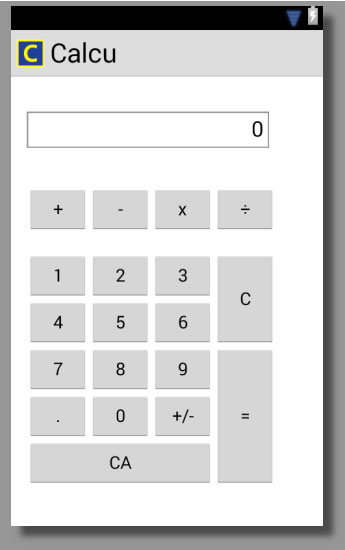
    calcu
    I made this using RelativeLayout

    Text Alignment

    I aligned the zero in the text box with gravity. Android:gravity=”top|right” different from html. I like it. I imagine a magic gravity wand drawing all text into that part of the box. It’s not a matter of alignment. It’s forces of nature at work!

    Links for symbols:
    Unicode and HTML – Wikipedia, the free encyclopedia

    List of XML and HTML character entity references – Wikipedia, the free encyclopedia.
    sharing options:

    • Share
    • Share on Tumblr (Opens in new window) Tumblr
    • Print (Opens in new window) Print
    • Share on LinkedIn (Opens in new window) LinkedIn
    • Share on X (Opens in new window) X
    • Share on Reddit (Opens in new window) Reddit
    • Share on Pinterest (Opens in new window) Pinterest
    • Share on Facebook (Opens in new window) Facebook
    • Email a link to a friend (Opens in new window) Email
    Like Loading…
  • Day 2 of Java Learning: Pseudocode

    September 12, 2013

    calculator

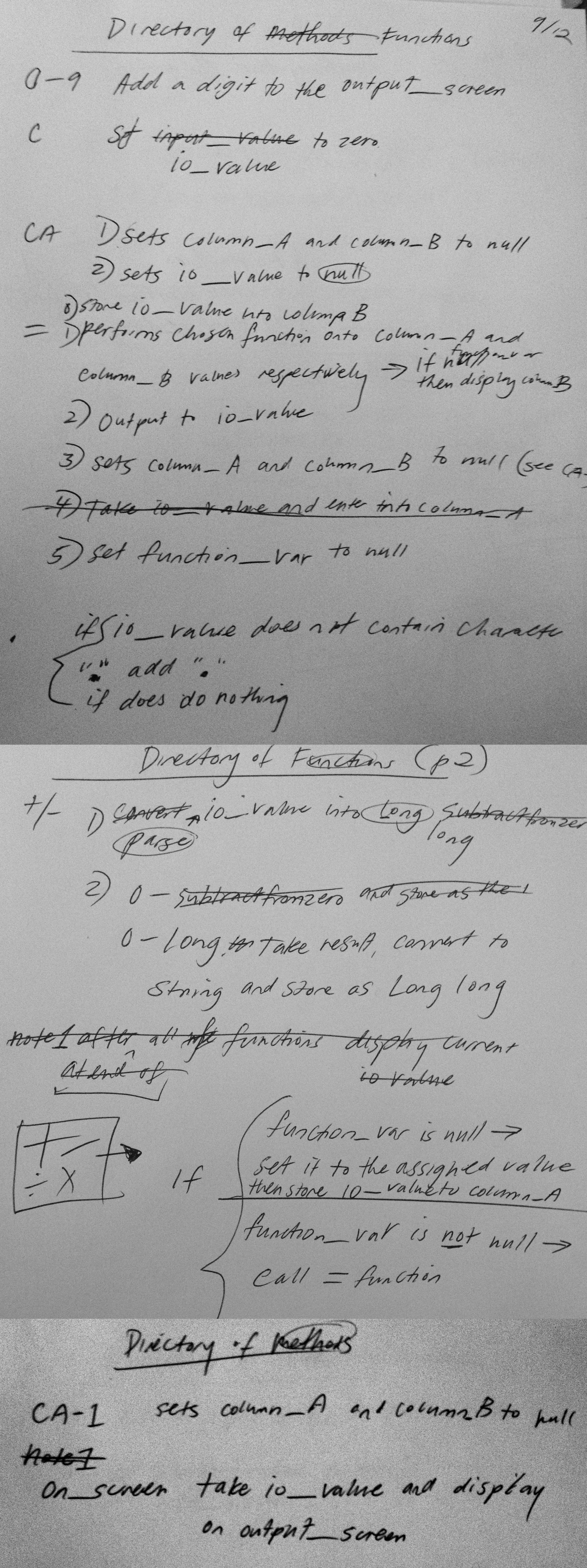
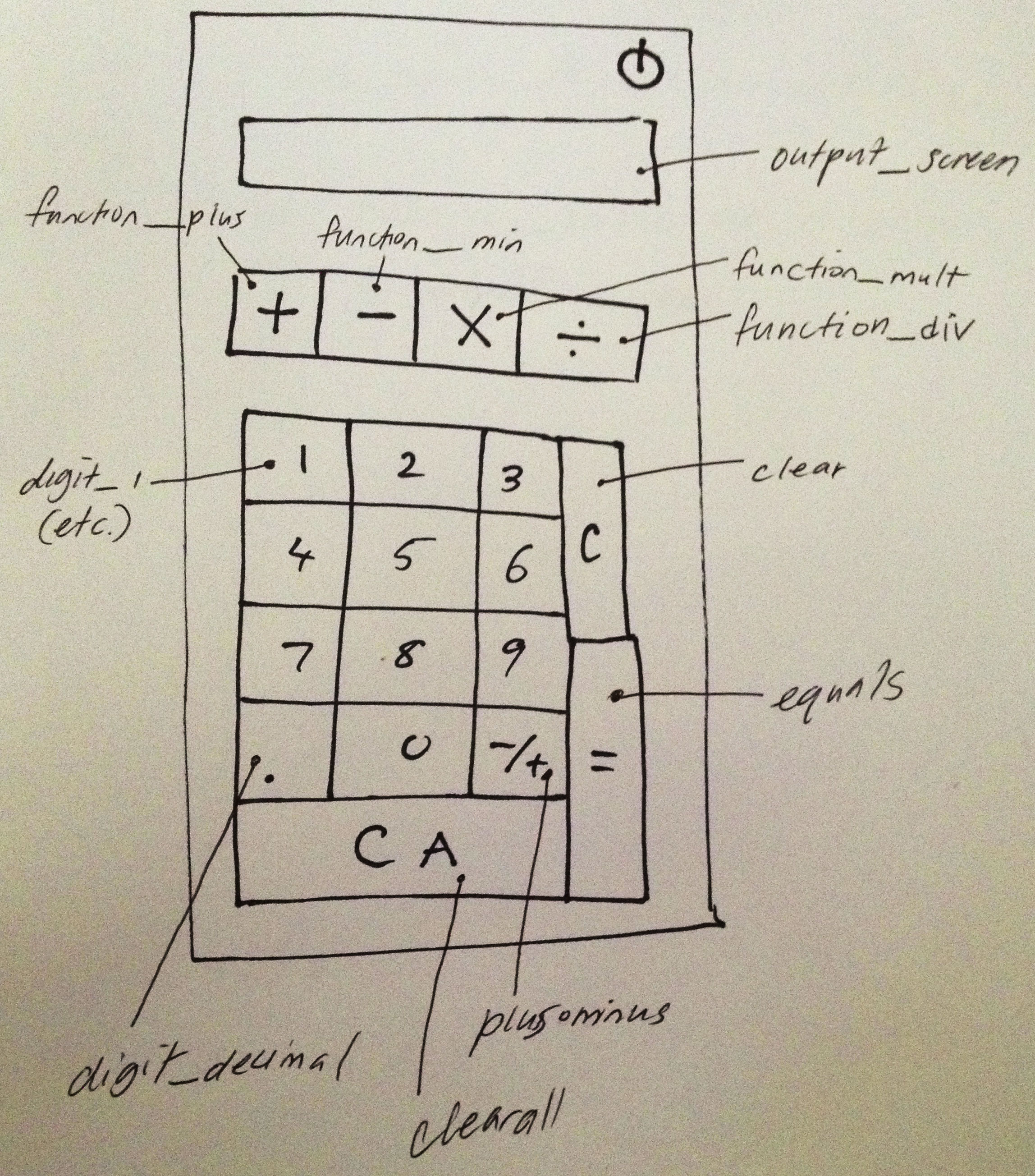
    Day 2 of Java. With the help of my teaching friend, we are creating a calculator app. For someone who’s never programmed their calculator in middle school, it’s quite a feat. This a great exercise in how to start thinking like a computer. I drew out the layout of the calculator and started to define what exactly the buttons do, which is surprisingly cognitively taxing.

    This is also a great time to start some naming conventions. One of the hardest parts of programming and code in general (in my opinion) is remembering the names of all the variables. This Pseudocode, a planning step, is a great time for calmly and rationally naming things. When I am rushed, I often name my stuff unintelligible ranty words like “bullioncube” and then have no idea what it means later. This was fun because I was visualizing how a computer thinks, while anticipating how I would think about it. You have to give everything a name, but in a way, that name has to be so logical that you will know what it does without having to look up what it does in your notes. That’s why I thought it would be good to name the first number entry as “column_A” because I think about adding like a spreadsheet, where Column A is the first thing and Column B is the second. But, there are no columns in this program.

    Another example: In this program, the input value and the output value show up in the output screen. We named that value, “io_value.”

    We realized that some of our functions are made up of sub-tasks that can be reused in other functions. It’s very satisfying to note where the sub-tasks are reused. It feels like less work and overall more elegant and sophisticated. More on that, it’s a logic puzzle, where it helps to be familiar with the concepts presented in Boolean Algebra. If/then statements become your best friend.

    calculator2

    sharing options:

    • Share
    • Share on Tumblr (Opens in new window) Tumblr
    • Print (Opens in new window) Print
    • Share on LinkedIn (Opens in new window) LinkedIn
    • Share on X (Opens in new window) X
    • Share on Reddit (Opens in new window) Reddit
    • Share on Pinterest (Opens in new window) Pinterest
    • Share on Facebook (Opens in new window) Facebook
    • Email a link to a friend (Opens in new window) Email
    Like Loading…
  • Sound Game Animation 2

    September 11, 2013
    penguin.
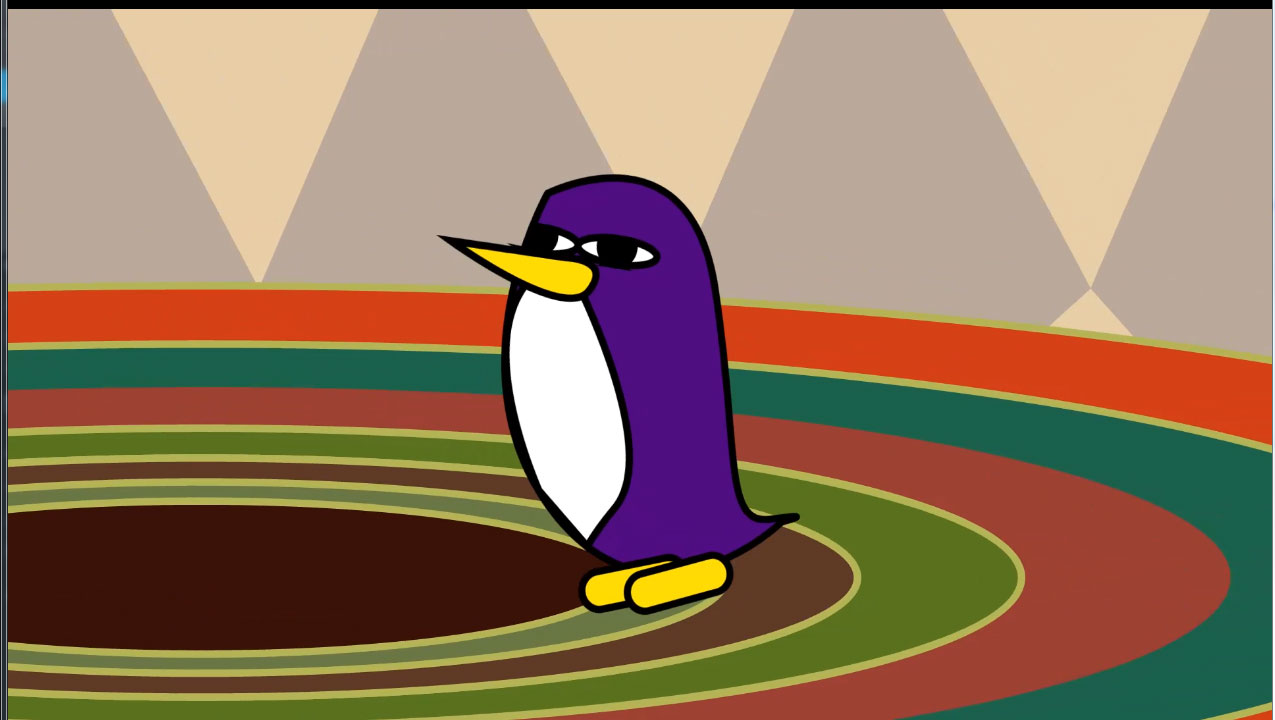
    I spent some time animating this next part. I am getting a sense of how AfterEffects works with this type of animation and it’s thrilling. The next iteration is going to be a lot more smooth and polished.
    Music “Hey Kid/Billy Goat Stomp” by teru 2008 – Licensed under Creative Commons Attribution Noncommercial (3.0)teru / CC BY-NC 3.0
    Earlier Post Related to this Project

    sharing options:

    • Share
    • Share on Tumblr (Opens in new window) Tumblr
    • Print (Opens in new window) Print
    • Share on LinkedIn (Opens in new window) LinkedIn
    • Share on X (Opens in new window) X
    • Share on Reddit (Opens in new window) Reddit
    • Share on Pinterest (Opens in new window) Pinterest
    • Share on Facebook (Opens in new window) Facebook
    • Email a link to a friend (Opens in new window) Email
    Like Loading…
  • My First Day of Learning Java

    September 10, 2013

    1) Figure out who are you? Types of programmers- The 5 types of programmers « Steven Benner’s Blog. Are you a person who fixes things? Or makes things? What is exciting to you about programming?

    2) What do you want to make? Prototyping- wireframe and visualize what you want to happen in the program

    3) How do you want to make it? Pseudocode- write out longhand what you want to happen

    4) With what tools? Languages- consider the right tool for the right job. Compiled vs script.

    Intro to java from chrisramey

    Oooh… I love small footprints…

    ▶ Introduction to Programming – Basics – YouTube.

    Programming is logical thinking.

    Getting Started: Download the Environment

    Java SE Downloads. Java Development Kit

    Android SDK | Android Developers I asked what is this? and my buddy said, a glorified word processor that’s specifically made for programming, with some libraries of other people’s code to reference.

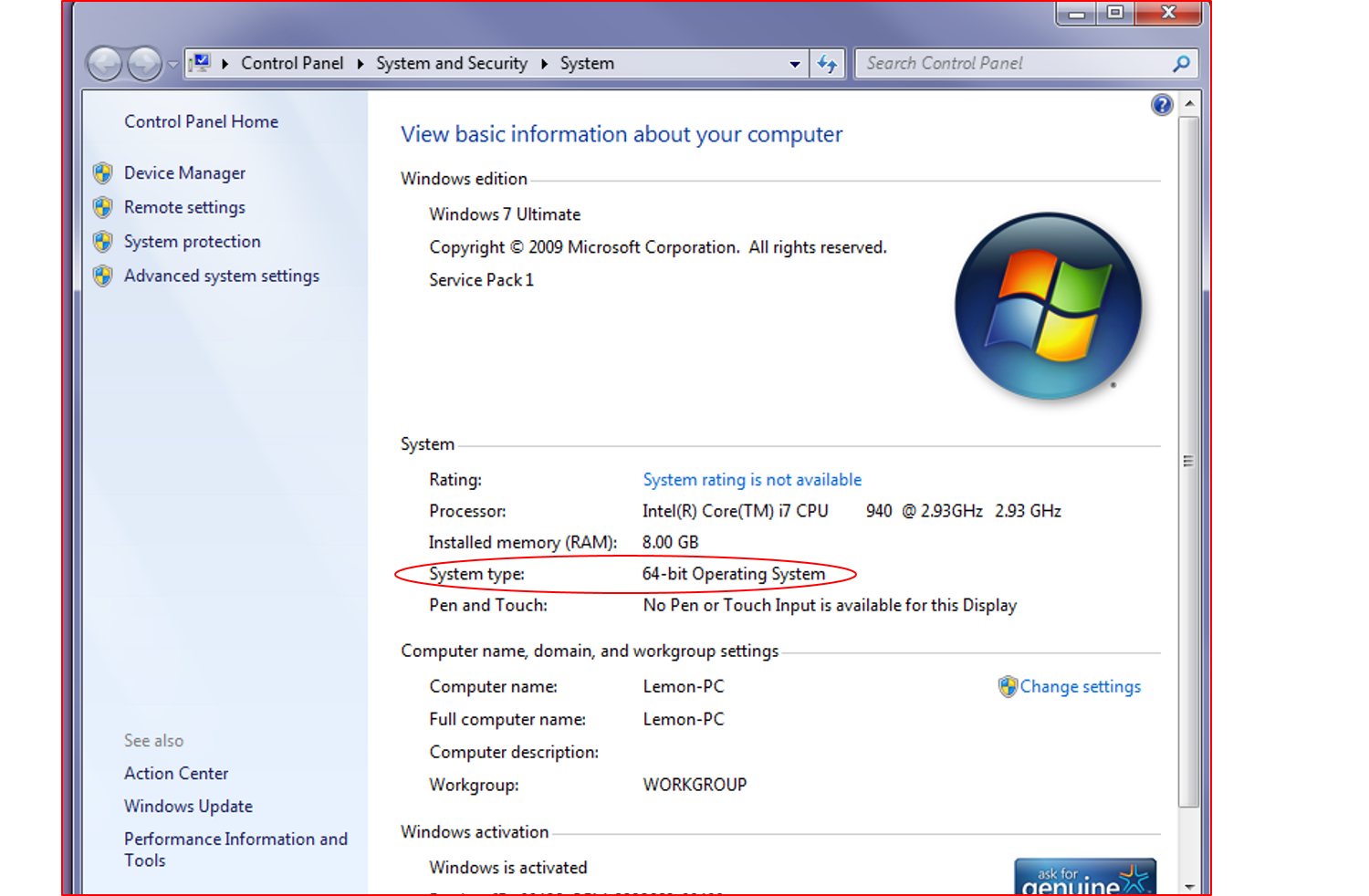
    At this downloading site, there are two options, 32-bit and 64-bit and it refers to the operating system you have. If you’re wondering as I was, go to your computers control panel > system and security > system  to get this. (Yes, I named my computer Lemon.) It’s a huge zip, so downloading it might take a while.

    howtofindoutwhatsystem

    Creating an Android Project | Android Developers.

    My buddy said “activity_main” is important like “index.html” is important. It’s the first thing the program does.

    Advice: Press “run” on the file .java. In Eclipse, press Ctrl + Shift + O to import missing classes (Cmd + Shift + O on Mac). Do not be intimidated by View view and Intent intent. Someone in the “default” department thought it would be illuminating to keep the name of the item and the type of the item the same to illustrate the part of speech. (Capitalization makes a difference. Classes are always capitalized.) Always remember “startActivity(intent);” I learned that the slow way.

    I’m excited and nervous about this endeavor. I like how I am slowly getting this and there are a few correlating terms between Java and HTML5. I would recommend this to designers after and only after learning HTML and being fairly comfortable with. Java throws around “id” and “class” in similar but different and confusing ways. And don’t get me started on “static.” (For a sample, here‘s a thing I had to look up.)

    Building a Simple User Interface | Android Developers. Eclipse is like the Dreamweaver for Android Apps.

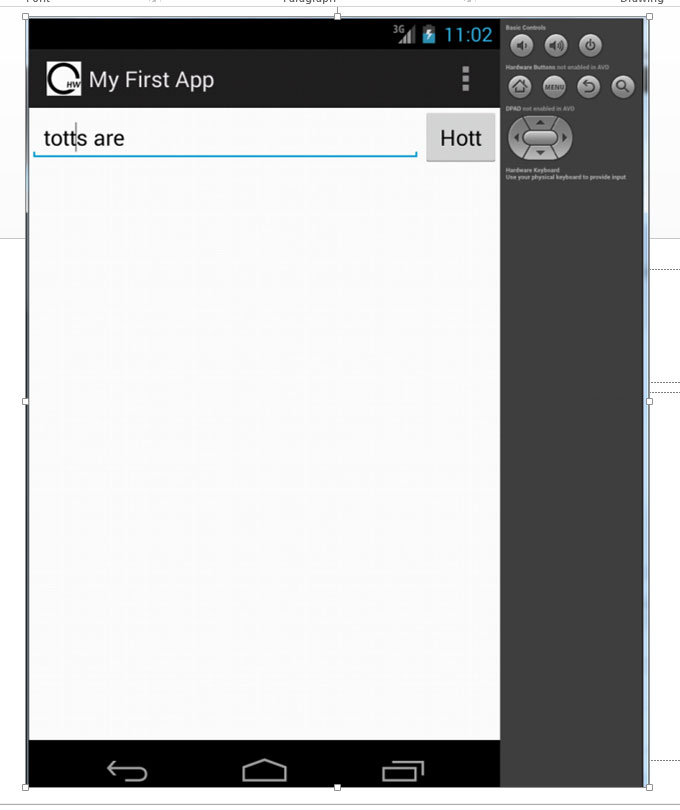
    http://developer.android.com/training/basics/firstapp/starting-activity.html#StartActivity Today I made my first app. It was like using a cookbook where I just added strings together into a main activitiy and then sprinkled some intent and hit the start_activity and my method is completed! I am excited to learn more tomorrow.

    schree

    screenshot2
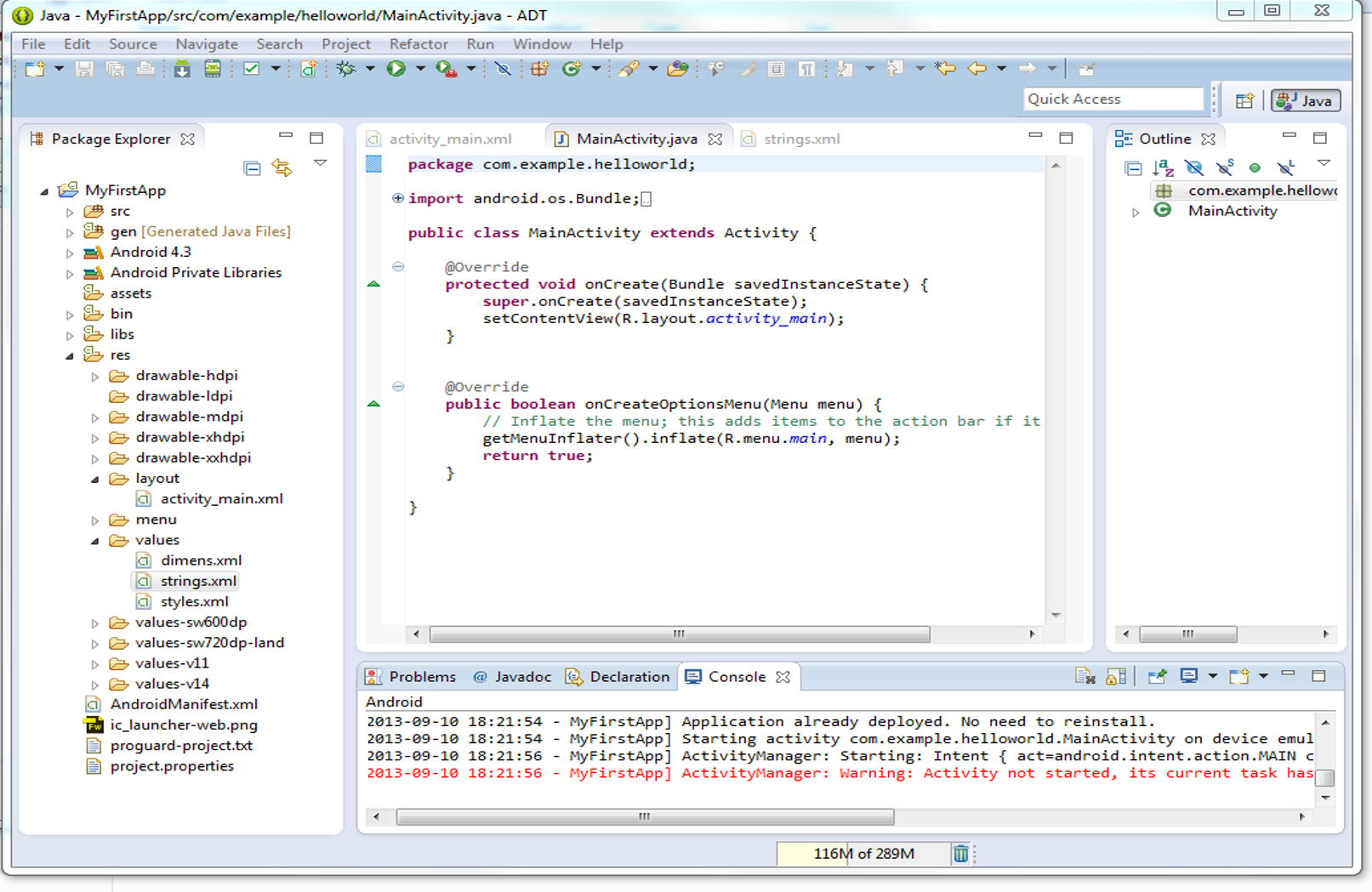
    This is what working in Eclipse looks like.

    Unrelated but useful Link:

    Keep Your Computer From Destroying Your Eyesight | Gadget Lab | Wired.com.

    sharing options:

    • Share
    • Share on Tumblr (Opens in new window) Tumblr
    • Print (Opens in new window) Print
    • Share on LinkedIn (Opens in new window) LinkedIn
    • Share on X (Opens in new window) X
    • Share on Reddit (Opens in new window) Reddit
    • Share on Pinterest (Opens in new window) Pinterest
    • Share on Facebook (Opens in new window) Facebook
    • Email a link to a friend (Opens in new window) Email
    Like Loading…
  • Curry Temple Tea Menu

    September 6, 2013

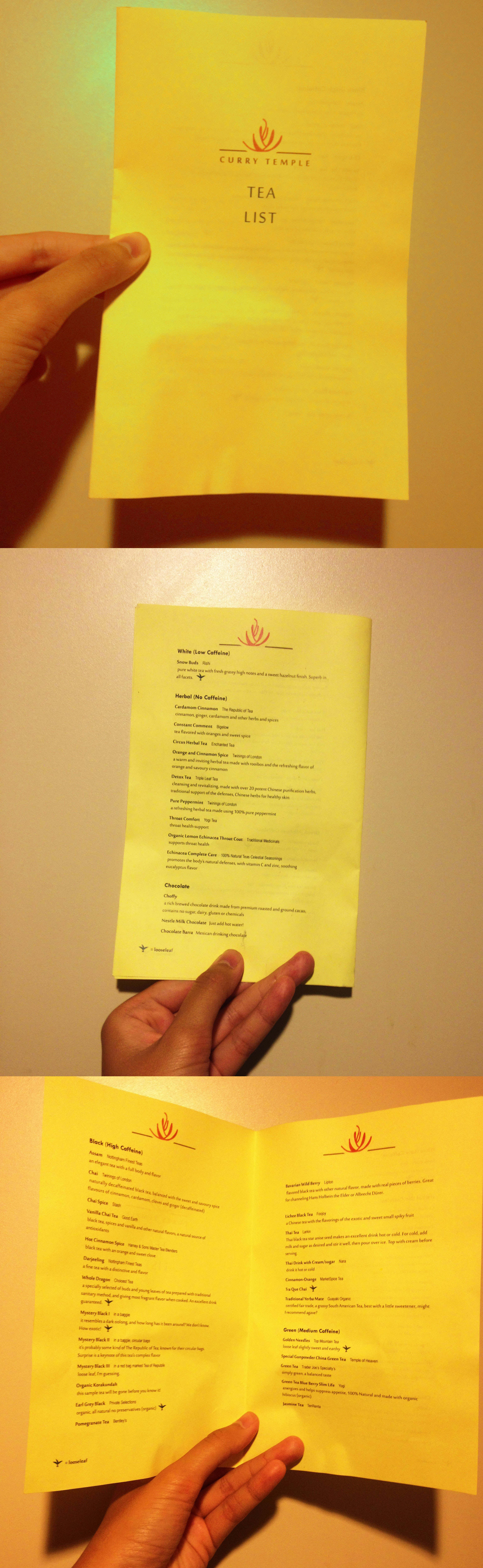
    currytempletealistprintToday, I printed out a tea menu I designed for Curry Temple. Why start out with the tea list? It’s a great way to see information hierarchy with the typography at work. I have the name of the tea, the brand and the description in different treatments as well as an icon for looseleaf tea.

    I recently moved and joined tea collections with a friend of mine, so now we have all these teas between us and I wanted to be able to have a quick reference for guests as to what teas we have. I took photographs of all the tea’s packagings and used the descriptions they came with to describe them. In the future, perhaps, I’ll have a survey day where I put the flavors in my own words, though I’m not sure how appetizing that would be. When describing tastes, like coffee or wine, I get really literal, like hot cheap plastic bags on train tracks, when the customers really want to hear “light and earthy.” The looseleaf icon can also indicate when a tea is not available, say the tea strainer is dirty and we’re all too lazy. I printed this on “Canary” colored paper at a print shop down the street. It was nice to have a design project that I would interact with on a weekly basis, instead of something I would ship out and never use/see again.

    Oh yes. I designed this logo. I was inspired by heat of curry, pagodas, spices and herbs, the way cilantro stems curve. The main font I used is the delicious Sakkal Majalla. This is my first draft of this menu. I’m already starting to see some spacing I need to change.


    sharing options:

    • Share
    • Share on Tumblr (Opens in new window) Tumblr
    • Print (Opens in new window) Print
    • Share on LinkedIn (Opens in new window) LinkedIn
    • Share on X (Opens in new window) X
    • Share on Reddit (Opens in new window) Reddit
    • Share on Pinterest (Opens in new window) Pinterest
    • Share on Facebook (Opens in new window) Facebook
    • Email a link to a friend (Opens in new window) Email
    Like Loading…
  • The Sound Game- Beginning of animation

    September 6, 2013
    Music is Licensed under
    Creative Commons
    Attribution (3.0)stellarartwars / CC BY 3.0
    Today, I started the beginning of the gameplay walkthrough of the Sound Game, working title: Rolling Riffs. First I’m going to take this character on a ride through my maze. Animate its little penguin body (add some feeble wings) to interact with the environment some. Create some option screens, slap them throughout to prompt sound cues from the user. Then I need to record sounds and then line them up with the animation and then finally go through it again with a camera on me and play the game through as if I’m making up these sounds on the spot like a player would (living room setting) for this prototype walkthrough to be convincing. I’m excited to see this come to life. It makes me think about that gratification when sound is added to a visual piece, it seems to enliven everything. I want this game to embody that type of delight.
    Earlier Post Related to this Project

    sharing options:

    • Share
    • Share on Tumblr (Opens in new window) Tumblr
    • Print (Opens in new window) Print
    • Share on LinkedIn (Opens in new window) LinkedIn
    • Share on X (Opens in new window) X
    • Share on Reddit (Opens in new window) Reddit
    • Share on Pinterest (Opens in new window) Pinterest
    • Share on Facebook (Opens in new window) Facebook
    • Email a link to a friend (Opens in new window) Email
    Like Loading…
  • Elantra Ad

    September 4, 2013

    countiss-elantra-ad-160x600countiss-elantra-ad-160x600 countiss-elantra-ad-300x25 countiss-elantra-ad-728x90 Cobalt-Ad - Dropbox

    A few weeks ago, I had a recruiter contact me about a graphic design position asking for a “test project.” I don’t really support these kinds of practices because they see “test project,” I see “free work,” but I suppose you have to test drive a car before buying it. So they sent me a sample html email psd and these instructions:

    “Part I: Go to Hyundai.com. Chose any vehicle from the vehicle pages and design a 600 pixel wide email highlighting (a) 1 or more features/benefits (b) pricing- lets pretend there is a current limited-time offer of 0% APR for 36 months through the end of February 2013. You’ll need to use website for imagery/assets. Remember, it’s just an email and not a website or newsletter. Brevity is okay. Use your creativity- sky’s the limit! Part II: Leverage your email creative to design 3 static .jpeg banner ads (160×600, 300×25, 728×90)”

    Here’s my design, adjusting to the specified layouts in a three hour turn around, from getting the assignment to delivering it through dropbox, using my limited fonts. I think I’ve used Agency for five big projects in my portfolio. :/

    (I’m blogging about this weeks after creating these ads. I did not hear back from them.)

    countiss-elantra-ad-728x90

    sharing options:

    • Share
    • Share on Tumblr (Opens in new window) Tumblr
    • Print (Opens in new window) Print
    • Share on LinkedIn (Opens in new window) LinkedIn
    • Share on X (Opens in new window) X
    • Share on Reddit (Opens in new window) Reddit
    • Share on Pinterest (Opens in new window) Pinterest
    • Share on Facebook (Opens in new window) Facebook
    • Email a link to a friend (Opens in new window) Email
    Like Loading…
  • Cat Signs

    September 3, 2013

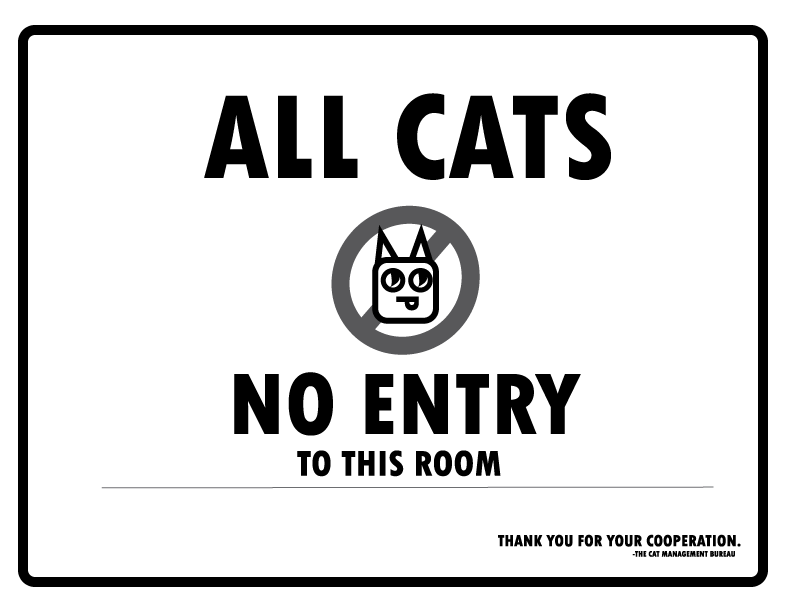
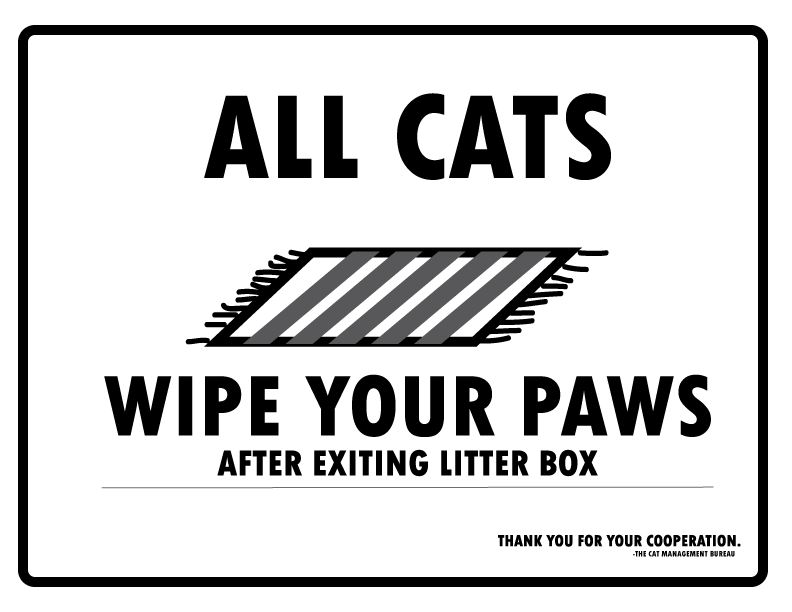
    catsign1 catsign2I recently moved into an apartment where two cats reside. I am not a neat freak, but kitty litter seems to be everywhere. Graphic Design to the rescue! I’m glad I have these sign making skills. I’m kind of hoping more problems arise so I can create a sign for it. I’ll keep this post updated and let you know how the Cat Management Bureau resolves the issues.


    sharing options:

    • Share
    • Share on Tumblr (Opens in new window) Tumblr
    • Print (Opens in new window) Print
    • Share on LinkedIn (Opens in new window) LinkedIn
    • Share on X (Opens in new window) X
    • Share on Reddit (Opens in new window) Reddit
    • Share on Pinterest (Opens in new window) Pinterest
    • Share on Facebook (Opens in new window) Facebook
    • Email a link to a friend (Opens in new window) Email
    Like Loading…
Previous Page Next Page

Blog at WordPress.com.


Loading Comments...
 

    • Subscribe Subscribed
      • Kismet Arts Tangent
      • Join 104 other subscribers
      • Already have a WordPress.com account? Log in now.
      • Kismet Arts Tangent
      • Subscribe Subscribed
      • Sign up
      • Log in
      • Report this content
      • View site in Reader
      • Manage subscriptions
      • Collapse this bar
    %d