Skip to content

Kismet Arts Tangent

Art Collective

    • Fall Program
    • About
    • Blog
    • Contact

recent posts

  • Project Planning
  • Peppermint Products
  • Writing Prep List
  • Automatism
  • Latha’s Prattles

  • Instagram
  • Project 3: Part 1 of Phase 1

    November 26, 2012

    Assignment: Interactive Strategy Portfolio Website (team project)

    • Do  a project estimate
    • Make 2 design solutions (homepage, desktop)
    • Build wireframes for other sizes
    • Build all 5 pages
    • Test on all devices
    • Create final invoice (be honest regardless if you go over or under estimate)

    Phase 1 of Web Design

    1. structure information with user-centered considerations (Site Map–provided for by instructor) *Research the competitors (Links) and content (write the html, link the pages correctly). I remembered to change each title for each page. The different page names are a part of  Search Engine Optimization good practices.

      • Home
        • Mobile is evolving and you need to get on board if your business is going to be competitive
        • What we do
        • Why we do it
        • Why hire us
      • About us
        • Mission
        • Creative Director
        • Technology Director
        • Business Development
      • Services
        • Overview
        • Mobile app design and devlopment
        • Mobile marketing strategy
        • Developing brands for the mobile user experience
        • Responsive web design
        • Strategy and consulting
      • Projects
        • Client testimonials
        • Porfolio section. 6 pieces and a brief description of each project
      • Contact us
        • map
        • directions


    Competitors

    Brand Experience Design Agency – Hornall Anderson.

    Artefact.

    frog.

    2. communicate style and function Branding: This is a team effort and I have the primary role as coder/content manager. We will have a meeting soon about the brand and wireframes from there. The brand is currently “to be determined.” As part of the brand language/interface, our savvy client has requested no skeuomorphs. (Say Farewell: Apple’s Skeumorphism Hall of Shame [PICS])

    3. understand mobile strategy and other media requirements Client wants 3 layouts– mobile, tablet (landscape), and desktop and 2 design concepts (photoshop documents of two distinct solutions for the website’s homepage on a desktop) as well as saving weekly iterations along the way. Responsive logo, Responsive jQuery slideshow and/or Video, Embedded fonts from Fontsquirell.com,  needs to work on IE8, all modern browsers, phones and tablets.
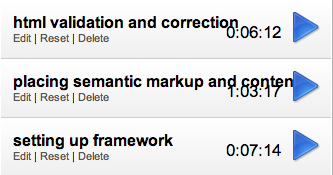
     

    chrome time tracker

    Chrome Web Store – Chrome Time Track

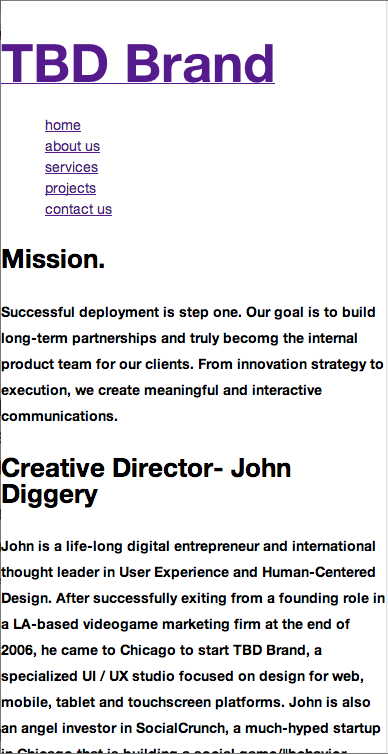
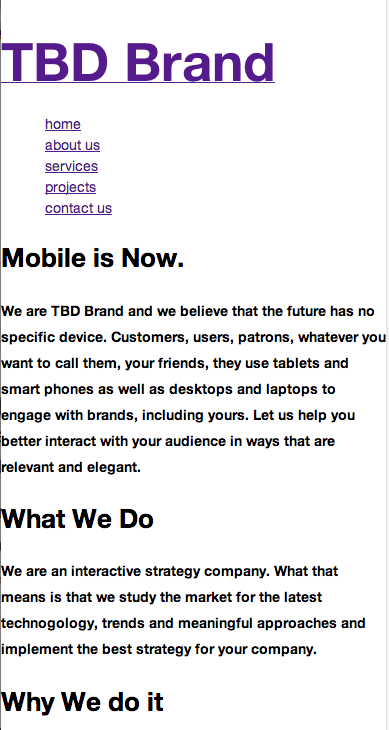
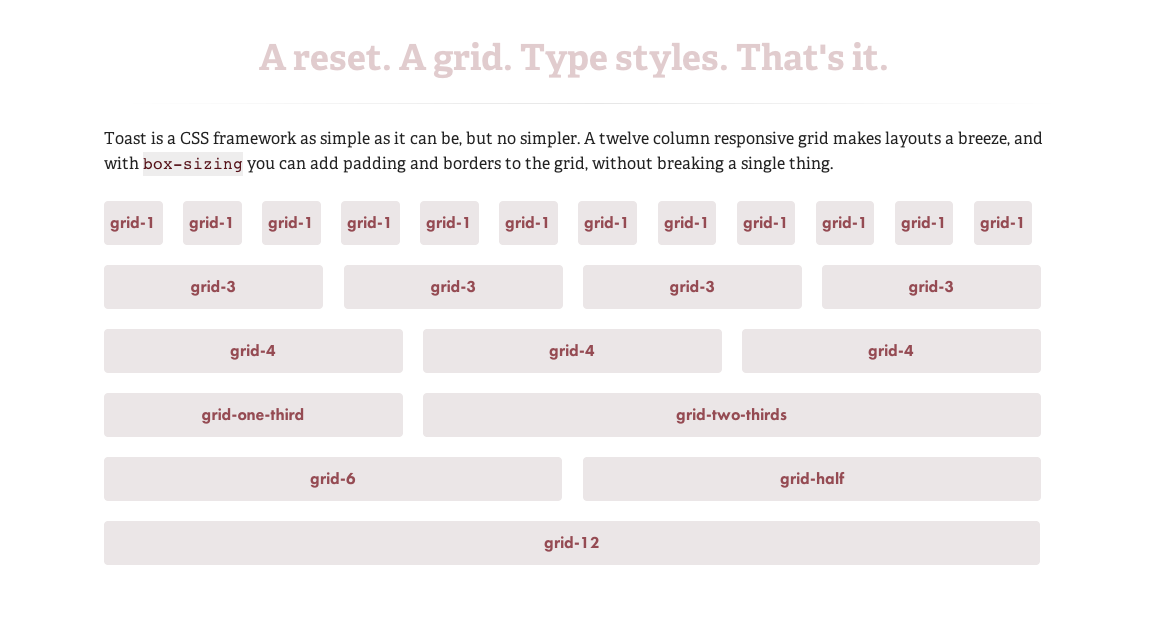
    I used chrome time track for this set of tasks. Setting up framework was easy, a matter of copying files from a zip from github:Toast | A simple CSS framework. I haven’t styled anything, yet. Semantic mark-up and content, I didn’t create many divs, yet. That will come later with photos and after we have established placement (through Photoshop comps and wireframes for responsive layouts). I did cannibalize a few sites for content as well as writing some of my own copy. Html validation crucial. Stuff like <h3>headline<h3> (note, that’s not an endtag) copied and pasted a few times can lead to many errors, luckily solved with a little find+replace.


    Katsite. I created the index of the project’s components on my project site.

    TBD Brand. This is a working un-styled prototype of Project 3.
    sharing options:

    • Share
    • Share on Tumblr (Opens in new window) Tumblr
    • Print (Opens in new window) Print
    • Share on LinkedIn (Opens in new window) LinkedIn
    • Share on X (Opens in new window) X
    • Share on Reddit (Opens in new window) Reddit
    • Share on Pinterest (Opens in new window) Pinterest
    • Share on Facebook (Opens in new window) Facebook
    • Email a link to a friend (Opens in new window) Email
    Like Loading…
  • Drawing: when you don’t know what to draw

    November 20, 2012

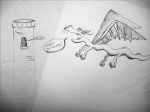
    At today’s drawing club meeting (consisting of myself and Nino), we did a collaborative drawing exercise where you draw one figure and your drawing partner draws the other. The other exercise we did was drawing from doodle where the draftspeople draw one line at a time, taking turns trying to incorporate into a picture of something. Then one draftsperson fleshes out the drawing paying attention to line quality and shading bringing the doodle into focus.

    sharing options:

    • Share
    • Share on Tumblr (Opens in new window) Tumblr
    • Print (Opens in new window) Print
    • Share on LinkedIn (Opens in new window) LinkedIn
    • Share on X (Opens in new window) X
    • Share on Reddit (Opens in new window) Reddit
    • Share on Pinterest (Opens in new window) Pinterest
    • Share on Facebook (Opens in new window) Facebook
    • Email a link to a friend (Opens in new window) Email
    Like Loading…
  • Project 3: Resources for Teams

    November 20, 2012

    Photoshop Etiquette

    Chrome Web Store – Chrome Time Track

    Web Development Project Estimator

    Project 3 is a team effort to make a multiple page portfolio site for an interactive strategy company. I am learning a lot about how to coordinate efforts and delegate tasks.

    (I’ll post to this throughout this project.)

    sharing options:

    • Share
    • Share on Tumblr (Opens in new window) Tumblr
    • Print (Opens in new window) Print
    • Share on LinkedIn (Opens in new window) LinkedIn
    • Share on X (Opens in new window) X
    • Share on Reddit (Opens in new window) Reddit
    • Share on Pinterest (Opens in new window) Pinterest
    • Share on Facebook (Opens in new window) Facebook
    • Email a link to a friend (Opens in new window) Email
    Like Loading…
  • NRD Phase 4: Presentation

    November 20, 2012
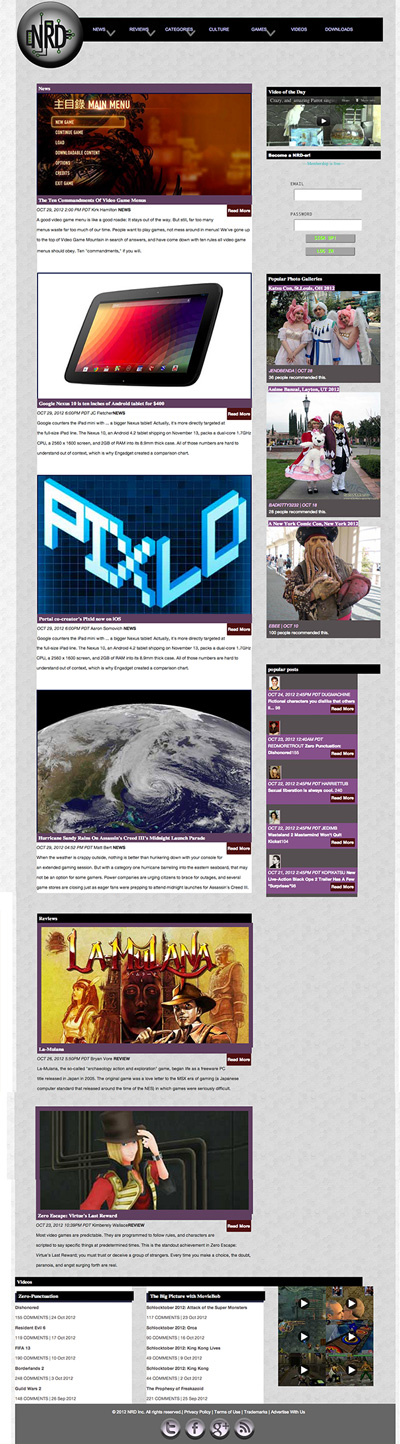
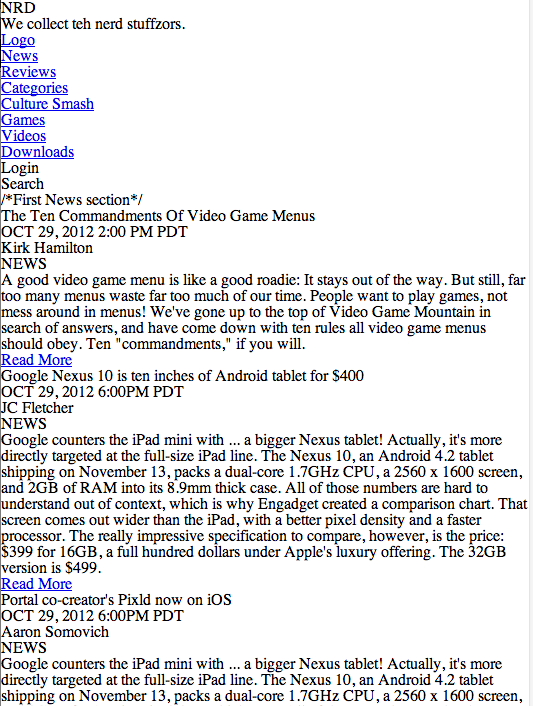
    website screenshot as of presentation day
    website screenshot as of presentation day

    Katsite Project 2

    Today, I gave a two minute presentation on this site. I talked about user generated content, social media, user validation by other users and the content strategy of expert editors with reviews and news.

    What I wished I talked about: Information hierarchy, uniform reading experience, mobile first, user testing, unique user-centered considerations, emphasis on community, lifestyle and identity and making a digital environment using tone and typography.

    (Earlier Post Relating to This Project)

    sharing options:

    • Share
    • Share on Tumblr (Opens in new window) Tumblr
    • Print (Opens in new window) Print
    • Share on LinkedIn (Opens in new window) LinkedIn
    • Share on X (Opens in new window) X
    • Share on Reddit (Opens in new window) Reddit
    • Share on Pinterest (Opens in new window) Pinterest
    • Share on Facebook (Opens in new window) Facebook
    • Email a link to a friend (Opens in new window) Email
    Like Loading…
  • Exploring Frameworks

    November 20, 2012

    Today, Erik Fadiman walked us through some of the lastest frameworks for responsive web design.

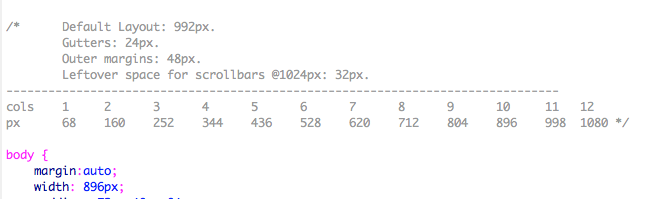
    Exploring Frameworks– speed and efficiency: Less Framework 4. Desktop first. Gives a lot of padding to ensure visibility on all devices. Snaps to sizes. Uses pixel dimensions (not percentages–things break if you do). Reliable. Orient yourself with the styles’ media query sections because you can get lost in the css because all of the styles live on one page. Simple package: index.html and style.css

    less framework column guide
    less framework column guide

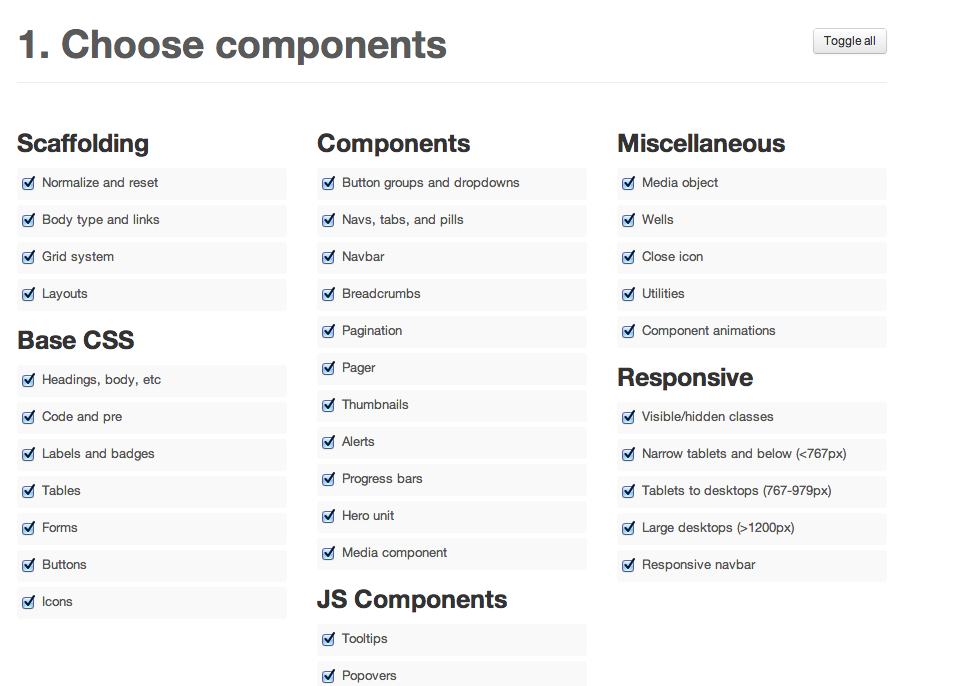
    Bootstrap. Popular Framework right now. Steep learning curve, but “you’re going to see it when you get out of school.” Customizable. Navigation bar at top collapses in mobile. (That’s becoming the standard in the industry.) This is practically a permanent fixture. Fluid grid. Customizable before downloading– read template building. Uses fluid layout (percentages, not pixels). 12-column grid. You need command+F to find things in the CSS. Complex package:  css and javascript for all of the bells and whistles. You must hook up your index.html yourself. File size adds up quickly.

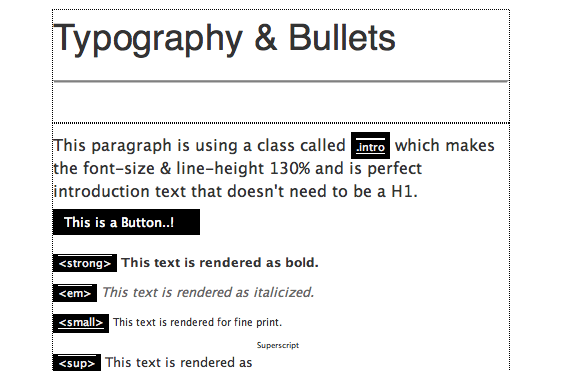
    Screen Shot from Bootstrap website
    Screen Shot from Bootstrap website

    Toast | A simple CSS framework. Very simple to 1140px (The 1140px CSS Grid System · Fluid down to mobile) that I have been working with. Two break points. Simple package: style.css, rest.css, grid.css, toast.css

    Amazium – The responsive web framework..!. Includes typography. Fluid grid (percentages). Medium package: 3 css files and 4 js.

    ”

    HTML

    • index.html: The base html page with all the includes setup for you as well as some examples for you to use quickly like Tables & Forms.

    CSS

    • base.css: All the generic styling you would expect I .e. h1, h2, h3, h4, h5, h6, blockquote’s, Links, Bulleted list’s etc. and your standard generic CSS reset.
    • amazium.css: The backbone for controlling the 960 grid, depending on what device you are looking on and you shouldn’t need to change any of this.
    • layout.css: A blank place to add all the CSS that makes your site look awesome.

    Images

    • favicon.ico: Standard 16px x 16px favicon
    • apple-touch-icon (x3): All three sizes of Apple touch icons for iPhone 3, iPad and iPhone 4 with retina.”
    Screen Shot of amazium
    Screen Shot of amazium

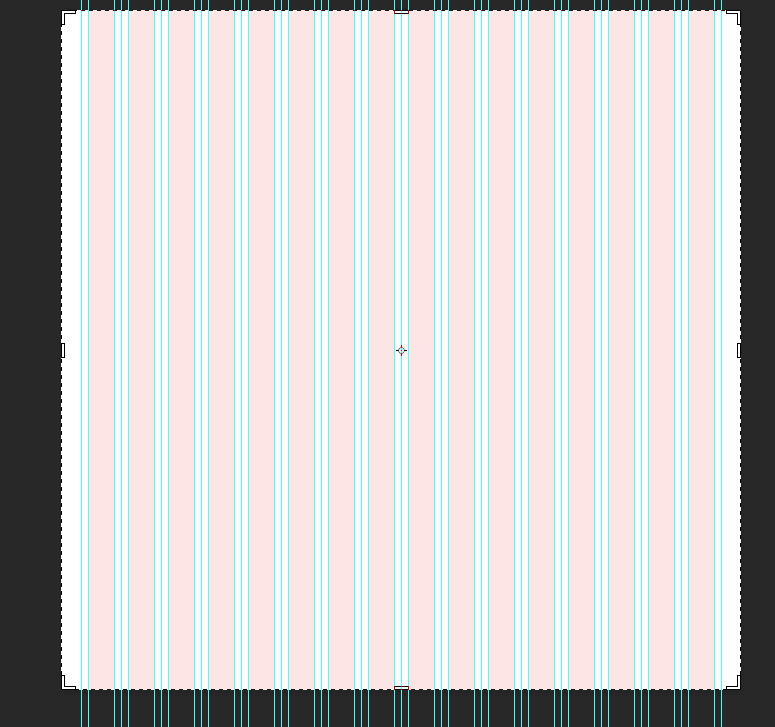
    Skeleton: Beautiful Boilerplate for Responsive, Mobile-Friendly Development. Comes with a 16 col psd to make a mock-up. The website is a lot more informative about the framework, includes examples and extensions.

    Screen Shot of psd template
    Screen Shot of psd template

    “The file structure for Skeleton is:

    • index.html: The base html page that includes the necessary initial markup
    • stylesheets (folder)
      • base.css: Basic styles of Skeleton
      • skeleton.css: The glorious Skeleton grid
      • layout.css: File with no specific styles, but a variety of useful media queries
    • images (folder):
      • favicon.ico: Standard 16×16 favicon
      • apple-touch-icon (x3): All three sizes of Apple touch icons for iPhone 3, iPad and iPhone 4 with retina.”

    sharing options:

    • Share
    • Share on Tumblr (Opens in new window) Tumblr
    • Print (Opens in new window) Print
    • Share on LinkedIn (Opens in new window) LinkedIn
    • Share on X (Opens in new window) X
    • Share on Reddit (Opens in new window) Reddit
    • Share on Pinterest (Opens in new window) Pinterest
    • Share on Facebook (Opens in new window) Facebook
    • Email a link to a friend (Opens in new window) Email
    Like Loading…
  • Mood Board for a Magazine

    November 19, 2012

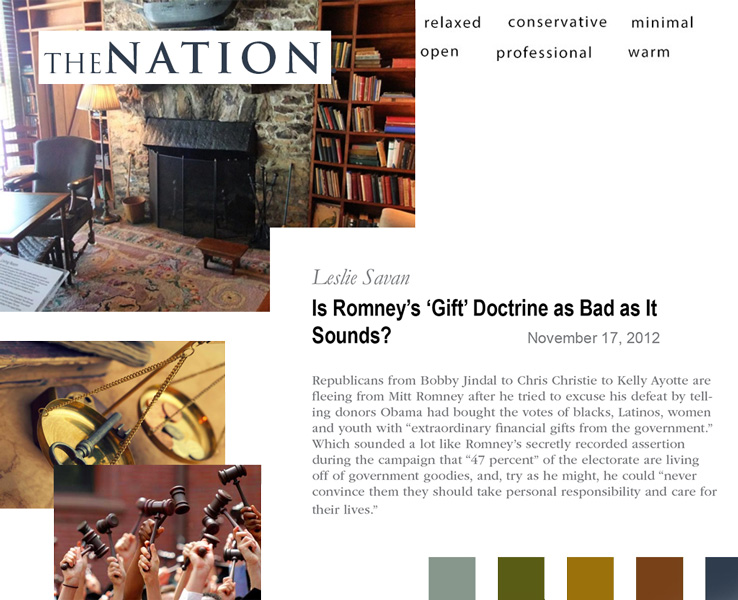
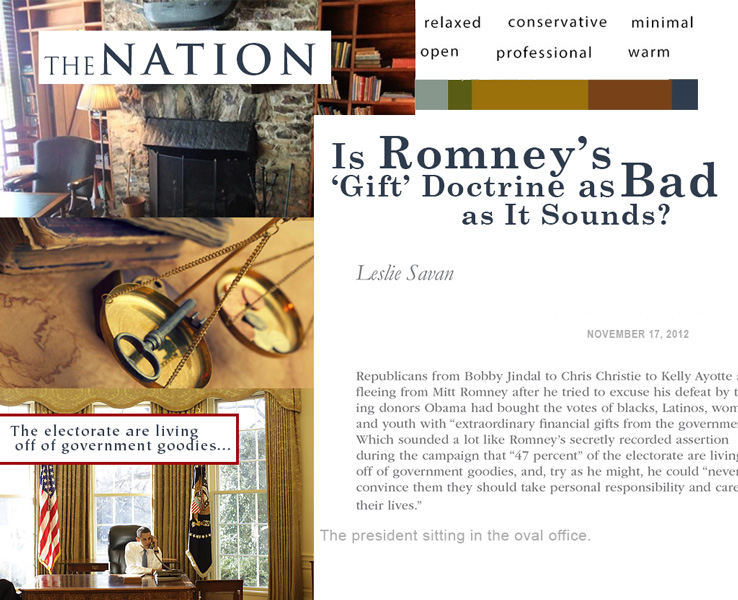
    I am making a sample of a magazine (cover and feature article). Today, I made a mood board, or as I want to refer to it Magazine Style Tile.

    Style Tile version 1
    Style Tile version 2
    Style Tile version 2

    I created version 2 after the critique. I changed the Color spectrum to be more proportionate to use of the colors. The headlines should be somewhat expressive. I added pull-quote and caption styles.

    Font list:

    Masthead… Trajan Pro
    date… arial regular all caps
    caption… arial regular
    author… Garamond italic
    body… ITC Garamond std Book
    pull quote… ITC Tieplo Std

    sharing options:

    • Share
    • Share on Tumblr (Opens in new window) Tumblr
    • Print (Opens in new window) Print
    • Share on LinkedIn (Opens in new window) LinkedIn
    • Share on X (Opens in new window) X
    • Share on Reddit (Opens in new window) Reddit
    • Share on Pinterest (Opens in new window) Pinterest
    • Share on Facebook (Opens in new window) Facebook
    • Email a link to a friend (Opens in new window) Email
    Like Loading…
  • Start-up Weekend Seattle: Day 3

    November 18, 2012
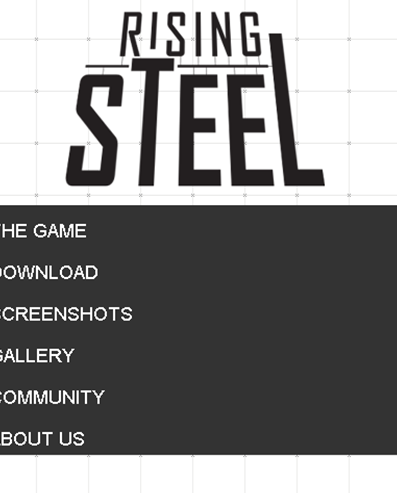
    rising steel screenshot mobile website
    I designed the website and logo.

    This weekend, I will be busy with Start-up Weekend.

    Screengrab. (Cropped a little off. I am beat.) There’s something about Start-up weekend. Wine and a kegger at the presentation and a following happy hour sponsored by AngelHack (that meant another two free drinks). After all of that stress and caffeine intake, I was ready for a little unwinding (so note: I’m very happy with my experience of Start-up Weekend.) It was great to get to know my team mates and feel really connected with them in this unique challenge.

    Today’s activities: website development, presentation overseeing and supplying components for development of the demo for the presentation (dividing the interface into layers for After Effects import). I stitched together the .movs of the 3D animation into one for the website. (That’s my hand on the website demo picture (thanks Mr.Hoppe for showing me how to do selections.) We did the demo using after effects, a 3d modeling program and  photoshop then I uploaded it to youtube then took their embed code into dreamweaver then published a responsive website that functioned on smart phones. I felt on top of my game. (Even though some of the links on the website do not have a page to go to. They might never have a place to go to unless we get a developer to work on this 3D game, which is the next step.)

    The winner of the Start-up “Battle” was Corki, a wine-rating app. Post-presentation, we had some discussions with the judges and learned that a great deal of our “failure” was that we didn’t articulate our intention, our target audience, our users, how and who would use our product, but they were inspired by the idea of a simpler (gameified and integrated with real world principles) interface for 3d modeling and printing.

    After all of that, I feel like I am a contributing member of a team, good ideas, understanding, flexibility (a must in a Start-up environment) and I feel prepared for a career ahead of me in this kind of role. I want to be that person who designs these things, helps lead brainstorms and bounce name ideas. I am interested in this kind of pace where we are committed to making something that we are inspired by that we can believe in and feel passionate and motivated by. I’m excited for my next Start-up Weekend. Maybe I’ll pitch an idea of my own.

    sharing options:

    • Share
    • Share on Tumblr (Opens in new window) Tumblr
    • Print (Opens in new window) Print
    • Share on LinkedIn (Opens in new window) LinkedIn
    • Share on X (Opens in new window) X
    • Share on Reddit (Opens in new window) Reddit
    • Share on Pinterest (Opens in new window) Pinterest
    • Share on Facebook (Opens in new window) Facebook
    • Email a link to a friend (Opens in new window) Email
    Like Loading…
  • Start-up Weekend Seattle: Day 2

    November 18, 2012
    Sketch for upcoming product’s logo

    This weekend, I will be busy with Start-up Weekend.

    Some resources sent in an email to the attendees:
    “Here are a few gems from that roadmap that you should not miss checking out:
    Attendee Startup Tools
    Business Model Canvas
    Customer Development Videos: by Steve Blank
    How to Build a Startup – Steve Blank + Udacity (free to enroll)
    Inbound marketing videos”

    And this piece of advice “We encourage you to work in an agile methodology, assign a scrum master, check with the everyone on the team once an hour. Identify all the tasts you need to do, create three columns on your white board: to-do, doing, and done and move tasks as they progress. Ask for help if you don’t know how.”

    Day 2. I am in a group with no developers. Needless to say, when I said “scrum” I got a lot of shrugs. (I’ve been dying to try that process out.) We were productive anyways.

    Today was a busy day. We hashed out what exactly our product is and who it is for. All I will say for now that it’s a game. I’ve learned that your product at this stage is not set in stone and it might be molded to fit its perceived audience.

    Branding is a little difficult when you don’t know the name of the product. I didn’t know what to play up. I kept my files simple and editable and didn’t get attached to ideas or work when it changed. In the middle of the day we had a breakthrough in the components of the game and I had to dump a few icons I designed. No big. For most of the day, I had kept the growing list of possible names in the back of my mind. It had to be something that resonated with the team. We had word association and I used Nameboy to augment my name generation. During another brainstorm round at 3pm for a name, I had gestured with my hands trying to feel for the right words. “It has to sound something like…” and I had said a phrase that made our leader, Martin turn and look at me for a second. After getting over the initial silliness (many building-related phrases  turn out to sound a little phallic) we realized that it had a ring to it.

    I went into designing the logo for it on the computer. One of my team members suggested that we thumbnail first. (Always have a person around to encourage you to do the right thing like start designs with pencil.) Everyone gathered around and agreed on the logo, but in the computer it came out more like an IBM logo than a game logo. Still needs work, but I was inspired by video game logos. They always have type that nests into itself a little, letters that extend out in an exaggerated way, sometimes a stroke, even. I want it to be a logo that evokes feelings of fun and structure (how to do that?)

    I got input from the head designer about the interface which I mostly designed myself– icons in illustrator, beveled edges in Photoshop. We are going to simulate gameplay, so my few After Effects skills were needed to make precomps to flash the depressed states of the buttons.

    There’s an option to get a url for cheaps and a place for a url for the product. When we discussed this potential opportunity, we kind of looked at each other and I realized that now was my big chance to develop a website for an actual thing. (Up until now, it’s been school projects, websites for imaginary brands.)

    It’s 12:31am and I just finished working on the website. (It’s not up yet. Checking with the team before a great unveiling.) It will be a simple website with an intro to the project, some bios and a video. I picked out patterns and developed the logo. I will have to check with my business person and my idea person as to the exact content. I set up a responsive site using the 1140px grid framework and some of my web teacher’s code. I haven’t built up a trusty library of code, yet. (I really should get on that.)

    sharing options:

    • Share
    • Share on Tumblr (Opens in new window) Tumblr
    • Print (Opens in new window) Print
    • Share on LinkedIn (Opens in new window) LinkedIn
    • Share on X (Opens in new window) X
    • Share on Reddit (Opens in new window) Reddit
    • Share on Pinterest (Opens in new window) Pinterest
    • Share on Facebook (Opens in new window) Facebook
    • Email a link to a friend (Opens in new window) Email
    Like Loading…
Previous Page Next Page

Blog at WordPress.com.

Loading Comments...
  • Subscribe Subscribed
    Kismet Arts Tangent
    Join 102 other subscribers

    Have a WordPress.com account? Log in now.

  • Kismet Arts Tangent
    View site in Reader
    Manage subscriptionsSign upLog in
    Report this content
    Collapse this bar
%d