Advertising Analysis #1 Using Tom Lenon’s Advertising Concept Word List
Summary: (medium, typeface, etc.) Describe the thing.
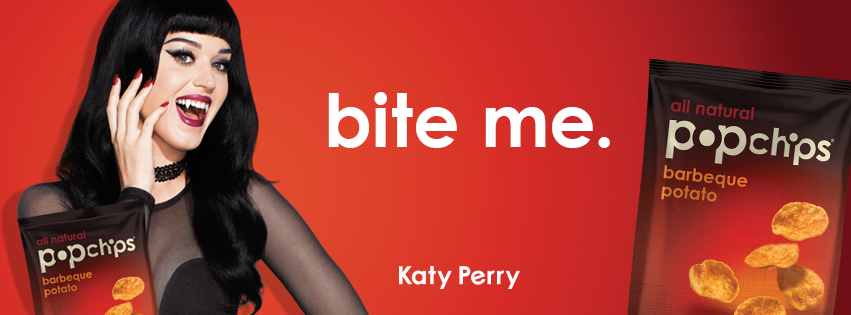
Billboard in Capitol Hill, Seattle, last seen Monday, October 1st, 2012. Bold colors, sans-serif white font. Photographic approach.
visual method:
Language-pun
Type Plus Image
Celebrity endorsement
Alignment
Symmetry
Space
Analysis: What approaches? Audience?
Audience: young, culture-driven food product purchasers. Young women who are watching their weight, eating baked chips and are influenced by Katy Perry’s endorsement; PopChips is using the “glittering personality” appeal. A nod to the “pop” in the brand’s name, the brand using the popstar to seem hip and fun. The use of space, the bright red, the use of a geometric font, the styling is also nodding to the mod 60’s and vampire movie culture. The billboard is also using contextualism. A vampire billboard in the month of October is intentional, reminding the viewer of Halloween, a holiday specifically fun for the young crowd, involving dressing up and partying (perhaps at parties that serve chips?).
emotional/social/personal appeal
Identification
Sexual Attraction
Social Aspiration
Envy
Beauty
Personal Improvement
Fantasy Fulfillment
cultural resonance
Visual/ Verbal Cliche
TV/ Movie culture
Pop Music Culture
Age group culture
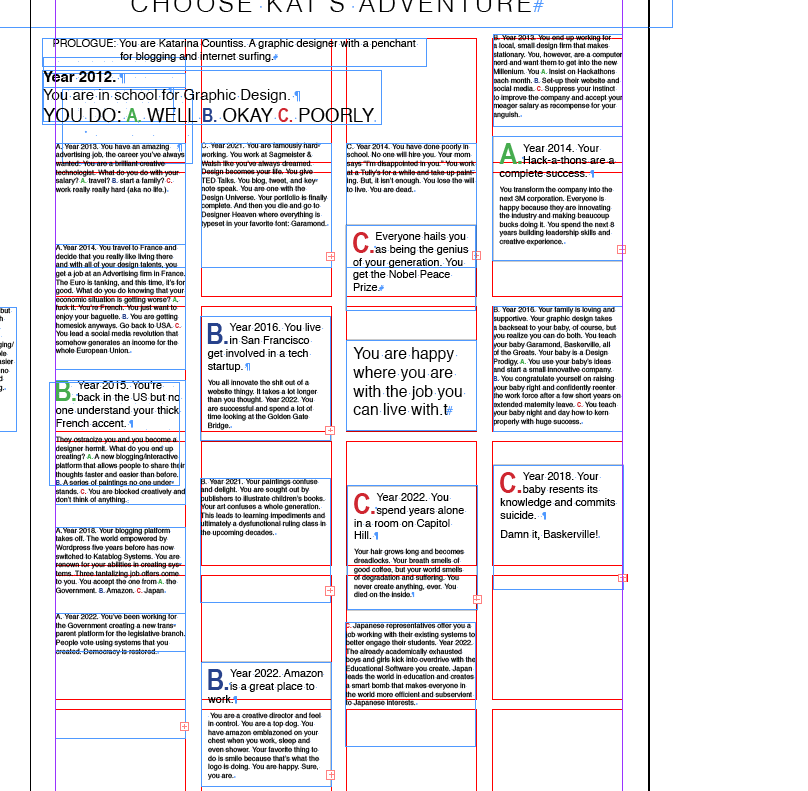
For Self-Directed Project class, the first (not self-directed) project was to make a poster reflecting my next ten years. My initial idea was to make a bunch of origami fortune tellers, but I didn’t know how I’d glue them to a poster, so then I thought more about having the same kind of system, but as a flow chart. It was a lot easier than I thought. Flow charts are complicated. Don’t get me wrong. But, if you approach it a little bit at a time, it’s okay. I decided a pick A, B or C style would be ambitious but doable. I started by making the progression for “what if I answered all a’s.” And went on until a fantastic and glorious story about my future unraveled (I restore democracy). Then, I took care of the loose ends. The rest of the B or C lead to some okay or unsavory demise.
I wanted to illustrate each text box. I thought some of them would have very funny cartoons hidden like chocolates in an advent calendar (I was planning on making doors), but frankly, I ran out of time. I used InDesign to create the text. Creating linked frames so I could note which events were connected. Chris S. noted I could have used tables or cell styles. (I don’t know about that, but I am excited to learn them later in his class.) I used a simple square-ish grid 7 units by 4 units. I took a screenshot and made the map portion in PhotoShop. (For the different colored paths, I used color overlay which is a lot easier than switching the actual brush color— if you don’t know Ps, this isn’t for you.) I added some hand-drawn doodle things and a picture of me with my amazon smile. I don’t think the contrast is high enough on the image to notice the smile at first.
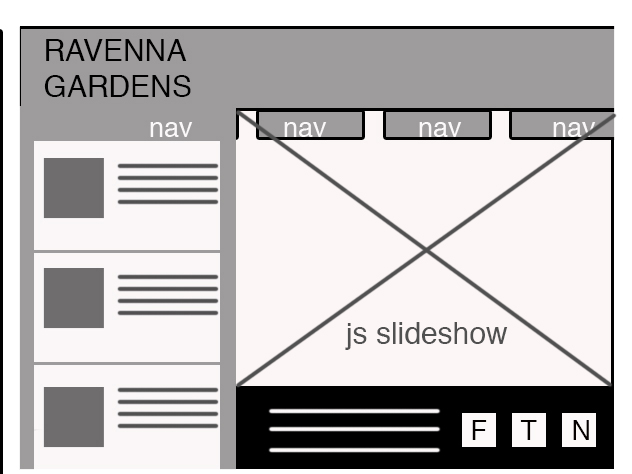
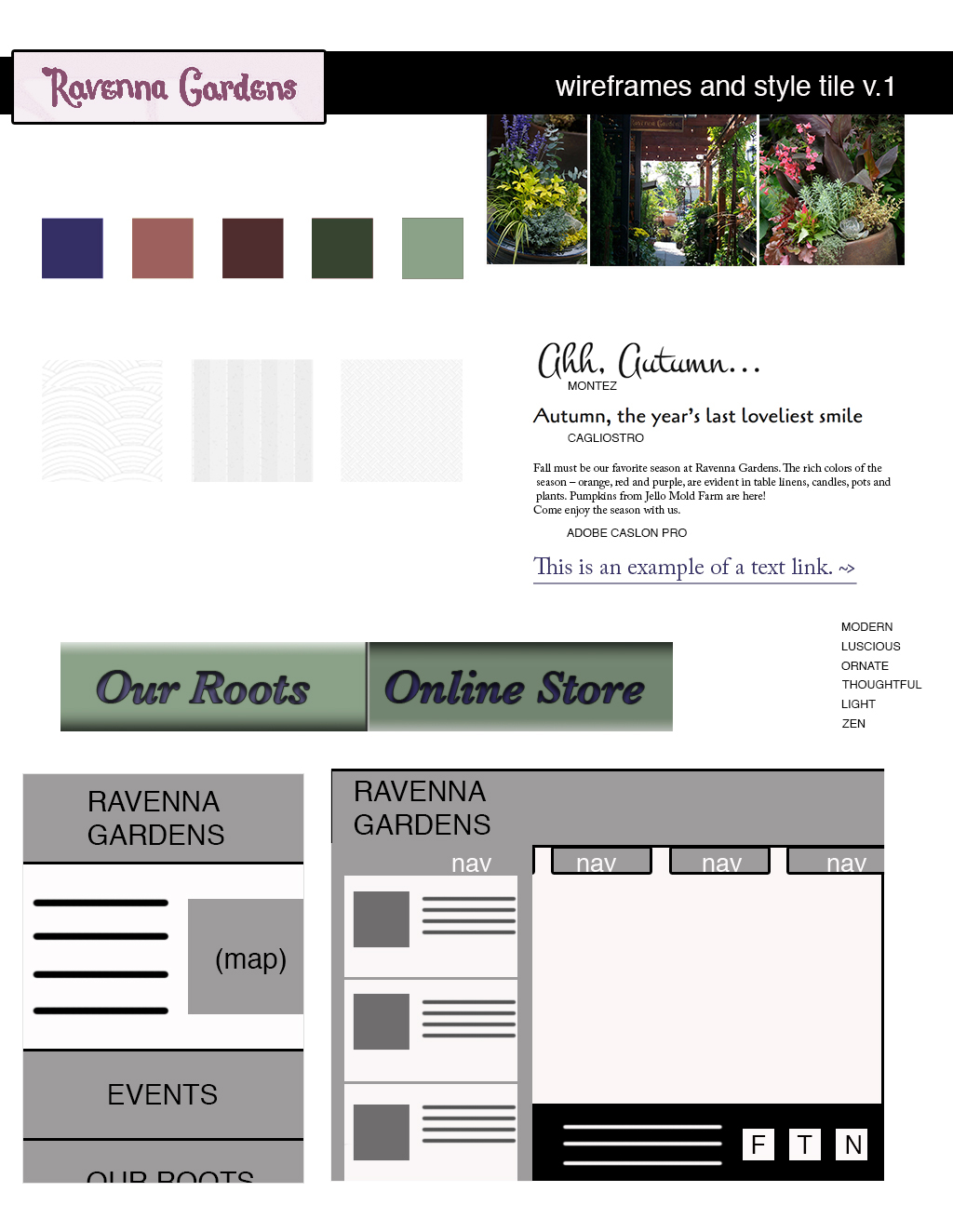
Today’s critiques of html, wireframes and style tiles went fair enough. Minus points for me because I didn’t expand out my wireframes. I am so used to doing wireframes as device frames because everything leads out from links on the desktop wireframe. With mobile wireframes, it’s impossible and ill-advised to make everything “above the fold” (within the available screen). Here’s the mobile website expanded. Yes, it will be difficult to code the transition of the map rising to the top of the page for mobile, but I think it’s a critical consideration for user-centered design. The only time see a smart phone being critical is when driving ( I know, scary but unavoidable).
Phase 1 of Web ReDesign: (with *additions)
1. restructure information with user-centered considerations (e.g. if the user is using their mobile device to find the store or look up the store’s hours, I don’t want them to look any further than the homepage.) *Research the competitors What is the industry doing? What are the local guys down the street doing? Get user stories. Understand what they want from the site.
2. communicate style and function Create style tile this is a great way to contain the brand’s essence (colors, fonts, logos) but feel free to explore different layouts. *Annotate wireframes Pretend like you’re not going to be at the presentation. Have clear reasons and content. Consider what the call to action is. Is it reflected in your design?
3.wire-framing explore more efficient (and mobile friendly) layouts: *mobile should correlate with desktop You should see how the boxes flow into a (probably single column) mobile layout, leaving no div unaccounted for. For advanced coders: have good reasons for disappearing divs. mobile should be a smaller file size Though mobile should correlate with desktop, you should have mobile counterparts whether it’s smaller crops of desktop pictures or taking out the CSS sprites to decrease loading time.
5. understand mobile strategy this is important to know what your client wants/willing to pay for. More site options will cost more money. (e.g. this “client” Ravenna Gardens just wants two options: mobile and desktop) *Sometimes, the “lazy cheater” way is the best way. Each website project has different needs, budget, priorities and it’s up to you as the designer as to which corners to cut. Do you want an easy to maintain site? Do you want all content to be SEO-ized (Search Engine Optimized)?
I’ve been thinking over the weekend about why Chris in the other EPUB class would be telling us “structure first, then content.” It struck me like a huge lightbulb: there’s an assumption there. Every time a designer goes to design something in InDesign, they have a lot more information than they think. Usually, they have the word for word copy in a .rtf or a Word document or something. Whereas, when a web designer goes to design something, it’s usually prefaced by the client saying “make us a website.” So, the first thing a web designer has to get is content.
Sometimes, the content is a loose and changing thing. The copy for Ravenna Gardens changes on the growing season, literally what’s fresh.
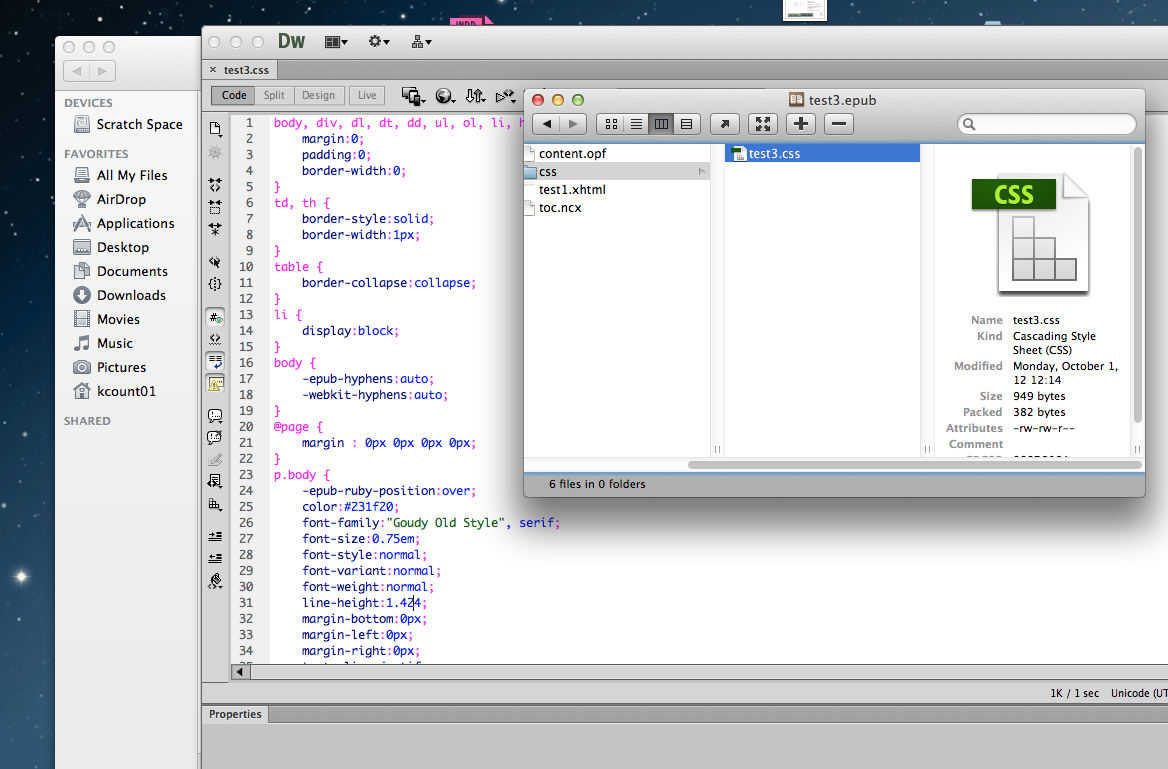
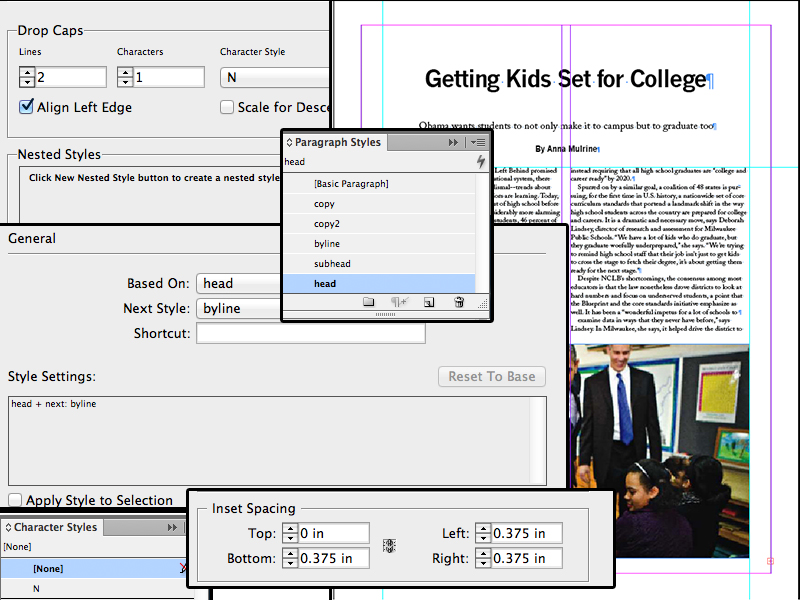
Jill says to design our ePUBS like we’re designing a website, specifically when we are labeling our character and paragraph styles because those are going to be changed into tag names. Today, she showed us how a software called Springy can unzip ePUBs and let the designer mess around with it in code view and then put it back together. She noted that she wished they called it “leading” instead of “line-height.” There’s a great tug of war between our classes since we’re learning book and web design at the same time. Which one is the frame of reference? Naturally there’s going to be a lot of cross-over, but with the constantly evolving technology and need for analogy and skeuomorphs are only going to increase. And let them. Learning is about making connections and the further you can equate two disparate things, the less you have to remember.
Cross-over
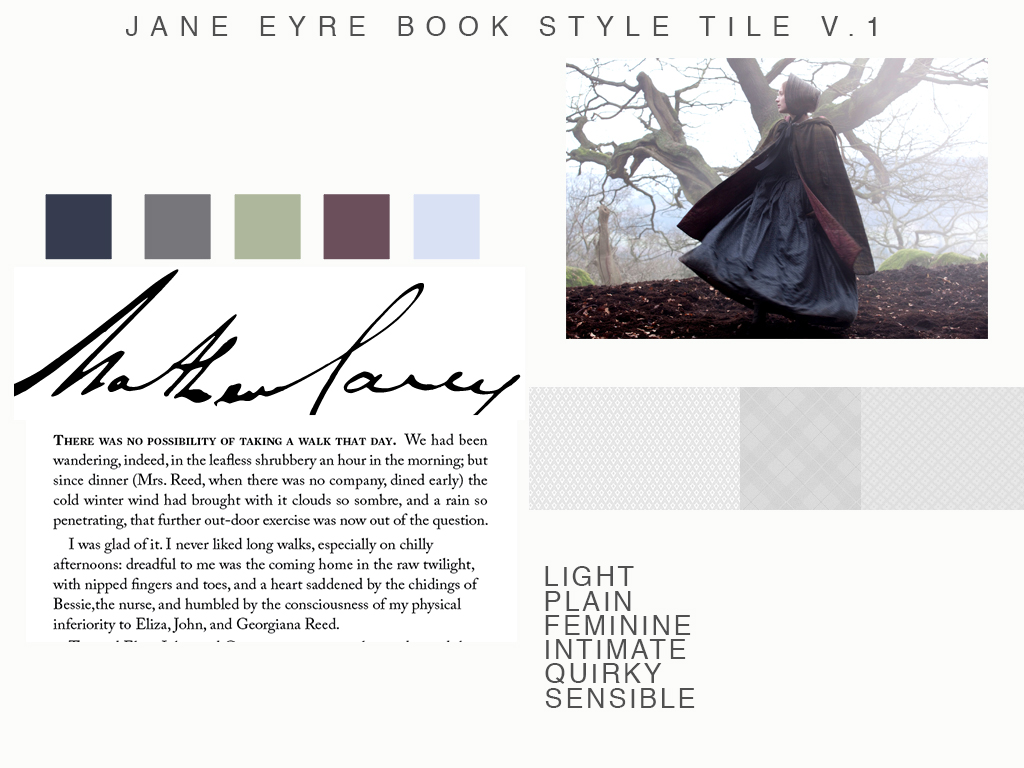
Today, I was talking with my podmates about their book designs, a small group critique. It seemed like each book had a personality except my own design. I realized that I hadn’t looked past the genre of the book I am designing (Jane Eyre) which that it is Classic and more importantly, that it is a triumph of spirit and a romance and all those reasons why I chose it. My original idea of slightly updating a classic by adding some modern rules is not valid. (I also tricked out the chapter start– new rule, you can not have a drop cap and a text panel border and a double-rule at the same time.
To help me solidify my ideas about what the book’s style is, I’ve decided that there’s no wrong in making a style tile. (Essentially, a style guide in the way that I am now used to doing.) I think the best part about the program is finding ways that work for me. I feel like I am creating processes that help me get inspired and organized, so it’s not this project I am working on, but the process of this project type that will allow me to be a design factory when need be.
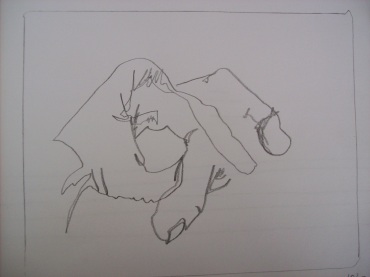
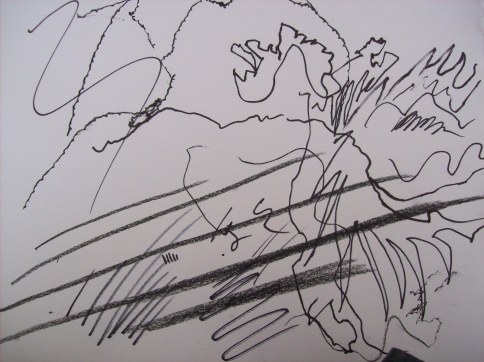
Today was the first meeting of Drawing Group/Club/Class. We had a 15 min sketch time, drawing from real life. Introduction to Blind Contour drawing (without looking at what you are drawing, try to capture the shape of your subject in a single fluid line).
Use your pencil. Use it hardly, softly, violently. Find ways to make different marks with it. Drawing is about the line, essentially. And finding different ways to express your subject using force. Shading comes into play, but it is the line that gives Drawing depth and drama.
mark-making
We had a little introduction circle at the end of the session. It turns out that most of us come from the same place, we want to draw, tell stories, problem solve, sharpen our techniques. Some of us are just starting while others go way back with drawing. I feel like I have been drawing my whole life, but I always feel like there’s something to learn, a fresh way to engage with art, creativity and the interesting analysis that comes with drawing. Next week’s topic: Negative Space!
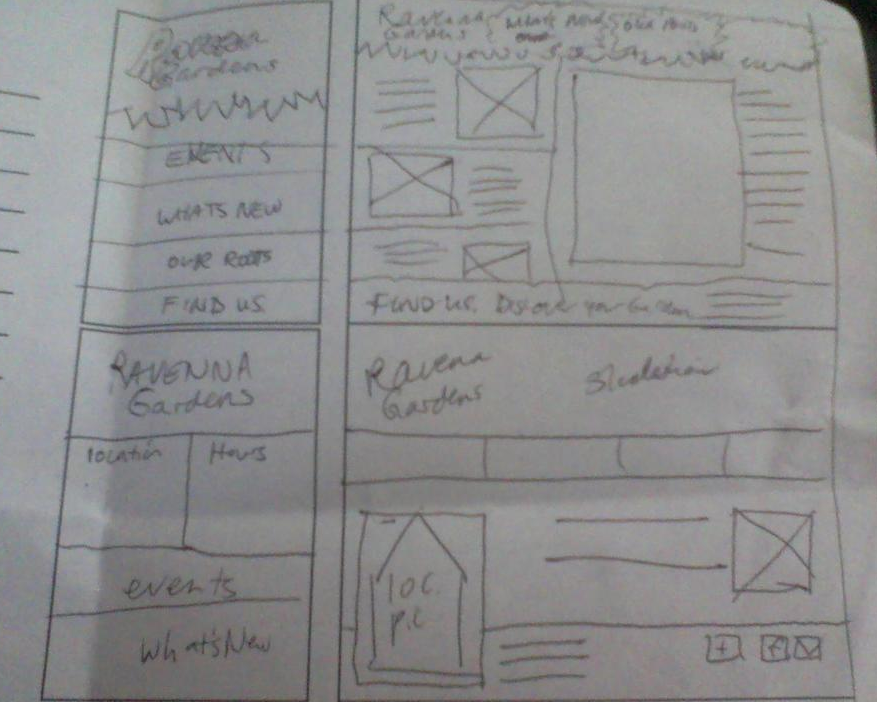
I looked around on the internet and I thought, I’d like a responsive sketching templates like this one. But for this project the client only wants two iterations of the website, so I made this 2-up sketching template (for you to print out and use if you choose) desktop mobile responsive sketch sheet.
handdrawn wire frames
I sketched three versions, starting with the mobile version first and I ended up with one that I thought was most functional. On the mobile version, the map, hours and location prominent and on the desktop version, social media is featured. Also, here’s a style tile. (I updated my html from last week to have more content. 3 links to articles on the client’s blog — currently nonexistant– and I am planning on adding social media buttons.)
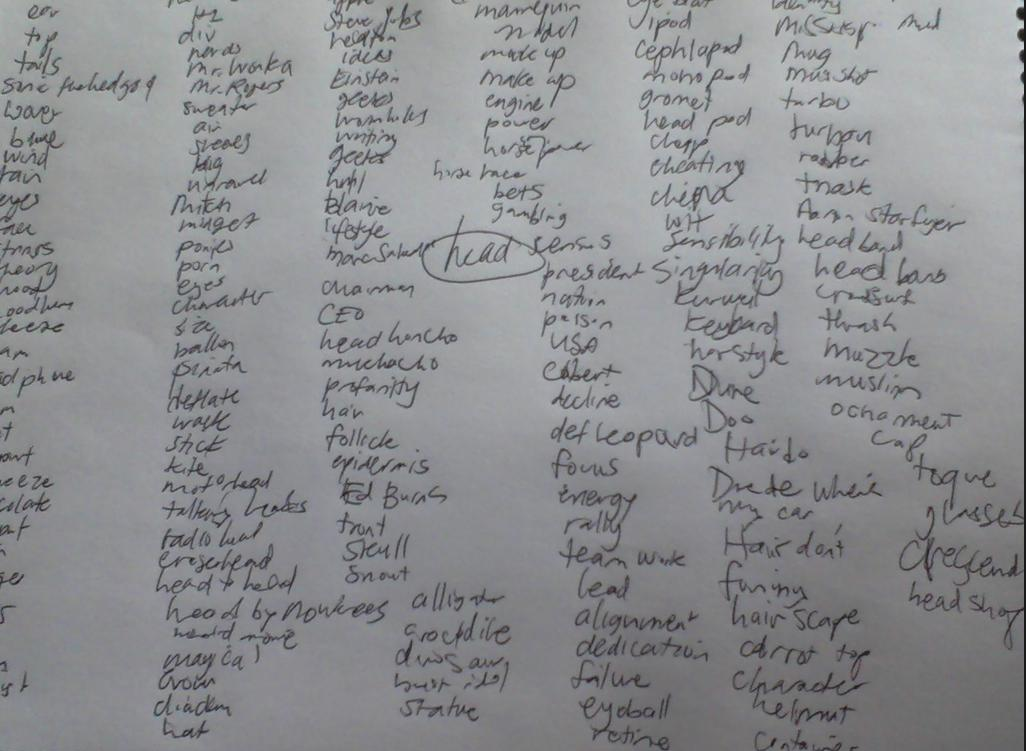
Today’s class other than the seemingly mandatory first week lecture about how tardiness is unbecoming was a peek into the world of advertising (see Tom’s Pinterest board on the subject!) Advertising is more competitive now than ever before and it’s our challenge as designers and art directors to be very very clever. (I totally wrote that in Elmer Fudd’s voice.)
Here’s some things that we’ve gone over and/or going to go over. art direction files
For next week, we need to have an advertisement analysis of a piece out there in the world with summary and analysis.
Summary: (medium, typeface, etc.) Describe the thing.
Analysis: What approaches? Audience? (one paragraph.)
Yesterday’s InDesign class (specifically focusing on the EPUB medium) was exhausting. It was an assessment session. An assession, if you will. I felt like I was looking at a Fractal artwork, looking deeper, you end up finding more features and so on until you control the atoms of the document. At least, that’s what it seemed like.
Chris went over frame types, paragraph styles and how there’s 72 points in an inch. It threw me for a loop when he said structure first then add content. It’s not like webdesign at all, where Fadiman states “Content is king” but more like a complex word problem, like the kind you find on the LSATs.
Ginny, Ron and Hermione all want to go to the Ball, but Ron doesn’t want to dance with Ginny and Hermione and Ginny dance only once. It’s important to set up your table and set up the rules before plugging in combinations of dancers. (Stretched analogy, I know, but that’s how I remind myself not to dive into putting in text right away.)
Chris went over how important it is to limit the number of frames in your document. He gave us an exercise where we had to make a colored business card with a logo and it could only be two frames. Exercises like these forces the software user to find features and get clever. The quarter, I imagine will be filled with those exercises “you have fifteen minutes to make this business card and can only use two frames and only the fabric from the clothes off your backs.” (Project Runway reference.)

 Kismet Arts Tangent