• ravenna gardens logo design


    This should have been part of phase 1 of the Ravenna Garden’s website design project. I think I’m having trouble (as a fledgling designer) coordinating my efforts. It’s coded fine, but I was too proud of my working slideshow to notice the ugly.

    Anyways, now’s my opportunity to go back and polish this website before next week’s presentation. Give it a nice logo and more thoughtful type. I drafted the R and then pen-tooled it in illustrator. I had hand-drawn all of the letters, but it looked kiddish. Until I am better at drawing letters, I’ll just be adding some flourishes here and there before trying to become the next Jessica Hische.

  • Session 6, Lorelei Kelly @ielarol

    Sunday at InfoCamp, Lorelei Kelly, an interactive designer led the discussion of the problems and solutions that comes with managing designers.

    Coordinating and Tracking Work– Use post-it notes, or a chart. Consider multiple purposes for these systems. Who are you trying to communicate with? Clients? Bosses? Team members? Consider weekly print outs of your process so you can quickly see the weekly transformation of your design. There’s also plenty of project management tools. (Freshdesk, Basecamp)

    Especially if you’re working with other people, consider making regular events of some kind of checkpoint, either review, sign-off, documentation, etc. Use a short template and do it often. If you’re the one setting up the budget, add 20% to the amount for management tasks such as these.

    Book to Read: Getting Things Done by David Allen

    Consistency in the Face of ambiguous requisites- Consider “Agile” or Lean UX practices. What is Lean UX? It is basically the practices of working more together, instead of checking back with the boss and waiting for the okay, its a side by side agree and continue kind of workflow so you get feedback sooner and can plow through.

    If that’s not an option, Have effective meetings.  Share your to-do lists. Have a change log and issues list. Find a way to manage documents as a team, If you’re leading ask what your team needs. If you’re not, don’t be afraid to let your leader know what you need to be successful.

    Know your battles. Whether it’s with a client or a colleague, explain your design decisions. As a teammate or a leader, sometimes your preference seems like a requirement, but it’s not. People construct their documents differently, but still achieve the end goal. Be understanding when something is done in a way that you wouldn’t have done it, but it’s okay.

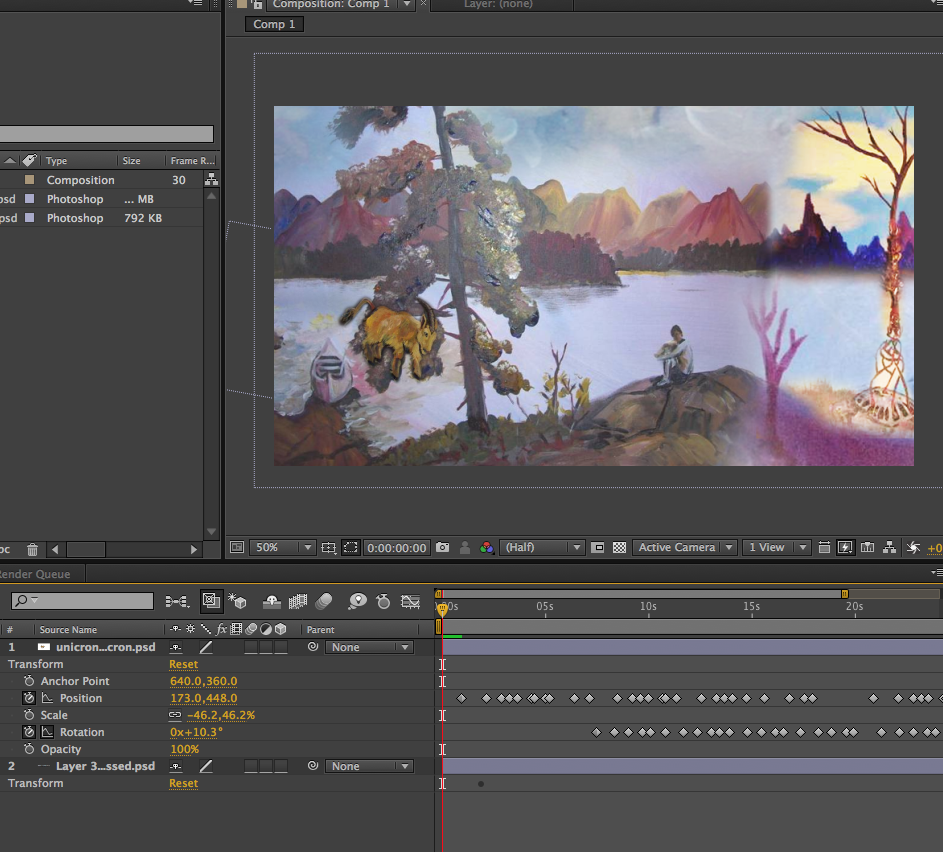
  • When I was somewhat inebriated  I had this idea that it would be fun to make an animation using paintings I made. So, I spent the morning stitching them together to get that lame idea out of my system. I drew inspiration and information from this tutorial. I successfully masked something in my use of After Effects but when I tried to mask the scene twice, either one or the other but not both would be successful.  This is a demonstration of my lack of understanding how the masking is inverted and layered to achieve what is done in the tutorial twice in one document. I will continue to experiment and learn from this experiment.

    skills in use in this video: In this project, I imported layers from Photoshop Documents. To create the “footage” that I then manipulated with positioning and rotating effects.

    workspace shot of unicron After Effects

  • Talk by Jay Al Hashal  @objectivejay
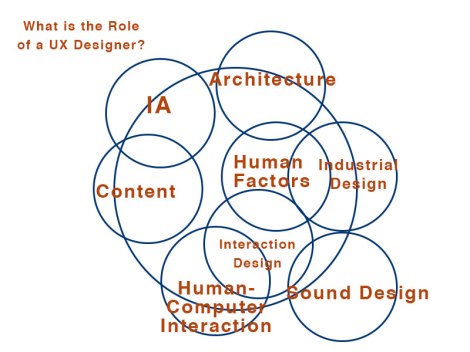
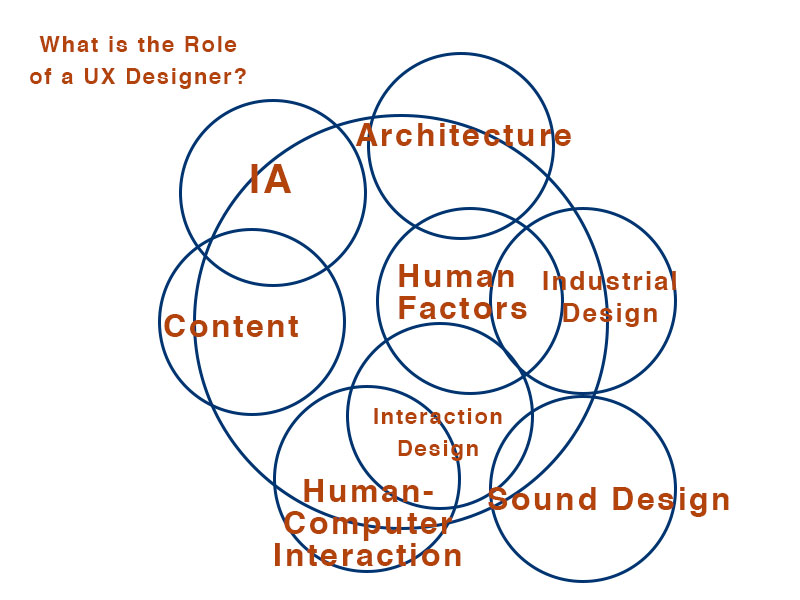
    diagram of the role of a UX designer

    Today, Jay Al Hashal talked to the class about the role of a UX designer. The Designer is a storyteller. These days stories are transmedial. We consume messages, each others stories from each other, in person, from our phones, the Internet, etc. So many different devices, but the Law of the Closest Screen applies. Our intentions don’t change, but our devices do. We want to check our email whether we use a desktop device or a phone. Our expectations of devices, “smart” devices grow higher everyday. What are those mobile sites that don’t perform up to our expectations but a waste of time?

    Humanist Design Strategy The design process is about designing, prototyping, measuring and analyzing. One of the big differences between design and art is that design is calculated. Human-Computer Interactions (HCI) is a measurable topic full of studies and recommendations for best user-centered practices. Humans are mostly the same and we can make websites fairly accessible based on human limitations. See Fitt’s Law which is the model that describes how long it takes to point at something. See Behaviorism, the psychological system of reinforcement, which states essentially, if a behavior is reinforced it will become habit. Consider the User and their Goals. You can positively reinforce something by some nice design element popping up when the user does something right, perhaps something turning a bright green. You can also play on their fear of missing out (FOMO) by providing interesting and changing content. Will you guide the user through with clearly marked interface or let them be guided through with emotion and intuition. See Tiny Wings.

    Making vs Prototyping

    Prototyping As said above, it’s important to cycle through. Hashal said “If your concept is never evolving, you are not pushing it hard enough.” Whether it’s in your team or with your own analytics, it’s important to be able to draw conclusions about how effective your experience design is at getting the user’s goals accomplished. Transitions are important. Despite its disembodiment (it’s just a screen, you can make anything) the greatest designs are metaphors (they utilize schema) for something that people already understand and know how to use. How does this object move in space? Be consistent. Do not swipe and dismiss and check through and flip. People will understand your product as one thing. Pick that thing.

    Making You have your idea. Sometimes, it’s not about having the best design, but implementing a good design. As a designer, you must be able to play politics, be able to sell your design. “Well… the user will like it,” is one of the best things you can say at a meeting. But you have to mean it. Have reasons for your decisions and it helps to use something like Google analytics to gather data about how users are engaging your design. When you are testing it, always do A/B testing. Have two designs (at least). Be a scientist, have a control and a variable to show that this specific design choice is more effective that current practices and that it’s valuable to change. Small changes are necessary instead of an overhaul redesign. Sites that generate business are like cities, you can’t shut it down because people work and live there.

    Lessons from Mobile First– design for the mobile options, the considering the real estate, usability, etc.

    1. Reduce and Organize. Be efficient, if you don’t need it in your mobile site, you probably– but not always– don’t need it in your desktop.
    2. Forgive. Users are curious. Sometimes they will delete something that they didn’t want deleted. Don’t punish them for it. Have a way out, a way to retrieve, a simple undo step.
    3. Contextualization. Fancy word for step into their shoes. Gather information about the user’s environment. If they are the train conductor who has to engage with this design while in a moving car, navigating dark narrow corridors, be sensitive to that. Make the buttons big or glow in the dark or something.
    4. Reinforce. Things should change appearance to show change. Ease the use, store their data so they don’t have to type it in all the time.
    5. Disappear. Great design becomes invisible. It seems like the most natural way to do it. Have design that is easy as moving a part of your own body or as close as possible.


    Supplemental Reading:

    Client Interaction

    What is UX, links, topics, diagrams by Smashing Magazine
  • Session 2, Aaron Louie @ajlouie

    Saturday at InfoCamp, Aaron Louie asked his audience what is “cool?” People ask designers all the time, “make it cooler?” Or in the case of Seattle Central’s Marc Salverda “make it sexy?” We usually think “aesthetically pleasing” or worse, “trendy.” Cool is something others can say about ourselves, but if we say that we’re cool, it’s an automatic “not.” Can we have a definition, please? Aaron came to the rescue.

    Polished Visual Design This is the relatively trendy part. Current polished design practices include a lot of white space, clean and minimal design, but we see this fashion come and go from Art Nouveau to Art Deco. It’s going to change again, but clean and efficient means polished these days. Example: Nike’s Website.

    Making Something Work Better It’s our job as designers to throw away old things. This is not to say that we can’t keep important things and information that users want, but sometimes the assumption of “legacy” is incorrect. Focus your efforts. Do one thing really well, even it it means to segment your audience and become a bit more specialized. Example: Pair app. This is a social media app with a network of 2 people– it’s for couples to share their lives and their media.

    Surprise and Delight Be unexpected and joyful. It’s not enough to do something that no one saw coming if it’s not a positive thing. This can be achieved by “easter eggs,” little secret bonuses that are there for your users to find and share to their friends like a secret treasure. Examples: List of Computer Easter Eggs

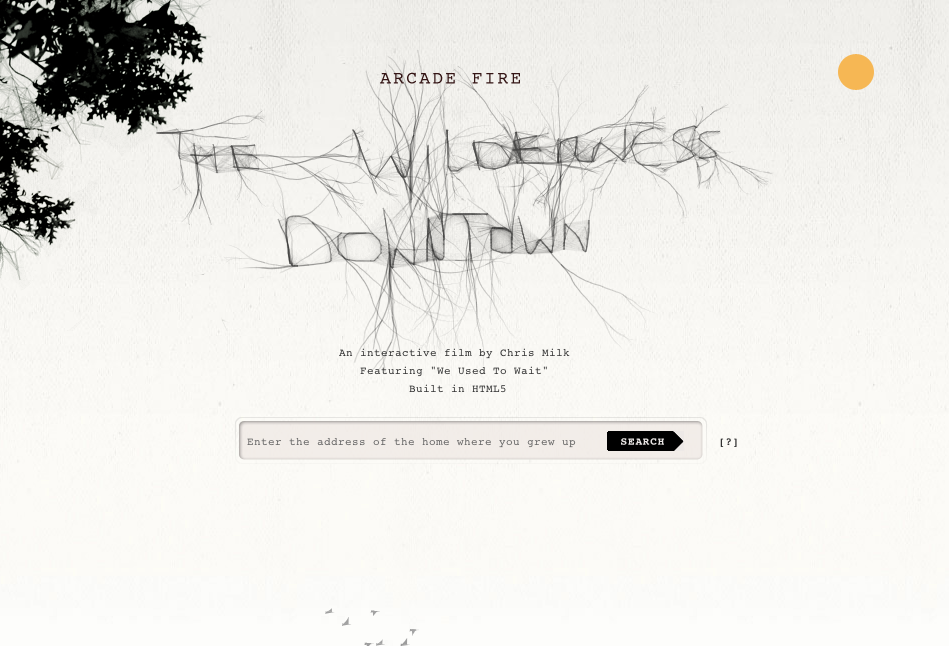
    Amazing Experience: Awe The emotion of awe: beauty/flow/ social connection. What inspires awe? What is the evolutionary causes of the emotion “awe.” The collective movement of human beings, like a dance, relates to our identities as human beings. The interest in connecting with yourself and being in groups. We can create this sense of wonder by making things that are easy to share, that involve collaboration, that relate to our idea of self-improvement. Example: Arcade Fire, The Wilderness Downtown

    interactive music video The Wilderness Downtown Arcade Fire

    Engrossing Storytelling Suspense and mystery. In a way, an “anti-usability.” Hid information, create, mystique, intrigue, anticipation. This comes with constantly reinventing. You must develop a reputation for creating beautiful things, but not give it all away, let them imagine. Example: How Apple says they are going to release something but they don’t tell you exactly what.

  • Here’s my initial projectpaperwork (pdf)

    So, This is the changing document to document what I am doing with my special project and what I think I am going to do. I won’t delete the timeline but rather reflect where I am veering and for what reasons.

    Week 1 (10-10):
    What I planned to do: Submit Timeline and Start Getting Familiar with Interface
    What I ended up doing: Link to Blog Post introduction to after effects, viewed basic tutorials

    Week 2 (10-17): 
    What I planned to do: Re-Submit Timeline (via this blog post) and Produce a basic video using one new trick learned from a tutorial, Create a sense of motion without video and Masking
    What I ended up doing: Link to Blog Post produced files to work with for small and basic after effects project based on a basic tutorial

    Week 3 (10-24):
    What I planned to do: Integrate type and music
    What I ended up doing:   produced video with animated psd files (did not add type and music isn’t integrated…)

    Week 4 (10-31):  Benchmark Day– Present uploaded youtube videos reflecting my progress in a one-on-one meeting with Marc
    What I planned to do: Parenting Nesting and expression
    What I ended up doing: Looking at kinetic type tutorial. Extended to next week.

    Week 5 (11-7):
    What I planned to do: Create Story Boards and Creative Brief for integrating video (so far my idea is something playful like this video I made over the summer but for After Effects)
    What I ended up doing: Last week’s assignment took longer than I thought. Some frustrations on the way, for example, audio. Work on presentation for next week. Link to Blog Post 

    Week 6 (11-14): Presentation in front of class (updated event)
    What I planned to do: Work and continue work on integrating features (starting to comp effects)
    What I ended up doing: Link to Blog Post  Collected and sorted data

    Week 7 (11-21): Benchmark Day: Present idea, story boards and little samples of work, get critique from Marc in one on one meetingMarc not present.
    What I planned to do: Make doodles into vectors and animate.
    What I ended up doing: Link to Blog Post   I had made some work on animating with layers and compositions, but I still didn’t understand the export process. No post this week.

    Week 8 (11-28):
    What I planned to do: Continue adding and finessing work into Rough Draft
    What I ended up doing: Link to Blog Post  Not Yet Completed

    Week 9 (12-5): Benchmark Day: Get critique from Marc in one on one meeting discussing Rough Draft
    What I planned to do: Continue Work on Video
    What I ended up doing: Link to Blog Post  Not Yet Completed

    Week 12 (12-12):
    What I planned to do: Present to Class video exploring After Effects techniques
    What I ended up doing: Link to Blog Post  Not Yet Completed

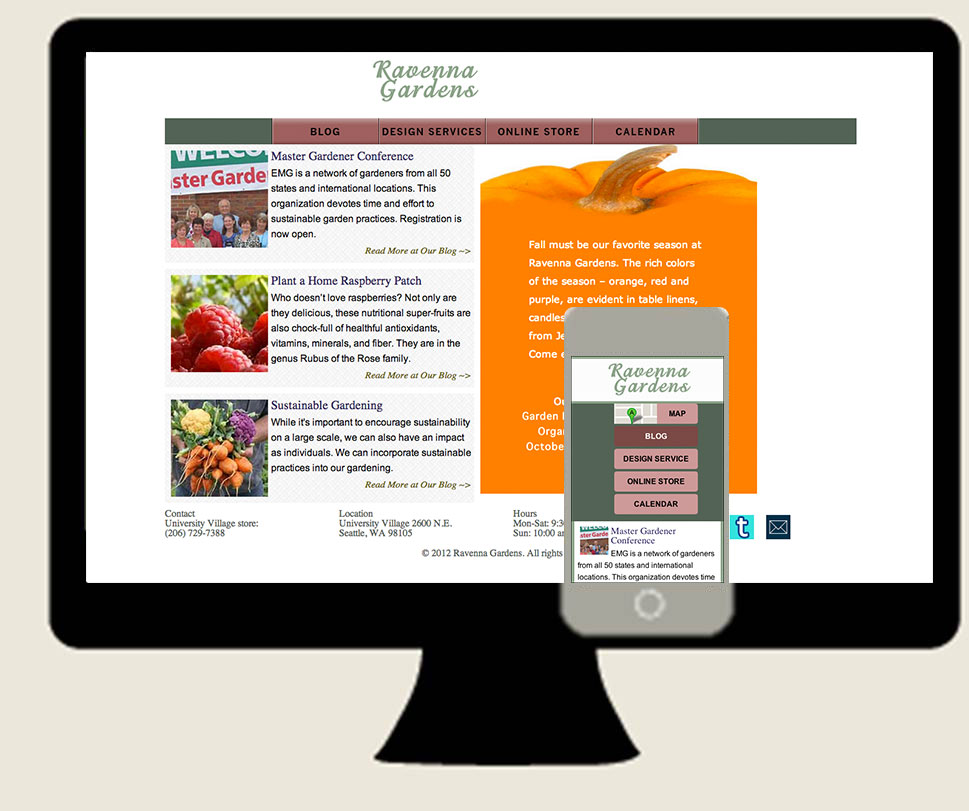
  • Ravenna Gardens responsive website desktop and mobileKatsite Project 1 Today, after 4 hours at the computer, I finished the second iteration of this website and styled it for mobile. I once again, made a few deviations from my wire frame. As a response to last week’s critique, I’ve created a lot of white space. That includes putting boxes around the text in the footer (for mobile) instead of embedding white text in a dark background. Dark text on light background increases legibility. I rethought the slideshow. I didn’t want all of that blue sky color. With some reworking and copy-pasting of code, I now have two slide shows. Can’t see two? That’s because I created a slideshow with just color and sync’d it up with the other one (and created new images to give an interesting decoration to the top of the color blocks).

    To put the text over the slide show, I learned a little bit about positioning from this article. Just toggling back and forth between the tabs on the article’s interface (you’ll understand after you click) I was able to understand which of the types of positioning I wanted, which was a combination.

    I used Adobe Edge Fonts for the headlines on the little posts excerpts. Amaranth. Very lovely. Everywhere else, I used more standard fonts, Verdana and Arial to increase readability. I imagined some over-40-eyes looking at this for information and I wanted to keep it very accessible. I also added a bit more content (an upcoming event) to utilize the space in the slideshow area (as Fadiman suggested).

    At this point, I am considering polishing the CSS sprites and adding more decoration in the header, perhaps. Let’s see what my client has to say about the translation from desktop to mobile before adding more.

    (Earlier Post Relating to This Project)

  • truth in interviewing triangulate your questionsToday, I am at Infocamp. Right now I am on the lunch break, consolidating my notes from the first session. For those of you who don’t know how infocamp is structured, it is a participant-led series of talks. Seven infocampers had presentations and pitched what they wanted to talk to the infocamp when we met for the opening speaker. The first round of pitches have been done and I picked one of seven to go to: How to design research for reluctant participants.

    The speaker is one of the researchers for makelovenotporn.com. It was his job to explore 1) Why don’t people pay for porn online? And 2) How do we communicate trust in an untrustworthy environment?. I am not going to answer these questions but tell you how he answered these questions through interviewing.

    1. Use a system to help you screen out your research participants. He used the service ethn.io. Make sure your screener is hard so that the people that end up in your study are going to be valuable. A tip: give them an open-ended question in the qualifying questionnaire. This helps you gauge how talkative they will be in the interview.
    2. Generous gratuity. Make it worth their time to participate in your study. (Try not to make it the main focus, otherwise you’ll have participants with dollar signs in their eyes instead of a genuine interest in communicating their feelings.)
    3. Don’t schedule. When you get a submitted questionnaire from a qualified candidate send them an email “Can I call you Right Now?” So that almost immediately after they have been screened, you have them on the phone ready for an interview. This is a good practice because they are still in the mindset of answering questions, specifically your kinds of questions. If you have to schedule…
    4. No shows? Fuggedaboutit. Be adaptive.
    5. During your interview triangulate your questions. (Interview tips below)
    6. Allow for anonymity. Take only first names, general regions vs. specific addresses and don’t record if they are uncomfortable in anyway.

    Interview Tips

    Be comfortable. Be able to probe through difficult questions. If you are uncomfortable, your feelings may be projected onto your interviewee. Build a relationship, rapport, trust, a comfortable space, whatever you can before going into your questions. When getting people to do things you want them to do, try make it seem like it is their idea. This is difficult and situational. It’s also improvisational. During your conversation, try regurgitating something that they said, but frame it in the way that you want it to be done and frame it as a question. (I’ll have to do more research and practice on this tactic.)

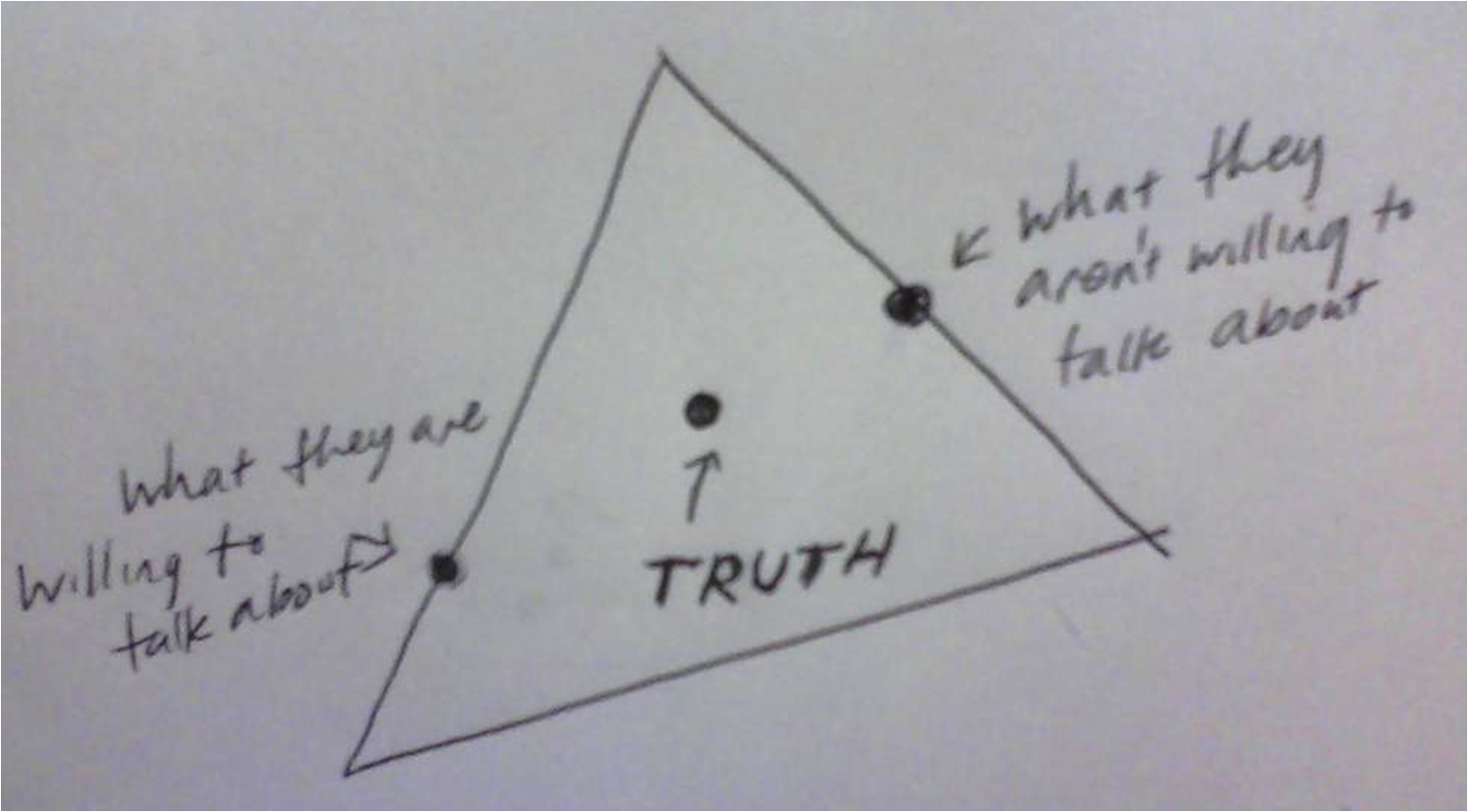
    Triangulate your questions. The truth is between what they are not willing to talk about and what they are willing to talk about. Participants will often answer questions obliquely. It’s your job as an interviewer to ask reinforcing questions to get at what they aren’t saying.  Stagger your questions of the same topic you are investigating. Let your interview go conversationally and when a pause comes up, go to your next reinforcing question.

    At this session, the speaker was great and his audience were also informative and had a few tips to share, too. I am looking forward to session #2!