Skip to content

Kismet Arts Tangent

Art Collective

    • Fall Program
    • About
    • Blog
    • Contact

recent posts

  • Project Planning
  • Peppermint Products
  • Writing Prep List
  • Automatism
  • Latha’s Prattles

  • Instagram
  • Mixed Metaphors: What are we designing anyway?

    October 3, 2012

    epub

    Is the first step in design structure or content?

    I’ve been thinking over the weekend about why Chris in the other EPUB class would be telling us “structure first, then content.” It struck me like a huge lightbulb: there’s an assumption there. Every time a designer goes to design something in InDesign, they have a lot more information than they think. Usually, they have the word for word copy in a .rtf or a Word document or something. Whereas, when a web designer goes to design something, it’s usually prefaced by the client saying “make us a website.” So, the first thing a web designer has to get is content.

    Sometimes, the content is a loose and changing thing. The copy for Ravenna Gardens changes on the growing season, literally what’s fresh.

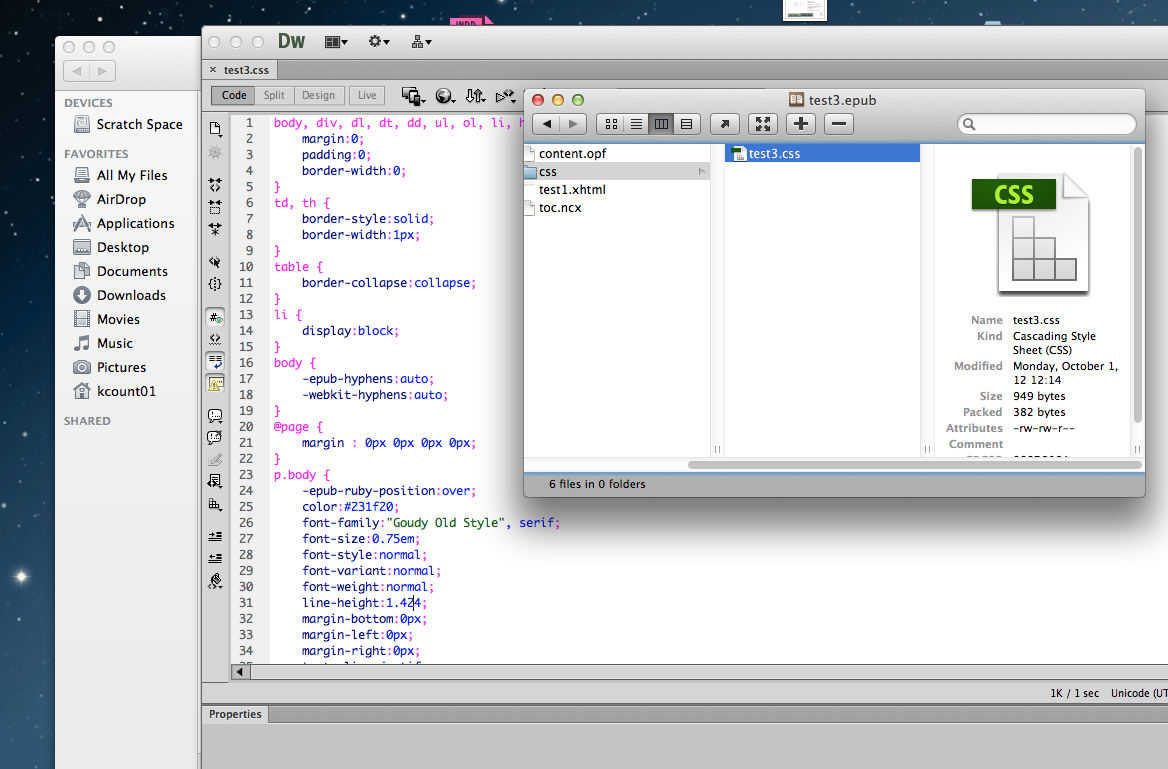
    Jill says to design our ePUBS like we’re designing a website, specifically when we are labeling our character and paragraph styles because those are going to be changed into tag names. Today, she showed us how a software called Springy can unzip ePUBs and let the designer mess around with it in code view and then put it back together. She noted that she wished they called it “leading” instead of “line-height.” There’s a great tug of war between our classes since we’re learning book and web design at the same time. Which one is the frame of reference? Naturally there’s going to be a lot of cross-over, but with the constantly evolving technology and need for analogy and skeuomorphs are only going to increase. And let them. Learning is about making connections and the further you can equate two disparate things, the less you have to remember.

    Cross-over

    Today, I was talking with my podmates about their book designs, a small group critique. It seemed like each book had a personality except my own design. I realized that I hadn’t looked past the genre of the book I am designing (Jane Eyre) which that it is Classic and more importantly, that it is a triumph of spirit and a romance and all those reasons why I chose it. My original idea of slightly updating a classic by adding some modern rules is not valid. (I also tricked out the chapter start– new rule, you can not have a drop cap and a text panel border and a double-rule at the same time.

    To help me solidify my ideas about what the book’s style is, I’ve decided that there’s no wrong in making a style tile. (Essentially, a style guide in the way that I am now used to doing.) I think the best part about the program is finding ways that work for me. I feel like I am creating processes that help me get inspired and organized, so it’s not this project I am working on, but the process of this project type that will allow me to be a design factory when need be.
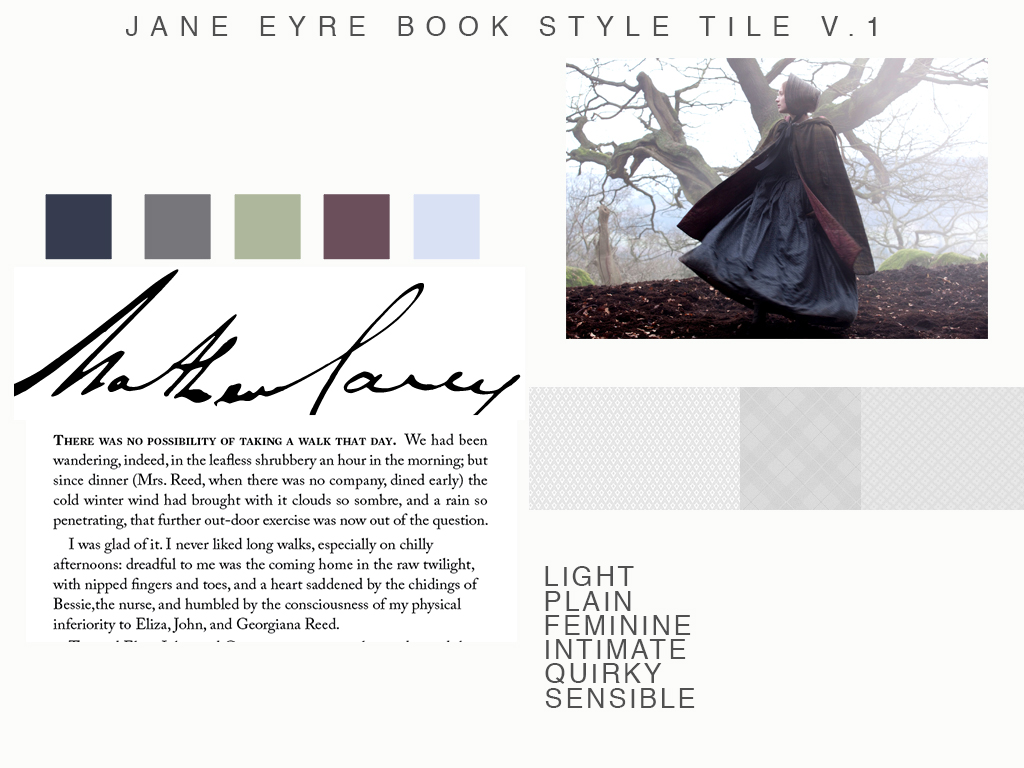
    jane eyre style guide for book design
    jane eyre style guide for book design

    sharing options:

    • Share
    • Share on Tumblr (Opens in new window) Tumblr
    • Print (Opens in new window) Print
    • Share on LinkedIn (Opens in new window) LinkedIn
    • Share on X (Opens in new window) X
    • Share on Reddit (Opens in new window) Reddit
    • Share on Pinterest (Opens in new window) Pinterest
    • Share on Facebook (Opens in new window) Facebook
    • Email a link to a friend (Opens in new window) Email
    Like Loading…
  • Drawing Meeting No.1

    October 2, 2012
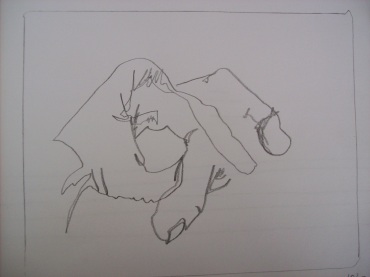
    contour line drawing of my left hand
    blind contour line drawing of my left hand

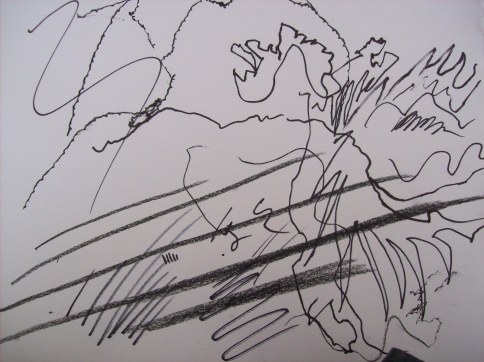
    Today was the first meeting of Drawing Group/Club/Class. We had a 15 min sketch time, drawing from real life. Introduction to Blind Contour drawing (without looking at what you are drawing, try to capture the shape of your subject in a single fluid line).

    Use your pencil. Use it hardly, softly, violently. Find ways to make different marks with it. Drawing is about the line, essentially. And finding different ways to express your subject using force. Shading comes into play, but it is the line that gives Drawing depth and drama.

    mark-making
    mark-making

    We had a little introduction circle at the end of the session. It turns out that most of us come from the same place, we want to draw, tell stories, problem solve, sharpen our techniques. Some of us are just starting while others go way back with drawing. I feel like I have been drawing my whole life, but I always feel like there’s something to learn, a fresh way to engage with art, creativity and the interesting analysis that comes with drawing. Next week’s topic: Negative Space!

    sharing options:

    • Share
    • Share on Tumblr (Opens in new window) Tumblr
    • Print (Opens in new window) Print
    • Share on LinkedIn (Opens in new window) LinkedIn
    • Share on X (Opens in new window) X
    • Share on Reddit (Opens in new window) Reddit
    • Share on Pinterest (Opens in new window) Pinterest
    • Share on Facebook (Opens in new window) Facebook
    • Email a link to a friend (Opens in new window) Email
    Like Loading…
  • Wireframes and Style Tile for Ravenna Gardens

    October 1, 2012

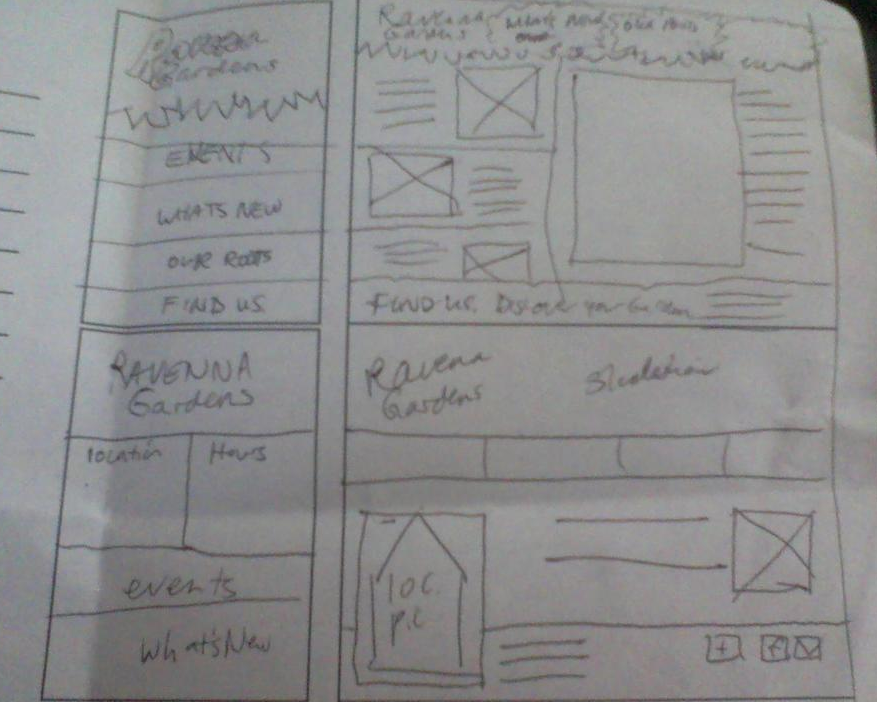
    I looked around on the internet and I thought, I’d like a responsive sketching templates like this one. But for this project the client only wants two iterations of the website, so I made this 2-up sketching template (for you to print out and use if you choose) desktop mobile responsive sketch sheet.

    handdrawn wire frames
    handdrawn wire frames

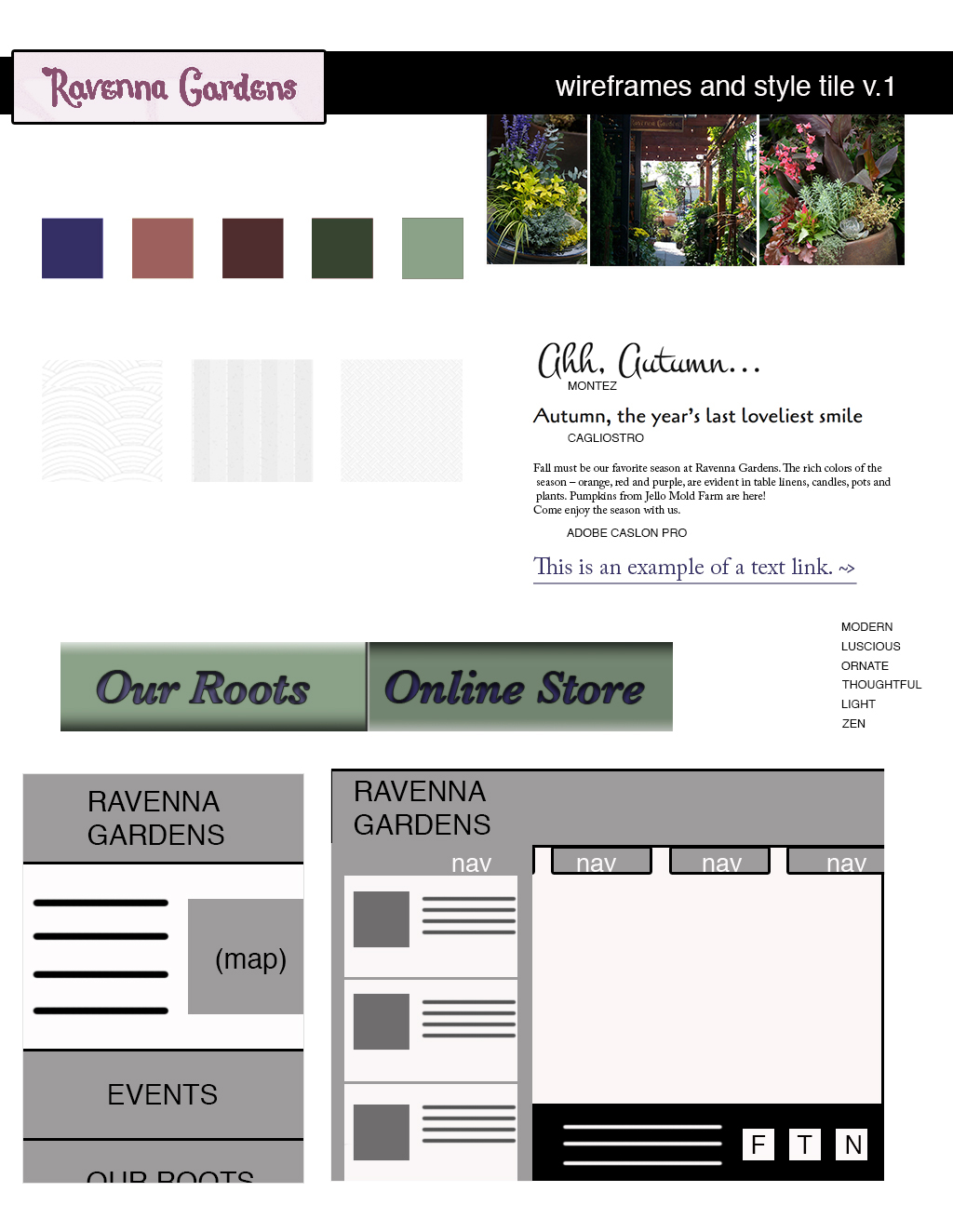
    I sketched three versions, starting with the mobile version first and I ended up with one that I thought was most functional. On the mobile version, the map, hours and location prominent and on the desktop version, social media is featured. Also, here’s a style tile. (I updated my html from last week to have more content. 3 links to articles on the client’s blog — currently nonexistant– and I am planning on adding social media buttons.)

    (Earlier Post Relating to This Project)

    sharing options:

    • Share
    • Share on Tumblr (Opens in new window) Tumblr
    • Print (Opens in new window) Print
    • Share on LinkedIn (Opens in new window) LinkedIn
    • Share on X (Opens in new window) X
    • Share on Reddit (Opens in new window) Reddit
    • Share on Pinterest (Opens in new window) Pinterest
    • Share on Facebook (Opens in new window) Facebook
    • Email a link to a friend (Opens in new window) Email
    Like Loading…
  • Advertising Analysis Template and other Things

    September 28, 2012
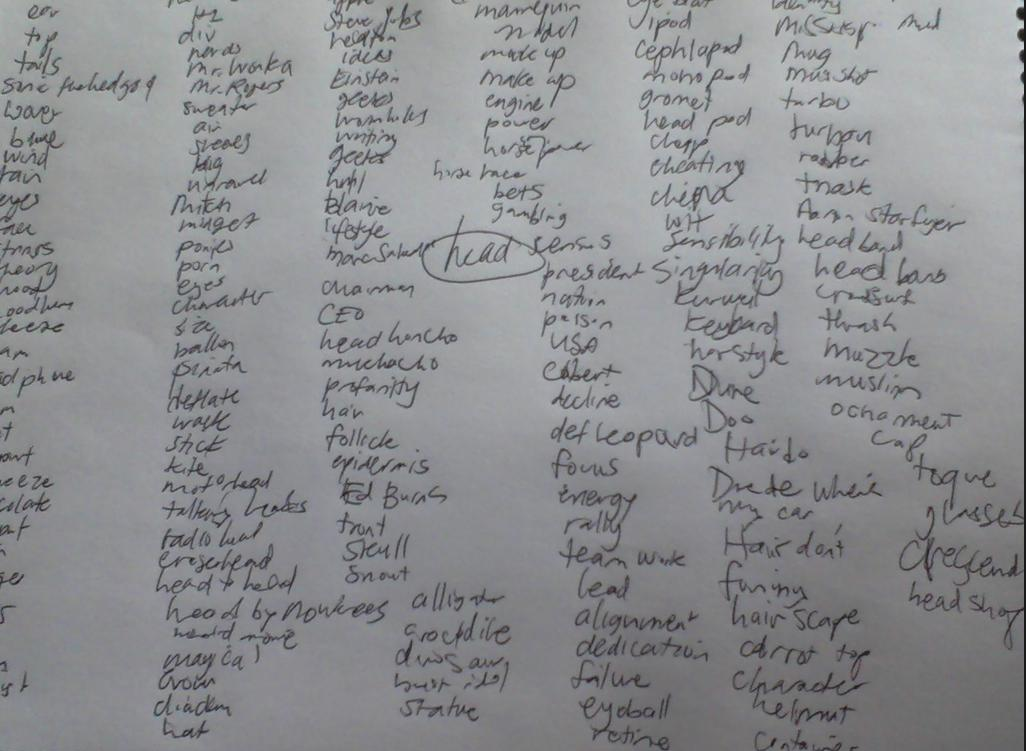
    brainstorm on the word head
    brainstorm on the word “head”

    Today’s class other than the seemingly mandatory first week lecture about how tardiness is unbecoming was a peek into the world of advertising (see Tom’s Pinterest board on the subject!) Advertising is more competitive now than ever before and it’s our challenge as designers and art directors to be very very clever. (I totally wrote that in Elmer Fudd’s voice.)

    Here’s some things that we’ve gone over and/or going to go over. art direction files

    For next week, we need to have an advertisement analysis of a piece out there in the world with summary and analysis.

    Summary: (medium, typeface, etc.) Describe the thing.

    Analysis: What approaches? Audience? (one paragraph.)

    sharing options:

    • Share
    • Share on Tumblr (Opens in new window) Tumblr
    • Print (Opens in new window) Print
    • Share on LinkedIn (Opens in new window) LinkedIn
    • Share on X (Opens in new window) X
    • Share on Reddit (Opens in new window) Reddit
    • Share on Pinterest (Opens in new window) Pinterest
    • Share on Facebook (Opens in new window) Facebook
    • Email a link to a friend (Opens in new window) Email
    Like Loading…
  • A Soft Return to InDesign

    September 28, 2012
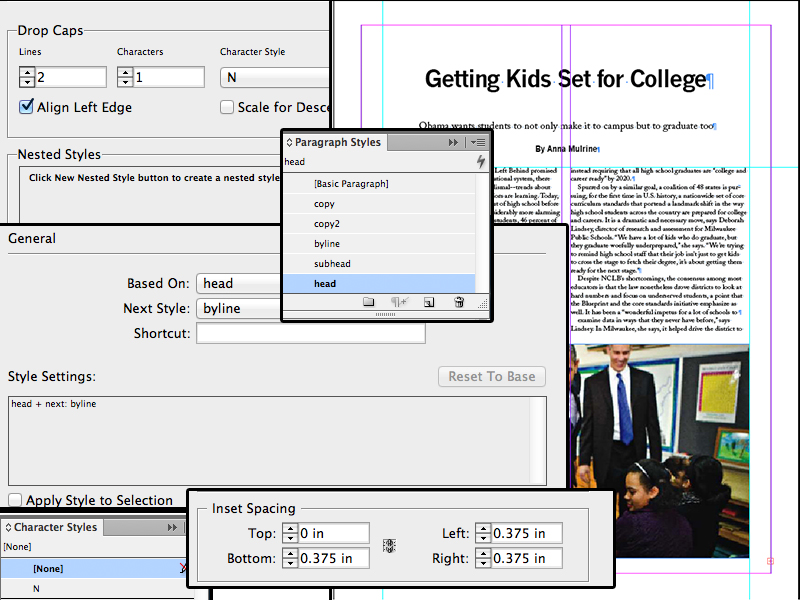
    INDESIGN collage featuring CS features
    InDesign collage featuring CS features

    Yesterday’s InDesign class (specifically focusing on the EPUB medium) was exhausting. It was an assessment session. An assession, if you will. I felt like I was looking at a Fractal artwork, looking deeper, you end up finding more features and so on until you control the atoms of the document. At least, that’s what it seemed like.

    Chris went over frame types, paragraph styles and how there’s 72 points in an inch. It threw me for a loop when he said structure first then add content. It’s not like webdesign at all, where Fadiman states “Content is king” but more like a complex word problem, like the kind you find on the LSATs.

    Ginny, Ron and Hermione all want to go to the Ball, but Ron doesn’t want to dance with Ginny and Hermione and Ginny dance only once. It’s important to set up your table and set up the rules before plugging in combinations of dancers. (Stretched analogy, I know, but that’s how I remind myself not to dive into putting in text right away.)


    Chris went over how important it is to limit the number of frames in your document. He gave us an exercise where we had to make a colored business card with a logo and it could only be two frames. Exercises like these forces the software user to find features and get clever. The quarter, I imagine will be filled with those exercises “you have fifteen minutes to make this business card and can only use two frames and only the fabric from the clothes off your backs.” (Project Runway reference.)

    sharing options:

    • Share
    • Share on Tumblr (Opens in new window) Tumblr
    • Print (Opens in new window) Print
    • Share on LinkedIn (Opens in new window) LinkedIn
    • Share on X (Opens in new window) X
    • Share on Reddit (Opens in new window) Reddit
    • Share on Pinterest (Opens in new window) Pinterest
    • Share on Facebook (Opens in new window) Facebook
    • Email a link to a friend (Opens in new window) Email
    Like Loading…
  • Self-Directed Project Day 1

    September 26, 2012

    Note to self: New file naming system in place for the 5th floor– “first name last name_graduation year_abbreviated assignment name”
    (e.g., katarinacountiss_2013_assign.tiff).

    Today is the first day of Self-Directed Project Day. It’s not completely self-directed. Marc Salverda, our jokey yet stern leader, is going to be with the class every Wednesday as a resource, an idea bouncer-offer, a critic and encouraging ear. He’s also going to lead creative exercises  He talked about how this quarter is a way to supplement our learning with things that aren’t in the curriculum like screenprinting and AfterEffects. We could spend the whole quarter watching tutorials if we wanted. (He recommended lynda.com)

    Exercise 1: What is Success?

    The first exercise is a definitions rally. In groups of four, we brainstormed for an hour on the definitions of the words: Success, Failure, Effort, Challenge. After an hour we collectively approved and appended our definitions.

    With excellent brainstorming efforts from my pod, what ended up written for each was something like this (I edited it as I typed it because I was a little rushed during class, so no, it wasn’t quite this elegant in class):

    Success: practical and innovative efforts resulting in appreciated and tangible results

    Failure: The event at which, through the squandering of resources (e.g. time) a problem was not solved. (Marc didn’t think this was a complete definition. So we appropriately failed at grasping this concept.)

    Effort: a force with coordination of energy and knowledge working against something

    Challenge: A commitment of discomfort that through using skills promises results to gain through focused efforts despite opposing forces such as working with other, or a time constraint.

    The exercise also asked the question: Can Failure be Successful  I say no as a linguist, but yes as a motivational speaker.

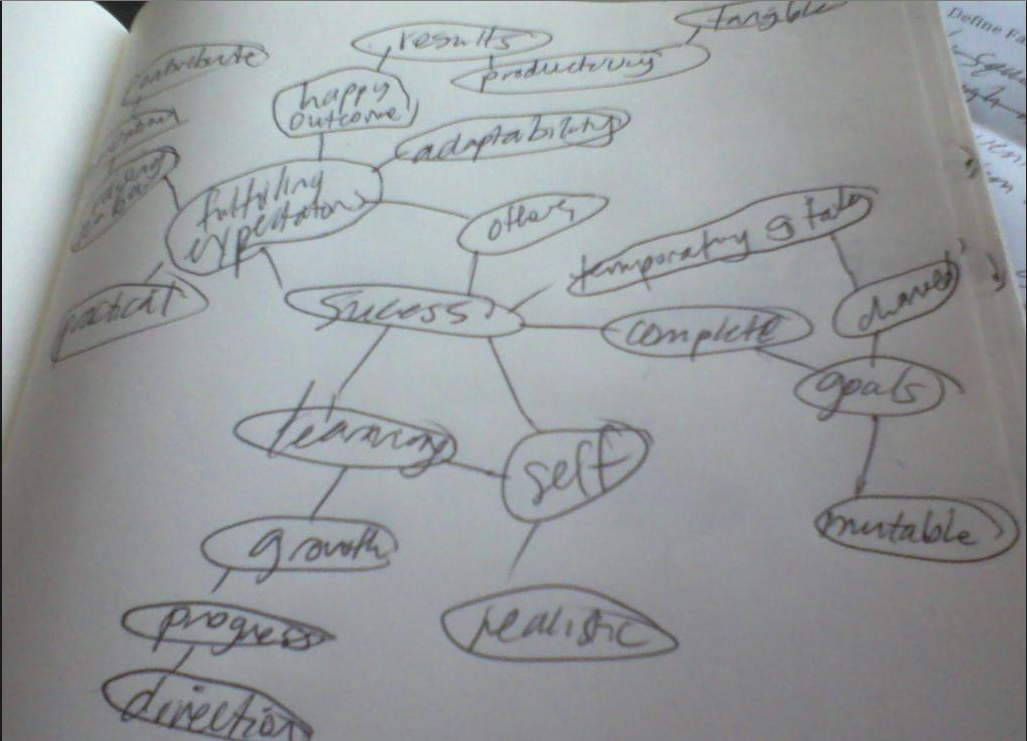
    Success word map
    Success word map

    Exercise 2: Questionnaire for Special Topics Design Project (I think I am just going to look at these questions for now.)

    Question #1

    What do you consider to be your design strengths? Please be specific.

    Question #2

    What do you consider to be your design weaknesses? Please be specific.

    Question #3

    Describe your most successful graphic design project you have done, this can be either a class assignment or an outside project. Including your thoughts on what made the project successful.

    Question #4

    In a short but thorough explanation, please brainstorm a list of any and all ideas you currently have interest in investigating for your project.

    Question #5

    Do you intend for the content of this project to be personally or professionally motivated? Please be specific.

    Question #6

    What techniques, materials and media do you anticipate experimenting with while developing your project?

    Question #7

    What will your final deliverables be?

    Question #8

    Are your intentions for this project to be a self-contained piece (meaning that it will begin and end with the quarter), or do you view this project a starting point to create a larger body of work? Please be specific.

    Question #9

    How many hours per week will you be able to realistically dedicate to this project, not including class time?

    Question #10

    How will you determine the success or failure of this project?

    Question #11

    What are the biggest things you have to both lose and gain from doing this project? Please be specific.

    Question #12

    What would be your dream job and why? Please be specific.

    Question #13

    What would be your dream company?

    Exercise 3: The Next 10 years (due next week, blog post with process to come)

    Assignment description:

    Substrate– On an 11” by 17” (portrait or landscape) paper (collage and other media accepted) mounted on a black board with a 1.5” border

    Theme– reflect The Next 10 Years of your life. It’s a companion piece to the exercise Create a Map of Your Journey to Seattle Central that the class did last year.

    sharing options:

    • Share
    • Share on Tumblr (Opens in new window) Tumblr
    • Print (Opens in new window) Print
    • Share on LinkedIn (Opens in new window) LinkedIn
    • Share on X (Opens in new window) X
    • Share on Reddit (Opens in new window) Reddit
    • Share on Pinterest (Opens in new window) Pinterest
    • Share on Facebook (Opens in new window) Facebook
    • Email a link to a friend (Opens in new window) Email
    Like Loading…
  • Redesign Ravenna Gardens: Web Redesign Phase 1

    September 25, 2012

    Katsite Project 1

    Assignment description: “You will need to to do a website audit and analysis, determine what needs improvement, and come up with a comprehensive design solution for desktop computers and smart phones . Requirements: Needs to work in IE8 and above, all modern browsers, and iPhones and Android phones. File size needs to be under 200k for the desktop and under 50k for the mobile version. Additional requirements: Code must be w3c valid html5; needs to incorporate  Google web fonts. There will be no initial design “comp”, you will be designing directly in the browser.”

    Employing skills as a designer, information architect and front-end developer, my first assignment is a redesign of Ravenna Gardens. Its online information is few and I think that I can put a lot of it on the home page and eliminate 3 of its 8 navigation bar elements. (I also think that its users are smart enough to click on the logo instead of clicking a “home” button.)

    As part of the process style we’ll be using in this class (agile development) Phase 1 is also the stage where the designer works on the wire-framing and style tiles (I will be working on this in the following days.)

    Phase 1

    • restructure information with user-centered considerations (e.g. if the user is using their mobile device to find the store or look up the store’s hours, I don’t want them to look any further than the homepage.)
    • create style tile this is a great way to contain the brand’s essence (colors, fonts, logos) but feel free to explore different layouts
    • wire-framing explore more efficient (and mobile friendly) layouts
    • understand mobile strategy this is important to know what your client wants/willing to pay for. More site options will cost more money. (e.g. this “client” Ravenna Gardens just wants two options: mobile and desktop)
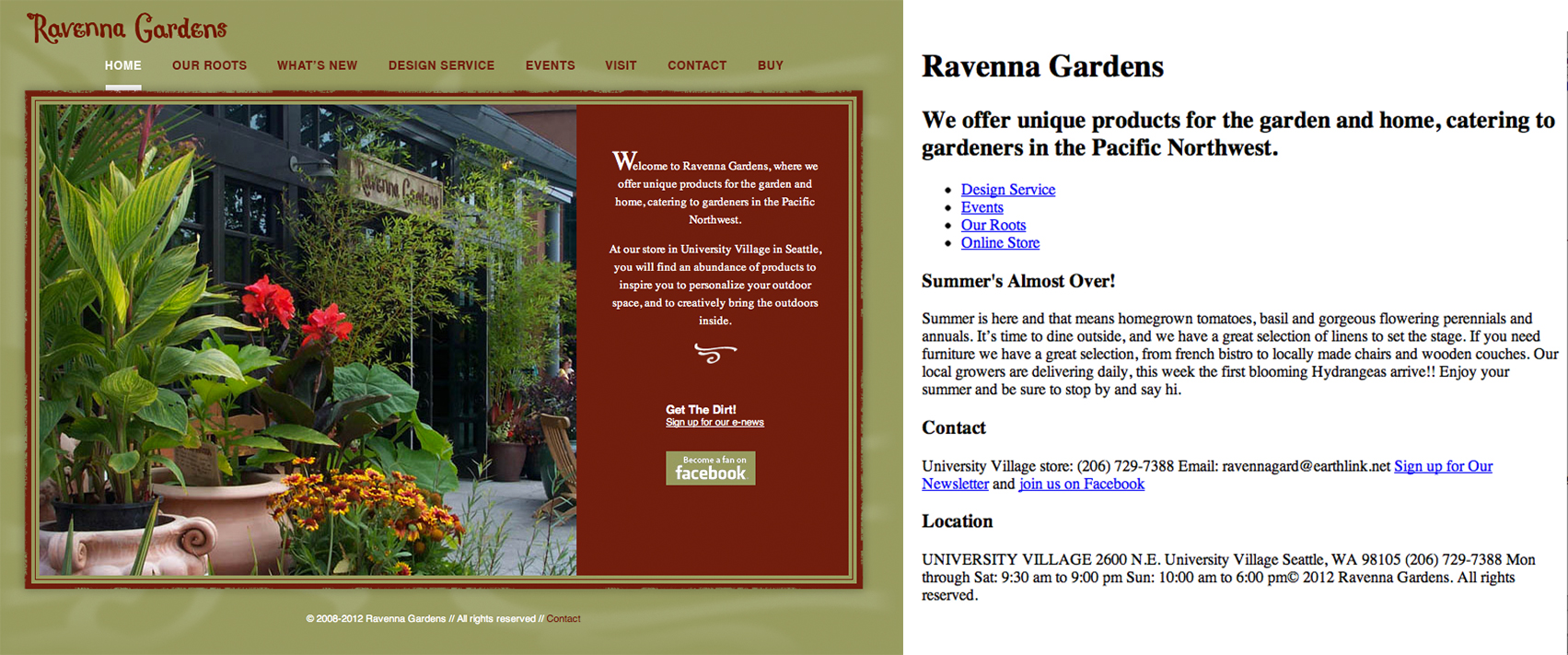
    screen shot of old web site and modified html
    Step one: restructure information by changing the html.


    sharing options:

    • Share
    • Share on Tumblr (Opens in new window) Tumblr
    • Print (Opens in new window) Print
    • Share on LinkedIn (Opens in new window) LinkedIn
    • Share on X (Opens in new window) X
    • Share on Reddit (Opens in new window) Reddit
    • Share on Pinterest (Opens in new window) Pinterest
    • Share on Facebook (Opens in new window) Facebook
    • Email a link to a friend (Opens in new window) Email
    Like Loading…
  • Trick Out Your Browser and Other Things

    September 25, 2012

    bookmarklet apps for browser toolbarSchool is back in session which means a lot of resetting up shop. Each time I arrive at a new workspace, I should have a “home” day, where I change the preferences on everything so it feels like home.

    Here’s a quick list of what to trick out your browser with if you’re going to be into Web Design/Developing. (Firstly use Chrome. All the cool kids do.)

    1. Web Dev toolbar
    2. What Font
    3. YSlow
    4. Code Cola
    5. Tools – Delicious.(you need to make an account)
    6. Chrome Web Store – Pinterest Keyboard Shortcut | Ctrl+Alt+P.
    7. Chrome Web Store – Chrome Time Track.
    8. Chrome Web Store – Session Buddy.

    Katsite. This is my school account for my web design endeavors. Here I will be putting the quarter’s projects. (As you can see, we’ll be having three projects.) With naming everything, it’s not about being creative. It’s about being consistent.

    I was thinking “what’s missing?” as I was eating lunch. I realized I didn’t have a book to read. So, here’s a good list I’ll start from. It’s a great looking interaction design list. I think that’s a thing I want to focus on because I really love things when they work. It really gets me when I encounter a website or some product that does exactly a nice thing. On my vacation to Michigan, I went on a boat tour. The boat driver wore a a tee shirt with the map of the islands he was touring. Considering I was staring at his back half the time anyway, someone thought to make that time more useful by adding this useful map. Stuff like that, really thoughtful.

    During Erik Fadiman’s first session of his Fall 2012 “Intractive Design IV” (I’m not sure if there’s a typo on his online syllabus or if the course is a very profound introspection) he covered the differences between agile development and waterfall methodology. He told the class about how content comes first and that’s why html is the boss.”No one comes to your website because it looks amazing.” He also gave an updated presentation of the things he talked about in Web Design Bootcamp. I don’t think anything was left out, so I will just link to those notes and that will be that. People Structure and Design Structure. Questions that you want to ask your client when going into the discovery meeting, or the set-up or whatever stage you’re at. “What is your content strategy?” and “What is your mobile strategy?”

    It’s our goals as good designers to deal with the changes in information technology and center our designs around the user. It’s a great consideration to (as Fadiman says) “future-proof” our sites because there are so many different devices out on the market and we need to be delivering excellent experiences on all of them. Yay, Responsive Web Design.

    sharing options:

    • Share
    • Share on Tumblr (Opens in new window) Tumblr
    • Print (Opens in new window) Print
    • Share on LinkedIn (Opens in new window) LinkedIn
    • Share on X (Opens in new window) X
    • Share on Reddit (Opens in new window) Reddit
    • Share on Pinterest (Opens in new window) Pinterest
    • Share on Facebook (Opens in new window) Facebook
    • Email a link to a friend (Opens in new window) Email
    Like Loading…
Previous Page Next Page

Blog at WordPress.com.

Loading Comments...
  • Subscribe Subscribed
    Kismet Arts Tangent
    Join 102 other subscribers

    Have a WordPress.com account? Log in now.

  • Kismet Arts Tangent
    View site in Reader
    Manage subscriptionsSign upLog in
    Report this content
    Collapse this bar
%d