Skip to content

Kismet Arts Tangent

Art Collective

    • Fall Program
    • About
    • Blog
    • Contact

recent posts

  • Project Planning
  • Peppermint Products
  • Writing Prep List
  • Automatism
  • Latha’s Prattles

  • Instagram
  • First Day: Long Documents

    September 24, 2012

    Today is the first day of the school year at Seattle Central Creative Academy. I wanted to take this moment to give a “shout-out” (type-out?) to my classmates that approached me saying how they kept up with my blog over the summer. Awkward, but wonderful moments in a blogger’s life. (Awk-wonderful?)

    Note to self: Review– Fonts. Font Combinations. (Check this link out.)

    Jill’s website/syllabus for this class. It is the first day of the first class, Long Documents. This quarter we’ll be designing a book and magazine. Jill explained the evolving world of “books,” if you can even call them that anymore. The difference between e-books and epub is the difference that an electronic book simply refers to the digital reincarnation of the book whereas epub is a format. It is a zipped set of elements that contain among other things, html. Jill said that she considered it as a mini-website. Due to the nature of the industry and time constraints, we will not be making physical books as in past years in the program.

    One column/manuscript grid

    I wish we had a few minutes before diving into today’s tutorial to reacquaint with the new InDesign (CS6!). I wanted to set up my preferences as per Jason Hoppe’s advice from the InDesign class last school year.


    Here’s a visual of the process to starting designing a book in InDesign. Setting up the document size of 8” x 5.375”. If books were the human race, Eve is the Manuscript Grid. Book designers of old utilized the golden-ratio to create their manuscript page with heavenly gutters. (The height of the text box matches the width of the page. How cool!) As a rule, book design stems from this proportions. This is a guide to make a guide. From this guide, you can deviate from it slightly to get a more modern variant. This is a good way to get started on book design. Sometimes, it’s intimidating to create because you start with a blank page. After using this process, creating some masterpages with page numbers (folios), running headers, and margins, it’s no longer a blank page but an excellent start to a beautiful book.

    how to make a manuscript grid guideline in InDesign

    sharing options:

    • Share
    • Share on Tumblr (Opens in new window) Tumblr
    • Print (Opens in new window) Print
    • Share on LinkedIn (Opens in new window) LinkedIn
    • Share on X (Opens in new window) X
    • Share on Reddit (Opens in new window) Reddit
    • Share on Pinterest (Opens in new window) Pinterest
    • Share on Facebook (Opens in new window) Facebook
    • Email a link to a friend (Opens in new window) Email
    Like Loading…
  • Internship Summary

    September 4, 2012

    Today is the 4th. September 7th is my last day at the Internship. My supervisor asked me to make a list of my tasks I have performed as their intern. I have listed them below.

    This has been a fruitful experience for me. Other than being in an air conditioned office through the hotter months of the year, this position has given me many interesting work experiences. One of my favorite aspects is working with a project manager. He has been very clear about expectations and deadlines. He’s been in a good mood and very communicative, answering my concerns and questions in a timely manner through email.

    In a lot of ways, Interning is easier than being in school because I don’t have to go through the process of inventing my product or brand that I am designing. Having real clients allows me to focus my creativity on the design aspects and being able to create a system using existing elements.

    However, a plus to school is unlike the real world, none of your stuff ends up being used for anything outside the school. Whereas, in my experience, there is a weird sense of accomplishment after creating something with the assumption that I’ve just created a piece of an existing, living brand, but then later the client decides not to use it and then I have to deflate my ego.

    Working at a company with a small staff and a slow intake of work during summer allowed me to pursue my side projects with more dedication than I ever have before. As well as exploring “discovery” engines (used by people who want to find content on the internet, but don’t know exactly what), I had more time to devote to my Web Design Bootcamp assignments, as well as continue practicing my coding with the design of Mike’s Tutoring Website.

    In many ways, I wish I could have directed this energy towards the company I was interning for. I gathered that a down side to being an intern is that they hired me with the knowledge that I would be leaving after a short while and that to integrate my skills into any long term project would not be advisable. They said that one of the reasons that they hired me was that I had a good deal of experience with WordPress. But, since I got here, I haven’t received one assignment that used WordPress. Unlike their previous intern, who didn’t know any WordPress and it seems like that’s the assignments she got. It was a simple luck of the draw. Timing of workflow.

    Advice I would give to the next intern at this company and interns in general: Find ways to learn. Come to work with projects in mind, to-do lists and organizational tools. I certainly had slow days, but I’ve always had some book to read or some idea floating in my head on what I could do with my resources at hand. They give you a computer, make computer-ade.

    Internship tasks

    Logo

    brainstorming, research, sketching, font choices, presenting logo versions to Terry, several rounds of refining designs, color options

    Stationery Update Pitch—created 3 versions of new layout for business card, envelope and letterhead

    layout, creating a brand system using existing logo, presenting versions to Matt, refining design, a second presentation to Matt

    Business Card information update

    Used InDesign to create a template of business card, created 10 business cards with unique information

    Map for Brochure

    Used existing map as a guide to create a vector file of street map of a part of downtown Seattle

    Building Artwork

    Using photograph (lo-res) provided, created a 300 dpi image using Photoshop filters and adjustments to match original artwork

    Test Print

    Looking at the printed comp of the brochure and adjusting colors and filters to better match original, created a document with three different versions of building to see which one prints closest to original

    Organization of Receipts

    Attached receipts to corresponding invoices

    Social Media Research (PowerPoint Presentation)

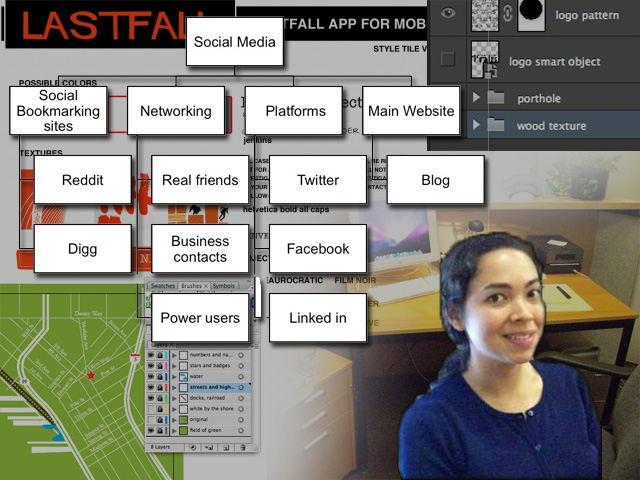
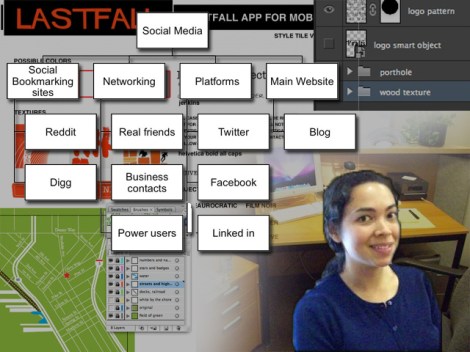
    Research of Social Media, including Facebook pages, Twitter and LinkedIn, created a PowerPoint document with diagrams (Ultimately redundant information with Matt and Kevin’s current working knowledge.) This lead to the consolidation of my knowledge into a small “e-book.”

    Facebook Pages Research (Screenshots and links)

    Research of specifically Facebook pages, gathering screenshots of advertising peers in Seattle, finding internet articles reporting on creative uses of Facebook pages.

    Training Completion Certificate Design

    Design research, layout, created an InDesign document with 4 versions, designed with Style Guide considerations, refined designs with Matt’s suggestions

    Interior Design Suggestions for improving the Character of the Atrium in the form of Mood Boards

    Color palate, picking styles of chairs, art direction, materials, 2 versions

    Modified Image of Light Fixture

    Rotated image and created new shadows for object using Photoshop

    Post sticker

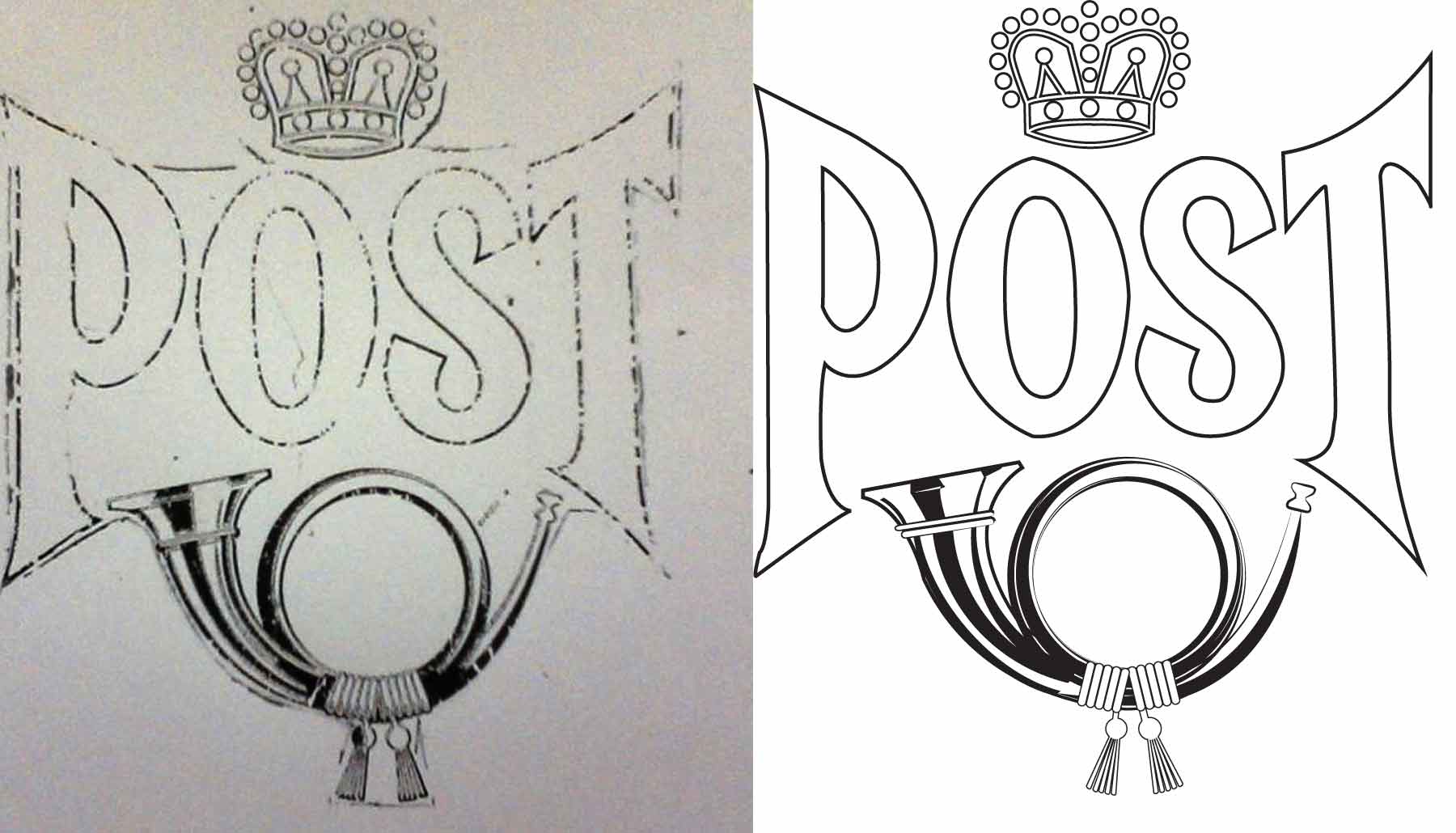
    Created a vector version of a faded antique decal using Illustrator

    Report on Visit to Square Tomato

    Attended a book talk at a local advertising agency, wrote a report of the information shared there regarding the affect of social media on internet advertising business models and possible solutions

    Phone Answering

    sharing options:

    • Share
    • Share on Tumblr (Opens in new window) Tumblr
    • Print (Opens in new window) Print
    • Share on LinkedIn (Opens in new window) LinkedIn
    • Share on X (Opens in new window) X
    • Share on Reddit (Opens in new window) Reddit
    • Share on Pinterest (Opens in new window) Pinterest
    • Share on Facebook (Opens in new window) Facebook
    • Email a link to a friend (Opens in new window) Email
    Like Loading…
  • Illustrator: Vector Vintage

    August 30, 2012

    mailbox post sticker restoration An internship assignment: Recreate an antique mailbox decal.

    This was a fun assignment. I had a flashback to first quarter where the assignment was to make a picture using shapes and the pathfinder tool. I pen-tooled a few things in this design, but I was surprised at how effective it was to make the shine on the bugle using an uneven stroke on an oval, expanding the appearance and then erasing the part I didn’t need.


    sharing options:

    • Share
    • Share on Tumblr (Opens in new window) Tumblr
    • Print (Opens in new window) Print
    • Share on LinkedIn (Opens in new window) LinkedIn
    • Share on X (Opens in new window) X
    • Share on Reddit (Opens in new window) Reddit
    • Share on Pinterest (Opens in new window) Pinterest
    • Share on Facebook (Opens in new window) Facebook
    • Email a link to a friend (Opens in new window) Email
    Like Loading…
  • How to Illustrate a Boat in 7 steps using Adobe Software

    August 29, 2012
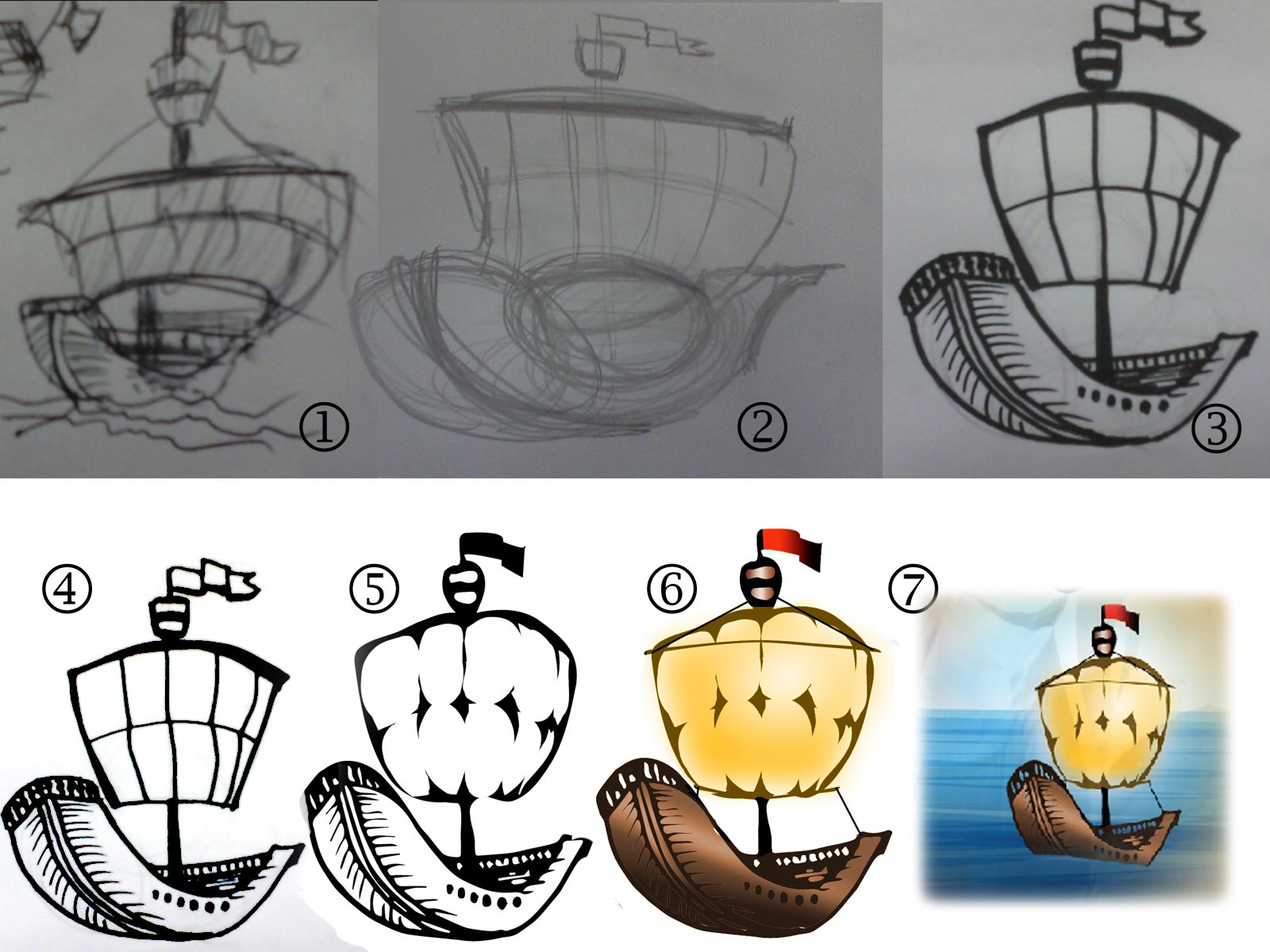
    the process of illustrating a boat
    the process of illustrating a boat

    Today, I illustrated a boat. I was going for a cartoony look, but my style doesn’t lend itself to exaggerated proportions, varying outline and flat color, so I turned to software for help.

    1) I sketched a boat in an angle I thought was dynamic. I used a ball point pen.
    2) I sketched the boat from the sketch using a pencil and broke it down into shapes and exaggerated those shapes.
    3) I sketched the boat again using pencil, modifying the proportions, and then outlined the boat with a Sharpie.
    4) I used Photoshop (Levels) to clean up the sketch, so that it is a black and white outline.
    5) I did what most Designers and Illustrators say not to do, I used the live-trace/image trace feature. Then distorted what I had.
    6) I used gradients, clipping masks, and hue/saturation masks to color the outline and the fill separately.
    7) I put the boat against a background.

    And there you have it. Now go be the cartoonist Adobe knows you to be.

    sharing options:

    • Share
    • Share on Tumblr (Opens in new window) Tumblr
    • Print (Opens in new window) Print
    • Share on LinkedIn (Opens in new window) LinkedIn
    • Share on X (Opens in new window) X
    • Share on Reddit (Opens in new window) Reddit
    • Share on Pinterest (Opens in new window) Pinterest
    • Share on Facebook (Opens in new window) Facebook
    • Email a link to a friend (Opens in new window) Email
    Like Loading…
  • Finished Animation: Mister Yoks and the Shortcuts

    August 28, 2012
    still of yoks animation
    still of yoks animation

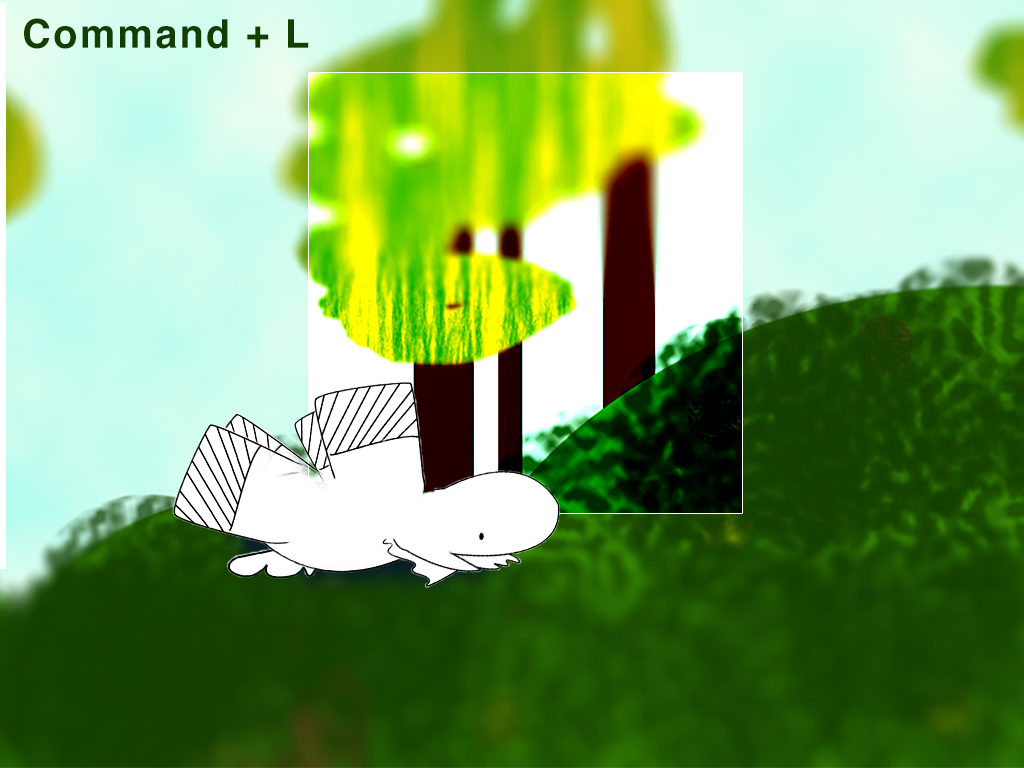
    A Mr.Yoks Project. I made this animation without using a story board. I had the inspiration of Photoshop shortcuts and I let them take me as long as I felt I could go. It was really interesting. Because the frame-by-frame animation is so slow, it gave me a lot of time to think of the next thing. I think that’s why cartoons are so zany. Because it takes so much time, you literally go crazy. If I were to do this more often, I would by one of those Hand Tally Counters because I kept losing track of the frame I was on.

    I saw this set of jokey book covers like “If You Give a Browser a Cookie” (a parody of “If You Give a Mouse a Cookie”) and I thought to myself, where are the children’s stories that reflect the times. They don’t have to be parodies. I’ve seen youtube videos of toddlers playing with iPads (and even, the funnier, toddlers trying to engage magazines in the same way). Let’s give them virtual crayons. Is there a photoshop for children? What wonders their minds would wrought! Or is it too soon? Is there a fundamental stage where children need to be creating with their own hands and minds before technological intervention?


    (Earlier Post Relating to This Project)

    sharing options:

    • Share
    • Share on Tumblr (Opens in new window) Tumblr
    • Print (Opens in new window) Print
    • Share on LinkedIn (Opens in new window) LinkedIn
    • Share on X (Opens in new window) X
    • Share on Reddit (Opens in new window) Reddit
    • Share on Pinterest (Opens in new window) Pinterest
    • Share on Facebook (Opens in new window) Facebook
    • Email a link to a friend (Opens in new window) Email
    Like Loading…
  • Mr. Yoks on Shortcuts

    August 27, 2012
    screenshot of animation featuring levels
    screenshot of animation featuring levels

    Screen shot of tweet

    Working on a Mr.Yoks Project.  I saw this tweet, which led to this link and I thought it was at first, a pairing of famous quotes and their Adobe Photoshop counterparts. For example: “There are many people who reach their conclusions about life like schoolboys; they cheat their master by copying the answer out of a book without having worked out the sum for themselves.” Obviously related to Selections. (But, it wasn’t. Though I do plan on making a series of something about that at some point.) So, with that, I thought I’d give this animation I have been working on some further direction. (I’ve been using Photoshop to create stills and then putting it into Premier Pro.) Photoshop shortcuts guide meets children’s picture dictionary. It’s not complete by any means, but check out my progress.

    (I am not sure about the music, Urbana-Metronica (wooh-yeah mix) by spinningmerkaba, for the final version.

    (Earlier Post Relating to This Project)

    sharing options:

    • Share
    • Share on Tumblr (Opens in new window) Tumblr
    • Print (Opens in new window) Print
    • Share on LinkedIn (Opens in new window) LinkedIn
    • Share on X (Opens in new window) X
    • Share on Reddit (Opens in new window) Reddit
    • Share on Pinterest (Opens in new window) Pinterest
    • Share on Facebook (Opens in new window) Facebook
    • Email a link to a friend (Opens in new window) Email
    Like Loading…
  • Working Well with Others

    August 24, 2012


    I’m working on designing a product with some friends of mine. We might end up starting a company and actually producing it for the masses. So, I can’t really post much about the design process, lest I reveal all of our delicious details about the product. But, I can certainly say how humbling it is. How scary it is, and how it makes me feel as a designer.

    I went into the project thinking I was going to be “the designer” but one of my friends is a budding creative. She wants to do some of it, too. How can I work with someone that hasn’t spent a year being torn apart by design teachers?

    We are currently using dropbox to cloud-store our files. I put screenshots in there of what I’ve been doing. She asked me to put the native files in the drop box, too.

    In my classes, I’ve been taught that when you give the client editable files, you lose control. They start to make horrendous changes to the style that you lovingly molded. They move things around and when it comes back to you, you’re left with a frankenstein baby. And I didn’t want to feel that way. I asked my other collaborator if it was wrong to want to keep the files and have people just tell me what to do, but he said that people are visual and it’s easier to play around with the layout instead of verbally communicating it. He said that if I started holding back now that it would not be helpful as part of a team and moving forward.
    Screen shot of well named layers in photoshop
    Screenshot of named layers in Photoshop

    I want to support the team, the company, the product in the way that I know how: graphic design. It is with the spirit of support that I organized the files so that they all can tinker with it (by “organize” I mean grouping layers and naming them clearly). Together we can build something better than separately, but I am bracing myself. I’m trying to divorce myself from my designs and look at them as the team’s assets.

    I put an instructions document that we can all edit so that we can be clear on why I used the software programs that I did. (I don’t want to layout the whole thing in Adobe Illustrator) and when we make changes, we can document them there. I think that’s a start.

    sharing options:

    • Share
    • Share on Tumblr (Opens in new window) Tumblr
    • Print (Opens in new window) Print
    • Share on LinkedIn (Opens in new window) LinkedIn
    • Share on X (Opens in new window) X
    • Share on Reddit (Opens in new window) Reddit
    • Share on Pinterest (Opens in new window) Pinterest
    • Share on Facebook (Opens in new window) Facebook
    • Email a link to a friend (Opens in new window) Email
    Like Loading…
  • The Start of Animation

    August 23, 2012

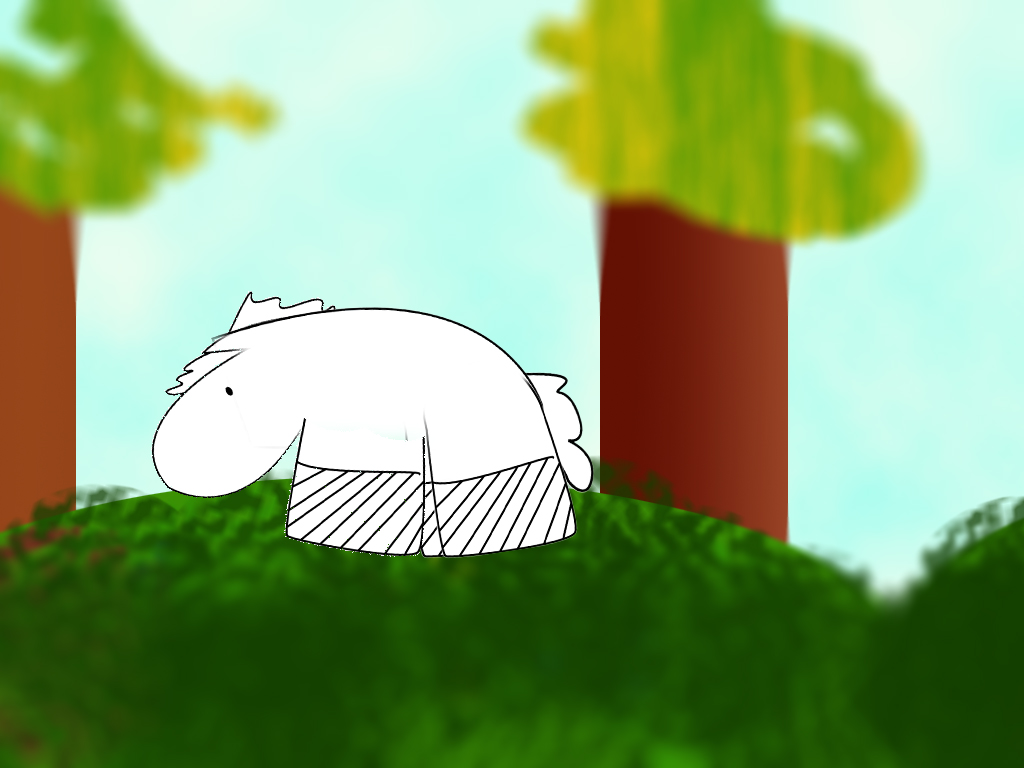
    mr yoks animation baby horseA Mr.Yoks Project. Today, I started on an animation (Not completely unlike this one that I did with cut paper). I mostly wanted to see if I had the patience for frame-by-frame animation. I also wanted to see a baby horse dance. I made this goofy looking background in Photoshop. I used a “tilt-shift” treatment on the background. I think it gives it a soft naive look. I like it. I have the horse’s limbs on separate layers that makes and I move him around like a puppet. I made the background really wide so he’d have plenty of room to run around. The vid is nowhere near done.

    sharing options:

    • Share
    • Share on Tumblr (Opens in new window) Tumblr
    • Print (Opens in new window) Print
    • Share on LinkedIn (Opens in new window) LinkedIn
    • Share on X (Opens in new window) X
    • Share on Reddit (Opens in new window) Reddit
    • Share on Pinterest (Opens in new window) Pinterest
    • Share on Facebook (Opens in new window) Facebook
    • Email a link to a friend (Opens in new window) Email
    Like Loading…
Previous Page Next Page

Blog at WordPress.com.

Loading Comments...
  • Subscribe Subscribed
    Kismet Arts Tangent
    Join 102 other subscribers

    Have a WordPress.com account? Log in now.

  • Kismet Arts Tangent
    View site in Reader
    Manage subscriptionsSign upLog in
    Report this content
    Collapse this bar
%d