Skip to content

Kismet Arts Tangent

Art Collective

    • Kismet Arts Tangent
    • About
    • Blog
    • Contact
    • Donate

recent posts

  • Photo shoot with Kayleigh Shawn
  • Testimonials
  • Fractures Poem
  • Poetry
  • Pixel art products

  • Instagram
  • Drawing Club Meeting

    April 10, 2013

    drawing

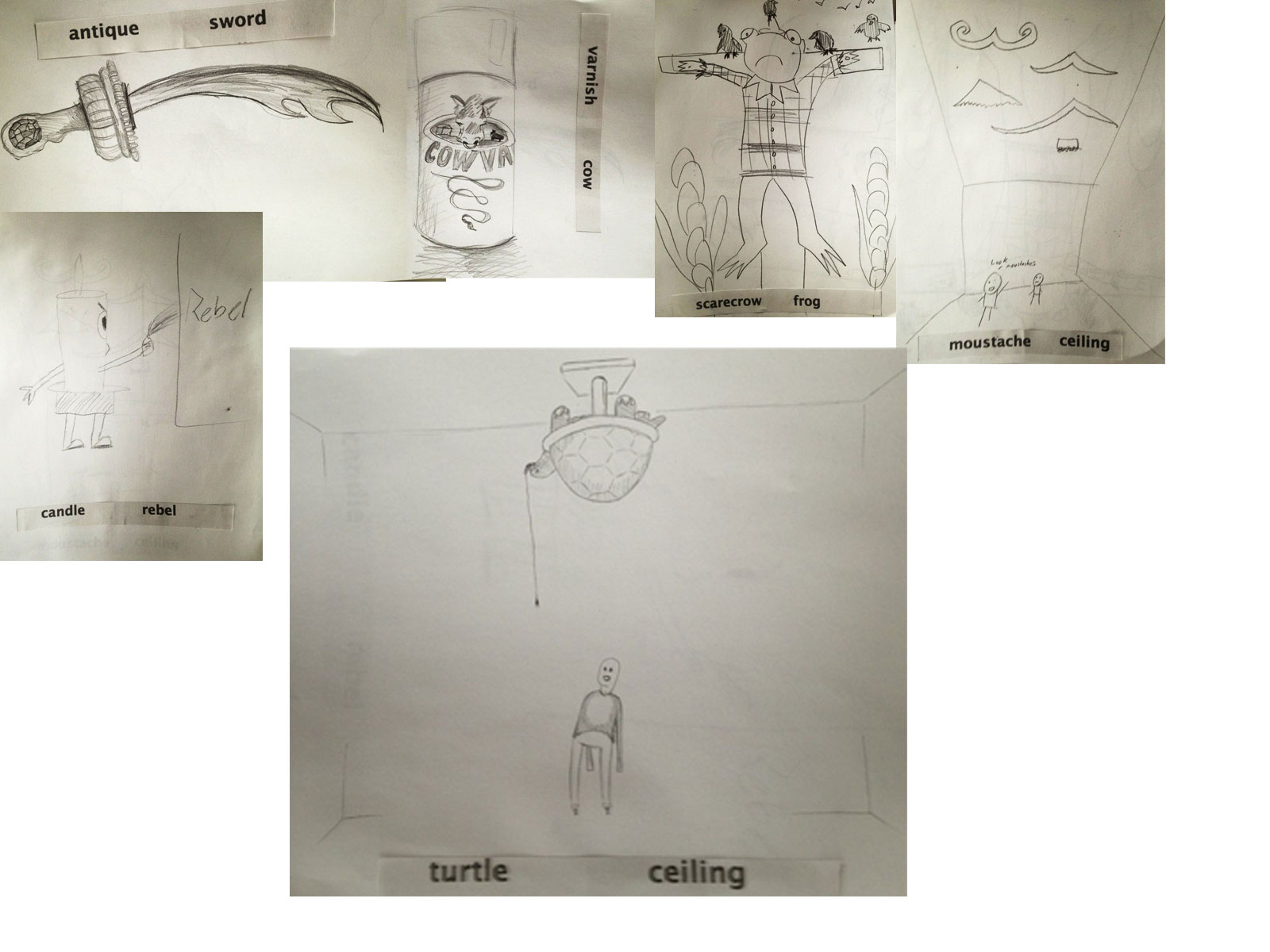
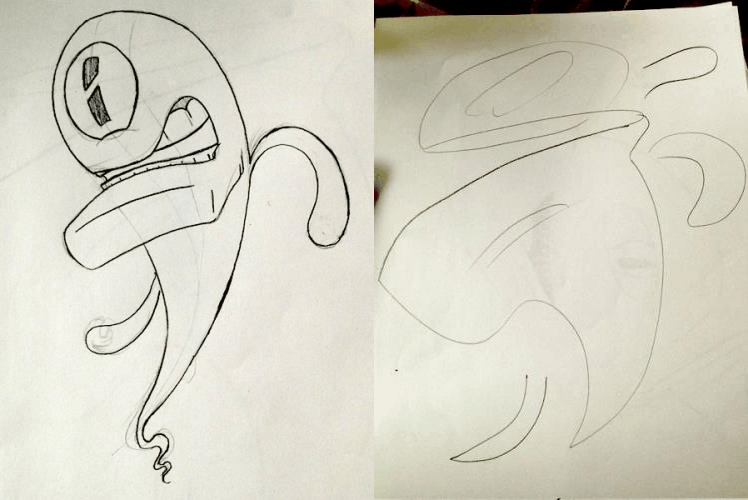
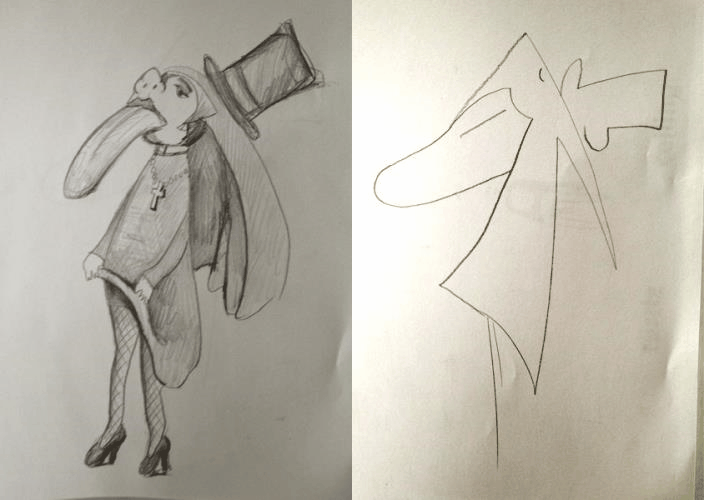
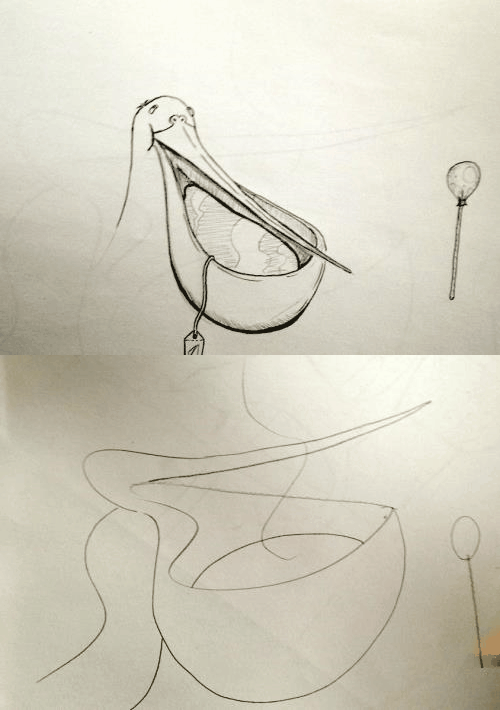
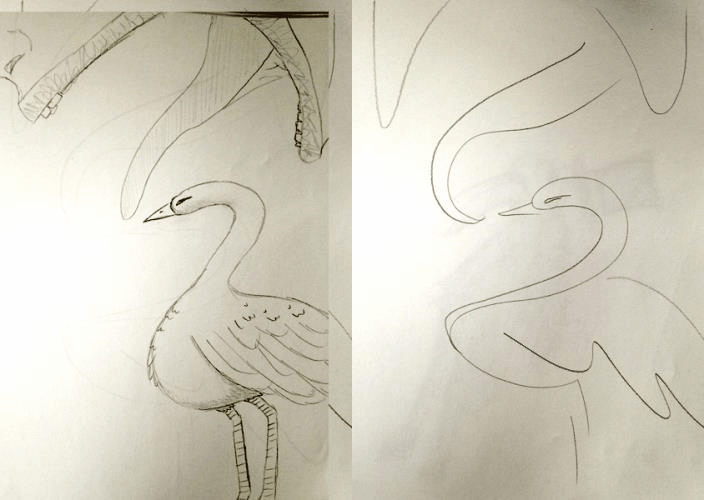
    ghost nun-and-toungue segull-tea-bag swan-and-tongueWe did some drawing exercises at the drawing club meeting. One where you draw something inspired by two random words. And telepictionary.


    Drawing from Katarina Countiss

    sharing options:

    • Share
    • Share on Tumblr (Opens in new window) Tumblr
    • Print (Opens in new window) Print
    • Share on LinkedIn (Opens in new window) LinkedIn
    • Share on X (Opens in new window) X
    • Share on Reddit (Opens in new window) Reddit
    • Share on Pinterest (Opens in new window) Pinterest
    • Share on Facebook (Opens in new window) Facebook
    • Email a link to a friend (Opens in new window) Email
    Like Loading…
  • Home Depot App

    April 9, 2013
     Project 1 : Home Depot App. (App Definition Statement)
    Collaborator: Liz     Duration: 4 weeks
    Home Depot App (Name TBD)
    ·       Purpose: DIY tutorials and tools for home improvement projects with the option to have you project materials delivered or ready for pick up at the store.
    ·       Who it’s for: makers, handy men, people who aspire to make household improvements
    ·       How they’ll use it: There’s a “tool belt” to use while constructing which includes: levels, calculators, converters, etc. as well as step by step to tutorials and materials check lists get the job done.
    ·       Core functionality: Get ready made DIY project packs or tools from your local home depot or have them delivered to your home or business. As well as a social feature to update and share your current projects for home improvement.
    ·       Consolidated definition statement: App for Builders to streamline their tool kit and cut down on time looking for materials for a project using social sharing as a way for users to connect over home depot projects.
    ·       Features that fit the definition: A phone-app level; background tracking/processing; server integration with CRM system; client record lookup for associating time tracked with project; photo component for sharing project progress.
    Statement of Work (SOW)
    Phase 1:  due 4/10
    UX: Research features
    Design: demographic research
    Phase 2: due 4/17
    UX: task-flows, paper prototypes, user testing
    Design:  wire-frames, gather Home Depot brand assets
    Phase 3: due 4/24
    UX: Test wire-frames on users
    Design: create Photoshop Comps
    Phase 4: due 5/1
    UX:  AfterEffects presentation
    Design: Respond to concerns in critique, build functioning prototype
    phase1homedepotapp
    Phase 1 User Research and Task Flows

    Update 4-10-13:

    After seeing some of the other groups present, features to make sure to consider: smartphone checkout in-store? intelligent group ing of checklist based on floor plan of local store and for the final presentation, I think it’s really convincing if the user persona’s photos are of them engaging in a smart phone.

    The instructor’s feedback included this=> How to Make Bakery-Style Cupcakes – Snapguide.

    Update 4-15-12: Sitemap
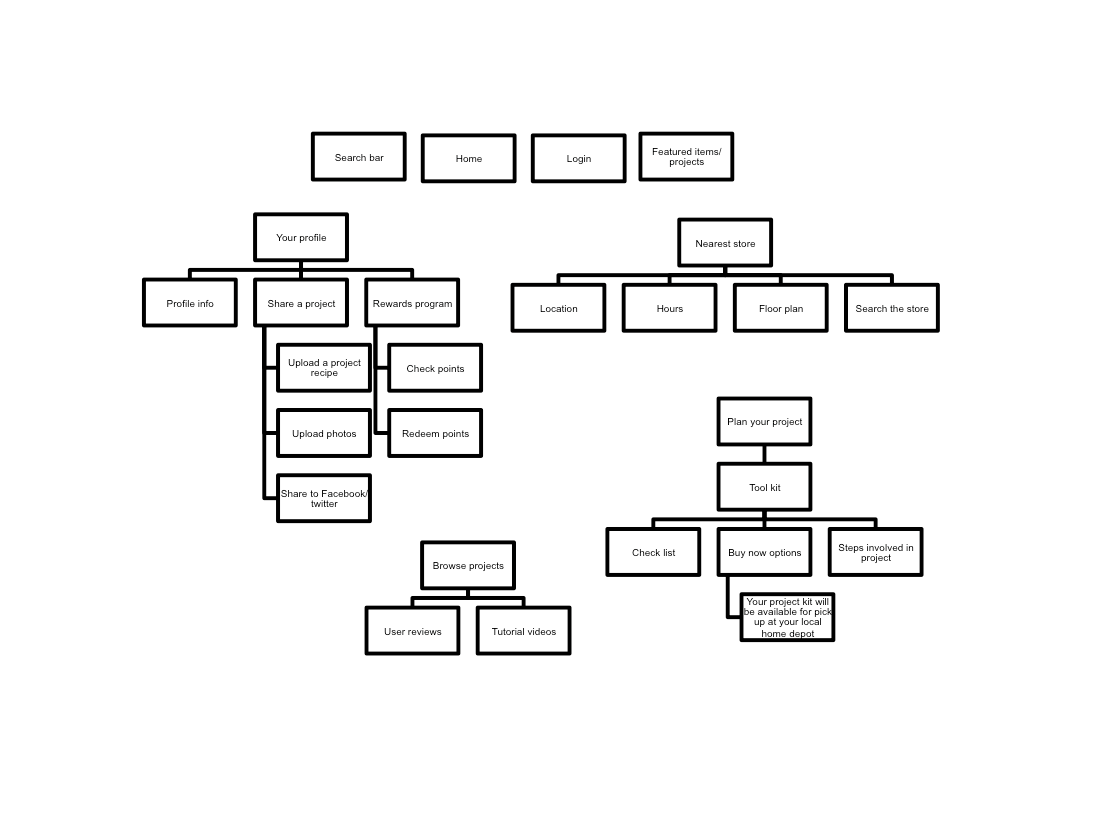
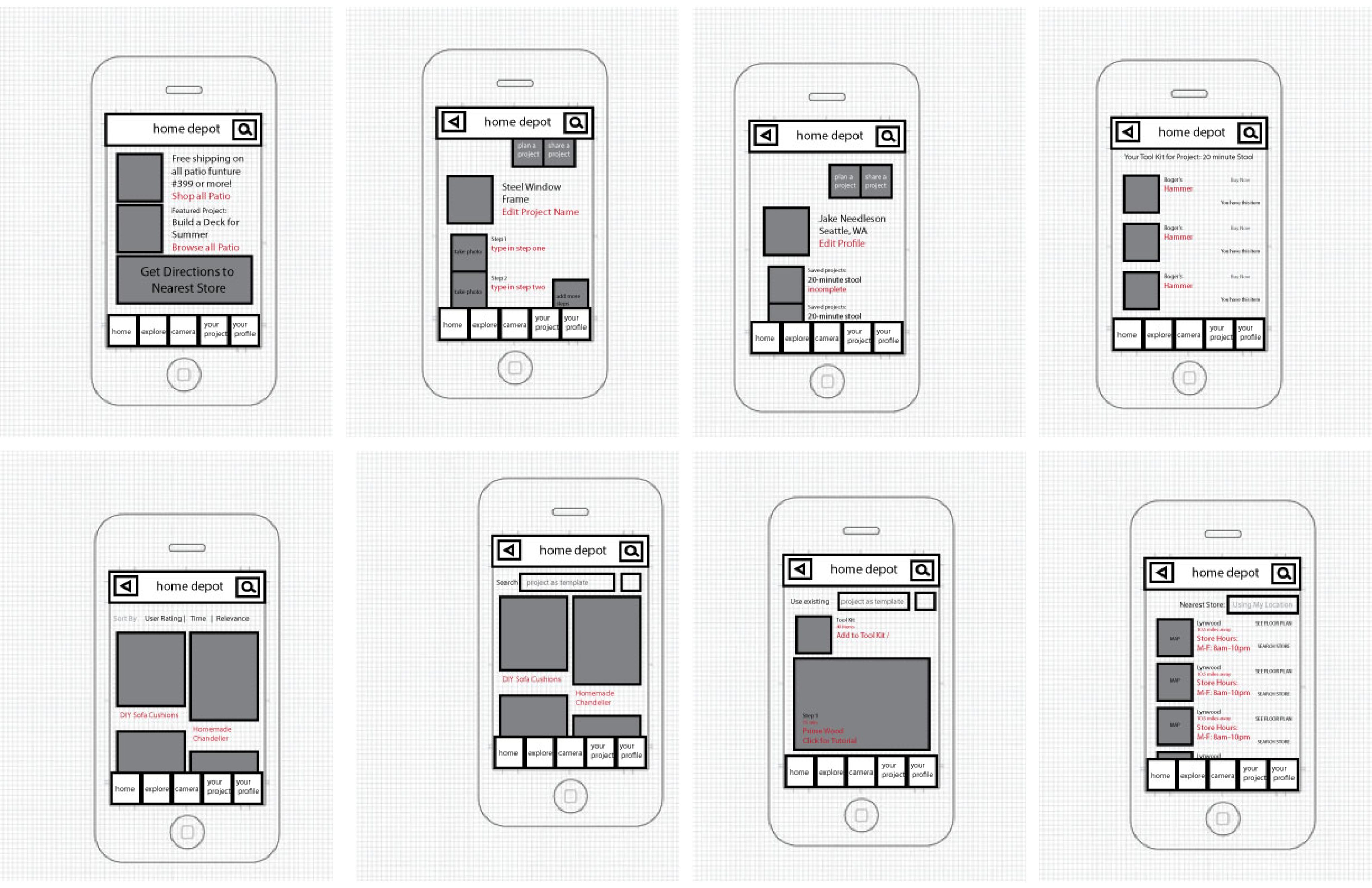
    Screen Shot 2013-04-15 at 1.54.46 PMUpdate 4-17-13: Wireframes

    wireframesUse the TAP framework (TAP – Fireworks touch prototype tool for iPhone, iPad – UNITiD.)

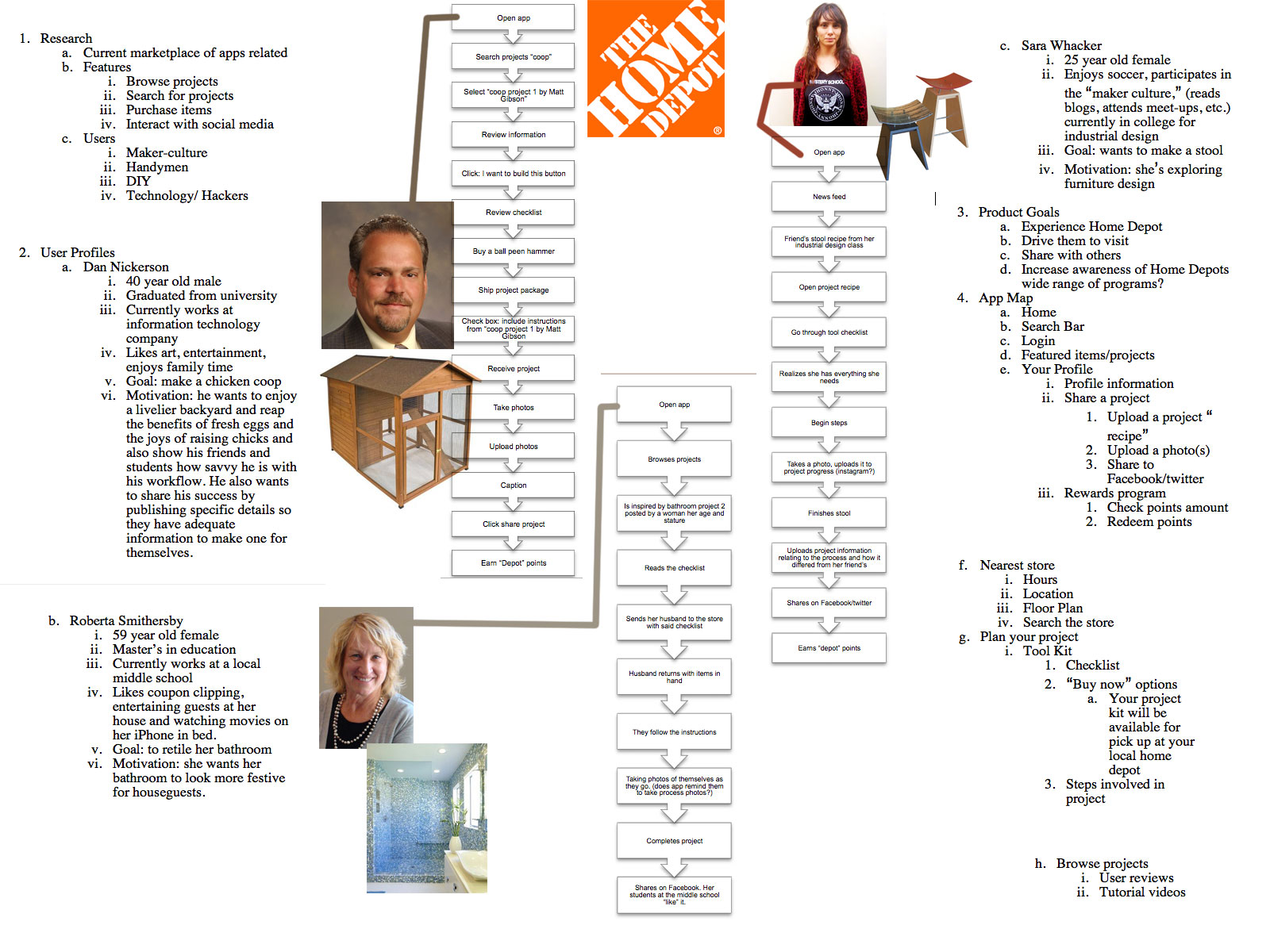
    Update 4-26-13: I’ve passed off the wireframes to Liz, my visual designer and I am working on the presentation in InDesign for next week. Here’s the outline.
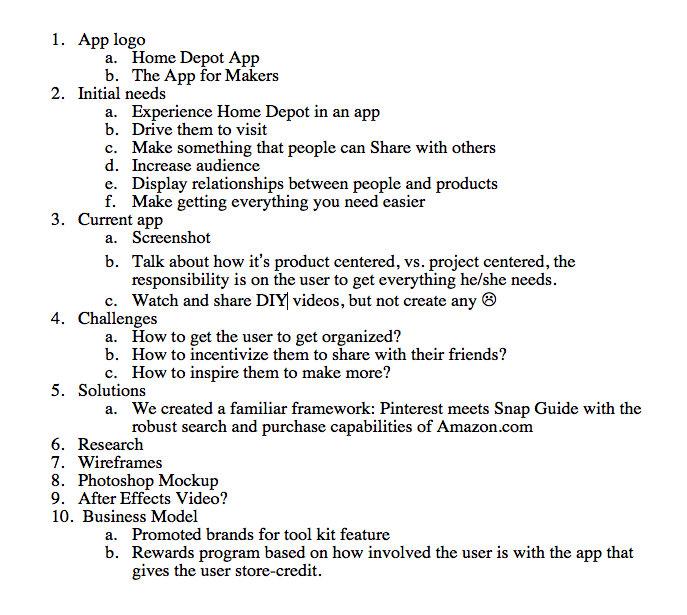
    Screen Shot 2013-04-26 at 12.25.24 PMUpdate 4-29-30: Today, I worked on the App Video Walk-through Draft 1 and The Presentation (also Draft 1). Ready for some skins and adjusting the timing.

    Homedepotapp from Katarina Countiss

    sharing options:

    • Share
    • Share on Tumblr (Opens in new window) Tumblr
    • Print (Opens in new window) Print
    • Share on LinkedIn (Opens in new window) LinkedIn
    • Share on X (Opens in new window) X
    • Share on Reddit (Opens in new window) Reddit
    • Share on Pinterest (Opens in new window) Pinterest
    • Share on Facebook (Opens in new window) Facebook
    • Email a link to a friend (Opens in new window) Email
    Like Loading…
  • More on PSD Mock-ups for Website Design

    April 9, 2013
    Screen Shot 2013-04-09 at 12.06.11 PM
    Settings for PSD comp
    Screen Shot 2013-04-09 at 12.07.17 PM
    change your workspace to pixels
    Screen Shot 2013-04-09 at 12.10.11 PM
    Layer Comps is found in the Window Panel
    Screen Shot 2013-04-09 at 12.33.01 PM
    Settings for Mobile, with margins. Aim for 320px wide.

    Barry said to make the canvas bigger than the website. Plenty of margin. Same with mobile, and shooting for 320px wide isn’t a bad thing. For hover states in photoshop comp land, find an arrow from Google search and size it to actual size in relation to the photoshop document.

    He talked about the layer comps feature in some detail. A good thing about that is the toggle. You can switch different states of the page (different pages within the site, hover states, etc.) with a use of a toggle vs. having to turn on and off each layer group.

    For photoshop comps, design the desktop first then take those layers and put it into a new mobile sized document (see above) and resize/restructure the elements. Barry says that you don’t have to put everything on the mobile document (lest it be 5000px long) but if there’s a thing that needs to be expressed, like a login page, that’s a good strategy.

    And, don’t forget to zoom out. PSDs save the way you’re looking at it, so when sending off files to clients, make sure that you are looking at the webpage mock-up in a normal way before saving and closing it.

    (Export: File=> Scripts => Export Layer Comps)

    Links:
    Adobe Photoshop * Layer comps.
    GuideGuide.
    Ode to the Option Key: 30+ Cool Option Key Shortcuts in Photoshop | Design Shack. (The class oohed and ahh-ed a little when Barry resized an image using the shift and option key!)

    (Earlier Post Relating to This Project)

    sharing options:

    • Share
    • Share on Tumblr (Opens in new window) Tumblr
    • Print (Opens in new window) Print
    • Share on LinkedIn (Opens in new window) LinkedIn
    • Share on X (Opens in new window) X
    • Share on Reddit (Opens in new window) Reddit
    • Share on Pinterest (Opens in new window) Pinterest
    • Share on Facebook (Opens in new window) Facebook
    • Email a link to a friend (Opens in new window) Email
    Like Loading…
  • Personal Identity: Second and Third Round of Thumbnails

    April 8, 2013

    thumbnailskc

    thumbnailkc3

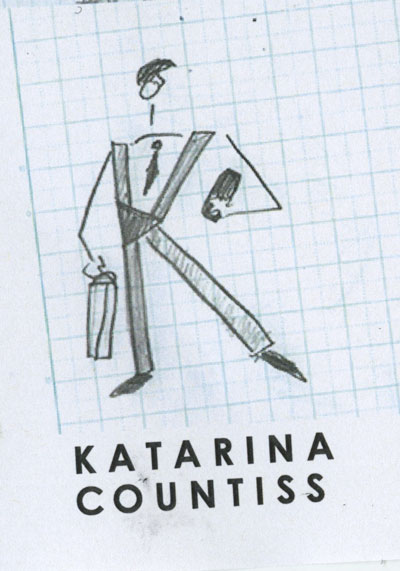
    This is what I presented in critique today. We went over thumbnails. Tom didn’t say much about mine except that with a name like “Kat” why would I need more than three letters? I should consider myself lucky. I am not sure if I want to take his advice and go that route. I’ve done some thumbnailing and “KAT” just seems like an acronym without a cause. I don’t aspire to be Cher or Eminem. I strongly believe that a person earns their two names like Albert Einstein or Leonardo DaVinci. I like this mark. I think it is whimsical and it feels real to me. I am inspired by it and I want to see how far it goes.
    Earlier Blog Post Related to this Project

    sharing options:

    • Share
    • Share on Tumblr (Opens in new window) Tumblr
    • Print (Opens in new window) Print
    • Share on LinkedIn (Opens in new window) LinkedIn
    • Share on X (Opens in new window) X
    • Share on Reddit (Opens in new window) Reddit
    • Share on Pinterest (Opens in new window) Pinterest
    • Share on Facebook (Opens in new window) Facebook
    • Email a link to a friend (Opens in new window) Email
    Like Loading…
  • Complete Object Poster Series

    April 8, 2013

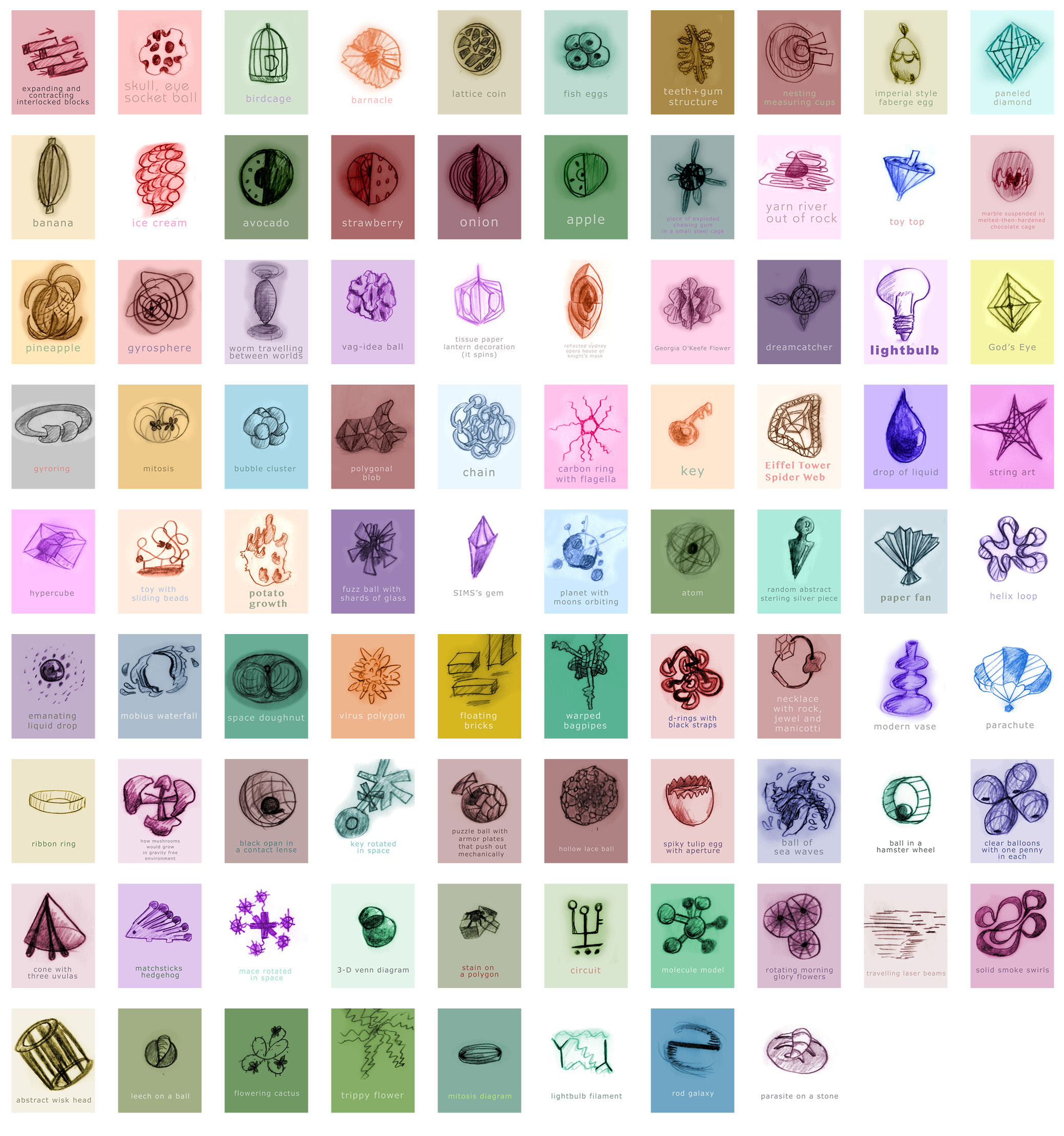
    objectposterseriesI have been posting these things daily at 2pm for over a month. I had over 72 posts lined up, but at this point, it doesn’t seem necessary. It was an excellent experiment in scheduled posts. I should have been more meticulous in numbering them or should not have tried. It was fun to see these daily, but they also kind of clogged up my blog, when I wanted to find something chronologically. I think there should be a limit to how long series are. Is it like a bad joke where the longer it is something strange happens and it becomes funnier? Ah, well. I enjoyed making these and I like seeing them as a collection.

    sharing options:

    • Share
    • Share on Tumblr (Opens in new window) Tumblr
    • Print (Opens in new window) Print
    • Share on LinkedIn (Opens in new window) LinkedIn
    • Share on X (Opens in new window) X
    • Share on Reddit (Opens in new window) Reddit
    • Share on Pinterest (Opens in new window) Pinterest
    • Share on Facebook (Opens in new window) Facebook
    • Email a link to a friend (Opens in new window) Email
    Like Loading…
  • Object Poster 31

    April 7, 2013

    p53

    This is a part of the Object Poster Series.

    sharing options:

    • Share
    • Share on Tumblr (Opens in new window) Tumblr
    • Print (Opens in new window) Print
    • Share on LinkedIn (Opens in new window) LinkedIn
    • Share on X (Opens in new window) X
    • Share on Reddit (Opens in new window) Reddit
    • Share on Pinterest (Opens in new window) Pinterest
    • Share on Facebook (Opens in new window) Facebook
    • Email a link to a friend (Opens in new window) Email
    Like Loading…
  • Object Poster 30

    April 6, 2013

    pp13

    This is a part of the Object Poster Series.

    sharing options:

    • Share
    • Share on Tumblr (Opens in new window) Tumblr
    • Print (Opens in new window) Print
    • Share on LinkedIn (Opens in new window) LinkedIn
    • Share on X (Opens in new window) X
    • Share on Reddit (Opens in new window) Reddit
    • Share on Pinterest (Opens in new window) Pinterest
    • Share on Facebook (Opens in new window) Facebook
    • Email a link to a friend (Opens in new window) Email
    Like Loading…
  • Brighton School: Wireframes

    April 5, 2013

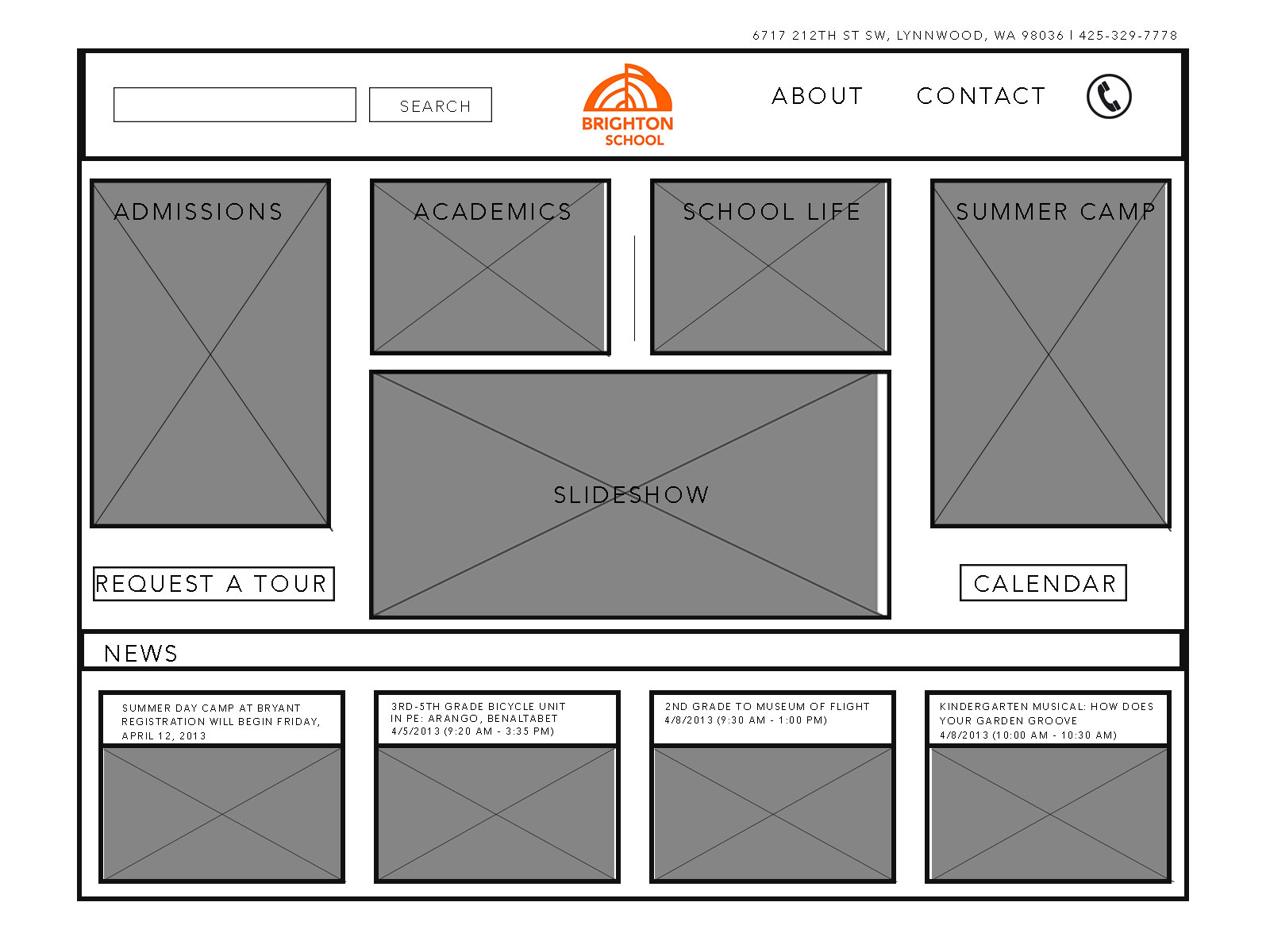
    I wanted to improve the quality of my web design by implementing the strategies that work in other disciplines I feel more comfortable. I wanted to think of the web page like a poster or a logo where there was something integrated and fun. I started by making thumbnails. In the end, I was thinking about the client and how they would prefer something functional vs something that was unconventional. Users have come to expect certain things. I’m not sure if I’ll ever escape this box stuff that seems to be a necessary component of website design.wireframeswireframes2
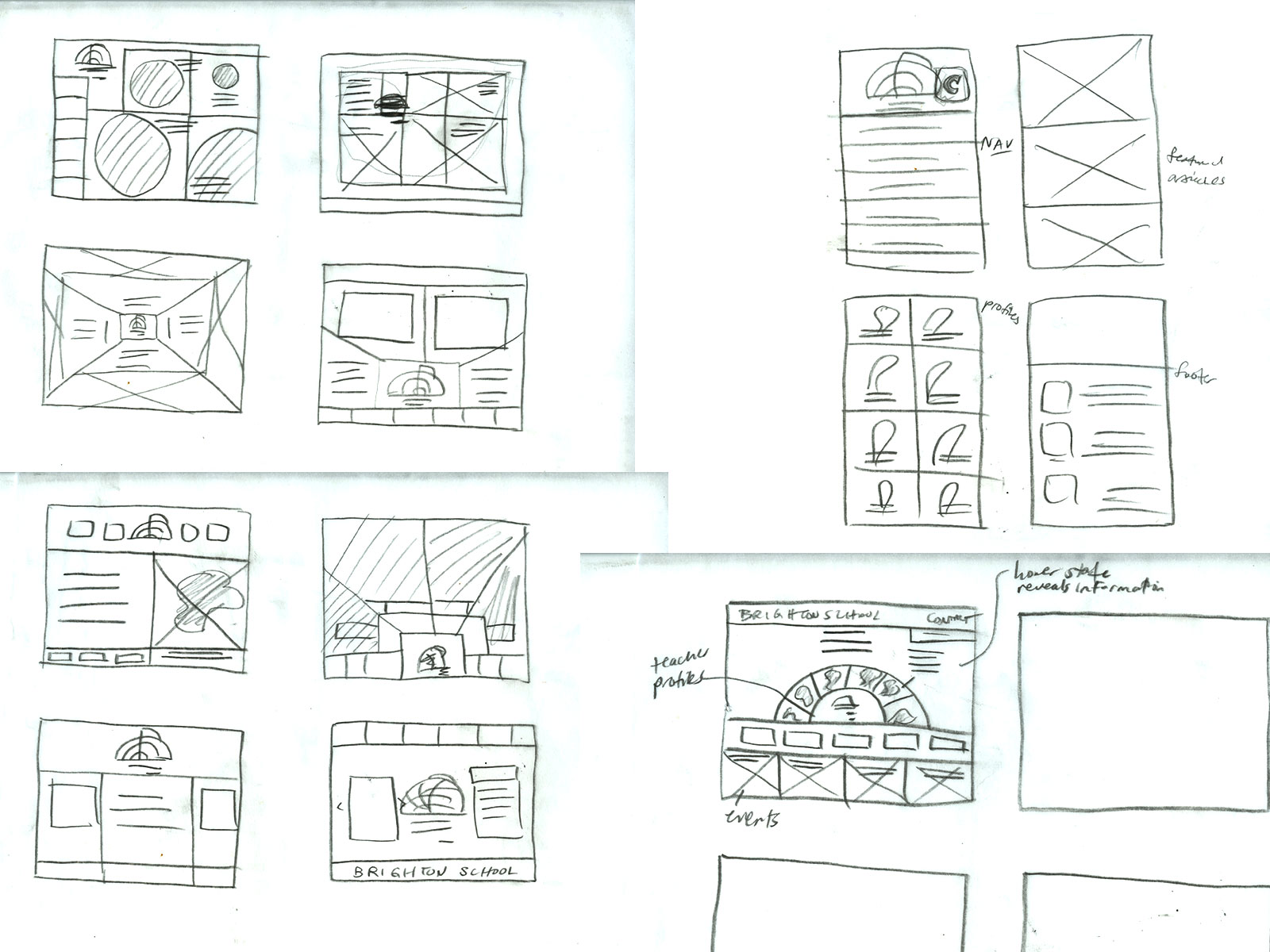
    wireframesmobileUpdate 4-10-12: The critique

    ”

    I think your design will work great for a brochure.  I assume the the tiles on the homepage act as the navigation to the different informational sections of the site?
    Here are some thoughts/notes:
    i.  you may want to consider keeping the admissions/summer camp tiles the same size as academics and school life.  That way there isn’t image cropping happening when its shrunk down to mobile.   This could free up some real estate to expand the slideshow perhaps?
    ii. when you move to PSD’s, think about interesting ways of hiding/showing the search bar.
    iii.  I think its a great start! Everything is modular and works well folding down to mobile.  Looking forward to seeing more progress next week.”
    (Earlier Blog Post Related to this Project)

    sharing options:

    • Share
    • Share on Tumblr (Opens in new window) Tumblr
    • Print (Opens in new window) Print
    • Share on LinkedIn (Opens in new window) LinkedIn
    • Share on X (Opens in new window) X
    • Share on Reddit (Opens in new window) Reddit
    • Share on Pinterest (Opens in new window) Pinterest
    • Share on Facebook (Opens in new window) Facebook
    • Email a link to a friend (Opens in new window) Email
    Like Loading…
Previous Page Next Page

Blog at WordPress.com.


Loading Comments...
 

    • Subscribe Subscribed
      • Kismet Arts Tangent
      • Join 104 other subscribers
      • Already have a WordPress.com account? Log in now.
      • Kismet Arts Tangent
      • Subscribe Subscribed
      • Sign up
      • Log in
      • Report this content
      • View site in Reader
      • Manage subscriptions
      • Collapse this bar
    %d